








Parahelp is a genuinely impressive autonomous AI agent. But it is deliberately not a helpdesk: it rides on top of Intercom, Zendesk, or Front and bills $1.00 to $1.25 per resolved ticket, so its meter lands on a desk subscription that keeps running. Drag is the support platform itself, the queue, the channels, and Varley, Drag’s AI, included from $18 a seat, built on Gmail as the system of record, with its own MCP server on Pro. Here is the honest, side-by-side comparison.

Table of contents
The verdict
The best Parahelp alternative for teams that want the support operation itself, not just an agent on top of one, is Drag: a full platform (shared inbox, boards, live chat, WhatsApp, and help centre) with Varley, Drag’s AI, included from $18 a seat, built on Gmail as the system of record, with no separate desk bill underneath. Parahelp is an autonomous agent that rides on Intercom, Zendesk, or Front and bills $1.00 to $1.25 per resolved ticket on top of that desk. Parahelp remains the better choice when your volume genuinely needs autonomous end-to-end resolution in the thousands and your team has the engineering hours its prompt configuration expects.
Choose Drag if you…
- You want the support operation itself: shared inbox, boards, live chat, WhatsApp, and help centre.
- You want AI included from $18 a seat, with the whole platform underneath.
- You want a platform built on Gmail as the system of record, so nothing migrates in.
- You do not want a separate desk bill running underneath your AI agent.
Choose Parahelp if you…
- Your volume genuinely needs autonomous end-to-end resolution in the thousands.
- Your tickets are complex enough to justify procedure-engineering.
- You have the technical hours it expects.
Comparing more than one agent? See our 8 best Parahelp alternatives for 2026 for the broader roundup.
Drag vs Parahelp at a glance
| Feature | Drag | Parahelp |
|---|---|---|
| What it is | ||
| What it is | A full support platform | An AI agent that runs on top of your helpdesk |
| The stack | One product, one bill | Parahelp plus the desk it sits on (Intercom, Zendesk, or Front), two bills |
| Where you work | Inside Gmail + standalone web, desktop, and mobile apps | Inside your existing helpdesk |
| Pricing & AI | ||
| AI pricing | Included in the seat from $18 | $1.25 per resolved ticket (Start), $1.00 (Scale), custom above 20K per month |
| AI shape | Varley: drafts for approval, tagging, summaries, plus Agent on Pro | Autonomous end-to-end resolution with tool actions |
| Free to start | 7-day trial, no card | Pricing published; plans start per-ticket |
| Workflow & setup | ||
| Setup | Install into Google Workspace, working the same afternoon | Reviewers describe prompt configuration that runs deep; built for engineering-led teams |
| Channels | Email + live chat + WhatsApp in one queue | The channels of the desk underneath |
| Kanban workflow | check_circle | cancel |
| MCP server | Yes, 47 tools | cancel |
Pricing and features verified July 2026; confirm current details on each vendor’s site.
Why teams pick Drag
Platform
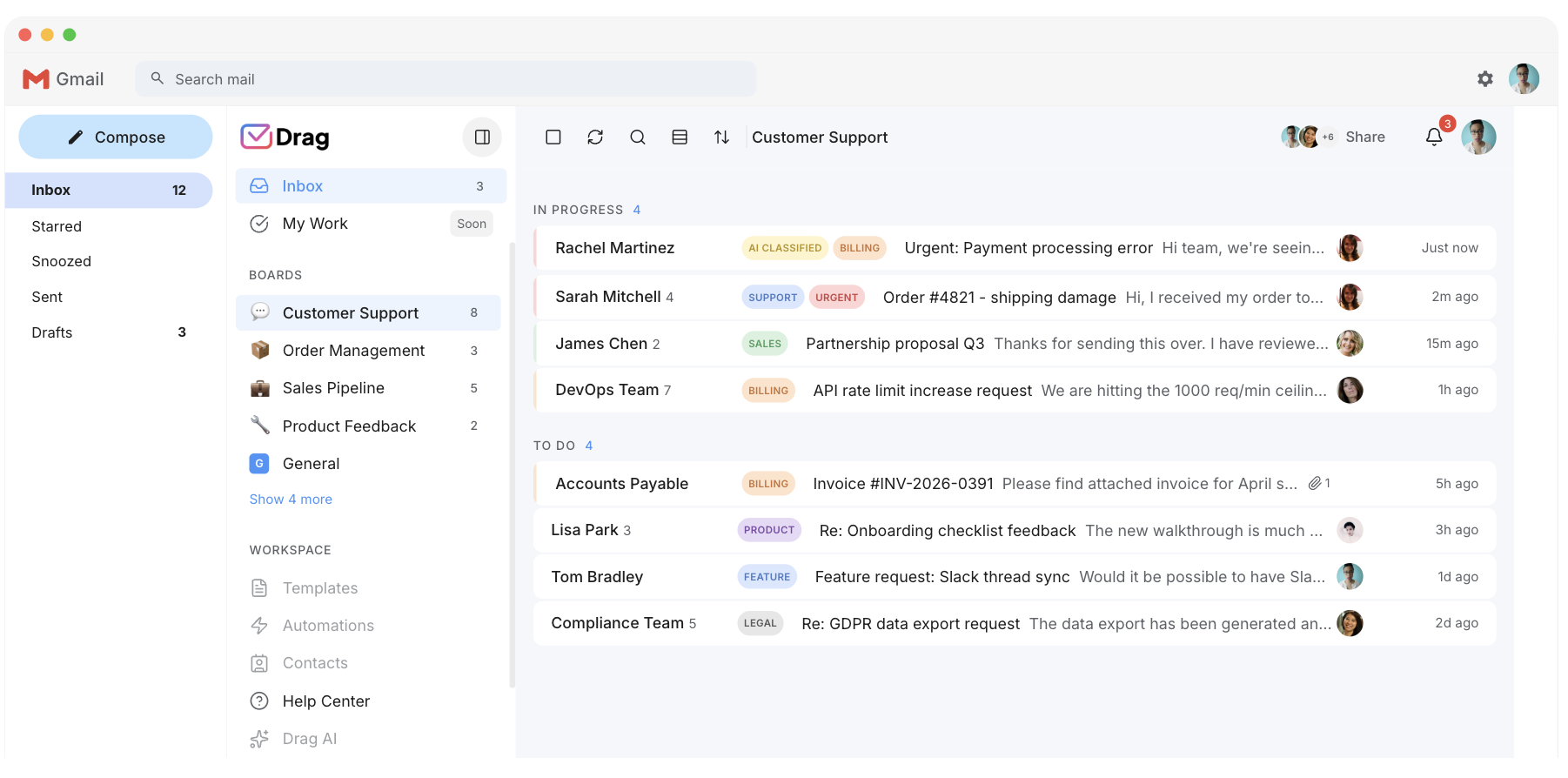
One product, one bill.
Parahelp is deliberately not a helpdesk: it rides on Intercom, Zendesk, or Front, so its per-resolution rate lands on top of a desk subscription that continues. Drag is the platform itself: the queue, the channels, and the AI in one product at one flat price. Five seats with Varley is $90 a month, and there is no second invoice.
Pricing
AI you budget, not forecast.
Parahelp’s meter runs $1.00 to $1.25 per resolved ticket, so the bill scales with the AI’s success and spikes with your busy months. Varley, Drag’s AI, is in the seat from $18, with monthly AI credits included. When Varley resolves a conversation itself, on Pro, that is part of the seat too, not a separate per-ticket bill.
AI
AI your team uses, not software you engineer.
Credit where due: Parahelp’s open-sourced prompts are genuinely impressive engineering, and that is the point: reviewers consistently describe it as built for teams that treat prompt configuration like software. Drag’s assists work from your real content (templates, help centre, history) with nothing to engineer: grounded drafts, automatic tagging, sentiment, and summaries from day one.
Operation
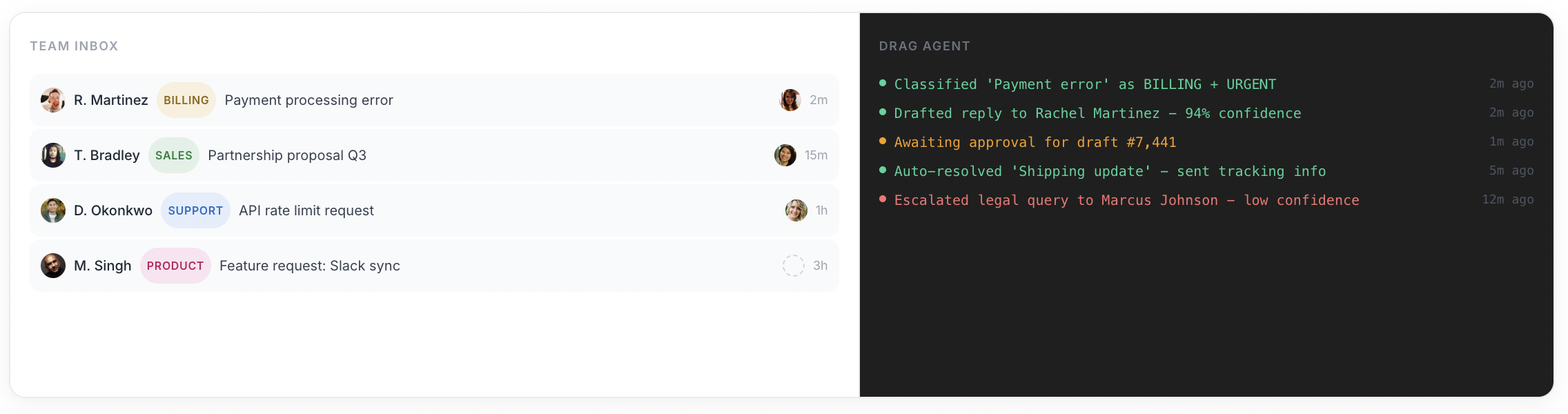
The queue, not just the answer.
An agent resolves tickets; a support operation also needs ownership, collision detection, boards, notes, reporting, and the channels in one place. Drag is that operation, with the AI woven through it, on Gmail as the system of record so nothing migrates in and your mail is never hostage.
Varley · Drag’s AI
One AI, four ways it works.
Varley, Drag’s AI, knows your help center, docs and past conversations. It drafts and tags every email, answers your team in Copilot, acts in Stripe, Slack and HubSpot when you approve, and on Pro resolves conversations on its own. Monthly AI credits come with every Plus and Pro seat, with no per-seat AI add-on.
Parahelp bills $1.00 to $1.25 per resolved ticket, on top of the helpdesk it rides on.
- CopilotAsk Varley, then let it act
- AgentsVarley resolves conversations on its own
- IntelligenceWhat Varley knows, and the tools it acts in
- AssistsVarley in every email: drafts, tags, summaries
Included in Plus. Pro gets 2x the usage. Power users top up any time.
Varley resolves the routine ones on its own.
On Pro, Varley’s Agent reads the email, checks your policy, acts in tools like Stripe, replies in your team’s voice and closes the conversation. Anything it isn’t sure of goes to your team, with everything it found. Included in Pro.
Parahelp resolves tickets autonomously today; Varley’s Agent does the same job inside Drag, with the inbox underneath included rather than billed separately.

I was charged twice this month
Daniel Okonkwo · Customer
- 9:38:13
Read Daniel’s email
Billing · Urgent
- 9:38:15
Checked your refund policy
Duplicate charges: refund in full
- 9:38:18
Found both charges in Stripe
$49 on 12 April, twice
- 9:38:22
Refunded the duplicate
$49 back to Daniel’s card
- 9:38:30
Replied to Daniel
Policy cited, in your team’s voice
- 9:38:35
Closed the conversation
Logged, with its sources
Connect Claude to your inbox in about two minutes.
Paste one URL into Claude’s settings, enter your API key once, and your inbox becomes 47 tools with full read and write, WhatsApp included, on the Pro plan. ChatGPT, Gemini, Copilot and Cursor connect the same way. Then just ask:

Summarise unread Support threads and assign billing to Sarah.

Label everything mentioning refunds and move it to In Progress.

What was our first-reply time this week vs last?
Parahelp connects tools to its own agent through APIs but publishes no MCP server of its own.
Explore the MCP serverMCP server
@dragapp/mcp-server
47
tools · 12 categories · read + write
https://app.dragapp.com/mcp
paste into Claude › Settings › Connectors

 + any MCP client
Pricing: Drag vs Parahelp
Parahelp prices by outcome: $1.25 per resolved ticket on Start, $1.00 on Scale, custom above 20,000 tickets a month, on top of the helpdesk subscription underneath it. A team whose AI handles 500 conversations a month is looking at roughly $500 to $625 in agent fees plus the desk. Drag for five Pro seats is $120 a month with Varley included, unlimited conversations and the channels built in; very high resolution volumes top up. Model both shapes in the live comparator in our pricing report or the cost calculator.
Drag, five seats with Varley
$90 / month, flat
One bill. Unlimited conversations, Varley (Drag’s AI), email + live chat + WhatsApp, boards, and a help centre.
See full pricingParahelp, ~500 resolutions
$500–$625 / month + desk
Per-resolution agent fees ($1.00 to $1.25 each) stacked on top of your Intercom, Zendesk, or Front subscription.
Source: parahelp.com/pricing and Drag pricing, July 2026. Model both shapes against your real volume in our AI support pricing report.
Drag vs Parahelp, feature by feature
The detail layer for evaluators. Where Parahelp is stronger, we say so and mark it plainly.
The support queue
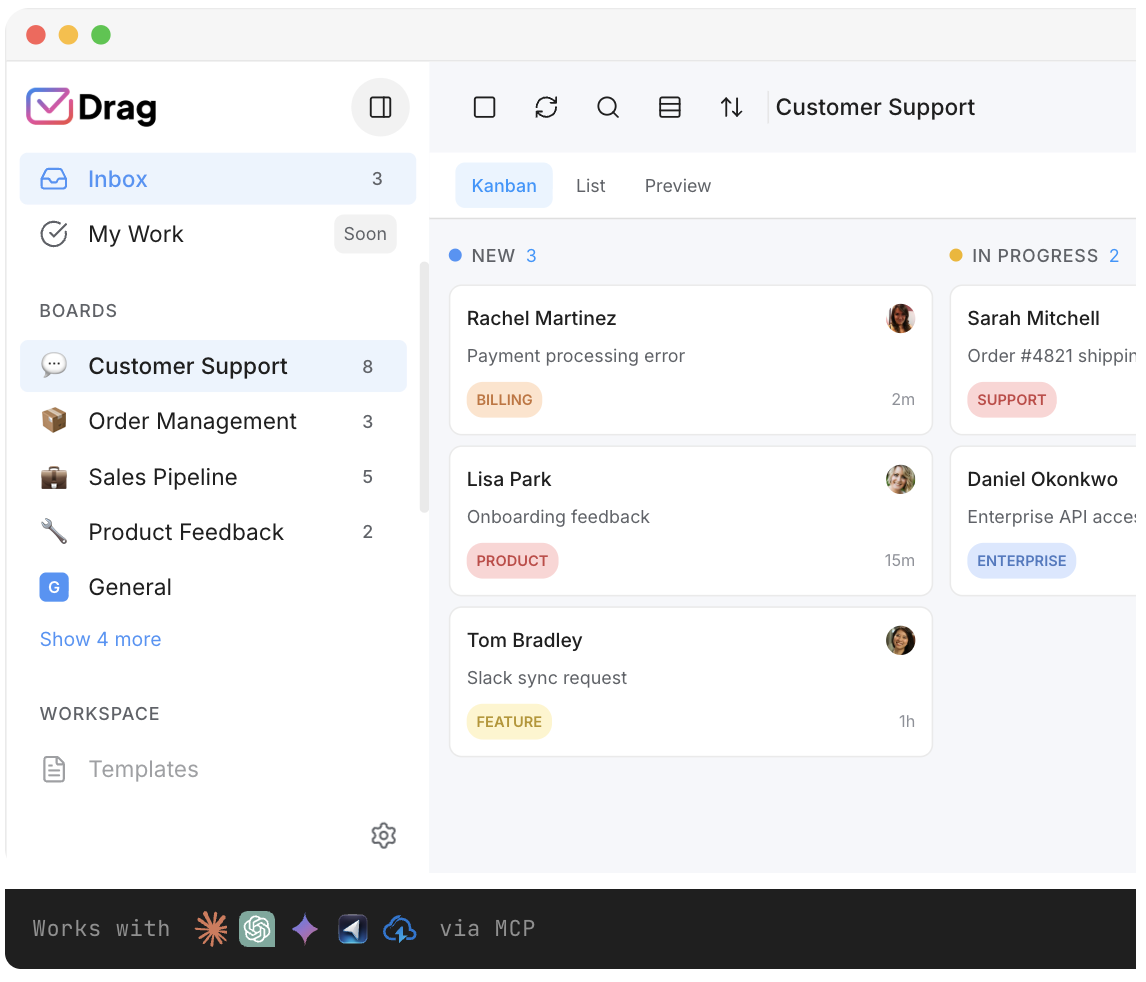
Drag is one operation: assignment, collision detection, boards, notes, and reporting across email, chat, and WhatsApp. Parahelp inherits whatever desk it rides on.
- Drag: assignment, collision detection, boards, notes, and reporting in one product.
- Parahelp: no queue of its own by design; it works inside the helpdesk underneath.
Autonomous resolution
Parahelp’s genuine strength: it plans a resolution, calls tools (refunds, lookups, bug filing), rates its own confidence, and routes low-confidence tickets to humans. Varley drafts for your team to approve, and on Pro its Agent adds autonomous end-to-end resolution alongside.
- Parahelp: autonomous end-to-end resolution, tool actions, and confidence-based routing. A real strength.
- Drag: human-in-the-loop assists plus Varley’s Agent for autonomous resolution.
AI drafting and triage
Both are real: Parahelp drafts within the desk it rides on; Varley’s grounded drafts, tagging and summaries are included in the seat.
- Drag: Varley’s grounded drafts, tagging and summaries, included in the seat.
- Parahelp: AI drafting inside the helpdesk it embeds into, billed per resolution.
Actions and integrations
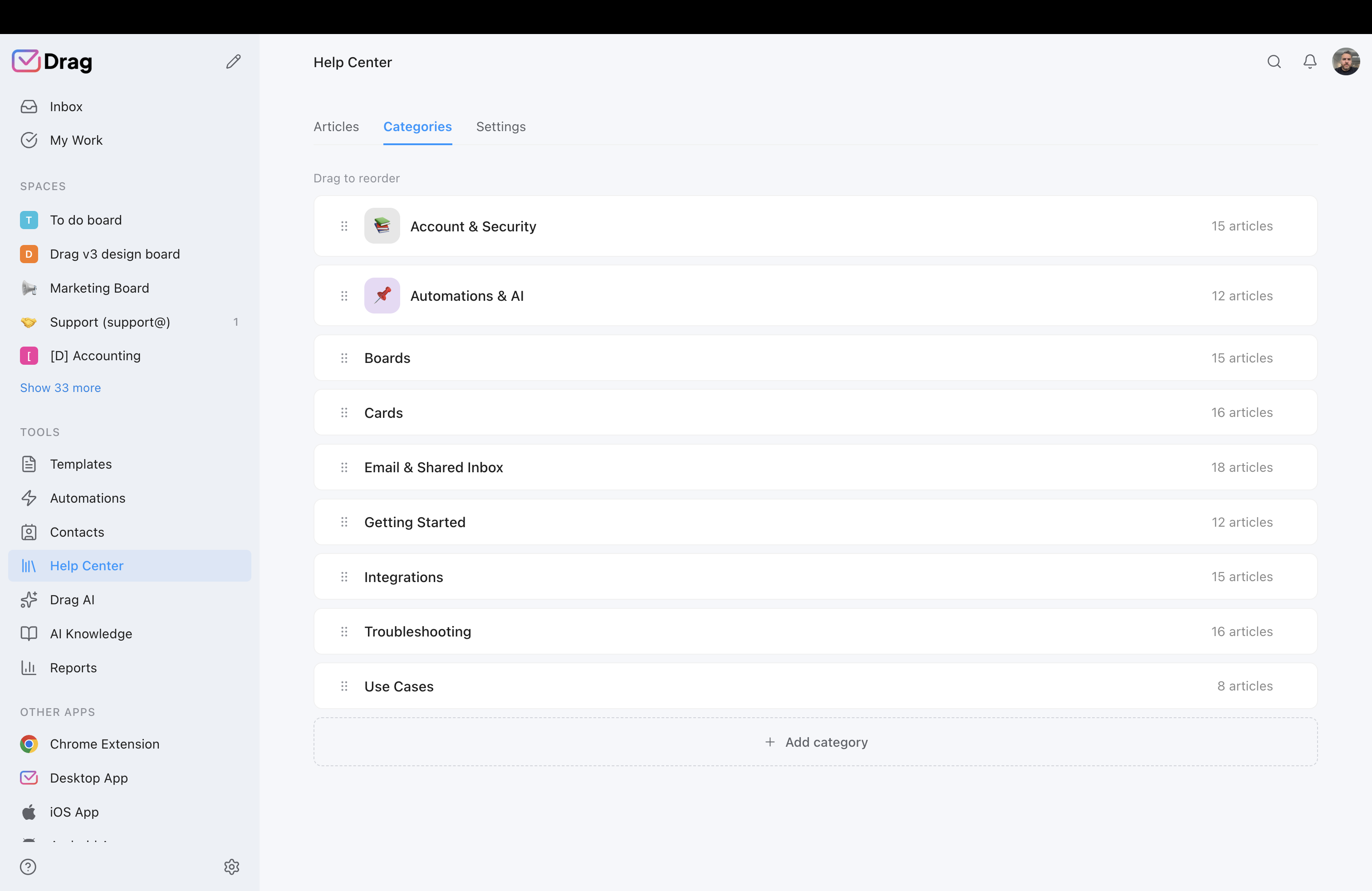
Parahelp executes actions mid-ticket (Stripe, Linear, Slack), impressive and by design. Drag’s automation rules move the queue (assign, label, board moves) and its MCP server hands the whole inbox to your AI tools.
- Parahelp: mid-ticket actions across Stripe, Linear, and Slack.
- Drag: automation rules plus an MCP server that exposes 47 tools to Claude, ChatGPT, or Cursor.
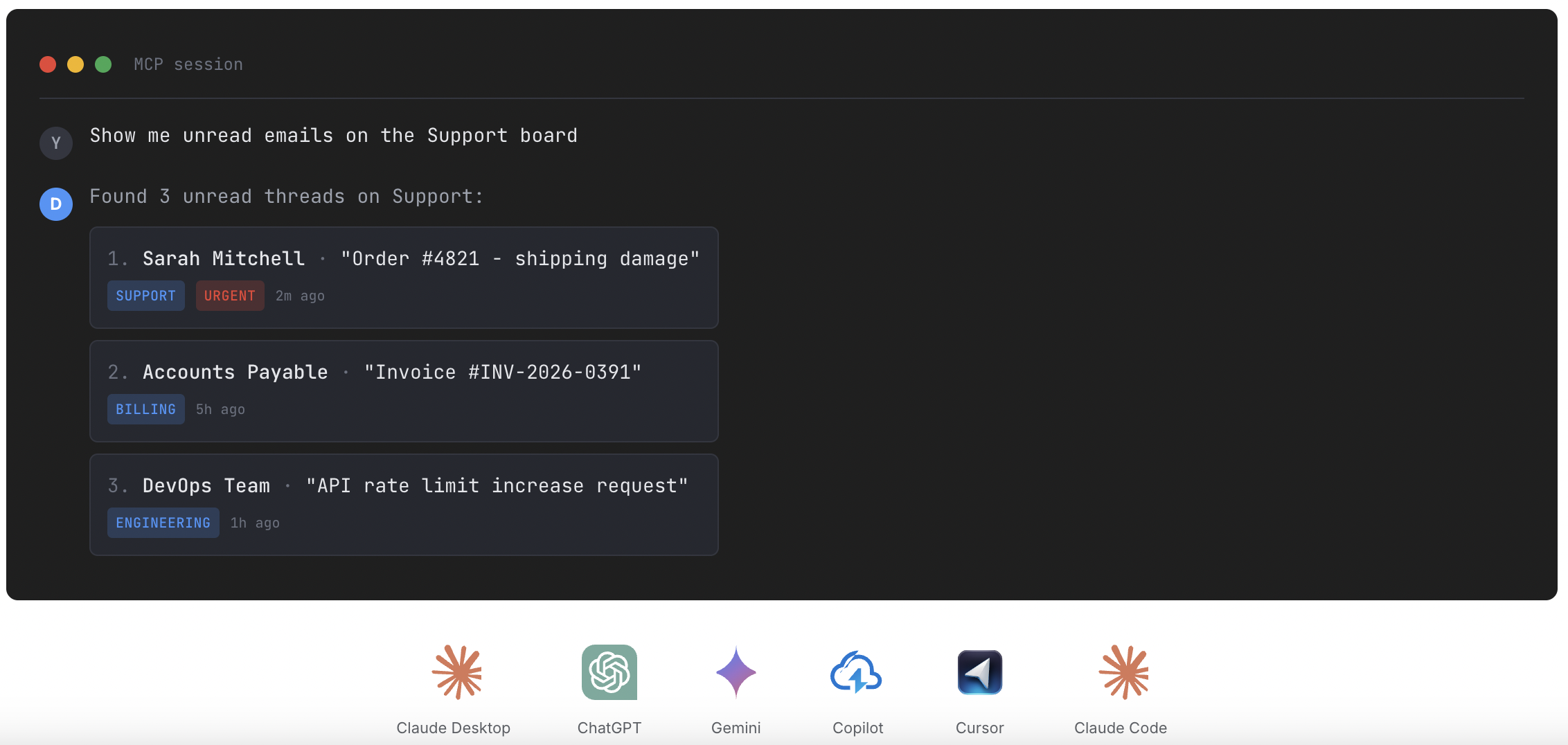
Source: MCP for customer support
Setup and upkeep
Drag installs into Google Workspace and you are working the same afternoon; the free-trial question answers itself. Parahelp’s reviewers describe deep prompt configuration and engineering-led onboarding.
- Drag: install into Workspace, connect inboxes, load templates, working the same afternoon.
- Parahelp: engineering-led configuration reviewers consistently describe as deep.
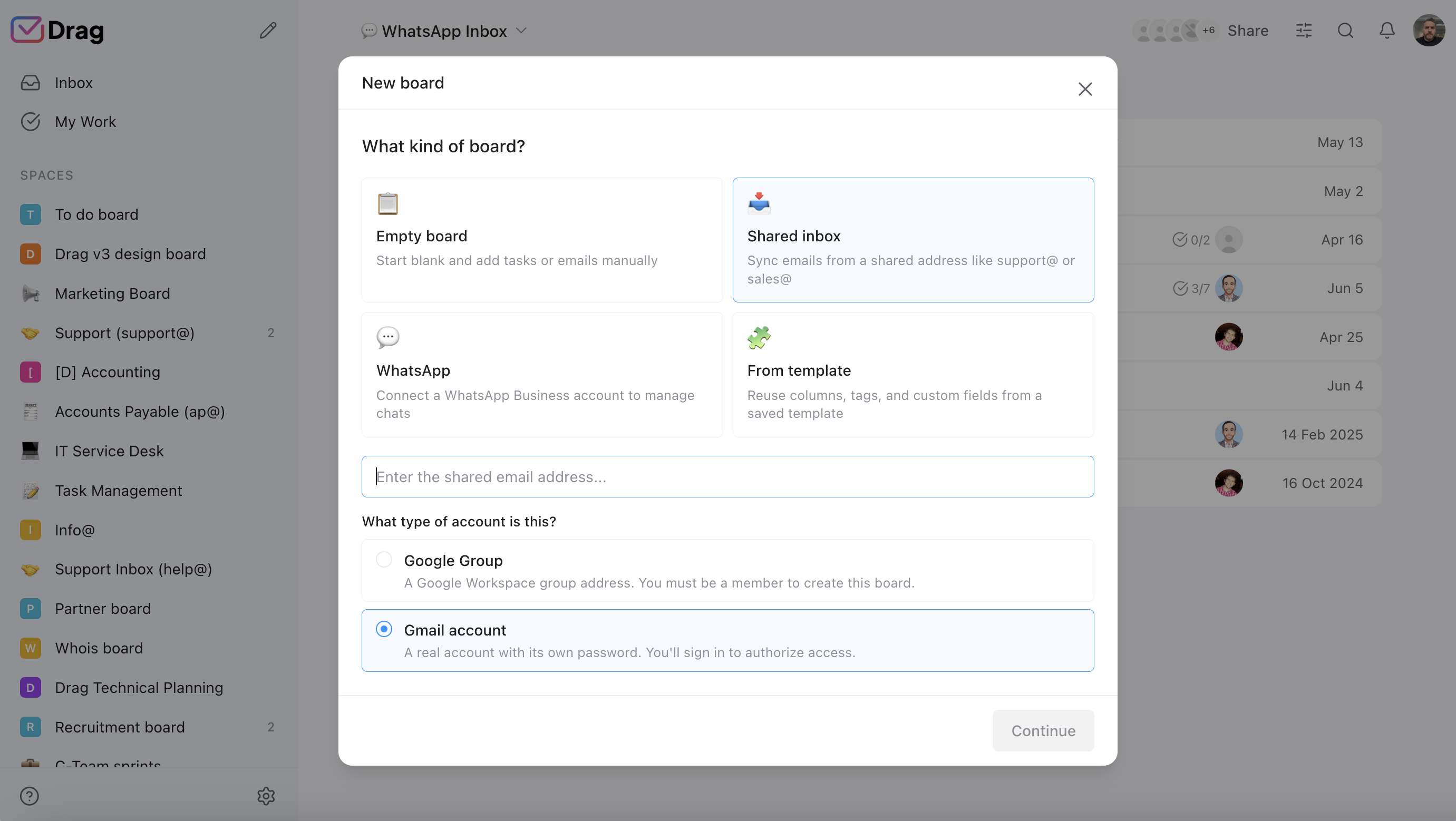
Source: Parahelp reviews and documentation; Drag product.
Channels
Drag runs email, live chat, and WhatsApp in one queue. Parahelp works across the channels of the desk underneath it.
- Drag: email, live chat, and WhatsApp in one queue.
- Parahelp: whatever channels its underlying helpdesk provides.
Reporting
Drag’s included reporting runs the Friday meeting; Parahelp reports on its own automation within the desk’s analytics.
- Drag: built-in reporting on response times, volume, and activity across the operation.
- Parahelp: reporting on its automation, within the analytics of the desk it rides.
If you switch: what you keep, what changes
What you keep
Your email (Gmail is the system of record, so nothing migrates), your templates and help content (they become the AI’s grounding), and your history.
What changes
The shape of the AI: from an autonomous agent resolving on top of a desk to seat-included assists inside the operation itself, with autonomy via Varley’s Agent. And the bills change shape: from desk-plus-meter to one per-seat line, with the AI included.
The honest note
If autonomous resolution in the thousands is genuinely your requirement today, the seven agents in our alternatives roundup are the like-for-like comparison; this page is for the team that wants the platform question answered first.
Where Parahelp fits better
To be straight, Parahelp is the better choice if:
- Engineering-heavy SaaS with complex tickets: if your tickets are stack traces and your team can treat prompts as software, Parahelp's procedure depth is the real product, and prominent AI companies run it for exactly that.
- Autonomous volume at scale: thousands of AI-suitable tickets a month justify the meter against headcount.
- Deep desk investment: if Intercom or Zendesk is staying regardless, an agent on top beats a platform migration.
If those describe you, stay with our blessing; this page is for the team paying two bills to avoid one platform.
No migration project to switch to Drag
Drag installs into the Google Workspace your support address already flows through. Connect the shared inboxes, chat, and WhatsApp, set up boards, load your templates and help content (they ground the AI from day one), and invite the team. Most teams are working the queue the same afternoon; the 7-day trial answers the fit question directly.
What customers say
“What we like the most about Drag is the ability to see at a glance where a client is during their Onboarding process, through the use of columns, tasks, and tags. It has been crucial for us because Waste Logics is a growing business and this transparency allows us to work faster and smarter.”
“There really is no comparison when it comes to Drag. We have a great relationship with their team, it’s incredibly easy to use, addresses all of our needs, and the price is right!”
“Drag provided a lot of transparency and unified our team. It allowed us to bring the entire team together to manage emails and tasks collaboratively, as opposed to working in silos, across different tools.”
Frequently asked questions
Is Drag a good Parahelp alternative?
For teams that want the support operation itself rather than an agent on top of one, yes: a full platform (shared inbox, boards, live chat, WhatsApp, help centre) with Varley, Drag’s AI, included from $18 flat and an MCP server on Pro, built on Gmail. It is not the fit if autonomous resolution in the thousands is your requirement today.
What is the main difference between Drag and Parahelp?
The layer. Parahelp is an autonomous AI agent that runs on top of your existing helpdesk and bills per resolved ticket; Drag is the support platform itself, with Varley, its AI, included in the seat.
How much does Parahelp cost?
$1.25 per resolved ticket (Start), $1.00 (Scale), custom above 20,000 tickets a month, credit-based, on top of your helpdesk’s own subscription. Verified against its pricing page in July 2026.
Is Drag cheaper than Parahelp?
For most teams, structurally: five Drag Pro seats with Varley resolving 500 conversations a month come to about $270, desk included, versus Parahelp’s per-resolution fees (roughly $500 to $625 for 500 monthly resolutions) plus the desk underneath. At very high autonomous volume the comparison genuinely narrows; run both in the pricing report’s comparator.
Does Parahelp replace my helpdesk?
No, by design: it embeds into Intercom, Zendesk, or Front and works on top. Drag replaces the stack: the queue, channels, and AI in one product.
What does a “resolved ticket” mean on Parahelp’s meter?
One credit bills per resolved ticket. As with every per-resolution vendor, the definition details (assumed resolutions, re-contacts) decide the real bill; our AI support pricing report covers what to ask every vendor, in writing.
Can I run my inbox from Claude or ChatGPT with Drag?
Yes: Drag’s MCP server exposes 47 tools, read and write, so Claude, ChatGPT, Gemini, Copilot, or Cursor can triage, draft, assign, and report on the queue. Parahelp has no MCP server.
Does Drag have an autonomous agent like Parahelp?
Varley’s Agent resolves threads end to end on Pro, with the AI included in the seat, alongside the drafts and tagging most teams run day to day. Parahelp’s resolution engine still goes further on tool depth and confidence-based routing; we’re noting that plainly rather than claiming to match it feature for feature.
Does Drag have a free plan?
A 7-day trial with no card required; paid plans are $12, $18 (AI included from here), and $24 per user billed annually.
Who is Parahelp best for?
Engineering-heavy SaaS teams with complex tickets, real technical hours, and autonomous volume that justifies the meter: the profile its own customers (prominent AI companies) fit exactly.
Why do teams pick Drag instead?
One bill instead of desk-plus-meter, AI cost that never varies, setup measured in an afternoon, and the operation (queue, channels, boards, reporting) rather than an agent bolted onto one.
Does Drag work outside Gmail?
Drag is built on Google Workspace as the system of record and runs inside Gmail or in its own web, desktop, and mobile apps. Outlook-based teams should pick from the agents in our alternatives roundup instead; we say that plainly.
How does setup compare?
Drag: install, connect inboxes, load templates, working the same afternoon. Parahelp: engineering-led configuration its reviewers consistently describe as deep; that is its design choice, not a flaw, and the wrong fit for teams without the hours.
What happens to my Parahelp prompts and procedures if I switch?
Their content survives as knowledge: procedures become help-centre articles and templates in Drag, which ground the assists. The prompt engineering itself is Parahelp-specific.
Is Parahelp’s pricing published?
Yes, as of 2026: the rates above are on parahelp.com/pricing, which puts it ahead of the unpublished tier (Sierra, Decagon, Ada) on transparency. We verify quarterly in our pricing report.
How do I try the comparison?
Run Drag’s 7-day trial against a week of your real queue: connect the inboxes, load your content, and watch the assists work. If most of your volume still needs autonomous resolution, you have your answer, honestly.


