








Freshdesk is a capable, affordable help desk, and that is not in question. The question is whether you need a full help desk at all, and what it really costs. The $19 headline is email-only; real multichannel means Freshdesk Omni at $29 to $119, and AI stacks on top as a $29-a-seat Copilot add-on plus customer-facing sessions at around $0.49 each that expire every month. If your support is really email and collaboration, a Gmail shared inbox with AI included does the job for less. Here is the honest comparison, including where Freshdesk is still the right call.

Table of contents
The verdict
For email-driven teams on Gmail, Drag is the better-value Freshdesk alternative: it does shared-inbox support (assignment, collaboration, boards, AI) inside Gmail for $12 to $24 per seat with AI included and no AI add-on, where Freshdesk starts at $19 for email-only ticketing, needs Omni ($29 to $119) for real multichannel, and stacks Freddy AI as a $29-a-seat add-on plus per-session fees. Freshdesk remains the better pick if you genuinely need a full help desk with SLAs, deep automation, and omnichannel at scale.
Choose Drag if you…
- Your support is mostly email and collaboration, not full multichannel ticketing.
- You want AI included in the seat, with no Copilot add-on and no expiring AI sessions.
- You want to stay in Gmail rather than configure and maintain a separate platform.
- You want flat, predictable pricing ($12 to $24) with no seat minimum.
- You want to run your inbox from Claude or ChatGPT (Drag has its own MCP server).
Choose Freshdesk if you…
- You genuinely need a full help desk with ticketing, SLAs, and deep automation.
- You need true omnichannel (email, chat, phone, social) at scale via Omni.
- You have the volume to justify, and budget, its stacked AI as a separate line item.
Looking at more options? See our best Freshdesk alternatives for 2026 for a broader comparison.
Do you need a full help desk?
Before comparing features, ask the question most Freshdesk shoppers skip: do you need a full help desk at all? Freshdesk is a capable ticketing platform, but a lot of teams adopt it by default, then spend time configuring ticketing, SLAs, and channels for what is really a shared-inbox job: replying to email, looping in a colleague, handling the occasional chat. If that is your team, you are paying for, and maintaining, a platform heavier than you need, and stacking AI fees on top.
This page assumes you have asked that question and want to know how Drag (the shared-inbox answer, with AI included) compares to Freshdesk (the full-help-desk answer), honestly, including when Freshdesk is the one to keep.
At a glance
| Feature | Drag | Freshdesk |
|---|---|---|
| Pricing & AI cost | ||
| Starting price (per seat/mo, annual) | $12 | $19 (email only) |
| Real multichannel price | Included | Omni $29 to $119 |
| AI cost | Included from $18 | Copilot $29/seat + sessions ~$0.49 |
| AI session expiry | None (included) | Sessions expire monthly, no rollover |
| Seat minimum | None | None |
| Platform & fit | ||
| Works inside Gmail | check_circle | cancel |
| Standalone app as well | Yes (web/desktop/mobile) | check_circle |
| Setup / maintenance | Minutes, minimal | Full platform to configure + maintain |
| Best-fit team | Email-driven Gmail teams | Full-ticketing / omnichannel teams |
| AI | ||
| AI included in seat | Yes (6 assistants) | No (add-on + sessions) |
| AI works on your real inbox | check_circle | Knowledge-source based |
| MCP server (connect Claude/ChatGPT) | check_circle | cancel |
| Help-desk depth | ||
| Full ticketing / SLAs | Core | Yes, deep |
| Omnichannel (chat, phone, social) | Email, WhatsApp, chat | Broad via Omni |
| Automation / routing depth | Core | Deeper at higher tiers |
Pricing and features verified June 2026. Confirm current details on each vendor's site.
Why Gmail teams pick Drag
Pricing
AI included, no add-ons or expiring sessions.
Drag is $12 to $24 a seat, with AI included from $18. One predictable bill, no AI add-on. Freshdesk starts at $19 for email-only ticketing; real AI means adding Copilot at $29 a seat (Pro/Enterprise only) and the customer-facing AI Agent at roughly $0.49 per session, where sessions expire every month with no rollover.
- Drag: $12 to $24 a seat, AI included from $18, flat and predictable.
- Freshdesk: $19 to $89 a seat, plus Copilot $29/seat, plus AI sessions ~$0.49 each that expire monthly.
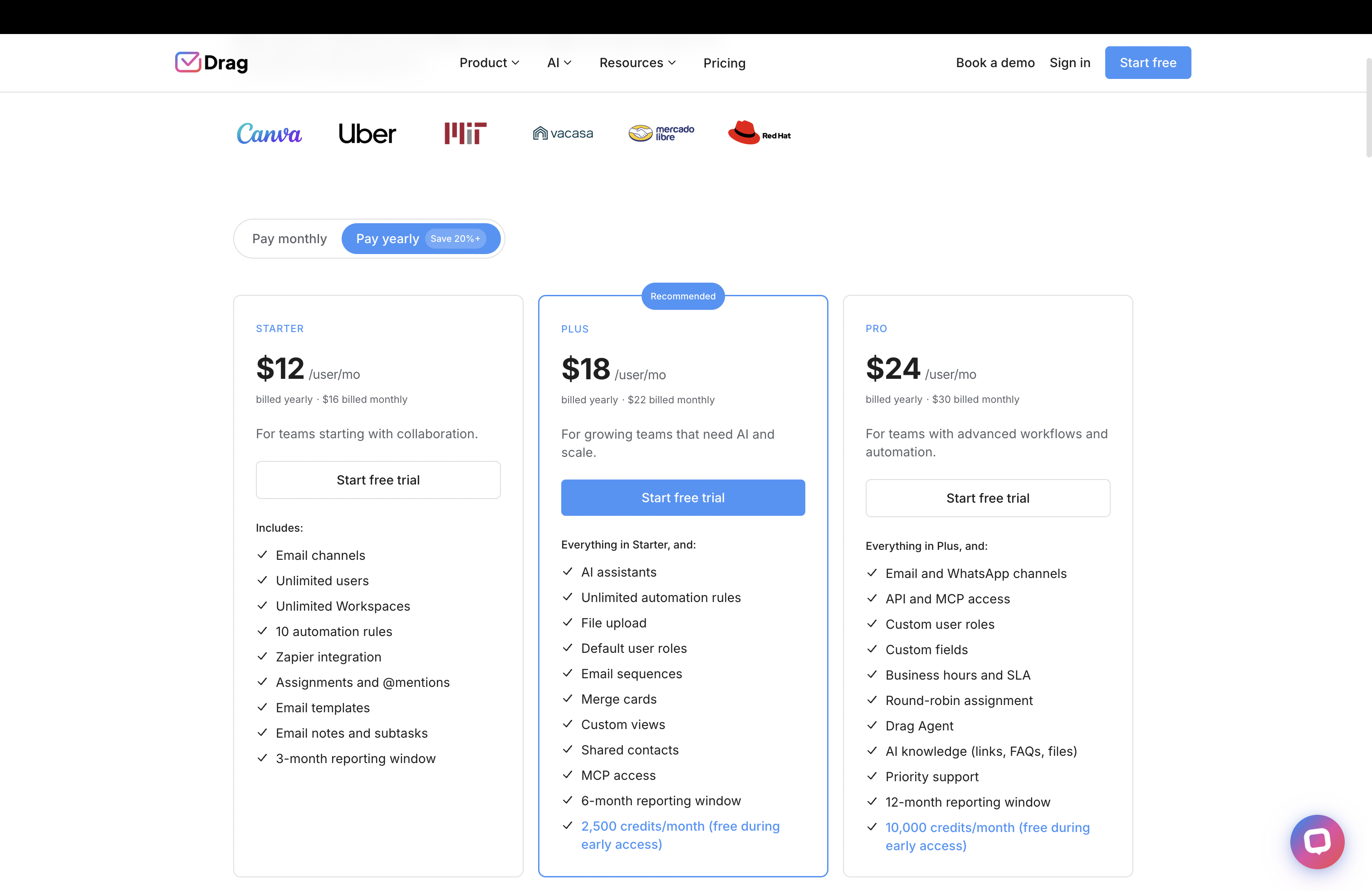
Source: Drag and Freshworks pricing pages, June 2026.
AI
AI that works on your real inbox.
Drag includes Varley, its AI, in the seat from $18. It drafts and tags every email, answers from everything your team knows, acts in your tools and, on Pro, resolves conversations on its own. It works on your actual inbox content, not just a separate knowledge base. Freshdesk’s Freddy Copilot is a $29-a-seat add-on (Pro/Enterprise only) and its customer-facing AI Agent draws from knowledge sources at roughly $0.49 per session.
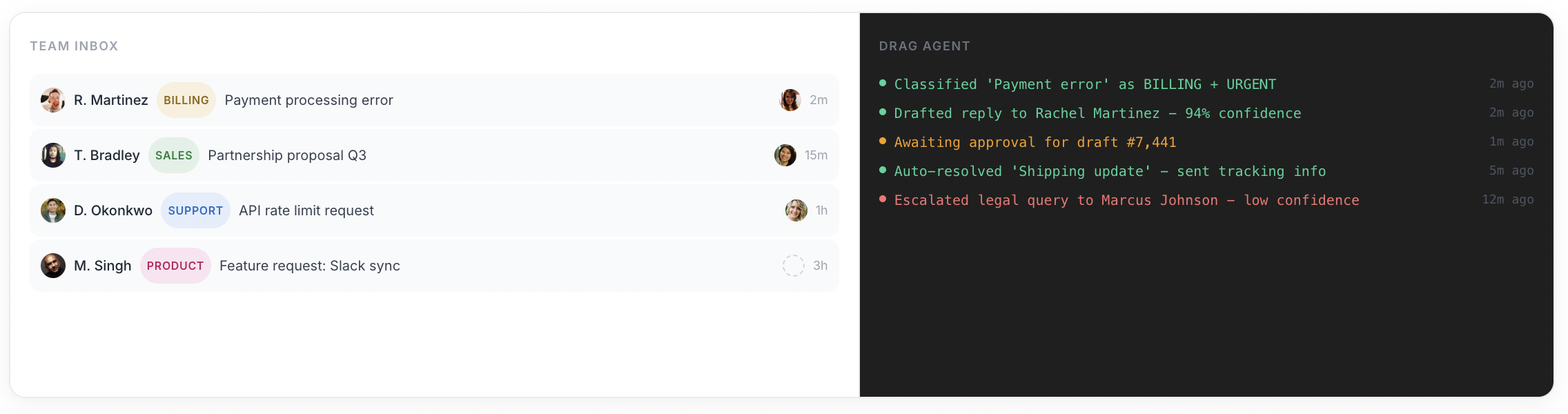
- Drag: Varley included, working on your real inbox.
- Freshdesk: Copilot $29/seat add-on; AI Agent knowledge-source-based, per session.
- No expiring sessions, no add-on tier gates.
Varley · Drag’s AI
AI included, not stacked as add-ons.
Varley, Drag’s AI, knows your help center, docs and past conversations. It drafts and tags every email, answers your team in Copilot, acts in Stripe, Slack and HubSpot when you approve, and on Pro resolves conversations on its own. Monthly AI credits come with every Plus and Pro seat, with no per-seat AI add-on.
Freshdesk stacks AI as Copilot (a $29 a seat add-on) plus AI Agent sessions (about $0.49 each, expiring monthly).
- CopilotAsk Varley, then let it act
- AgentsVarley resolves conversations on its own
- IntelligenceWhat Varley knows, and the tools it acts in
- AssistsVarley in every email: drafts, tags, summaries
Included in Plus. Pro gets 2x the usage. Power users top up any time.
Varley resolves the routine ones on its own.
On Pro, Varley’s Agent reads the email, checks your policy, acts in tools like Stripe, replies in your team’s voice and closes the conversation. Anything it isn’t sure of goes to your team, with everything it found. Included in Pro.
Freshdesk has Freddy AI Agent for customer-facing sessions; Varley’s Agent works inside the inbox your team already uses.

I was charged twice this month
Daniel Okonkwo · Customer
- 9:38:13
Read Daniel’s email
Billing · Urgent
- 9:38:15
Checked your refund policy
Duplicate charges: refund in full
- 9:38:18
Found both charges in Stripe
$49 on 12 April, twice
- 9:38:22
Refunded the duplicate
$49 back to Daniel’s card
- 9:38:30
Replied to Daniel
Policy cited, in your team’s voice
- 9:38:35
Closed the conversation
Logged, with its sources
Connect Claude to your inbox in about two minutes.
Paste one URL into Claude’s settings, enter your API key once, and your inbox becomes 47 tools with full read and write, WhatsApp included, on the Pro plan. ChatGPT, Gemini, Copilot and Cursor connect the same way. Then just ask:

Summarise unread Support threads and assign billing to Sarah.

Label everything mentioning refunds and move it to In Progress.

What was our first-reply time this week vs last?
Freshdesk’s MCP server is in early-access beta for Enterprise plans; there is no generally available way to connect your own AI client yet.
Explore the MCP serverMCP server
@dragapp/mcp-server
47
tools · 12 categories · read + write
https://app.dragapp.com/mcp
paste into Claude › Settings › Connectors

 + any MCP client
Gmail-native
Stay in Gmail, not a separate platform.
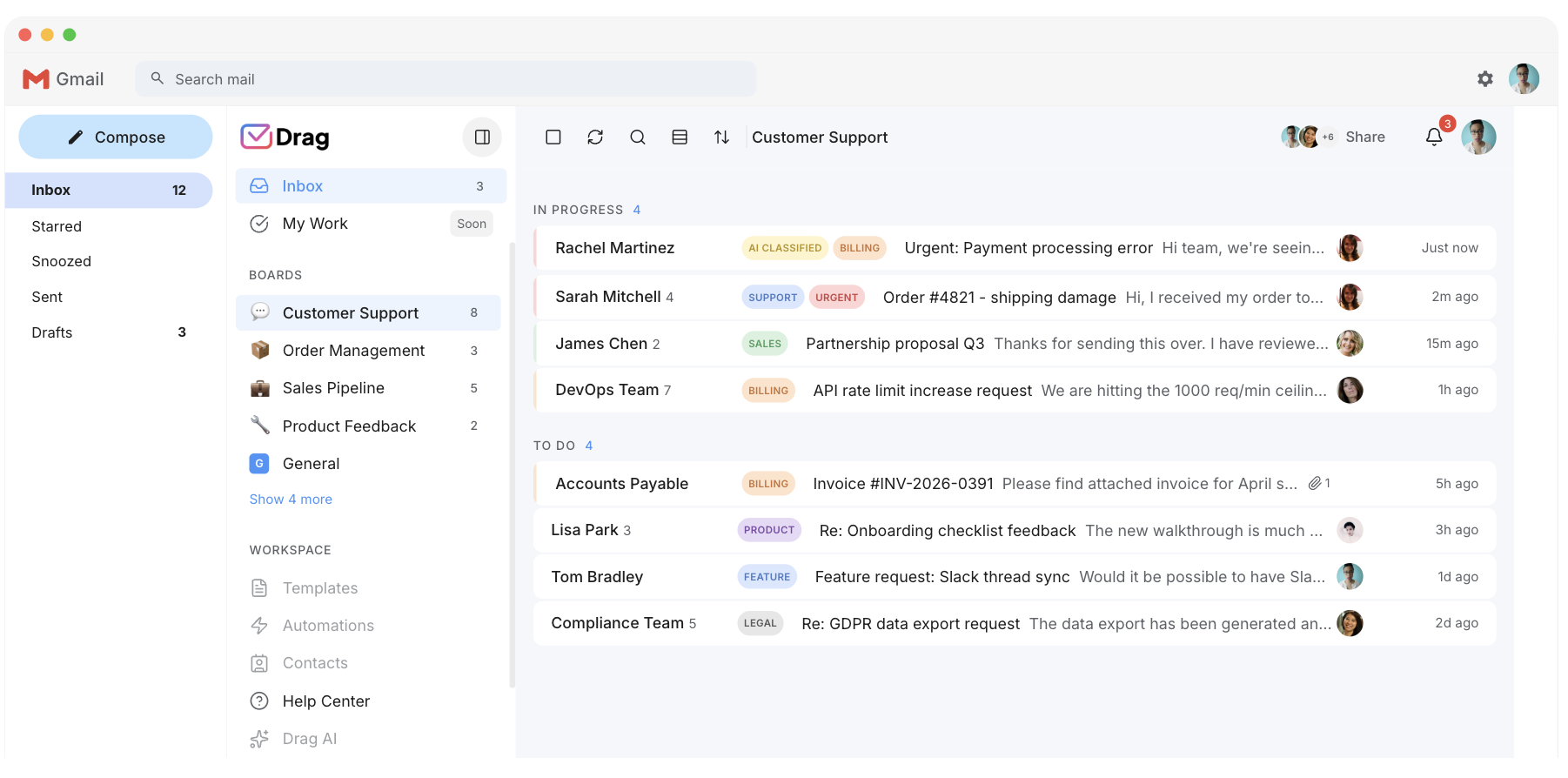
Drag turns Gmail into a shared inbox with boards: your team works in the tool they already know. Freshdesk is a standalone platform that needs setup, configuration, and ongoing maintenance. For email-driven teams, staying in Gmail means zero learning curve.
- Drag: shared inbox inside Gmail, no platform to maintain.
- Freshdesk: standalone platform, setup and training required.
Dual experience
Gmail-native, with a full standalone app when you want one.
Drag gives you both: a Gmail extension for your daily inbox, plus a standalone web, desktop, and mobile app on the same data. Choose whichever fits the moment. Freshdesk is standalone only.
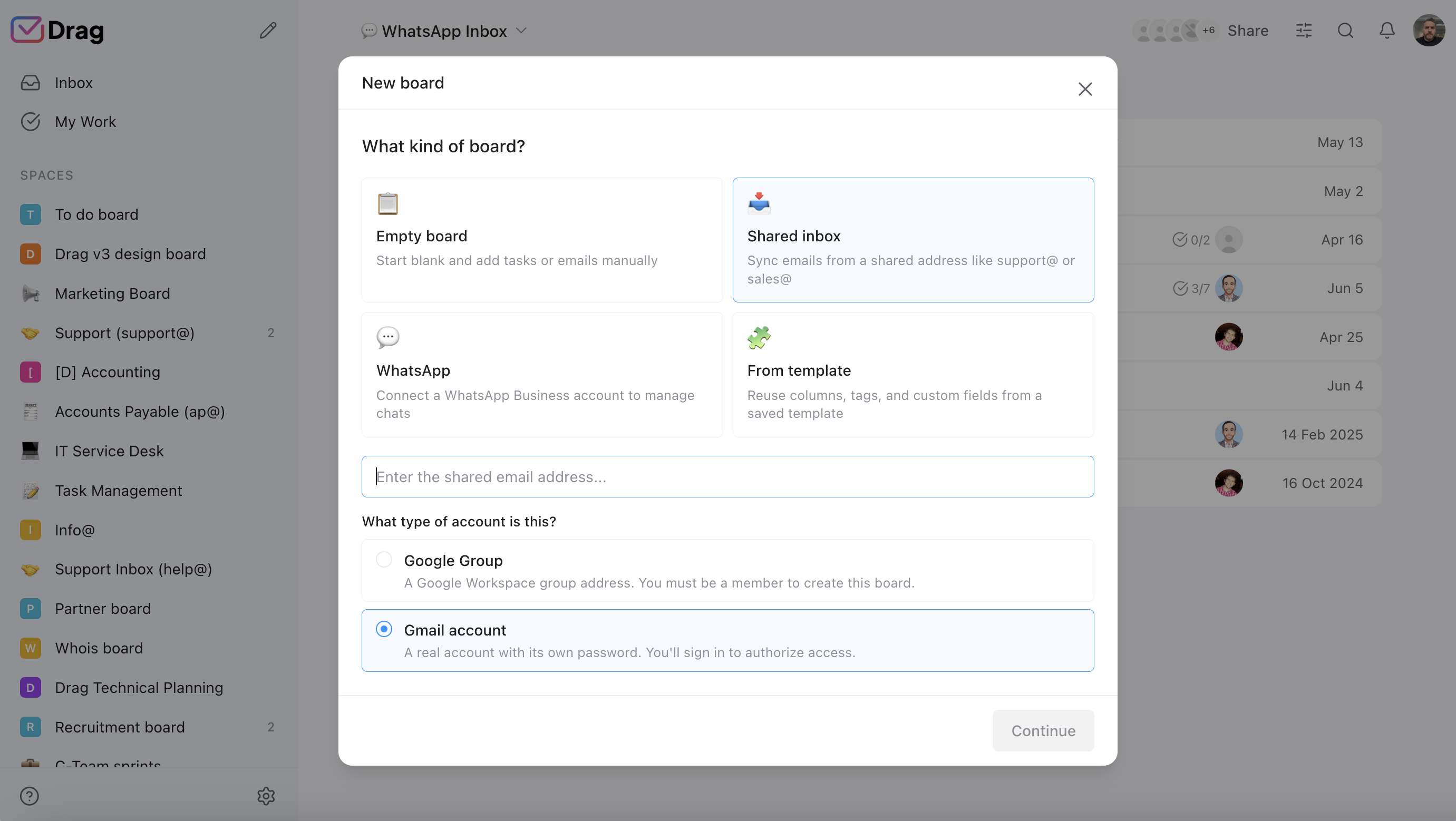
- Drag: Gmail extension + standalone web/desktop/mobile app.
- Freshdesk: standalone platform only.
Features
The support tools included.
Help center, live chat, Kanban boards, automation, WhatsApp: all included in the seat, not tiered up or billed per use. Freshdesk has deeper ticketing, but many of its features are gated by plan tier or require Omni pricing.
- Help center, live chat, boards, automation, WhatsApp: included.
- Freshdesk: features gated by tier; multichannel needs Omni pricing.
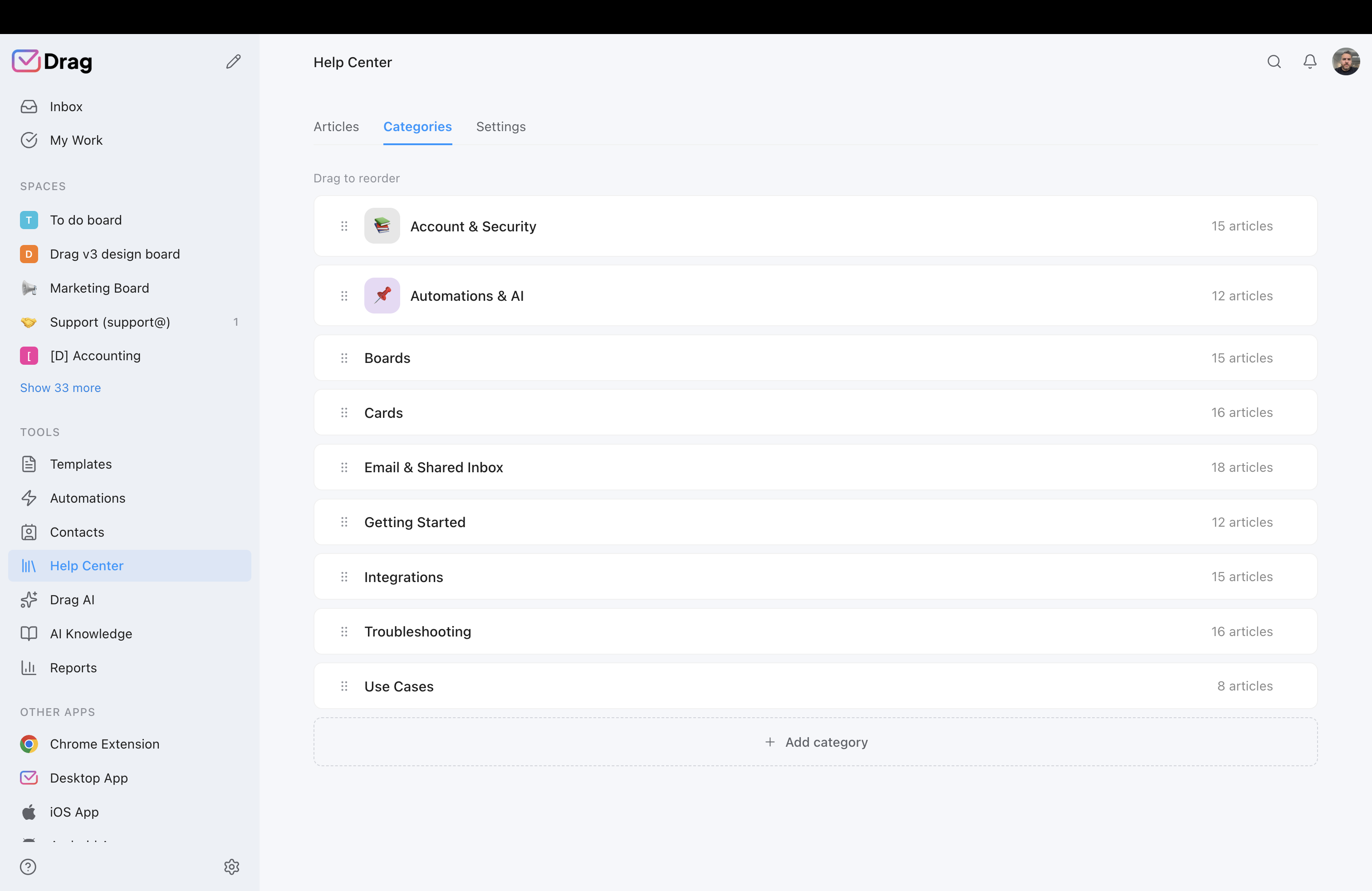
Pricing: Drag vs Freshdesk
Freshdesk’s real cost is the seat plus AI add-ons and expiring sessions. Drag’s cost is the seat, AI included. Put your own numbers in.
AI features
 Drag Plus (AI included)
$2,160/yr
$18/user/mo × 10 seats · AI included
 Freshdesk Pro + Copilot
from $10,080/yr+
$84/user/mo × 10 seats · Freshdesk Growth is $19 for EMAIL ticketing only; real multichannel needs Omni ($29 to $119). Freddy AI stacks on top: Copilot is a $29/seat add-on (Pro/Enterprise only) and the customer-facing AI Agent is billed per session (~$0.49 each, 500 free once, sessions expire monthly). Real AI cost grows with volume beyond what this calculator shows.
Your team saves at least $7,920/yr with Drag.
Estimate based on annual per-seat pricing, June 2026. Freshdesk shown at Growth ($19) and Pro + Copilot ($84). AI Agent sessions (~$0.49 each) are additional and not included in the calculator. Confirm current pricing on each vendor's site.
A worked example: a 10-agent support team
Put real numbers on it. A 10-agent team on Freshdesk Pro with Copilot:
- Freshdesk: Pro at $55 per seat plus Copilot at $29 per seat = $84 per seat. 10 seats × $84 × 12 months = roughly $10,080 a year, before customer-facing AI Agent sessions and before Omni if you need multichannel.
- Drag: Plus at $18 per seat, AI already included, no session fees. 10 seats × $18 × 12 months = $2,160 a year, flat.
- Difference: roughly $7,900 a year, for a team that needs a collaborative inbox with AI, not a full help desk.
Put your own numbers in the interactive calculator above. (Figures use published per-seat annual pricing, June 2026; confirm current numbers on each vendor’s site.)
Drag vs Freshdesk, feature by feature
1. Pricing and AI cost
Drag: $12 to $24 a seat, AI included from $18, flat and predictable. Freshdesk: $19 (email only) to $89 for base ticketing; Omni $29 to $119 for multichannel; Copilot $29 a seat add-on; AI Agent sessions ~$0.49 each, expiring monthly. The headline price is just the start.
2. Shared inbox vs full ticketing
Drag is a collaborative inbox in Gmail with boards: your team works where email already lives. Freshdesk is a full ticketing platform with SLAs, automations, and routing. If your support is email and collaboration, Drag does the job without the overhead. If you need deep ticketing at scale, Freshdesk has the depth.
3. AI capability
Drag: Varley included, working on your actual inbox (drafts, summaries, tags, triage, answers from your docs). Freshdesk: Copilot is a $29/seat add-on (Pro/Enterprise) and the AI Agent draws from knowledge sources at ~$0.49 per session, with sessions expiring monthly. Different models: included vs stacked and expiring.
4. MCP
Drag publishes its own MCP server (47 tools, 12 categories; connect Claude, ChatGPT, Cursor). Freshdesk's MCP server is in an early-access beta for Enterprise plans, with no general availability yet. See our guides to MCP for customer support and what is an AI support agent.
5. Gmail-native vs standalone platform
Drag lives inside Gmail (plus a standalone app on the same data). Freshdesk is a separate platform to log into, configure, and maintain. For Gmail teams, Drag means zero context switching.
6. Help center and live chat
Both Drag and Freshdesk include a help center and live chat. Freshdesk’s knowledge base is strong, but its fuller features are gated by plan tier or Omni pricing. Drag includes both in every paid plan.
Where Freshdesk is the better choice
Straight up: Freshdesk is a capable, affordable full help desk, and for teams that genuinely need one it is a strong choice, often better value than Zendesk. Choose Freshdesk if:
- You need full ticketing with SLAs and deep automation. Freshdesk is purpose-built for this and does it well across tiers.
- You need true omnichannel (email, chat, phone, social) at scale via Omni. Freshdesk Omni is a mature, broad omnichannel platform.
- You can budget the AI as a separate line item. Copilot and AI Agent sessions add cost, but for high-volume teams the automation pays for itself.
Drag is not trying to be a full help desk. It is for the larger group of teams whose support is really email and collaboration, who want AI included and predictable, and who would rather stay in Gmail than configure and maintain a ticketing platform.
Moving from Freshdesk to Drag is quick
Drag installs in Gmail in minutes, with no platform migration, no retraining on a new interface, and no AI sessions to forecast. Your team works in Gmail (or the standalone app), AI included from day one.
“What we like the most about Drag is the ability to see at a glance where a client is during their Onboarding process, through the use of columns, tasks, and tags. It has been crucial for us because Waste Logics is a growing business and this transparency allows us to work faster and smarter.”
“There really is no comparison when it comes to Drag. We have a great relationship with their team, it’s incredibly easy to use, addresses all of our needs, and the price is right!”
“Drag provided a lot of transparency and unified our team. It allowed us to bring the entire team together to manage emails and tasks collaboratively, as opposed to working in silos, across different tools.”
Frequently asked questions
Is Drag a good Freshdesk alternative?
For Gmail teams whose support is email, yes. Shared inbox in Gmail, AI included with no AI add-on, own MCP server. Not a full help desk; for deep ticketing see Zendesk or Zoho Desk.
How much cheaper is Drag than Freshdesk?
Drag is $12 to $24 a seat, AI included. Freshdesk is $19 (email only) to $89, Omni $29 to $119, plus Copilot $29 a seat and per-session AI. A 10-agent team wanting AI runs roughly $2,160 a year on Drag versus roughly $10,080 a year or more on Freshdesk Pro plus Copilot.
How much does Freshdesk's AI cost?
Freddy Copilot is a $29 a seat add-on (Pro/Enterprise only); the customer-facing AI Agent is roughly $0.49 per session (500 free once, then $49 per 100), and sessions expire monthly with no rollover. Drag includes Varley, its AI, in the seat from $18, with no AI add-on.
Is Freshdesk's $19 plan enough?
Only for email ticketing. Real multichannel (chat, social, SMS) needs Freshdesk Omni at $29 to $119, and AI is extra on top of either.
Do I need a full help desk like Freshdesk?
Often not. If your team mainly replies to email and handles the occasional chat, that is a shared-inbox job. A full ticketing platform adds cost, configuration, and stacked AI fees you may not need.
Does Drag have an MCP server and Freshdesk does not?
Correct. Drag publishes its own MCP server (47 tools across 12 categories; connect Claude, ChatGPT, Cursor). Freshdesk's MCP server is in an early-access beta for Enterprise plans, with no general availability yet.
Can my team keep working in Gmail?
Yes, natively, plus a standalone app on the same data. Freshdesk is a separate platform to log into.
Is my data secure with Drag?
Permission-based access, no email duplication, emails not stored on Drag's servers; Google Cloud Partner, CASA Tier 2, GDPR.
How long does it take to switch?
Minutes in Gmail; no migration, no retraining, no AI sessions to model.
Is Drag a full help desk?
No. A Gmail-native shared inbox with boards, AI, help center, and chat. For full ticketing and omnichannel at scale, Freshdesk (or Zendesk) is closer.
Does Drag include a help center and live chat?
Yes, both included.
Does Drag do automation like Freshdesk?
Drag supports automation, auto-tagging, and assignment rules for a shared inbox. Freshdesk's automation and routing go deeper at higher tiers, which matters at scale but is more than most email teams need.
What are the best Freshdesk alternatives besides Drag?
Depends on need: Zendesk for enterprise, Zoho Desk for a budget full help desk, Help Scout for simple email, Missive for multi-provider collaboration.
Is Freshdesk worth it?
For teams that genuinely need a full, affordable help desk with omnichannel and can budget the AI separately, yes. For teams wanting AI included in a shared inbox with predictable pricing, an alternative like Drag fits better.


