How to Send Bulk WhatsApp Broadcast Messages

Do you know how to send bulk broadcast WhatsApp Messages? We'll explore the correct and safe ways to send bulk WhatsApp broadcast messages.
Table of contents
The ability to send bulk broadcast WhatsApp messages is an advantage for your business strategy. However, you need to know how (and when) to use them to ensure the benefits and not harm communication with customers. For example, many marketing professionals use bulk broadcast WhatsApp messages to notify audience segments about news and promotions. Similarly, customer service agents can use WhatsApp Business for teams to warn their users about scheduled maintenance and avoid friction. Either way, having a clear picture of what should and should not be sent to your contacts is key to avoiding harming your company's presence on the platform. In this article, we'll explore the correct and safe ways to send bulk broadcast WhatsApp messages.
When to use bulk messaging on WhatsApp
WhatsApp Business is essential for any business, as its wide use offers easy access for customers. In short, having a WhatsApp profile means your business reaches a bigger audience and is considered more trustworthy by the general public. According to the latest WhatsApp statistics, 69% of customers prefer purchasing goods and services from companies with a WhatsApp profile. Since it's more of an external communication channel, it can also be used as a marketing space, customer service, logistics, interactions with suppliers, etc. That is, the first step in developing a strategy for WhatsApp in your business communications is understanding how it fits into each operating sector. AKA, bulk broadcast WhatsApp messages must be thought out and used according to each area's demands. For instance:
Product and service launches
The sales team can use WhatsApp to be closer to customers. The app is already a part of most people's daily tech habit, both personally and professionally. So, it's good for brand reach and recognition. Sales agents should use caution to get the most benefits out of any channel. Regarding bulk broadcast WhatsApp messages, they should, for instance, avoid spam behavior. When a company advertises too many products and services to an uninterested audience, it causes friction. Audience segmentation is key to better understanding which contacts are aligned with each launch. When sending mass messages based on data, they are still personalized to individual interests, leading to higher sales conversion rates.
Seasonal campaigns
WhatsApp is a great marketing resource for generating and maintaining audience engagement. For example, during sales, the marketing team should send bulk broadcast WhatsApp messages to notify existing customers about relevant discounts. That way, they ensure more people remember the products and services offered. Plus, it leads to the continuity of customer relationships.
Maintenance time and delays
How can I send bulk broadcast WhatsApp messages?
Now that you know the usefulness of bulk broadcast WhatsApp messages, you need the right method to do it. There are three main options, each with its own specific application.
1) Broadcast lists
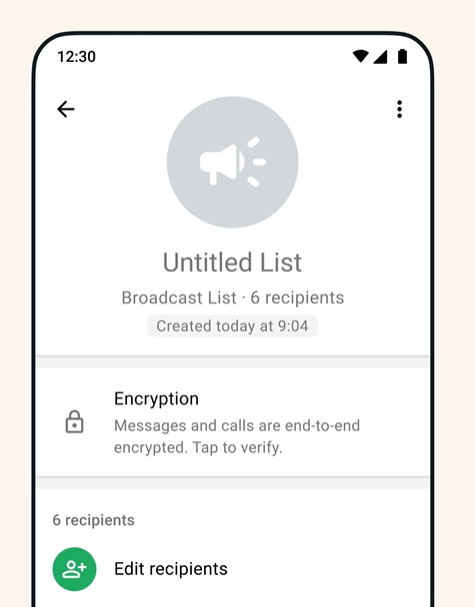 The native broadcast lists on WhatsApp are built-in bulk broadcast message systems. Account managers can create multiple broadcast lists, segmented to different types of contacts, with a limit of 256 users in each. It's worth noting that these contacts need to have your number saved to actually receive them - it's a preventative measure to avoid fraud and spam. Lists aren't the same as groups: here, each contact receives the message in an individual chat with the company. It's a free way to send messages to multiple contacts without leaving WhatsApp. Still, there are some limitations. First, you can't filter and organize the data to get conversion metrics. That is, if you use WhatsApp for marketing, you will need to export the conversations to an extra platform and analyze them separately. Plus, the standard WhatsApp app does not include automation or customization tools. So all bulk broadcast WhatsApp messages done this way have to be sent manually and can't be easily personalized to each client. Related Post: How to schedule messages on WhatsApp
2) WhatsApp Business API
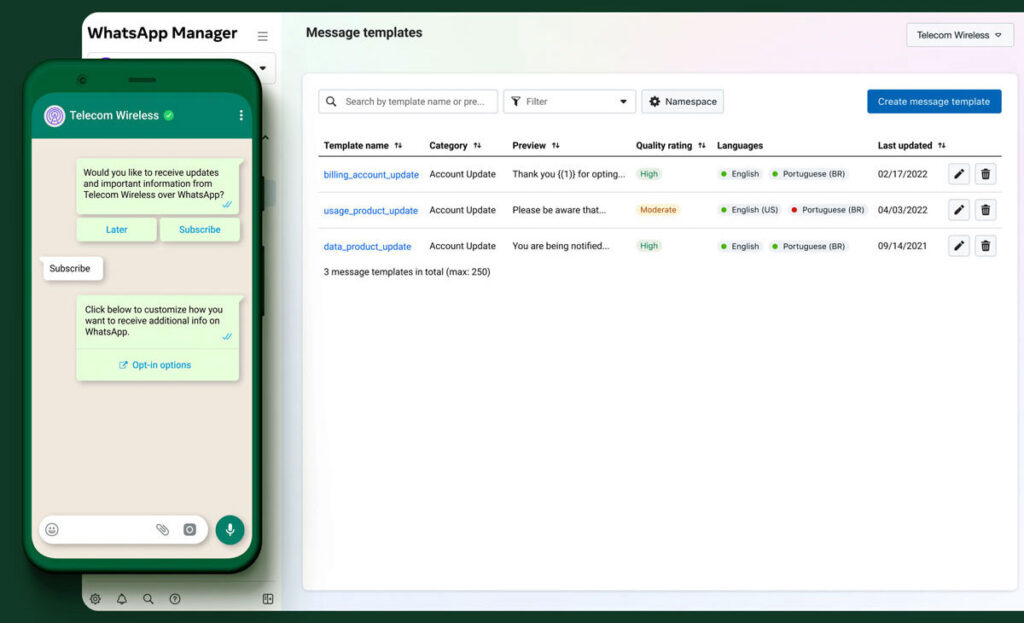 source: WhatsApp On the other hand, WhatsApp has a specific platform for companies that seek more customization: the WhatsApp Business API. This platform allows teams to customize their communication systems with the Flows tool. You can create WhatsApp auto replies based on the most common types of interactions your team has with customers. Besides, they can be customized through tags, including details such as customer name, appointment times, and clickable links. It's a more robust option for sending bulk broadcast WhatsApp messages. However, it is a paid platform and the overall cost increases with each chat. This option is mostly aimed at large companies since small businesses need tools more appropriate to their budget.
3) Shared inbox
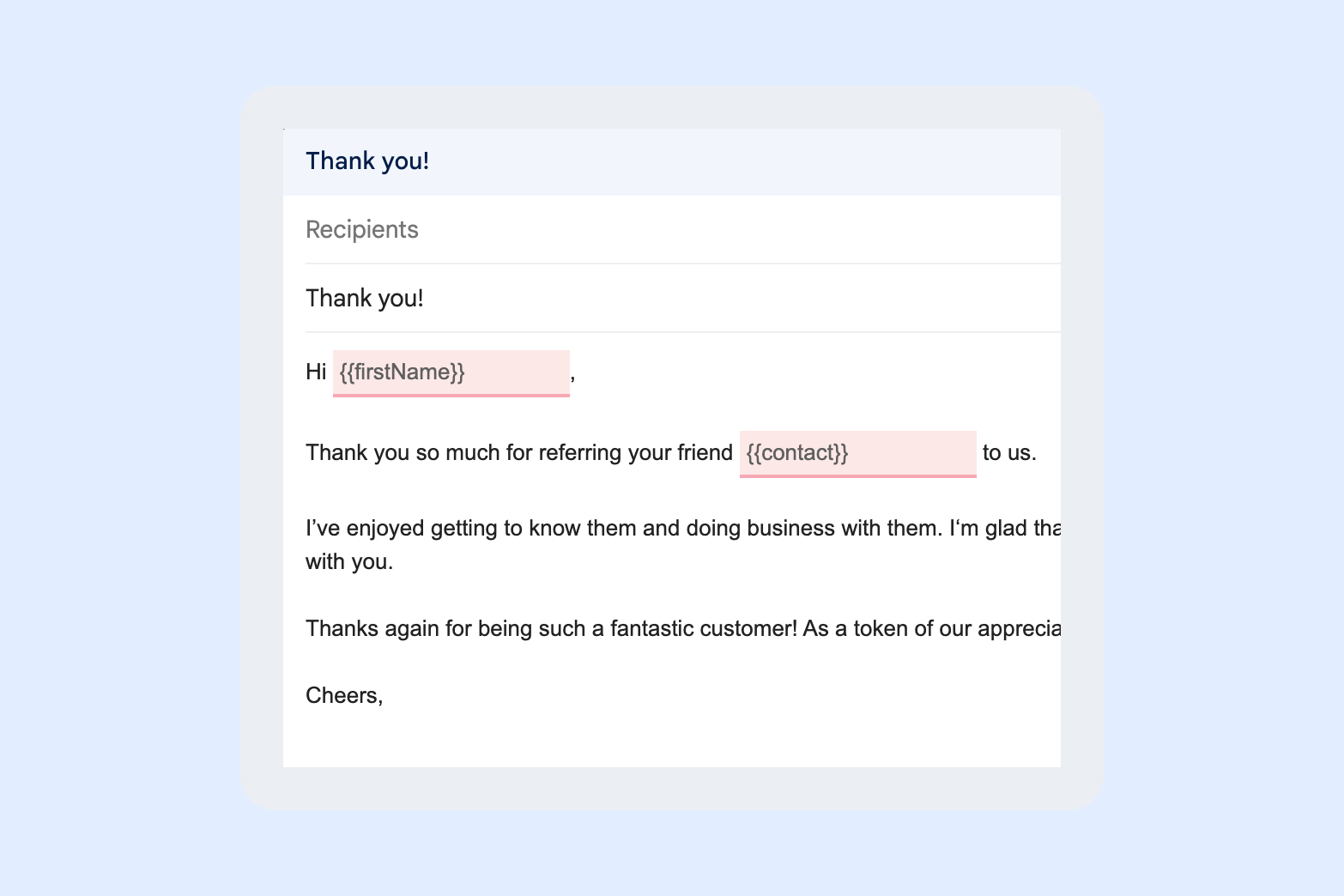
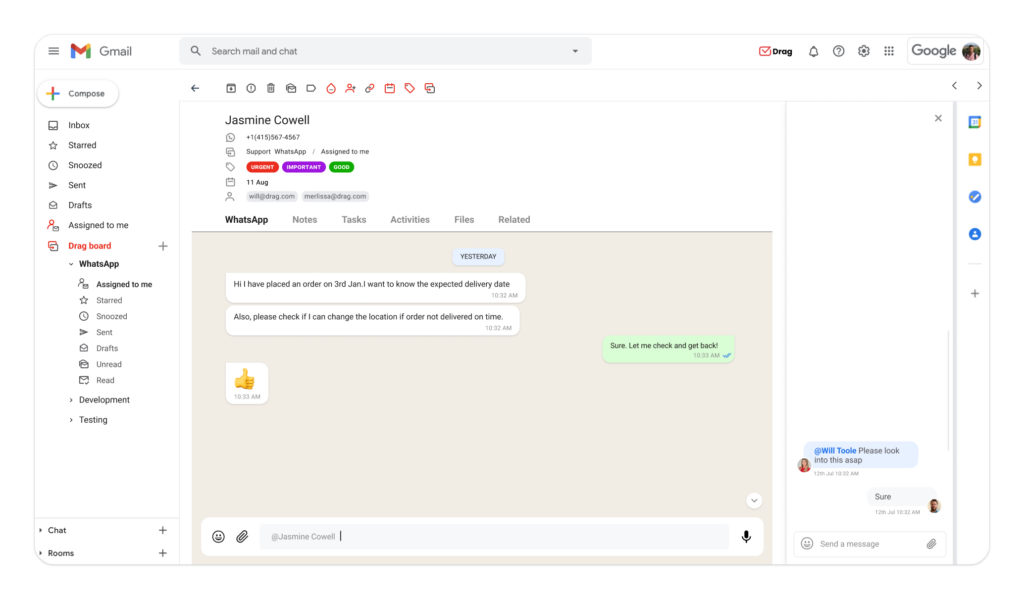 The most flexible alternative for sending bulk messages on WhatsApp is a shared inbox, such as DragApp. With this type of platform, you can share your account on WhatsApp with multiple users directly in Gmail, ensuring that the entire team can send and receive messages from their customers. The main advantage of a WhatsApp shared inbox is that it helps with task management and allocation. With features like Kanban boards and chat notes, it's easier to understand what stage a task is at. So, for example, a customer service ticket includes all the information on the same page, making it easier for agents to collaborate on more complex cases. But Drag also includes features that can help you send bulk broadcast WhatsApp messages easily. First, shared drafts. Team members can work together on a launch, sales, or maintenance message and ensure that it is useful to contacts. Another benefit is the possibility of doing CRM on WhatsApp with Drag. Unlike the standard platform, Drag allows users to add relevant information to individual contacts, such as job titles, average tickets, location, sector of interest, etc. Then, when it comes to segmenting bulk broadcast WhatsApp messages, this information can be used as a filter. This can also help customize messages to make them less generic. With Drag, the texts include custom fields, which will be filled individually with the information of each contact.
  Finally, a shared WhatsApp inbox like DragApp includes powerful data analytics. Here, you can filter your WhatsApp conversations by topic, area, team members, schedule, and custom tags. This makes it easier to visualize productivity and decide where and how to allocate available resources to improve your communication strategy.
Rules to keep in mind when sending bulk broadcast WhatsApp messages
Before you start sending mass messages on WhatsApp, you need to pay attention to the rules. First of all, accounts that send repetitive messages to contacts who have no interest in them might be reported as spam. With enough complaints, the platform suspends your account. Then, you'll have to try and unblock WhatsApp, a process that can be long, costly, or not work at all. Besides, you should take privacy and data collection laws of each region into consideration, such as GDPR, so as not to create legal problems or damage the company's reputation.
AI Platform
The inbox your team and your AI work in together
Shared inbox, live chat, and AI in Gmail, with an MCP server your AI tools can drive.
In summary
Bulk messaging on WhatsApp helps you get in touch with customers quickly and effectively. However, you need to avoid spam and segment your audience to ensure conversion and avoid penalties. Platforms such as shared inboxes make it easier to organize your communication through CRM resources. They help you create more personalized chats without losing the ease and practicality of WhatsApp.
Bulk broadcast WhatsApp messages: FAQs
- How can I send bulk broadcast WhatsApp messages?
There are three ways to send mass messages on WhatsApp: broadcast lists, using the WhatsApp Business API, or with a shared WhatsApp platform such as Drag.
- Who should receive bulk broadcast messages on WhatsApp?
You can use bulk messages on WhatsApp to remind your customers of sales, to launch products directly to the correct segment and even to warn people about logistical problems.
- Can you target bulk messages on WhatsApp?
You can create broadcast lists for contacts in each segment or use CRM tools and resources to filter your messages according to each workflow.
- Is it possible to send customized bulk messages to each customer on WhatsApp?

Co-founder
Co-founder at Drag, writing about Google Workspace, shared inboxes, and how teams actually run email.
