













Schedule WhatsApp messages to reach out to contacts periodically without hassle. Here's our full step-by-step guide.
Table of contents
- Why should you schedule WhatsApp messages?
- What to do before you schedule WhatsApp messages
- What to avoid when you schedule WhatsApp messages?
- What's the best way to schedule WhatsApp messages?
- Why Drag can help you schedule WhatsApp messages
- How to get the most benefits from your scheduled WhatsApp messages
- Schedule WhatsApp Messages FAQs
Do you receive multiple messages from customers outside your business hours? Do you need to remind buyers regularly about specific promotions and products? Are you hoping to establish your brand on the biggest messaging app in the world? Then you might need to schedule WhatsApp messages! Basically, your customer base likely spends a lot of their time on WhatsApp, for both personal and professional communication. So, having a constant point of contact is key for any business. However, there's a balance to this: Business managers and owners need to find a way to reach out to their customers just the right amount and at the right times to catch their attention. It can be hard to keep up with demands and make sure you have a presence on the platform. This is why, if you schedule WhatsApp messages, you can take a proactive approach to this connection. Not sure how? This guide will help you out.
Why should you schedule WhatsApp messages?
Firstly, it's crucial to understand when scheduled messages are useful and help you spend less time on repetitive tasks.
Operation schedules
Most small and medium-sized businesses have shorter live support business hours. Of course, that doesn't mean your customers won't try to contact you, whether it's to report an error, ask a question, or request a sales quote. You don't want to let these messages be lost in your inbox waiting for a reply, so scheduling away messages outside your business hours helps you inform the recipient and organize your inbox.
Seasonal campaigns
Alternatively, your marketing team might use WhatsApp to connect with existing and new customers and inform them of specific offers and seasonal products. Stores that offer personalized orders, for instance, benefit from periodic reminders of order deadlines so that the clients are aware. While ecommerce websites running sales need to engage their audience. In this scenario, you might want to schedule follow-up messages after a few days or at the end of the season to signal urgency. That way, you don't lose on any potential sales if your customer didn't remember to check the offers earlier. Related Post: WhatsApp for Desktop
Reaching different customer profiles
Scheduling WhatsApp messages also lets you keep up with a variety of clients. If you run a software company with specific subscription plans, for example, you need scheduled reminders so that users keep up with their subscriptions, alter their services, or renew their contracts, no matter the periodicity.
Brand awareness
Of course, the biggest advantage of taking the time to schedule WhatsApp messages is that you can make sure your brand stays relevant to your client at all times. That is, use the easy availability of WhatsApp in your favor and send your customers information that catches their attention, even if they aren't in the process of purchasing your products and services.
What to do before you schedule WhatsApp messages
Knowing why you should schedule WhatsApp messages is one thing, but what's the process? The key element here is time. Unlike a quick chat, a scheduled message gives you time to think it through, so take advantage of it with these simple steps:
1) Categorize your audience accordingly
Your contacts are not a monolith. So you shouldn't treat them that way. Before you schedule WhatsApp messages, you need reliable contact lists and categories. This can vary according to each company, but the categories should reflect what type of purchase applies to the contact, when the last deal was closed, or reflect the region each customer is based in. That way, if you're scheduling marketing messages, you have a higher ROI and open rate on these products and services.
2) Create clear but approachable messages
Beware of complicating your WhatsApp messages. While any type of professional communication should follow customer service best practices, you should also take notice of the space you're in. People prefer WhatsApp due to its practicality and shorter, faster dialog with companies. So don't overdo it! Create short but informative messages that'll keep your customer updated without too many paragraphs. If you're letting people know about a new product, keep it quick with a high-res image, some key innovations it includes and FAQs. Add a quick "We'll be happy to assist you with any further questions" and you're good to go.
3) Customize it to each client
Yes, if you schedule WhatsApp messages, you can avoid spending too much time trying to balance your workflow and your inbox. But that doesn't mean you don't have to spend some time on each message. When you're trying to form and keep valuable business connections, you need to make sure your message is seen as polite and personalized to each client. That way, they'll think of your brand when looking for new products and services. To do that, include the customer's name, the advantages of your products to their lifestyle or work role, and, if applicable, relate them to their previous purchases.
4) Double-check it!
Did you check for typos, updated information, and tone? Great, now check again. The buffer time between receiving and scheduling a message on WhatsApp allows you to take a closer look at anything to make sure you're putting forward the right message. This helps you avoid sending corrections or having to clear FAQs from your clients. Which, yes, saves time, but it also shows that your company is reliable and easy to work with.
5) Schedule the best reading time
As your WhatsApp strategy grows, so does your understanding of the platform and your customer base on it. Meaning that if you know what dates and times lead to more audience engagement, you can schedule messages accordingly. For example, B2B sales might be read more often on weekdays, while certain e-commerce segments might receive more clicks on weekends. Of course, this varies from company to company, so each manager needs to adapt the schedule to their needs.
Bonus: Create a content calendar
Being proactive is a huge help for WhatsApp (and overall!) communications. Instead of running to schedule WhatsApp messages as you go along, take the time to create a calendar according to your needs. This can include anything that might affect your chats based on what products and services you offer. Think holidays, seasonal weather changes, spending habits and anything that requires you to invest more in brand awareness. This calendar is a great guide for most marketing strategies, including when to schedule WhatsApp messages.
What to avoid when you schedule WhatsApp messages?
The best practice when you schedule WhatsApp messages is to avoid spam behavior. Yes, sending mass messages to your customer base on WhatsApp can make a big difference in lead acquisition and marketing efforts. However, you should avoid repetitive chats or suspicious activity (for example, too many links). Also, consider privacy laws and best practices: don't send messages to contacts who haven't opted into your contact list. Doing this might get you reported. Then, you'll need to unblock your WhatsApp account if it's even possible. So, the best course of action is to be mindful. Turn WhatsApp into your Team's Workspace.
Drag · with Varley
The inbox your team and Varley work in together
Shared inbox and live chat for Gmail teams, with Varley, Drag’s AI, included from $18. Plus an MCP server your own AI tools can drive.
What's the best way to schedule WhatsApp messages?
With all of this in mind, now it's time to schedule WhatsApp messages. Depending on what kind of message you need, some methods might be applicable.
WhatsApp Business Away messages
The free WhatsApp Business app allows users to schedule WhatsApp messages for when they're unavailable. These are away messages and they are pretty easy to set up.
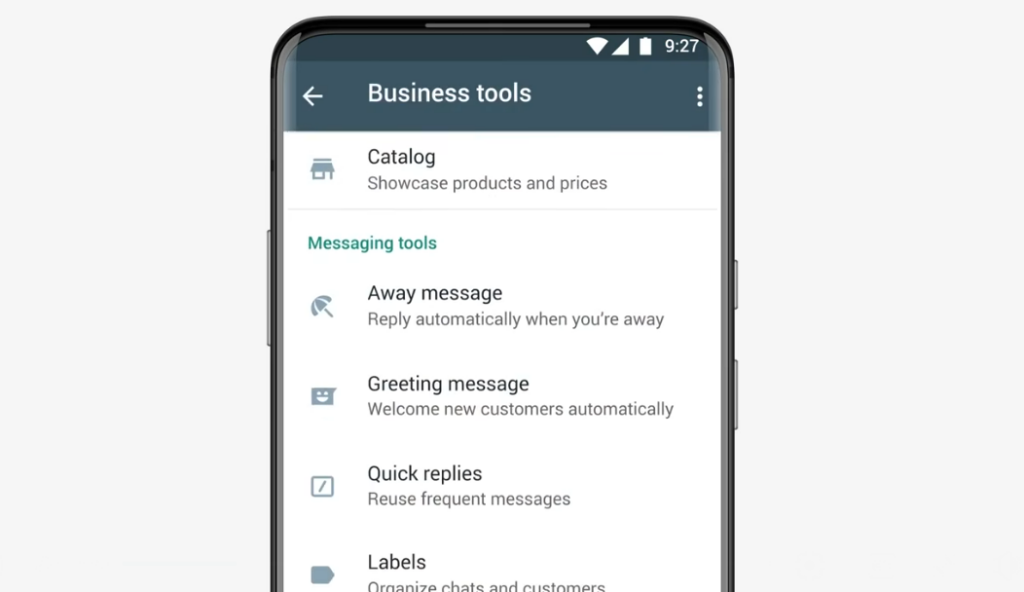
- Open the Business app
- Go to Menu > Tools
- Scroll to Message tools, then click on Away message
- Switch on Send away message
- Edit with your text
- Click in Schedule to choose from custom schedules or outside business hours (as set up on your profile)
- You'll also be able to pick whether the message will be sent to everyone or specific groups
- Save and it's done.
The only issue is that the native WhatsApp function only allows users to set up away messages on a schedule. If you need to plan ahead regarding other areas, you need to implement a secondary tool.
Third-party scheduling apps
There are a few WhatsApp scheduling apps in the market, both for iOS and Android devices. Users can log into these apps to plan and automate messages on WhatsApp according to their needs. One example is AutoText, a tool developed to automate SMS, WhatsApp, and other short messaging platforms. 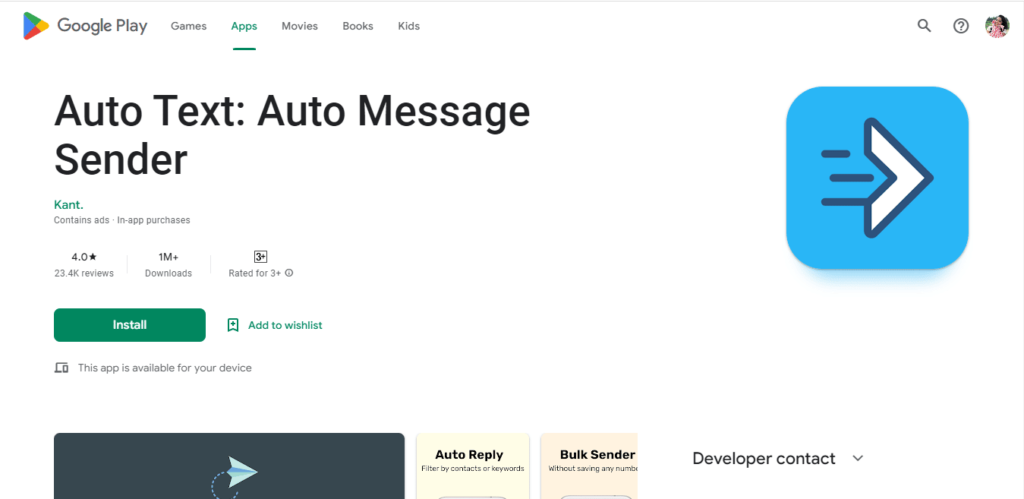 With that, you can set up WhatsApp bulk messages on a timer and even add a delay to comply with WhatsApp's no-spam rule. Most functions are limited to the paid plan, but users can try it for free for 5 days. This solution is useful for workflows that involve simple WhatsApp conversations, but what if you're working with a team and need a shared WhatsApp space with multiple workflows?
Shared inbox automations
That's where a shared inbox can help. A shared inbox is a platform that transforms your regular conversations tab into a powerful productivity hub for a team. With our solution, DragApp, you can organize your messages as task cards and move them across a Kanban board, which makes it easier to follow.




That way, you can keep up with how specific conversations are going, see if they're on time, and if you need to schedule WhatsApp messages. For example, when working with B2B sales, your team uses WhatsApp to contact buyers. But they'll need to send follow-up messages with custom quotes. The same applies to product launches. If you have a custom workflow for beta testers, you need to schedule messages to send surveys on a regular basis. That means as cards get moved on your boards, some conversations are reignited. Luckily, there's a way to automate this process with DragApp: message sequences. After you create custom message templates for FAQs, you can set up automation rules directly with Drag:
Each sequence also allows you to set up follow-up messages. There, you can use additional templates and create a sequence with the number of days/weeks/months you need and what time to send it. So, for instance, if you need to schedule WhatsApp messages as a reminder for your clients to renew their subscriptions to your business, make sure your sequence matches the length.
Why Drag can help you schedule WhatsApp messages
As a WhatsApp shared inbox, yes, DragApp can help you schedule WhatsApp messages. But our collaboration and productivity resources go beyond that. First, Drag includes team shared drafts. Before you send out any message, scheduled or not, you can write a draft and have your collaborators check it. This helps you avoid errors and miscommunication. The second benefit of using Drag is customizing the messages to each recipient. As seen above, taking the time to categorize your audience and send personal messages helps you connect better. However, considering time limitations, automating this process can help your productivity. The custom fields feature allows you to insert flexible data in your contacts' profiles. Then, when writing messages, you can add variable tags that will be populated by these custom fields. Now, your messages are much closer to the audience.
How to get the most benefits from your scheduled WhatsApp messages
The next step is making sure the messages you've scheduled on WhatsApp are useful. To understand your ROI and success rates overall, there are two basic methods. The first is looking at data. Analytics reports, such as the ones offered on DragApp, can help you check, for example, how many task cards are opened and closed during a certain period or which tags/keywords come up more often. This helps you decide what efforts to invest in moving forward. But data is just a part of it. It's crucial to understand the perspective of your customers. Set up regular customer satisfaction surveys to see if your recipients feel connected to the messages they get. This can help you segment and define groups, allowing for more successful connections. With all of this in mind, you can schedule WhatsApp messages with the right regularity and reach the right people. At the right time.
Schedule WhatsApp Messages FAQs
- Why schedule WhatsApp messages?
Scheduled messages help you reach out to clients regularly and keep brand awareness. They can also help with work-life balance, as with away messages outside business hours.
- Can you schedule WhatsApp messages on the app?
Yes, but it's limited. WhatsApp Business allows users to schedule away messages either with custom hours or outside their business hours. Anything else requires a third-party app.
- Is it safe to schedule WhatsApp messages from third-party apps?
Yes, but it requires extra attention. First, use safe apps from the Google Play Store or the App Store. This is helpful for security and data concerns. Then, make sure you use these apps according to WhatsApp's guidelines: don't spam, don't message people without their opt-in, and avoid bulk messages.
- Can you schedule recurring messages on WhatsApp?
With third-party apps, such as DragApp's WhatsApp shared inbox, yes, you can. These platforms allow you to create follow-up messages based on a timeframe.
- How can you schedule multiple types of WhatsApp messages?
You need a shared inbox platform. With that, you can customize your scheduling automation based on each type of message you need, from sales quotes to customer service and appointments. That way, you can schedule messages on WhatsApp based on your current project and the task status. Collaborate better on WhatsApp with Drag

Co-founder
Co-founder at Drag, writing about Google Workspace, shared inboxes, and how teams actually run email.
