













Your customer support workflow with Gemini AI cen get a lot more productive. But what are the best use cases for this resource?
Table of contents
Building and optimizing your customer support workflow with Gemini AI can seem challenging when you're starting out. However, with enough familiarity with the platform and helpful tools, you can use it to your advantage. The basis of a good customer support workflow, with Gemini AI or otherwise, is making sure it works with your schedule, your team's needs, and your clients' demands. Otherwise, it can delay your tasks. Which is why, before you implement customer support with Gemini, you should know what the platform does and doesn't do for your business and how to supercharge it to your benefit. Keep reading to find out more! First, what exactly is Gemini AI? Google's AI language learning model (LLM) is a multifaceted option for users who want extra automation and time-saving to their tasks. There's a standard chat version in which users can ask questions and solicit summaries.
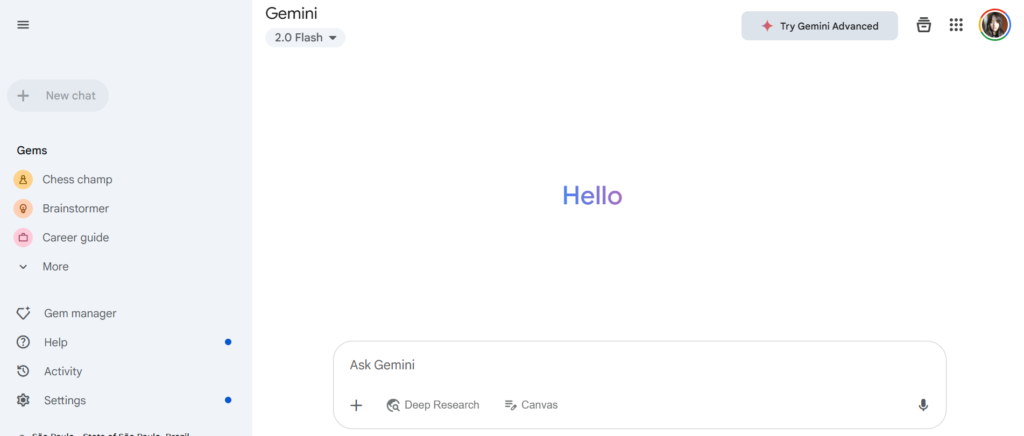 Beyond that, Gemini AI is included in Google Workspace tools, such as thread summaries on Gmail or writing suggestions in Google Docs and Sheets. It works on tokens, meaning that users can use the platform flexibly, according to their specific needs, until their quota ends for the period. There's a free version, that includes an AI assistant and limited image generation resources, along with 15GB of storage. Then, Google AI Pro comes with more usage tokens, storage and resources, including cross-platform data and security measures for businesses.
Customer service workflow with Gemini AI: what changes?
But why would a company need to invest in its customer service workflow with Gemini AI? The answer is productivity. Most small and medium-sized businesses have limited resources and busy teams that deal with a high volume of tasks. Meaning: you need a way to optimize your workflow without losing quality or overworking your team. Read more: How to incorporate AI in Customer Service
1) Keeping track of customers' queries
If your customer service team receives a high volume os emails and messages, it can be hard to determine priorities and sort through the trends in your inbox. With that, agents end up taking too long to answer, which can lead to poor customer service metrics.
How does your customer support workflow with Gemini AI change this scenario?
You can use Gemini AI in Gmail to help with thread summaries and research with a context window: 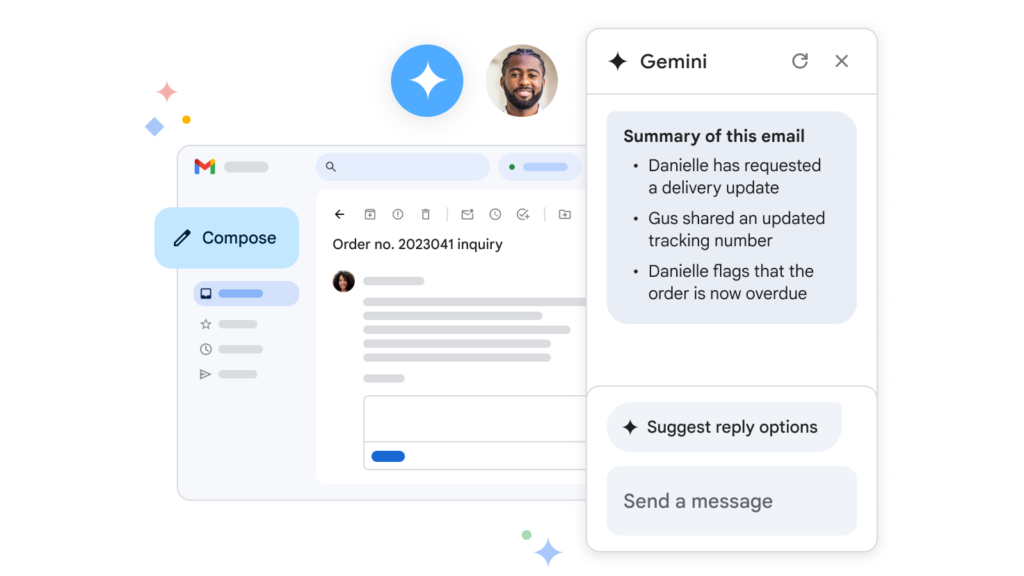 With this tool, keeping track of incoming mail is much faster. You can browse through your inbox to get a glimpse of the messages’ themes and check if any conversation with a client has been updated, without the need to open each one manually. Plus, when multiple customer support agents are working on the same task, they can use Gemini AI to understand the progress, avoiding the need to CC and BCC each other at every step.
2) Organizing your team
Customer support workflows require constant optimization and re-evaluation. Smaller teams, specifically, benefit from using planned schedules and periodical conversations to understand the progress of ongoing tasks and projects. That being said, it can be hard to organize productive conversations, whether about a single task or an all-encompassing meeting to discuss strategy.
Why opt for a customer service workflow with Gemini AI
When you need to set up meetings with your collaborators to discuss your work tasks, Gemini AI can help your customer service workflow by using machine learning to understand your schedule and set up meetings that are useful for everyone. 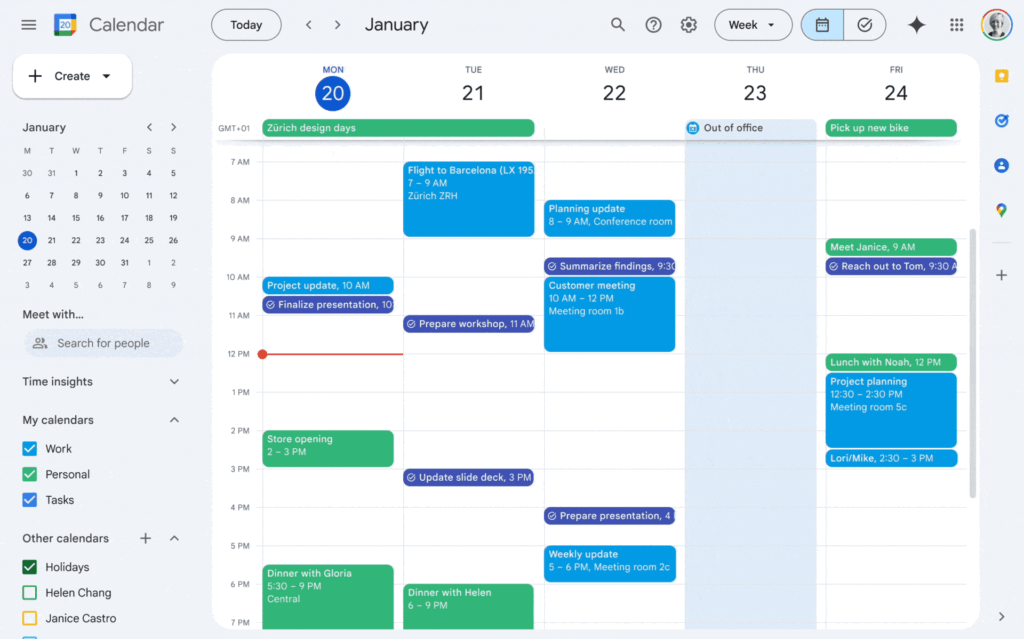 Gemini AI Pro can also help you with note taking on Google Meet, which can then be used for later research or be shared with team members that weren’t present.
  If your interactions are happening primarily over email, you can ask Gemini AI to update you on projects and give you insights on how to continue with your tasks according to the team’s state.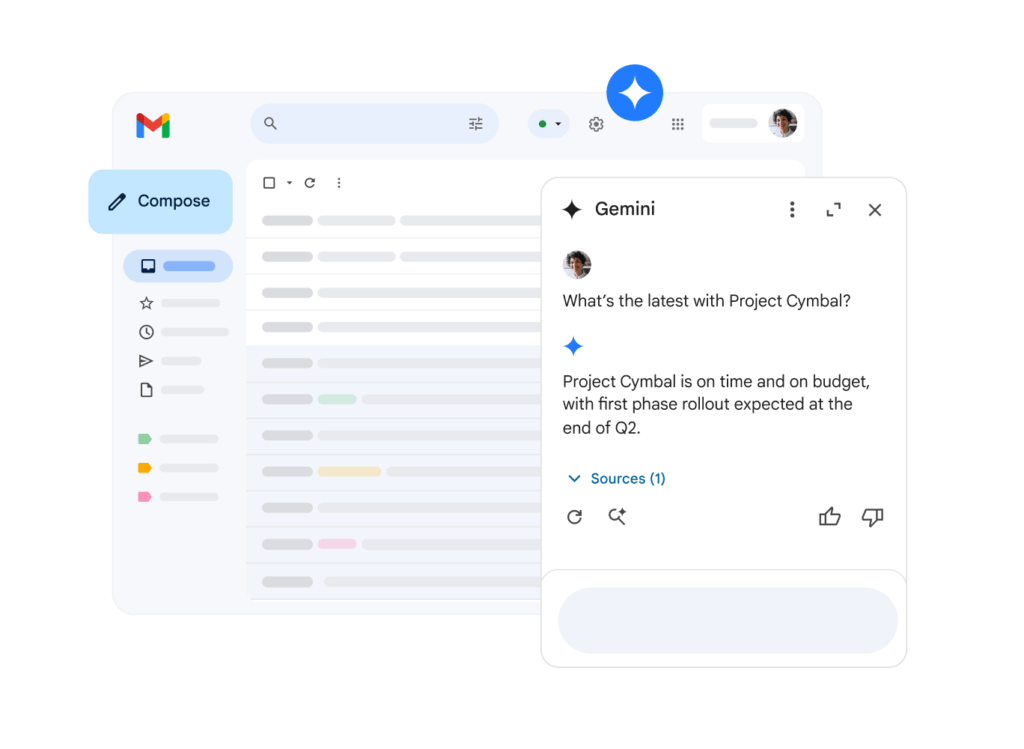
3) Crafting responses
Two additional challenges of customer support workflows are writing clear, concise responses and having useful files at hand. For instance, when a customer emails your team about an error with their service, it’s crucial to answer quickly, with a solution to their concern. Sometimes, this also requires images and videos that guide them through the next steps.
Better communication with customer support workflows with Gemini AI
With Gemini’s writing assistant, you get tips for writing useful responses to your emails based on previous customer interactions, message tone and context. That way, you save time by not having to copy and paste multiple answers to FAQs and develop a baseline for future communication. 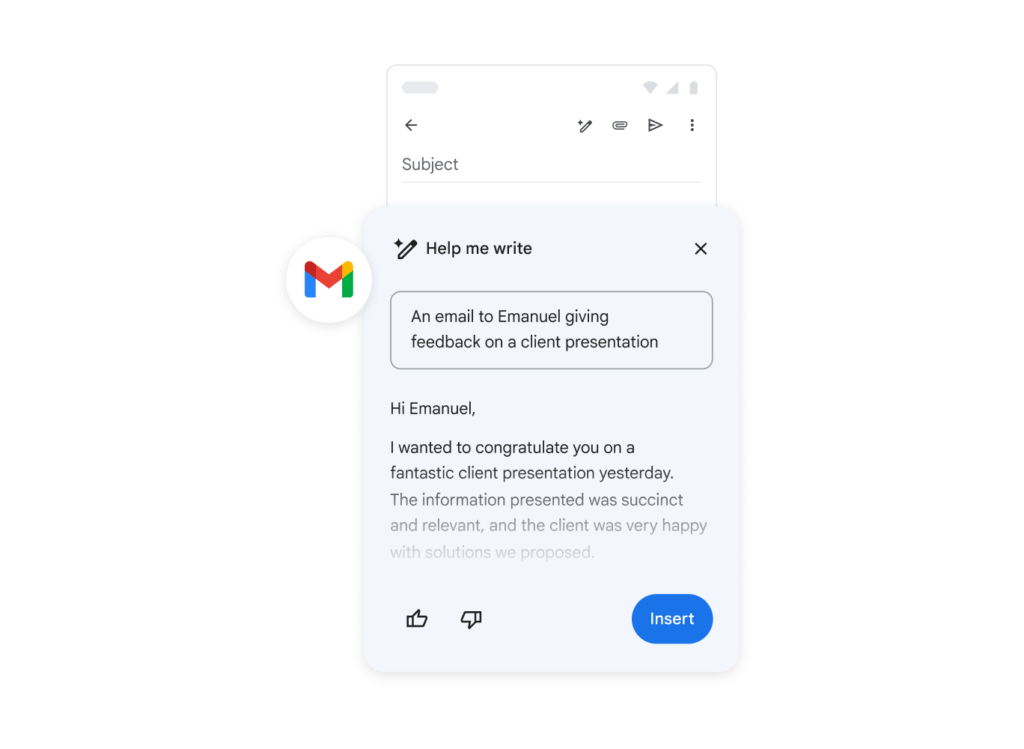 Another key resource from Gemini is helping you create presentations. With Google Slides, you can create visually appealing, reliable guides for your customers, which could be used in a self-serving repository or forwarded to each contact individually whenever needed.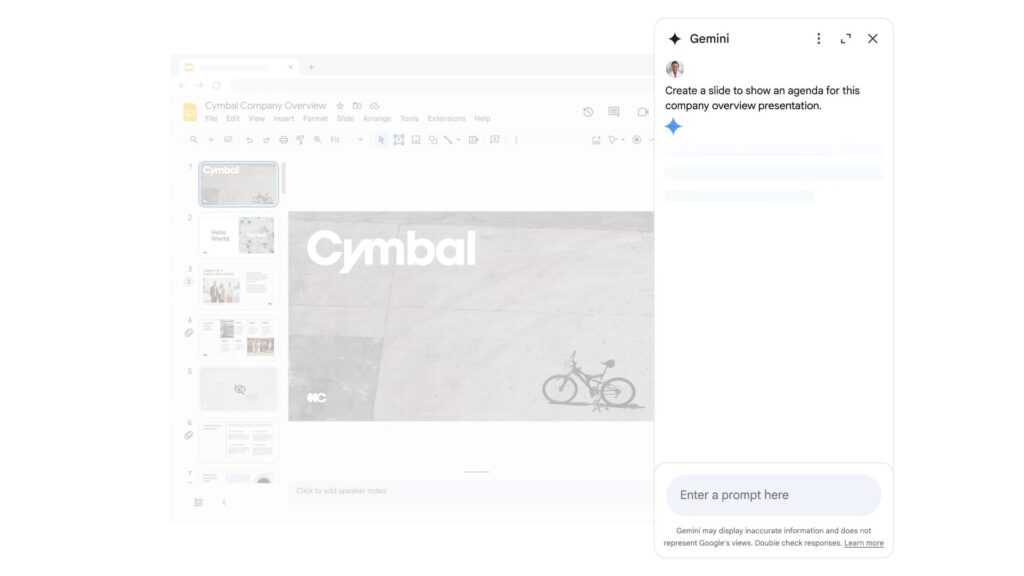
4) Research and analysis
Your customer service workflow should include tools that can help you understand your relationship with customers better. First of all, it’s crucial to set aside time for data analysis. By looking into your metrics from emails, you get insights into why and how your customers are interacting with your team. This data can be used for research purposes as well. A good dataset, when compared to market trends and predictions, can be a starting point to develop better strategies. But, of course, doing it all manually requires a lot of time and includes multiple hurdles.
Data-driven research with Gemini AI
What to know before you optimize your customer support workflow with Gemini AI
Gemini AI is a useful platform for business owners. It gives you enough storage to benefit from Gemini’s context history. That is, it learns how your internal and external conversations go and helps your team be more productive and collaborative without hassle. With that in mind, there are two main drawbacks. The first one is LLMs’ limitations as a whole. According to Google, while there’s a lot of research and development going into this tool, it’s still important to use it responsibly. Prompt results may vary, due to inaccuracy, incomplete datasets, bias and lack of multiple perspectives. So while it’s useful for technical help and faster task resolution, users should be wary of relying on these responses for deeper subjects. Answers can be guides, but they always require more research, checking and human conversations. The second main concern is cost. To use Google’s most advanced AI resources, you need the Gemini AI Pro access. This is a paid plan that can be bought either separately, starting at $19.99/month, or as a part of Google Workspace plans for businesses, starting with the Business tier at $14/user/month. 
Alternatives to customer support flow with Gemini AI
Gemini AI can help your customer support workflow if it’s done exclusively with Google Workspace tools. Unless, of course, you manually import data into the Gemini Live interface. But to really benefit from the time-saving features, it’s better to insert AI assistance into the tools you actually use.
HeyHelp
If your main point of contact with customers is email, you would benefit from an email assistance that actually makes your email experience easier, such as HeyHelp. With this tool, you can sort your messages to understand your priorities, send pre-drafted responses and, along the way, it learns your customer support workflow to help guide you. 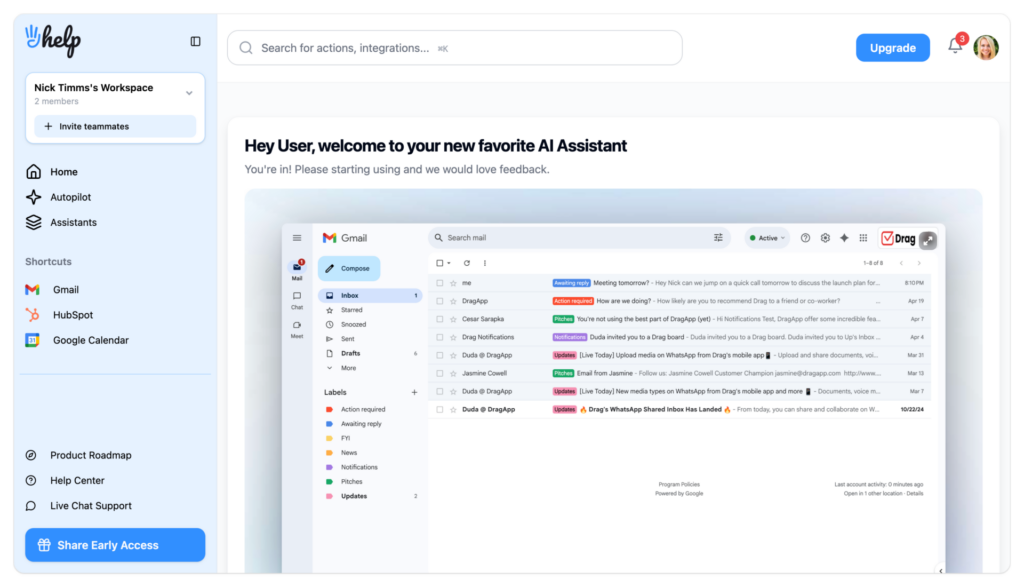 So, unlike with Gemini on Gmail, you get a fully customizable email experience for your team. Currently, it’s priced at $12 a month billed annually ($20 monthly), with a $199 one-time Connect plan if you bring your own API key, which keeps it easy to fit into your budget.
DragApp
Drag is our Gmail shared inbox solution for collaborative, productive teams. We developed it for small and medium-sized companies that need a complete workspace for their projects.






With Drag, you transform your incoming messages on Gmail and WhatsApp into task cards, that can be sorted into boards according to your workflow. Including your customer support workflow. That way, you can keep track of your tasks without ever leaving the tab. Drag helps you organize your projects with multiple project management tools, including autotagging. With this resource, you can add automation rules that send task cards directly to certain workflows and add a custom tag to them based on keywords, sender’s address or subject line:
Drag also helps with team collaboration. There’s an internal chat on each tasks, where you can @mention other users to get insights. You can also add notes to cards to provide context on ticket resolution, which is a great way to enhance your customer support workflow. Upload files, create checklists and add deadlines directly on the cards as well.
To help with writing responses, Drag is developing an AI writing assistant and summarizer. That way, you can easily check your incoming emails and provide fasters answers. But without compromising your support quality, since it’s based on your company’s context. Drag’s analytics reports are part of the platform. That way, you don’t have to switch programs or develop different prompts to analyze your team’s productivity. Instead, you can access everything you need, including workflow reports, directly from your workspace. That way, managers can check users, keywords, workflows and much more for message volume, response time and any needed metrics. The biggest advantage of Drag is the fact that’s it’s built for growth-minded businesses. Businesses that look into innovation while keeping things simple. No feature bloat, no switching between programs. Never having to import and export data: all you need is available on the same ecosystem for your entire team. The cost x benefit also favors Drag. It’s a complete platform that transforms your Gmail experience for $12/user/month, which is more accessible to a variety of businesses.
Drag · with Varley
The inbox your team and Varley work in together
Shared inbox and live chat for Gmail teams, with Varley, Drag’s AI, included from $18. Plus an MCP server your own AI tools can drive.
Is creating a customer support flow with Gemini AI worth it?
Solo entrepreneurs might be able to do everything they need with Gemini AI for their customer support workflow. However, the cost can get too high when you’re working as a team. Besides, while Gemini AI is an interesting resource for quick searches and summaries, you need to use multiple Google Workspace to get through your workflow. A different type of software, such as a shared inbox, might be a better solution. It includes AI tools to enhance your workflow. But here, they work alongside project management and collaboration resources. That way, it benefits your entire operation at once.
Frequently asked questions
Can Gemini AI help you with business email?
Yes, you can use Gemini AI’s writing assistance to craft better responses to your customers and summarize chats.
How does Gemini AI benefit customer support agents?
Teams can use Gemini AI to keep track of ongoing tickets, contextualize their inbox trends and analyze datasets to develop further plans.
Is Gemini AI the best tool for customer support workflows?
Not necessarily. While it helps with productivity, it lacks integration and requires multiple prompts to fulfill a workflow. Email AI assistants and shared inboxes might be better options for your team.

