













25 customer service email templates that read like a human wrote them, shown as real emails, organized by situation, with the AI-era workflow included.
Key takeaways
- Twenty-five copy-paste customer service email templates, organized by the seven situations support teams actually face: acknowledging, solving, money, apologising, lifecycle, feedback, and de-escalation.
- Every template uses {placeholders} for the specifics and keeps the structure that does the work: acknowledge, answer, next step, and a human close.
- In 2026 the template's real job has changed: it is less the text you paste and more the grounding your AI drafts from. A team's template library is what makes AI replies sound like the team.
- The worst customer service email is the one that answers a different question than the customer asked. Every template here starts by naming their actual situation.
Table of contents
Customer service email templates still matter in 2026, but their job has changed. A good template used to be the text you pasted; now it is also the pattern your AI drafts from, which means a sloppy template library produces sloppy automation at scale. Here are 25 templates that hold up either way, organized by situation, written to be edited in seconds, and honest about the one thing no template can do: read the customer's email properly first.
Jump to a template
Acknowledging
Acknowledgements are the easiest emails to automate and the most dangerous to automate badly: an instant reply that misreads the issue teaches the customer nobody read it. Ground your AI on these and let it fill the {issue} honestly, or send them fast and human.
1. First response acknowledgement
When to use: any new conversation you cannot fully answer this minute.
From {Your name} · {company}
We're on it: {short issue summary}
Hi {name}, Thanks for flagging this. I've read your message and I want to make sure we get {issue} sorted properly rather than quickly, so I'm looking into it now. You'll hear from me by {time} with either a fix or a clear update. If anything changes on your side before then, just reply here. {signature}
2. We're investigating (holding pattern, honest)
When to use: a promised update is due but the answer is not ready.
From {Your name} · {company}
Update on {issue}: still investigating
Hi {name}, Quick update so you're not wondering: we've reproduced what you described and we're working out the cause. I don't want to guess at a fix and waste your time, so my next update will be by {time} with something concrete. Thanks for bearing with us. {signature}
3. Escalation to a specialist
When to use: handing a conversation to someone better placed, without making the customer repeat themselves.
From {Your name} · {company}
Bringing in the right person on {issue}
Hi {name}, Your question deserves a better answer than I can give, so I've brought in {specialist name}, who owns {area}. They have the full history of this conversation, so you won't need to repeat anything. Expect to hear from them by {time}. I'll stay on the thread until this is resolved. {signature}
When the acknowledgement can be fully automated, our auto-reply email guide covers the setup.
Solving
Solution emails are where grounded AI earns its keep: an assistant trained on your real answers drafts these in your team's voice with the steps right. The template's job is the shape: answer first, steps second, escape hatch last.
4. The how-to answer
When to use: the question has a known answer with steps.
From {Your name} · {company}
How to {do the thing}: 3 steps
Hi {name}, Good news, this one's quick. To {do the thing}: 1. {step}. 2. {step}. 3. {step}. That should take about {duration}. If you get stuck anywhere, reply with a screenshot of where you are and I'll walk you through it. {signature}
5. The workaround (while the real fix is coming)
When to use: a confirmed bug with a usable interim path.
From {Your name} · {company}
A workaround for {issue} while we fix it properly
Hi {name}, Two things. First, the honest part: {issue} is a bug on our side, and the real fix is with our engineers. Second, the useful part: until it ships you can {workaround steps}, which gets you {outcome} today. I'll email you on this thread the moment the proper fix is live. {signature}
6. Bug confirmed, timeline attached
When to use: the customer reported something real and engineering has scheduled it.
From {Your name} · {company}
Confirmed: {issue} is a bug, here's the plan
Hi {name}, You were right, and thank you for the clear report. {Issue} is confirmed on our side. The fix is scheduled for {timeframe}, and I've linked your account to the ticket so you're notified the moment it ships. In the meantime {workaround or "I'm sorry to say there's no clean workaround"}. {signature}
7. Feature request: genuinely under consideration
When to use: the request is plausible and logged, but unpromised.
From {Your name} · {company}
Your idea for {feature}: logged and visible
Hi {name}, I like this, and I've logged it with your use case attached, which matters: requests with a real story behind them carry more weight in our planning. I can't promise a date, but I can promise it's visible to the people who decide. If it ships, you'll hear it from me on this thread first. {signature}
8. Feature request: the honest no
When to use: you know the answer is no and stringing along would waste their time.
From {Your name} · {company}
Straight answer on {feature}
Hi {name}, I owe you a straight answer rather than a "we'll consider it": {feature} isn't on our roadmap, because {honest reason, e.g. it conflicts with X / we're focused on Y}. What might actually solve your underlying need is {alternative}, and I'm happy to help you set that up. I'd rather disappoint you clearly than string you along. {signature}
Drag · with Varley
The inbox your team and Varley work in together
Shared inbox and live chat for Gmail teams, with Varley, Drag’s AI, included from $18. Plus an MCP server your own AI tools can drive.
Money
Money emails end up in disputes, reviews, and screenshots, so they are the last place for AI freestyling. Ground the AI on these exact structures and keep a human on send for anything above your comfort threshold.
9. Refund approved
When to use: the refund is processed, not merely promised.
From {Your name} · {company}
Your refund is on its way
Hi {name}, Done: I've processed your refund of {amount}, and it will reach your {payment method} within {days} working days. I'm sorry {product/experience} didn't work out this time, and if you ever want to give it another try, this thread comes straight back to me. {signature}
10. Refund declined, alternative offered
When to use: policy says no but you have something real to offer instead.
From {Your name} · {company}
About your refund request
Hi {name}, I've looked at this carefully, and I have to be straight with you: your purchase falls outside our refund policy because {specific reason}, so I can't process a refund. What I can do is {concrete alternative: credit, extension, discount, help making it work}. I know that's not the answer you wanted, and if you'd like to talk it through, I'm here. {signature}
11. Billing error, our fault
When to use: you charged them wrongly and the correction is already made.
From {Your name} · {company}
We got your bill wrong, here's the fix
Hi {name}, You were charged {wrong amount} instead of {right amount}, and that's entirely our error. Here's what's already done: {correction and refund of the difference}, reaching you within {days} days. Here's what we've changed so it doesn't recur: {fix}. Thank you for catching it, and I'm sorry you had to. {signature}
12. Discount request, declining kindly
When to use: pricing is flat and you want the no to build trust rather than spend it.
From {Your name} · {company}
About a discount on {product}
Hi {name}, Thanks for asking directly. We keep {product}'s pricing flat for everyone, which means no negotiated discounts, because we'd rather spend the margin on {what the customer gets: support, product, reliability}. What I can offer: {annual billing saves X / the smaller plan covers your use case}. Happy to help you pick the right fit. {signature}
13. Payment reminder, relationship intact
When to use: an invoice is overdue and the relationship matters more than the chase.
From {Your name} · {company}
Invoice {number}: a friendly nudge
Hi {name}, A quick nudge rather than a chase: invoice {number} for {amount} was due on {date}. If it's already on its way, ignore me entirely. If something's blocking it, an approval, a PO number, a question about a line item, reply here and we'll sort it. Payment link, if useful: {link}. {signature}
For invoices specifically, see our invoice email templates.
Apologising
Apology emails fail when they hedge. The structure below never uses "we apologise for any inconvenience"; it names what happened, what it cost the customer, and what changes. AI drafts grounded on these inherit the spine.
14. Late reply apology
When to use: the queue failed them and the answer is finally ready.
From {Your name} · {company}
You deserved a faster reply
Hi {name}, Your email sat for {duration} and that's on us, no excuses dressed as explanations. Here's your answer, in full, now: {complete answer}. And so the wait wasn't wasted: {small make-good if appropriate}. Thanks for your patience, it was more than we earned. {signature}
15. Outage or incident
When to use: service was down and customers felt it.
From {Your name} · {company}
What happened with {service} today, and what we're doing
Hi {name}, Between {start} and {end} today, {service} was {down/degraded}, which for you meant {concrete customer impact}. The cause was {plain-language cause}. It's resolved, and we've {specific prevention step}. The full technical write-up is here: {link}. I'm sorry, and thank you for your patience while we fixed it. {signature}
16. We got it wrong (service failure)
When to use: a genuine failure that needs owning, fixing, and changing.
From {Your name} · {company}
We let you down on {situation}, here's what changes
Hi {name}, Having looked at what happened with {situation}, the plain truth is we got it wrong: {what went wrong, no hedging}. That cost you {impact}, and I'm sorry. What we've done: {immediate correction}. What changes so it doesn't repeat: {systemic fix}. And for the trouble: {make-good}. If you want to tell me exactly how this landed on your side, I'm listening. {signature}
Lifecycle
Lifecycle emails are the most automatable in the set because their triggers are events, not judgment calls. This is where sequences and automation rules do the sending; the template's job is making automated feel personal.
17. Welcome and onboarding
When to use: the first email after signup.
From {Your name} · {company}
Welcome to {product}: your first 10 minutes
Hi {name}, Welcome aboard. The fastest path to value: 1. {first action} ({time}). 2. {second action}. 3. {third action}. That's genuinely it for day one. Two things worth knowing: {key resource link}, and this email is a real inbox: reply with any question and a human answers. Glad you're here. {signature}
18. Post-resolution check-in
When to use: a day or two after marking an issue resolved.
From {Your name} · {company}
Is {issue} actually fixed for you?
Hi {name}, We marked {issue} resolved on {date}, but the only opinion that counts is yours: is it actually working? If yes, no need to reply, and enjoy. If anything still feels off, reply here and it comes straight back to me with the full history, no starting over. {signature}
19. Win-back, inactive customer
When to use: real inactivity, asked about honestly rather than around.
From {Your name} · {company}
Should we save your spot?
Hi {name}, You haven't used {product} since {date}, and rather than pretend not to notice, I'd rather ask: did something stop working for you, or did needs change? If it's the first, tell me and I'll fix it. If it's the second, that's genuinely fine, and {what happens to their data/account}. Either way, a one-line reply settles it. {signature}
20. Cancellation confirmed, door open
When to use: they cancelled; confirm fast and learn something.
From {Your name} · {company}
Your cancellation is done (and one small thing)
Hi {name}, Confirmed: your {plan} is cancelled, you won't be charged again, and {what happens to data/access}. No retention gauntlet, you asked, it's done. The one small thing: if you've got 30 seconds, what would we have needed to do differently? Straight answers help us most. Thanks for the time you spent with us. {signature}
The dedicated set for that moment: cancellation email templates.
21. Renewal reminder, no ambush
When to use: ahead of any auto-renewal a customer might have forgotten.
From {Your name} · {company}
Your {product} renewal on {date}: everything you need
Hi {name}, Your {plan} renews on {date} at {amount}, and we'd rather you hear it from us now than from your card statement later. If you're happy, do nothing, it's automatic. Want to change plans, update billing, or cancel? All here: {link}. Questions about whether your current plan still fits: reply and I'll look at your usage with you. {signature}
Feedback and reviews
The timing is the template here: these fire on moments (resolution, praise, a public review), and the AI-era version is sentiment detection choosing the moment automatically.
22. CSAT ask, post-resolution
When to use: right after a resolved conversation, while it is fresh.
From {Your name} · {company}
One question about your support experience
Hi {name}, You recently worked with us on {issue}, and I have exactly one question: how did we do? {rating link/buttons}. One click is plenty; a sentence of detail is gold. It goes straight to the people who handled your case and the ones who train them. Thanks. {signature}
23. Review request, after praise
When to use: only after unprompted praise, never cold.
From {Your name} · {company}
That thing you said, would you say it publicly?
Hi {name}, You made our day with "{their actual quote}". No pressure at all, but if you'd be willing to say that where others deciding on {product} could see it, it would genuinely help: {review link}, two minutes, done. And either way, thank you for saying it to us. {signature}
24. Negative public review response (the public reply)
When to use: a public negative review with a valid core.
From {Your name} · {company}
Hi {name}, thank you for the honest review, you're right that {the valid part}, and I'm sorry that was your experience. Here's what we've done since: {concrete fix}. I'd like to make this right directly, so I've emailed you at the address on your account, or you can reach me at {email}. {name, title}
This one is a public reply, not an email, and it is written for the audience reading over the reviewer's shoulder: future customers judging how you handle being wrong.
De-escalation
This is the one situation where AI should draft and never send: sentiment detection is exactly right for flagging these fast, and exactly wrong for answering them unattended.
25. The angry customer
When to use: genuine anger; slow down precisely because it is urgent.
From {Your name} · {company}
You're right to be frustrated, here's what happens now
Hi {name}, I've read your email twice, and I want to respond to what you actually said rather than send you a form reply. You're frustrated because {their actual grievance, named plainly}, and given {what happened}, that's fair. Here's what happens now: {concrete action} by {time}, from me personally. If I've misread any part of your situation, correct me and I'll adjust. You'll hear from me by {time} regardless. {signature}
Three of these, shown against the beige version: the examples that teach
Pair 1: the acknowledgement.
The template everyone sends
Dear valued customer, Thank you for contacting us. We have received your inquiry and will respond as soon as possible. We apologise for any inconvenience caused.
The one that works
From {Your name} · {company}
We're on it: {short issue summary}
Hi {name}, Thanks for flagging this. I've read your message and I want to make sure we get {issue} sorted properly rather than quickly, so I'm looking into it now. You'll hear from me by {time} with either a fix or a clear update. If anything changes on your side before then, just reply here. {signature}
Every sentence is about the company; none is about the customer. Compare template 1: it names their issue, commits to a time, and leaves a door open. Same length, opposite effect.
Pair 2: the refund decline.
The template everyone sends
Unfortunately, as per our policy, we are unable to process your refund request at this time. We appreciate your understanding.
The one that works
From {Your name} · {company}
About your refund request
Hi {name}, I've looked at this carefully, and I have to be straight with you: your purchase falls outside our refund policy because {specific reason}, so I can't process a refund. What I can do is {concrete alternative: credit, extension, discount, help making it work}. I know that's not the answer you wanted, and if you'd like to talk it through, I'm here. {signature}
"As per our policy" makes the policy the villain and the agent a bystander; "at this time" implies false hope; nothing is offered. Template 10 gives the specific reason, a real alternative, and an open ear, which is what keeps a no from becoming a churn.
Pair 3: the apology.
The template everyone sends
We sincerely apologise for any inconvenience you may have experienced. Customer satisfaction is our top priority.
The one that works
From {Your name} · {company}
We let you down on {situation}, here's what changes
Hi {name}, Having looked at what happened with {situation}, the plain truth is we got it wrong: {what went wrong, no hedging}. That cost you {impact}, and I'm sorry. What we've done: {immediate correction}. What changes so it doesn't repeat: {systemic fix}. And for the trouble: {make-good}. If you want to tell me exactly how this landed on your side, I'm listening. {signature}
"Any inconvenience you may have experienced" apologises for a hypothetical. Template 16 names what happened, what it cost them, and what changes: an apology with contents.
Templates in the AI era: what this library is actually for
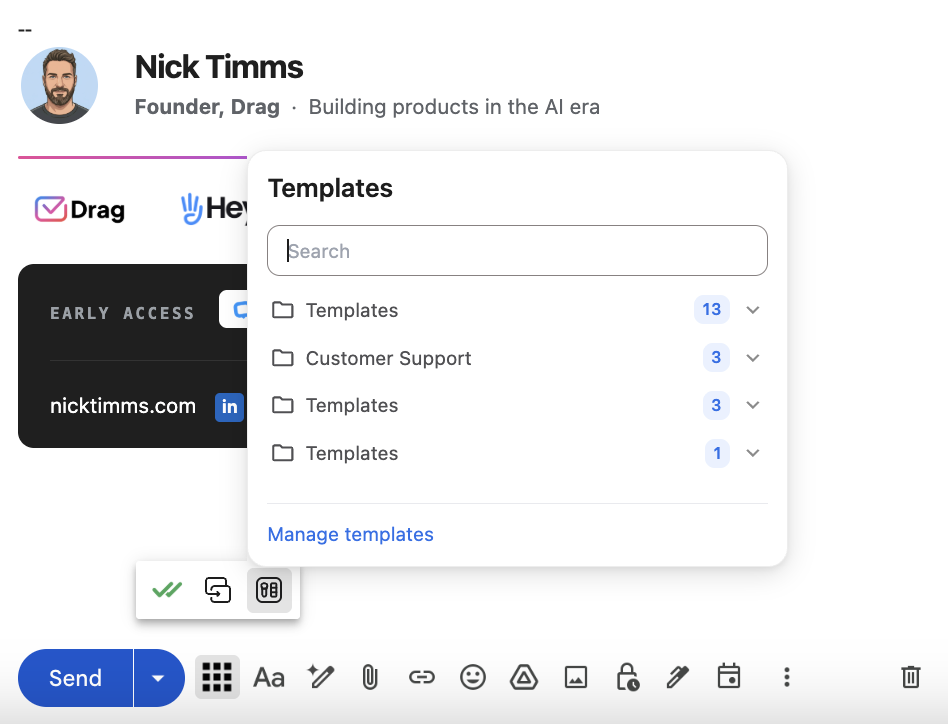
Here is the honest 2026 workflow, and why the library above matters more now, not less. Nobody pastes 25 templates from a blog post at scale; teams load them, plus their own real answers, into the system their AI drafts from. Grounded that way, every draft comes out in your voice with your policies intact; ungrounded, AI writes the same beige reply for everyone. That is the entire difference between AI that sounds like your team and AI that sounds like AI. In Drag, this library becomes shared templates your whole team edits and sends in two clicks, and the same content feeds the AI knowledge base that grounds every AI-drafted reply, so the template you refine once improves every draft after it. The templates above are yours either way: paste them, adapt them, or teach your AI with them.
For the principles behind these, see how to write customer service emails; the Gmail mechanics live in our Gmail templates guide, alongside the broader Gmail shared inbox guide; and a bank of professional email phrases helps fill the placeholders. When you want AI to draft from the situation rather than a template, the 18 AI prompts for customer service are the prompt-shaped version of this library.
Frequently asked questions
Do customer service email templates still matter now AI writes replies?
More than before, differently than before: templates are what you ground AI on. An assistant trained on your template library drafts in your team's voice with your policies intact; one without it writes generic. The library is the difference.
How do I use these templates?
Three ways, in ascending order of leverage: paste and personalize the {placeholders}; save them as shared team templates so everyone sends consistent replies; or load them, with your own best answers, into an AI knowledge base so every AI draft inherits them.
What makes a customer service email template good?
Structure over phrasing: name the customer's actual situation in the first line, answer before explaining, give one concrete next step with a time attached, and close like a human. Every template above follows that spine.
How do I personalize templates without sounding robotic?
Fill the placeholders with specifics only you could know: their exact issue, their quote, the real timeline. A template with real specifics reads as care; a template with vague ones reads as a template.
Which customer service emails should never be fully automated?
Anger, money above your comfort threshold, and apologies for serious failures. Let AI flag them fast and draft a starting point; keep a human on send. Everything acknowledgement- and lifecycle-shaped automates well.
What is the ideal customer service email length?
As short as completeness allows: the answer, the next step, the escape hatch. Most of the templates above run 60 to 110 words, which is usually the whole job.
How many templates does a support team actually need?
Fewer than 25 to start: pick the eight to ten situations your inbox actually sees weekly, adapt those, and add the rest as the situations arise. A small library the team actually maintains beats a big one nobody trusts.
How do teams share email templates?
Anything beats the copy-paste doc: Gmail's native templates work solo, and shared-template features in team inboxes (Drag's included) let the whole team use, edit, and improve one library, which is also exactly the content your AI should learn from.

Co-founder
Building Drag for nearly ten years: shared inboxes, boards, and now the AI and agent layer, all on Gmail, plus HeyHelp for the personal inbox. Writes the honest versions of the comparisons.
