








Fyxer is a polished personal AI email assistant at around $30 a seat, but the moment an inbox is shared the job changes from triage to a team operation: ownership, notes, boards, and AI across one queue. Drag is that operation, inside the Gmail your support address already runs on, with Varley, Drag’s AI, included from $18 a seat. Here is the honest, side-by-side comparison.

Table of contents

Founder’s Take
A personal note from Nick, co-founder of Drag
I see the news on Fyxer and I'm genuinely impressed with their rate of growth: the scale they've reached in a very short period. It sometimes makes me question whether we build too many features in Drag and whether we should have something super simple like Fyxer. That's why we built HeyHelp, but that's another story.
What we find is that if you're a team, or someone who needs a little more engine power than Fyxer, Drag is the natural progression. Best wishes to the guys at Fyxer, and waving the UK flag along with them.
The verdict
For a team sharing an inbox, the best Fyxer alternative is Drag: the whole support operation on Gmail, with Varley, Drag’s AI, included from $18 a seat, against $30 a head for Fyxer’s personal triage. Fyxer stays the better fit for a single busy inbox, its meeting notetaker, or Outlook.
Choose Drag if
your inbox problem is shared: a support@ or sales@ several people work, where $30 a head buys personal triage but the real need is ownership, notes, boards, and AI across one queue. Drag is the support platform on Gmail: Varley, its AI, included from $18 a seat, flat.
Stay with Fyxer if
you need the meeting notetaker or Outlook, or the inbox is genuinely one person’s and its fixed-category triage fits how you work. We say all three plainly below.
Looking at more options? See our best Fyxer alternatives for 2026 for a broader comparison.
Drag vs Fyxer at a glance
| Feature | Drag | Fyxer |
|---|---|---|
| Overview | ||
| What it is | Team support platform on Gmail | Personal AI email assistant |
| Built for | Shared inboxes: support@, sales@ | One busy inbox (Gmail or Outlook) |
| Pricing | ||
| Price | $12 entry, $18 with Varley included, per seat flat | $30 per user per month ($22.50 annual); multi-inbox needs Professional at $50 ($37.50 annual) |
| AI & collaboration | ||
| AI | Varley: grounded drafts, tagging, summaries, answers from your docs, Copilot: included | Fixed-category triage + voice-matched drafts; no model choice |
| Team features | Assignment, collision detection, notes, boards, reporting | Reviewers describe none: no shared workspace, no assignments |
| Meeting notetaker | No | Yes: Google Meet + Teams |
| MCP server | Yes, 47 tools | No |
| Access | ||
| Email providers | Gmail (Workspace) | Gmail + Outlook |
| Free to start | 7-day trial, no card | 7-day trial |
Pricing and features verified July 2026; confirm current details on each vendor’s site.
Why teams pick Drag
The team math
The $30-a-head question.
Fyxer is priced per person for a personal job, and reviewers describe the wall teams hit: no shared workspace, no assignments, no internal notes, and multiple inboxes forcing the $50 Professional tier. A five-person team on Fyxer Starter is $150 a month of individual triage; the same five on Drag is $90 with the whole support operation: one queue, ownership, boards, and Varley, Drag’s AI.
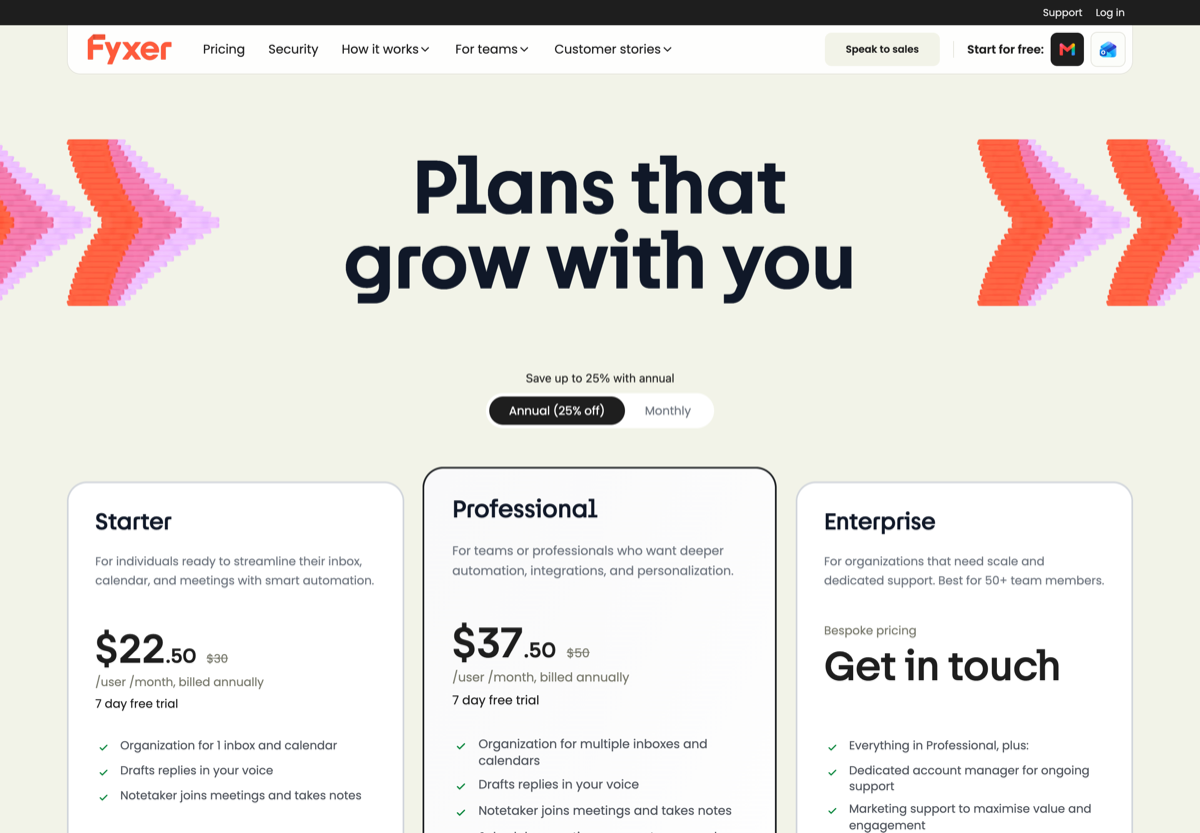
Source: Fyxer pricing page, July 2026.
The operation
The queue, not just the triage.
Fyxer organises one person’s inbox; a team needs the operation around it: assignment with collision detection, internal notes, boards for the actual workflow, and reporting that runs the Friday meeting. Drag is that operation, in the Gmail your support address already lives in, with chat and WhatsApp landing in the same queue.
Grounded AI
AI that knows your content, not just your voice.
Fyxer’s drafts match your tone; Drag’s drafts are grounded in your actual templates, help centre, and history, and the tagging, sentiment, and summaries run across the team’s whole queue: chat and WhatsApp included, not just email.
MCP
The queue your AI tools can drive.
Drag’s MCP server exposes 47 tools, read and write, for Claude, ChatGPT, Gemini, Copilot, or Cursor. Neither Fyxer nor any personal assistant offers an equivalent.
Varley · Drag’s AI
One AI, four ways it works.
Varley, Drag’s AI, knows your help center, docs and past conversations. It drafts and tags every email, answers your team in Copilot, acts in Stripe, Slack and HubSpot when you approve, and on Pro resolves conversations on its own. Monthly AI credits come with every Plus and Pro seat, with no per-seat AI add-on.
Fyxer includes AI too, but as fixed-category triage for one person’s inbox, not AI across a team’s queue.
- CopilotAsk Varley, then let it act
- AgentsVarley resolves conversations on its own
- IntelligenceWhat Varley knows, and the tools it acts in
- AssistsVarley in every email: drafts, tags, summaries
Included in Plus. Pro gets 2x the usage. Power users top up any time.
Varley resolves the routine ones on its own.
On Pro, Varley’s Agent reads the email, checks your policy, acts in tools like Stripe, replies in your team’s voice and closes the conversation. Anything it isn’t sure of goes to your team, with everything it found. Included in Pro.
Fyxer has AI for drafting and sorting, but no autonomous resolution agent of this kind.

I was charged twice this month
Daniel Okonkwo · Customer
- 9:38:13
Read Daniel’s email
Billing · Urgent
- 9:38:15
Checked your refund policy
Duplicate charges: refund in full
- 9:38:18
Found both charges in Stripe
$49 on 12 April, twice
- 9:38:22
Refunded the duplicate
$49 back to Daniel’s card
- 9:38:30
Replied to Daniel
Policy cited, in your team’s voice
- 9:38:35
Closed the conversation
Logged, with its sources
Connect Claude to your inbox in about two minutes.
Paste one URL into Claude’s settings, enter your API key once, and your inbox becomes 47 tools with full read and write, WhatsApp included, on the Pro plan. ChatGPT, Gemini, Copilot and Cursor connect the same way. Then just ask:

Summarise unread Support threads and assign billing to Sarah.

Label everything mentioning refunds and move it to In Progress.

What was our first-reply time this week vs last?
Fyxer ships a small MCP server too: 6 tools, read-focused with draft-only writing. Drag’s covers the whole inbox with full read and write.
Explore the MCP serverMCP server
@dragapp/mcp-server
47
tools · 12 categories · read + write
https://app.dragapp.com/mcp
paste into Claude › Settings › Connectors

 + any MCP client
Features
Boards, automation, and support tools included.
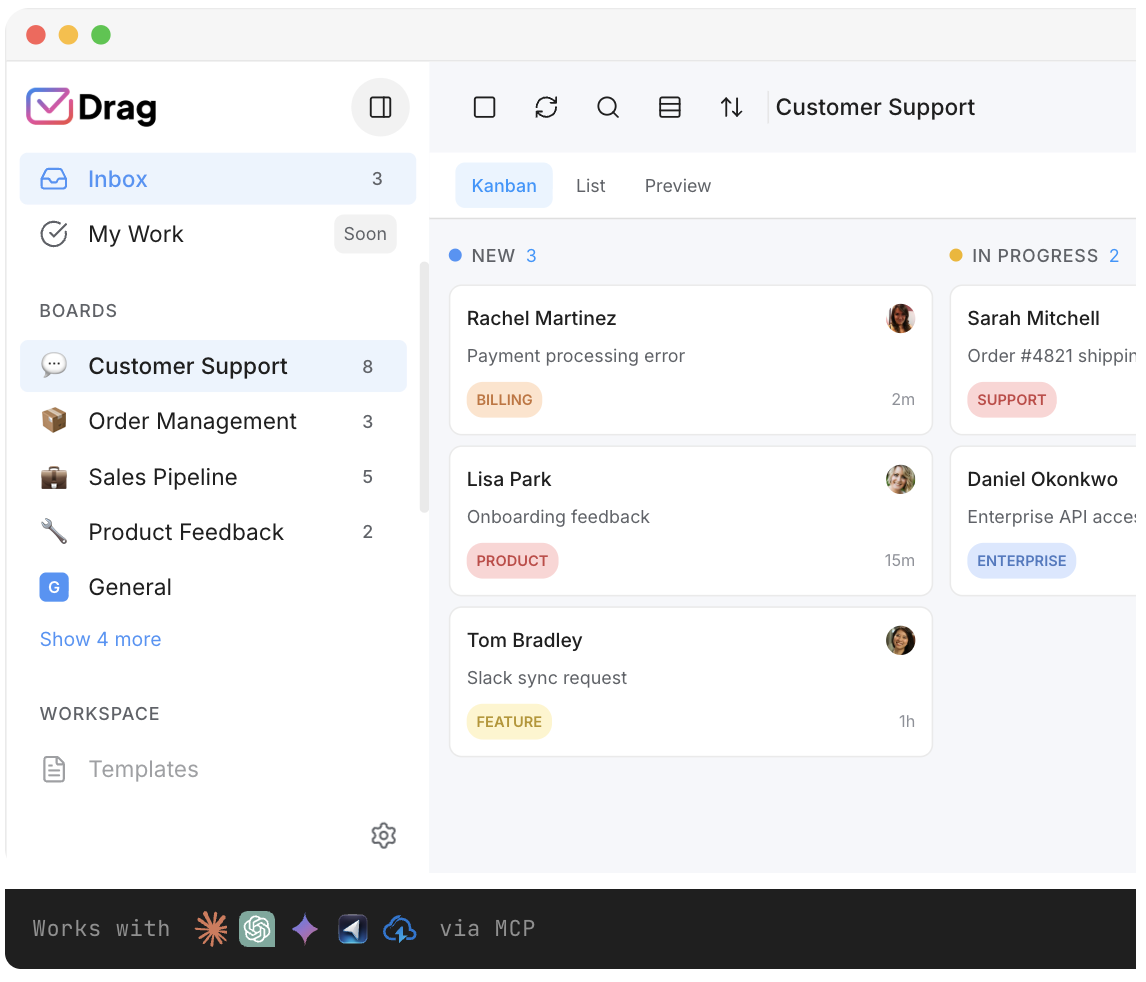
Boards and Kanban views, automation and assignment rules, a customer-facing help center, a live-chat widget, WhatsApp, and reporting, the collaborative and support features a team outgrowing a personal assistant expects, included rather than tiered up.
Security
Gmail-native, with a cleaner security model.
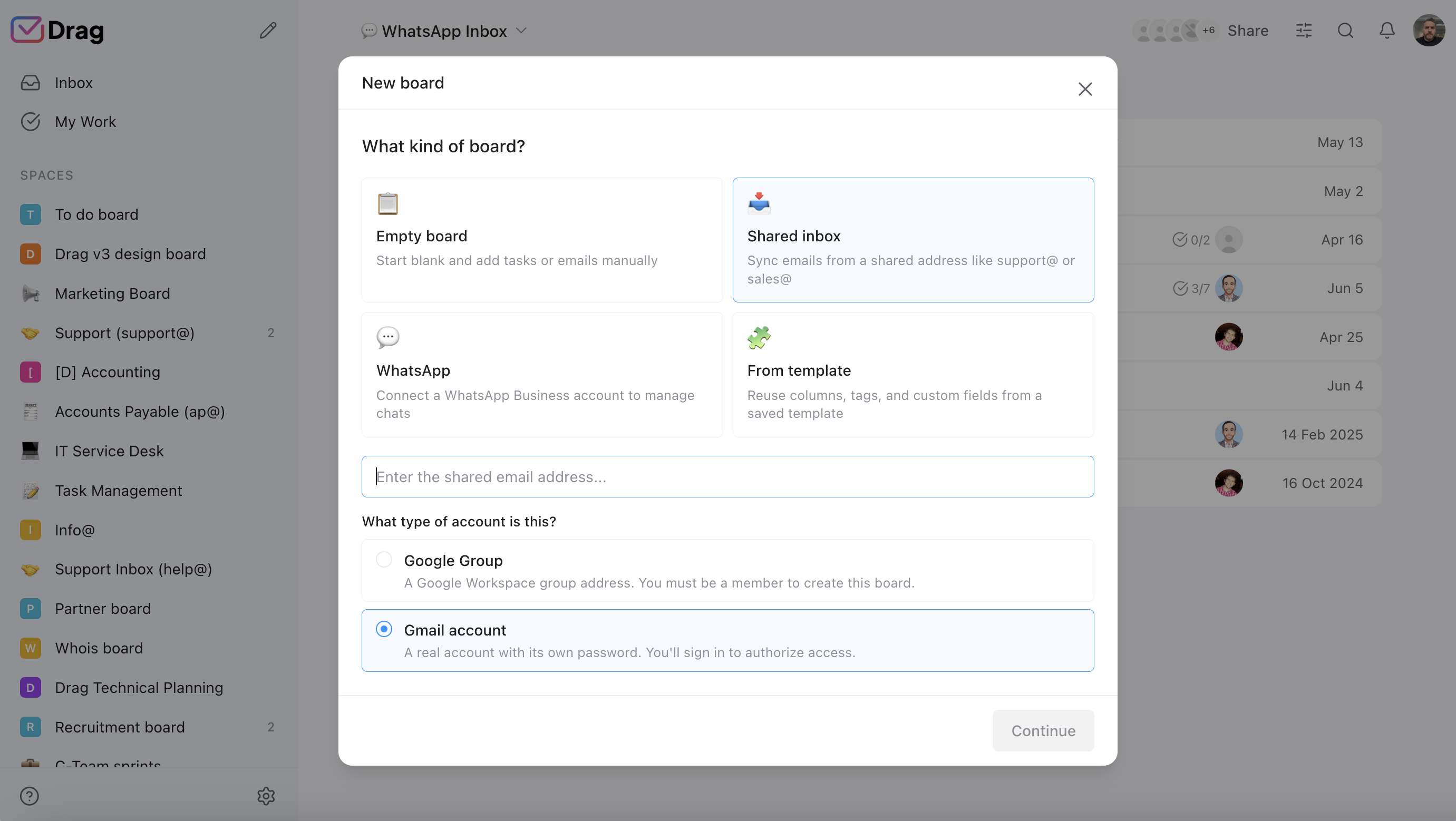
Drag keeps your team in Gmail and uses permission-based access rather than duplicating emails between mailboxes: access is granted to a shared inbox and revoked instantly when someone leaves, and Drag does not store your emails on its servers. It is a Google Cloud Partner with CASA Tier 2 verification and GDPR compliant.
- Drag: permission-based access, revoked instantly. No email duplication. Emails never stored on Drag servers.
- Google Cloud Partner, CASA Tier 2, GDPR compliant.
Pricing: Drag vs Fyxer
Fyxer is genuinely per-seat and flat, so the team comparison is straightforward to run: Drag’s AI plan at $18 a seat against Fyxer’s Starter rate. Drag has no seat minimum.
AI features
 Drag Plus (AI included)
$2,160/yr
$18/user/mo × 10 seats · AI included
 Fyxer Professional (multi-inbox)
from $4,500/yr+
$38/user/mo × 10 seats · Fyxer includes fixed-category AI on every plan; Starter ($22.50 annual) covers one inbox and one calendar, and multiple inboxes need Professional at $37.50. Per-seat, flat.
Your team saves at least $2,340/yr with Drag.
Estimate based on annual per-seat pricing, July 2026. Fyxer Starter is $22.50 (one inbox and calendar); multi-inbox needs Professional at $37.50. Confirm current pricing on each vendor's site.
The honest comparison prices Fyxer’s Starter annual rate ($22.50) against Drag’s AI plan ($18); teams needing multiple inboxes land on Fyxer’s Professional tier at $37.50, so treat the calculator’s Fyxer line as its floor. Full market context in the pricing report.
Feature by feature: Drag vs Fyxer
The detail layer for evaluators: what Drag and Fyxer each do, and which one the job points to.
Inbox triage
Fyxer: fixed categories (To Respond, Awaiting, Newsletters), voice-matched drafts: genuinely good for one inbox, and reviewers describe the rigidity, with some saying important emails get hidden. Drag: automatic tagging + boards the team defines. Split by job.
Drafting
Both draft. Fyxer voice-matches; Drag grounds in team content. Split by job.
Team workflow
Drag: assignment, collision detection, notes, boards, reporting. Fyxer: reviewers describe none. Check Drag, and it is the whole point of this page.
Meeting notes
Fyxer’s notetaker (Meet + Teams) is real and Drag does not match it: honest check Fyxer.
Providers
Fyxer: Gmail + Outlook. Drag: Gmail (Workspace). Outlook users: Fyxer keeps that edge here, plainly.
Model choice
Fyxer: fixed and undisclosed. Drag: managed in-platform across everything Varley does.
Channels beyond email
Drag: live chat + WhatsApp in the same queue. Fyxer: email only. Check Drag.
If you switch: what you keep, what changes
What you keep
Your Gmail exactly as it is: Drag works on Gmail as the record, and Fyxer’s categories were labels in your inbox, so their removal is one settings visit.
What changes
The job changes shape: from personal triage to a team operation with the AI included, in the Gmail your support address already runs on.
Where Fyxer fits better
Three real cases.
- The meeting notetaker: if call notes are half your Fyxer value, Drag does not replace that today; stay, or pair a dedicated notetaker with Drag and do the math.
- Outlook: Fyxer serves it; we are Gmail-native on both routes.
- The polished solo-exec fit: for one busy executive inbox where $30 is immaterial and the fixed categories fit how you work, Fyxer is a well-made product and this page will still be here if the team grows.
Switching from Fyxer to Drag is quick
Drag installs into the Google Workspace your support address already runs on; boards, templates, and the assists working the same afternoon. No migration project, no retraining, and your team keeps working in Gmail; 7-day trial, no card.
What customers say
“What we like the most about Drag is the ability to see at a glance where a client is during their Onboarding process, through the use of columns, tasks, and tags. It has been crucial for us because Waste Logics is a growing business and this transparency allows us to work faster and smarter.”
“There really is no comparison when it comes to Drag. We have a great relationship with their team, it’s incredibly easy to use, addresses all of our needs, and the price is right!”
“Drag provided a lot of transparency and unified our team. It allowed us to bring the entire team together to manage emails and tasks collaboratively, as opposed to working in silos, across different tools.”
Frequently asked questions
What is the best Fyxer alternative?
Who is Fyxer best for?
How much does Fyxer cost?
Does Fyxer charge based on email volume?
Is Drag cheaper than Fyxer for a team?
Does Fyxer work for teams?
What does Fyxer do better?
Can my AI tools manage the inbox?
Does Drag have a free plan?
Can Fyxer run a shared inbox?
Which AI models do these use?
Does Drag work with Outlook?
What happens to Fyxer's folders when I leave?
Can I use Drag and Fyxer together?
Why do teams switch from Fyxer to Drag?
How do I try Drag?
If your inbox problem is personal, not team-shaped
Then neither Drag nor most of this page is your answer. HeyHelp ($12 a month billed annually) is a sister product built by our team for exactly that: one busy Gmail, AI triage and drafts, your choice of model. heyhelp.ai. No hard feelings either way.


