













Compare the 8 best Fyxer alternatives for Gmail and teams in 2026 with honest reviews, real pricing, and which AI email tool fits your workflow.
Table of contents
Fyxer AI is a capable inbox assistant. It triages your email, drafts replies in your voice, and takes meeting notes. But it is built for one person's inbox, it leans premium at $49 per person a month ($37 billed annually) for the Pro plan, where inbox sorting and drafts start, and its shared spaces sit on the $64 Team plan. If you are a freelancer that is fine. If you are a team trying to work a shared inbox together, you will hit its limits fast. This guide compares the eight best Fyxer alternatives, honestly and with real pricing, so you can pick the one that fits how you actually work.
Deciding rather than browsing? The two-answer comparison is the shorter read.






Key takeaways
- The best Fyxer alternative depends on one question: do you need a personal AI assistant or a shared inbox for a team? They are different tools.
- For Gmail teams, DragApp adds shared inboxes, AI, and automation on Gmail, from $12/user/mo (AI from $18), with no new app to learn.
- Fyxer has a free plan without inbox sorting or drafts; Pro is $49/user/mo ($37 billed annually) and Team $99 ($64 annually), with AI credits included.
- Cheaper individual options include HeyHelp ($12 a month billed annually, $20 monthly) and open-source Inbox Zero (around $20/mo).
- Missive and Front suit multi-channel teams. Superhuman and Shortwave suit speed-focused power users willing to switch email clients.
Is Fyxer right for you? An honest review
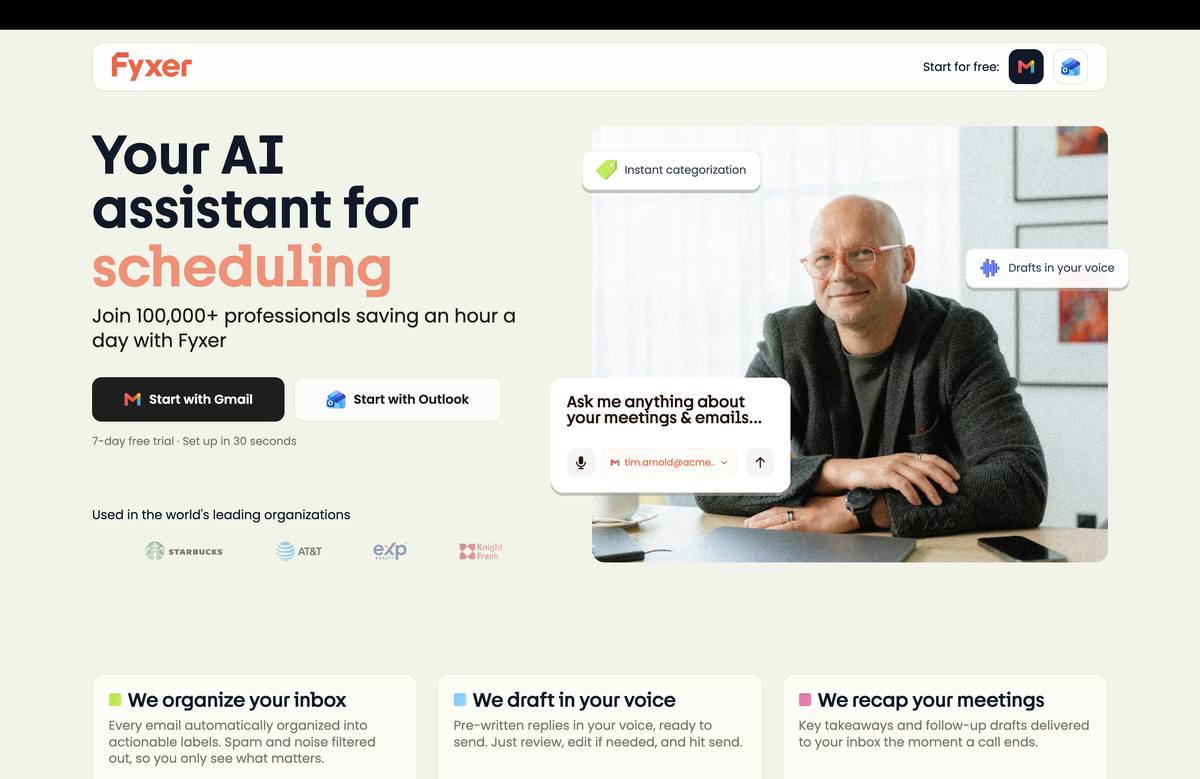
Fyxer AI is an executive-style assistant that lives on top of Gmail or Outlook. It does three things well: it auto-sorts your inbox into labels, it drafts replies that match your tone, and it takes notes in your meetings. For an individual drowning in email, that combination genuinely saves time, and there is no new interface to learn.
Where it gets harder is cost and fit. As of October 2026, Fyxer has a free plan (400 AI credits a month, meeting notes but no inbox sorting or drafts), Pro at $49 per person a month ($37 annually) and Team at $99 ($64 annually). Pro covers inbox sorting, drafts in your tone and the notetaker, with 3,000 AI credits a month per member after an unlimited first three months; Team adds shared spaces, assigned follow-ups, pooled credits and MCP access, and SSO and SCIM are Enterprise only. A few criticisms come up repeatedly in user reviews: pricing that climbs with email volume, fixed categories you cannot fully customize, and no choice over the underlying AI model.
The bigger limitation for teams is structural. Fyxer manages your inbox, not a shared one. Its Team plan adds shared spaces and assigned follow-ups, but there is no shared inbox: no shared boards, no conversation assignment, and no collision detection when two people open the same thread.
Fyxer is the right choice if you are an individual or executive who wants AI triage, drafting, and meeting notes across Gmail or Outlook, and budget is not your main concern. If you need a team to work a shared inbox together, or you want AI without the premium price, the alternatives below are worth a look.
The 8 best Fyxer alternatives at a glance
| Tool | Best for | Lives on Gmail? | AI features | Team collaboration | Starting price* | Free trial |
|---|---|---|---|---|---|---|
| DragApp | Gmail teams wanting a shared inbox and AI | Yes | Included (Plus and Pro) | Yes (shared inboxes, assignments) | From $12/mo (AI from $18) | 7-day, no card |
| Fyxer AI | Individuals wanting AI triage and notes | Yes (also Outlook) | Yes (core) | Limited | $37/mo (Pro, annual; October 2026) | Yes |
| Gmelius | Gmail teams wanting automation | Yes | Yes | Yes | Paid, per user | Yes |
| Missive | Multi-channel collaborative teams | No (standalone) | Yes | Yes | From ~$18/mo | Yes |
| Superhuman | Speed-focused power users | No (standalone) | Yes | Limited | ~$30/mo | Yes |
| Shortwave | AI-first Gmail power users | No (own client) | Yes | Some | Free tier; ~$24/mo | Yes |
| HeyHelp | Individuals wanting cheap Gmail AI | Yes | Yes (choose model) | No | ~$12/mo | Yes |
| Outlook Copilot | Microsoft 365 teams | No (Outlook) | Yes | Via M365 | M365 add-on | Via M365 |
| Inbox Zero | Budget or open-source AI assistant | Yes | Yes | Some | ~$20/mo or self-host | Yes |
*Pricing as of June 2026. Check each vendor's site before relying on a figure.
 1. DragApp: best for Gmail teams that want a shared inbox and AI
Best for teams that already live in Gmail and need to work email together, not just triage one person's inbox. This is the key difference from Fyxer. Fyxer is a personal assistant; DragApp turns Gmail into a shared team workspace.
Drag adds shared inboxes on top of Gmail with kanban and list views, assignments and @mentions, collision detection so two people do not reply to the same email, internal notes, and AI drafts, classification, and summaries that work across the whole team. On higher plans you also get automations and SLA rules, WhatsApp and live-chat channels, and MCP access to connect Claude, ChatGPT, or any AI tool directly to your inbox.
Drag's co-founder shared an honest take on Fyxer at the top of that comparison.
What sets DragApp apart from Fyxer:
- A real collaboration layer (shared inboxes, assignments, collision detection) that Fyxer does not have.
- Gmail-native kanban boards, so nothing leaves Gmail and there is no new client to learn.
- AI included in paid plans rather than as a separate premium product.
- Automations, routing, and SLA rules for support and sales workflows.
Pricing: Starter $12/user/mo (email and collaboration), Plus $18/user/mo (adds Varley, Drag’s AI), Pro $24/user/mo (adds Agents, 2x the Varley usage, MCP, WhatsApp, and AI knowledge). 7-day free trial, no credit card.
Best for: support, sales, and ops teams on Gmail or Google Workspace who want to collaborate on shared inboxes with AI built in. Start free
Just you, not a team? DragApp is built for collaboration, so a solo user is better served by HeyHelp (below), the best-value individual pick.
 2. Gmelius: the closest Gmail-overlay competitor
Best for Gmail teams that want automation-heavy workflows without leaving their inbox. Like Drag, Gmelius sits on top of Gmail rather than replacing it, and its AI assistant categorizes mail and drafts replies. It leans into automation and shared workflows, which makes it a natural Fyxer alternative for teams rather than individuals. The choice between Gmelius and Drag usually comes down to interface preference and which price tier fits your team.
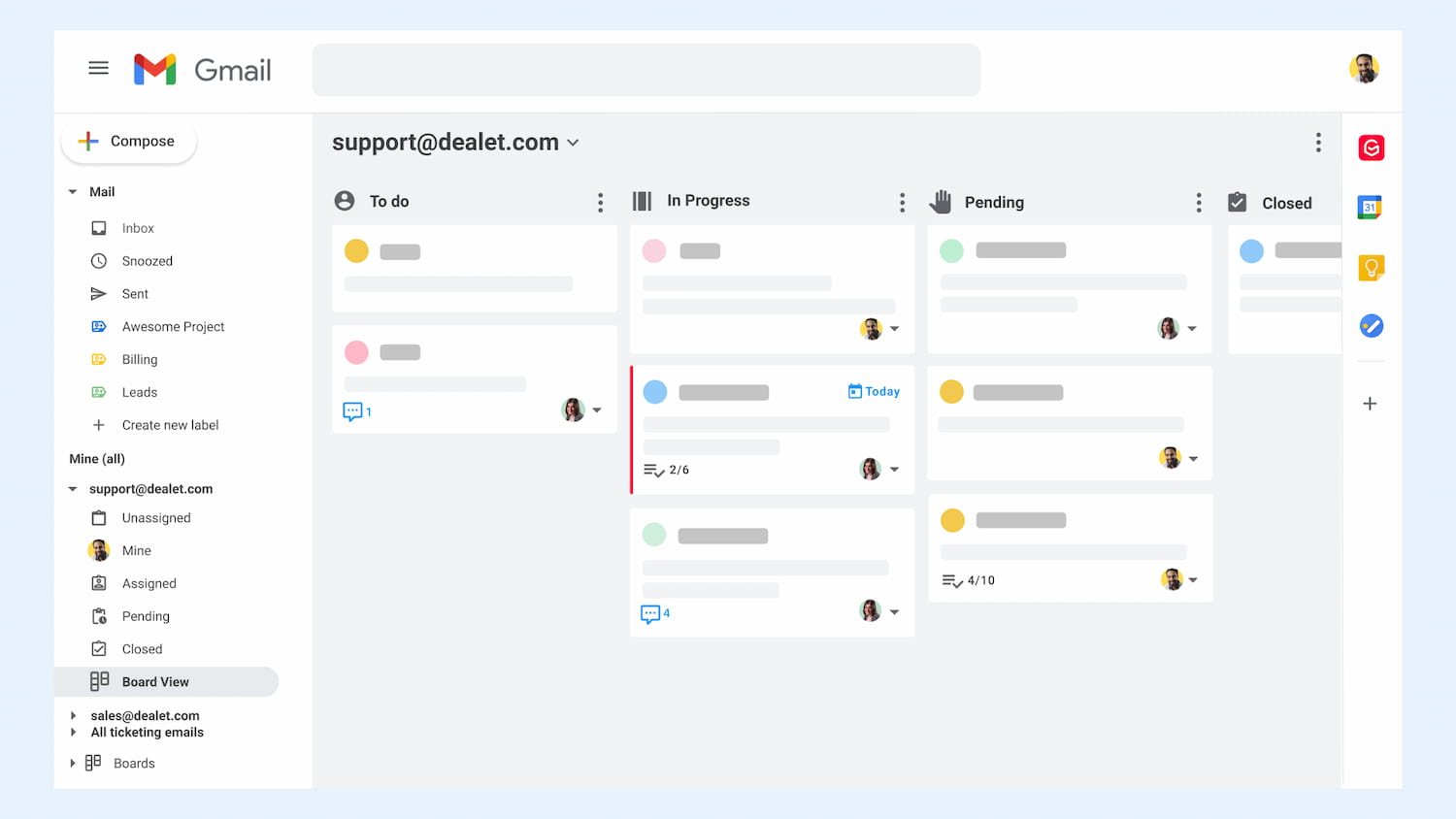
What sets it apart from Fyxer: team-oriented shared inboxes and automation, on Gmail, rather than a single-user assistant.
Best for: Gmail teams that want Fyxer-style AI plus collaboration and automation. See our full Gmelius alternative breakdown.
 3. Missive: collaborative, multi-channel inbox
Best for teams that want to collaborate across more than just email and do not mind a separate app. Missive brings shared inboxes, real-time collaboration, and internal chat together, and it handles multiple channels (email, SMS, WhatsApp, and social) in one place. It works with any provider over IMAP, but it is a standalone client, so your team leaves the Gmail interface and there is more setup involved.
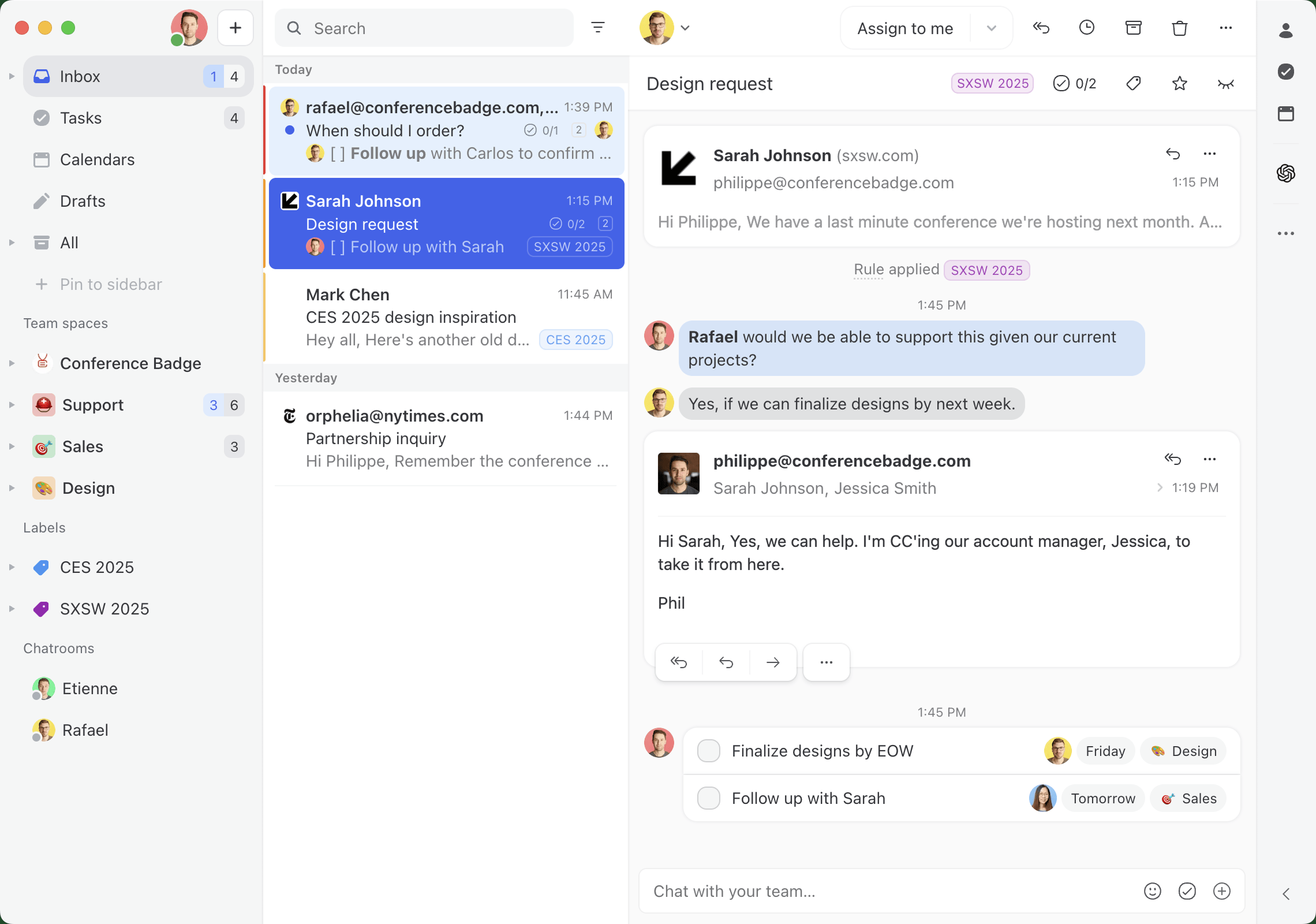
What sets it apart from Fyxer: genuine team collaboration and multi-channel support, versus Fyxer's single-inbox focus.
Best for: multi-channel support or sales teams comfortable adopting a dedicated app rather than staying in Gmail. See our full Drag vs Missive comparison for a detailed feature and pricing breakdown.
 4. Superhuman: built for speed
Best for power users who want the fastest possible inbox and will switch clients to get it. Superhuman is a keyboard-driven email client with AI drafting and summarising layered on top. It is fast and polished, but you give up the native Gmail interface, and at roughly $30/month it sits at the premium end.
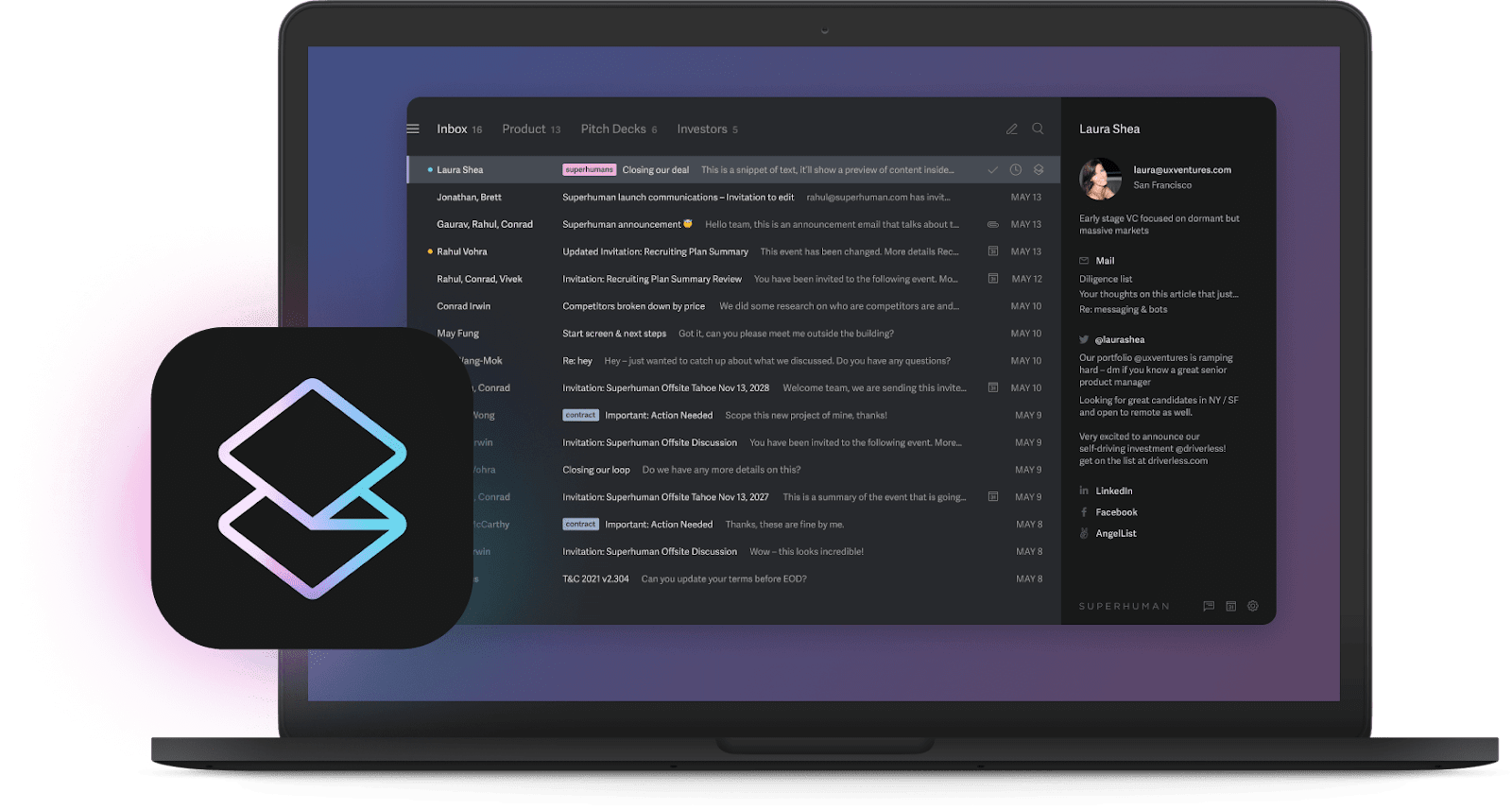
What sets it apart from Fyxer: speed and design are the core product, with AI as a secondary layer.
Best for: individual power users who prioritize speed over team features.
 5. Shortwave: an AI-first Gmail client
Best for Gmail power users happy to adopt an AI-first inbox. Built by former members of Google's Inbox team, Shortwave offers thread summaries, smart bundling, and an assistant that can search and draft. It feels modern, but like Superhuman it replaces the Gmail interface with its own client. There is a free tier, with full AI on paid plans.
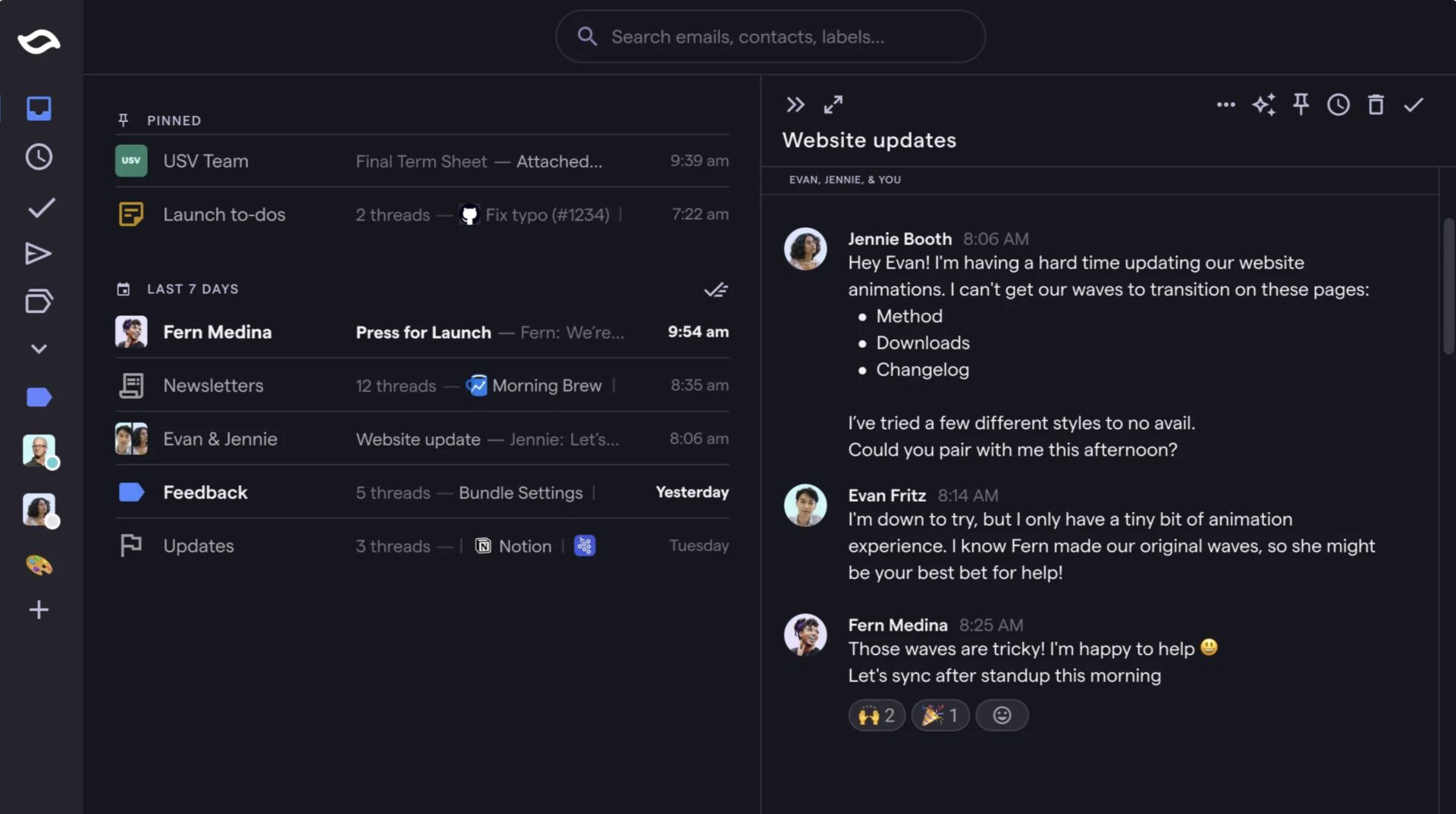
What sets it apart from Fyxer: a full AI-native client experience rather than an overlay on your existing inbox.
Best for: individuals who want an AI-first email client and do not need shared inboxes.
 6. HeyHelp: the best-value AI assistant for a single Gmail inbox
Best for individuals who want everything Fyxer does in Gmail, at a fraction of the price. HeyHelp is purpose-built for Gmail and handles the core jobs Fyxer charges a premium for: it auto-tags your inbox, drafts replies in your voice, and surfaces what matters, all without leaving Gmail. Two things genuinely set it apart from Fyxer. It lets you choose the underlying AI model (OpenAI, Gemini, or Claude), which Fyxer does not, and at around $144/year it costs roughly a quarter of Fyxer Pro's monthly price. The one thing it leaves out is a built-in meeting notetaker, so if that is the single feature you cannot do without, Fyxer keeps an edge there. For most individuals who just want a faster, calmer inbox, HeyHelp does the same core job for far less.
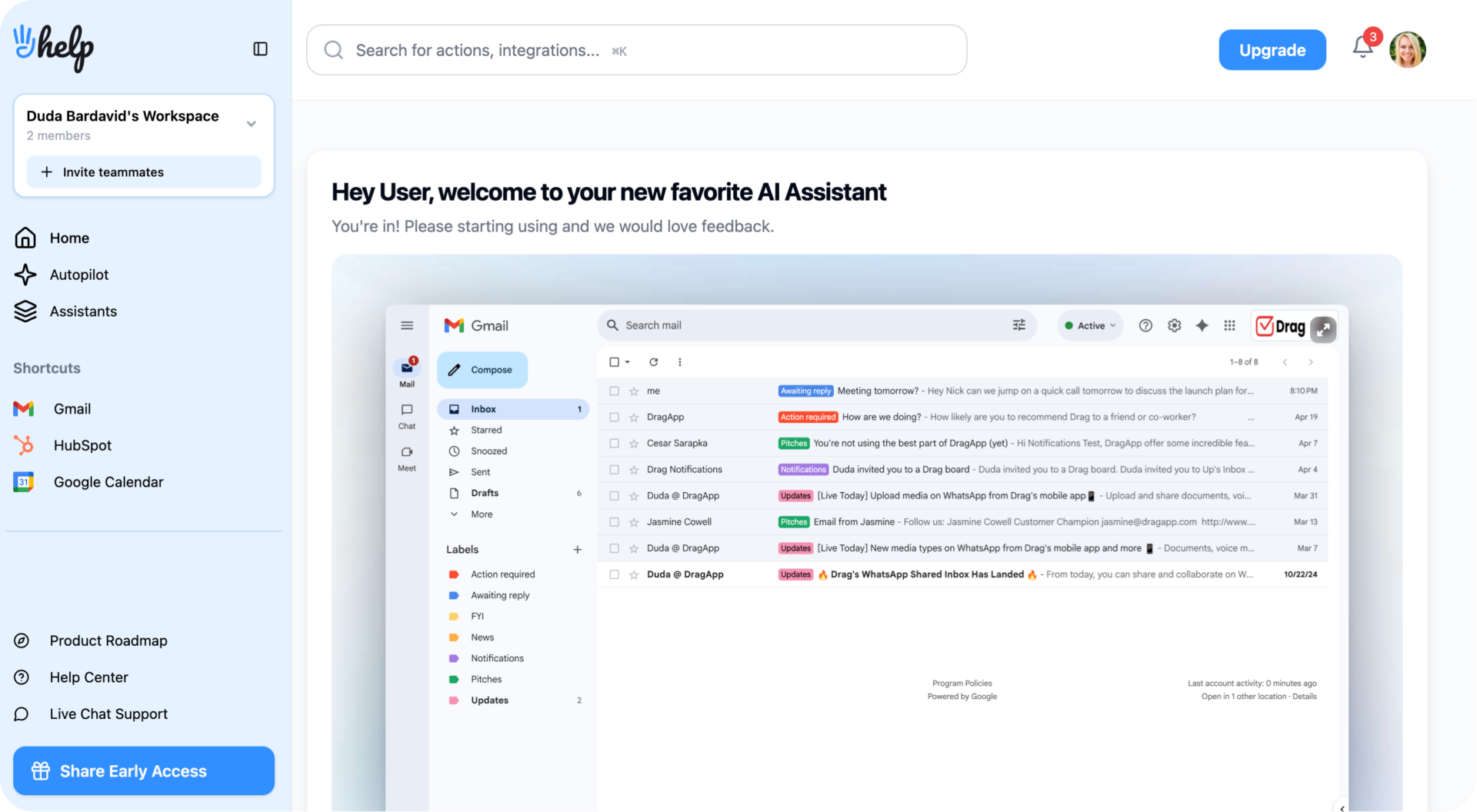
What sets it apart from Fyxer: the same AI triage and drafting, plus a choice of AI model, at roughly a quarter of the price.
Best for: solo professionals and freelancers who want affordable, Gmail-native AI for their own inbox. (HeyHelp is a sister product to DragApp, built for individuals rather than teams.)
 7. Outlook Copilot: for the Microsoft ecosystem
Best for teams already standardised on Microsoft 365. Copilot is native to Outlook and drafts replies, summarizes threads, and pulls context from Teams, your calendar, and documents. If you are in the Microsoft world it is the path of least resistance. If you are on Gmail it is not relevant.
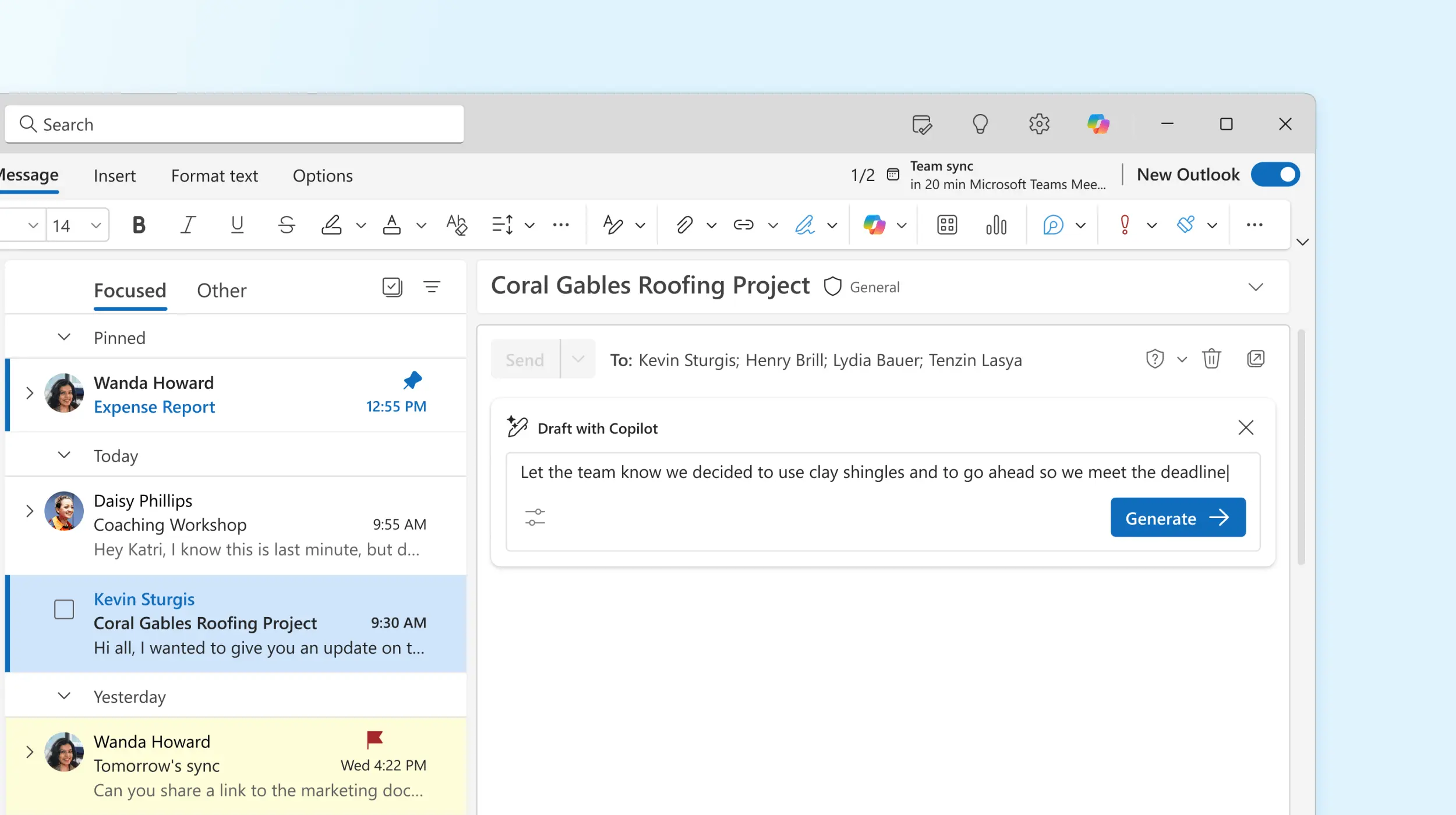
What sets it apart from Fyxer: deep integration across the Microsoft 365 suite.
Best for: Outlook and Microsoft 365 teams.
 8. Inbox Zero: open-source and budget-friendly
Best for people who want Fyxer's AI drafting plus real automation and analytics at a lower price, or who want to self-host. Inbox Zero is open-source and SOC 2 compliant, with AI drafting and categorisation, custom rules, bulk unsubscribe, and analytics. It works with Gmail and Outlook and costs around $20/month, or you can run it yourself. Like HeyHelp, it has no meeting notetaker.
What sets it apart from Fyxer: open-source transparency, more automation, and a lower price.
Best for: cost-conscious individuals and teams comfortable with open-source tooling.
Drag · with Varley
The inbox your team and Varley work in together
Shared inbox and live chat for Gmail teams, with Varley, Drag’s AI, included from $18. Plus an MCP server your own AI tools can drive.
Which Fyxer alternative is right for you?
There is no single best Fyxer alternative. The right pick depends on what you are solving for:
- You want a shared inbox your team works together: DragApp or Gmelius (on Gmail), or Missive and Front (standalone, multi-channel).
- You want to stay on Gmail: DragApp, Gmelius, or HeyHelp.
- You want AI for your own inbox, not a team: HeyHelp is the best-value individual pick (around $12/mo), or open-source Inbox Zero (around $20/mo).
- You want raw speed and will switch clients: Superhuman or Shortwave.
- You are on Microsoft 365: Outlook Copilot.
- You want to choose your AI model: HeyHelp.
- You want AI included with collaboration and automation: DragApp (Plus or Pro).
To model exact costs at your team size and AI volume, use the shared inbox cost calculator.
Security and privacy: what to check before you choose
AI email assistants read your most sensitive communications, so security should weigh as heavily as features. Most alternatives roundups skip this, so here is the short checklist to run before you commit to any tool, Fyxer included.
- Data handling. Where are your emails stored, and is your data used to train the vendor's AI models or shared with third parties? This matters most in regulated industries.
- Encryption and access. Does the tool encrypt your data in transit and at rest, and who internally can access it?
- Compliance. Look for GDPR and CCPA alignment, and SOC 2 or Google CASA certification, plus HIPAA if you handle health data. (DragApp is Google CASA certified and SOC 2 compliant, for reference.)
- User control. Can you review or override AI-generated replies before they send, and can you export or delete your data on request?
A tool that cannot answer these clearly is one to be cautious with, no matter how good the AI is.
Now is the time to try a Fyxer alternative
Fyxer carved out a real niche as an assistant-style email manager, but today it has serious competition. There are tools with tighter Gmail integration, lower prices, flexible AI, and the team collaboration Fyxer was never built for. If you are a Gmail team, the gap is widest there: DragApp gives you a shared inbox, AI, and automation without leaving Gmail, starting at $12/user/month.
Frequently asked questions
What is the best Fyxer alternative for Gmail?
It depends on whether you are an individual or a team. For Gmail teams that need a shared inbox with AI, DragApp is the strongest fit because it's Gmail-native. For individuals who want affordable AI triage and drafting, HeyHelp is a strong, low-cost option.
How much does Fyxer cost?
As of October 2026, Fyxer has a free plan, then Pro at $49 per person a month ($37 annually) and Team at $99 ($64 annually). Pro is where inbox sorting and drafts start, Team adds shared spaces and MCP access, and SSO is Enterprise only.
Is there a free or cheaper Fyxer alternative?
Yes. Open-source Inbox Zero costs around $20/month or can be self-hosted, HeyHelp is about $12/month, and Shortwave has a free tier. Most do not include a meeting notetaker.
What is the difference between Fyxer and DragApp?
Fyxer is a personal AI assistant that manages one inbox. DragApp turns Gmail into a shared team workspace with shared inboxes, assignments, collision detection, and AI, so a whole team can work email together.
Does Fyxer work with Outlook?
Yes, Fyxer supports both Gmail and Outlook. DragApp is built specifically for Gmail and Google Workspace, which is why it lives natively inside the Gmail interface.
Can I get Fyxer-style AI without leaving Gmail?
Yes. DragApp, Gmelius, and HeyHelp all run on Gmail rather than replacing it. Superhuman and Shortwave require switching to their own clients.
Which Fyxer alternative is best for teams?
For Gmail teams, DragApp and Gmelius add shared inboxes and collaboration on Gmail. For multi-channel support teams that do not mind a separate app, Missive and Front are strong options.
Do these alternatives let you choose the AI model?
HeyHelp lets you pick the underlying model such as OpenAI, Gemini, or Claude. Most others, including Fyxer, Superhuman, and Outlook Copilot, use a fixed model.

Co-founder
Co-founder at Drag, writing about Google Workspace, shared inboxes, and how teams actually run email.


