








Helpwise is a well-made standalone shared inbox with genuinely broad channels, SMS included. But it is a separate platform your email connects into, and its AI features sit on the upper per-seat tiers. Drag does the same collaborative job built on Gmail as the system of record: email, live chat, and WhatsApp in one queue, Varley, Drag’s AI, included from $18 a seat flat, with nothing migrated in and its own MCP server. Here is the honest, side-by-side comparison.

Table of contents
The verdict
The best Helpwise alternative for teams on Google Workspace is Drag: the same multichannel shared-inbox job (email, live chat, WhatsApp) with boards on top and Varley, Drag’s AI, included from $18 a seat flat, built on Gmail as the system of record so nothing migrates in and your mail is never hostage to a platform. Helpwise is a well-made standalone inbox whose AI features sit on its upper per-seat tiers and whose native SMS is a genuine edge. Helpwise remains the better choice when your channels are SMS-led, your mailboxes span providers beyond Google, or its cheaper entry tier fits your needs.
Choose Drag if you…
- You run on Google Workspace and want Gmail to stay the system of record, so nothing migrates in.
- You want the multichannel queue (email, live chat, WhatsApp) with Varley, Drag’s AI, included from $18 a seat.
- You want boards and a kanban workflow, not just a list-based inbox.
- You want an MCP server so your AI tools can drive the queue.
Choose Helpwise if you…
- Your channels are SMS-led: Helpwise does native SMS and Drag does not.
- Your mailboxes span providers beyond Google (Outlook, custom IMAP).
- The entry tier's price is the deciding factor and its limits fit you.
On a different email provider? For mixed-provider teams, our Drag vs Missive comparison covers the provider-agnostic field.
Drag vs Helpwise at a glance
| Feature | Drag | Helpwise |
|---|---|---|
| What it is & where you work | ||
| What it is | A full support platform built on Gmail | A standalone multichannel shared inbox |
| Where your email lives | In Gmail: Drag reads it there, in Gmail or Drag's own apps | Connected into Helpwise's platform: it becomes the workspace |
| Where you work | Inside Gmail + web, desktop, and mobile apps | Helpwise's web and mobile apps |
| Channels | Email + live chat + WhatsApp in one queue | Email, SMS, WhatsApp, live chat, social: breadth is its pitch |
| Pricing & AI | ||
| Pricing | $12 entry, AI included from $18, flat | Per-seat tiers: Standard ~$15, Premium ~$29 (AI starts here), Advanced ~$49; ~20% off annual |
| AI access | Varley included on the $18 plan, one price | AI Assist and Summarize on Premium; AI Auto Prioritization on Advanced; none on Standard |
| Free to start | 7-day trial, no card | 7-day trial, no card |
| Workflow & platform | ||
| Kanban workflow | check_circle | cancel |
| MCP server | Yes, 47 tools | cancel |
Pricing and features verified July 2026; confirm current details on each vendor’s site.
Why Gmail teams pick Drag
Architecture
Your email stays yours.
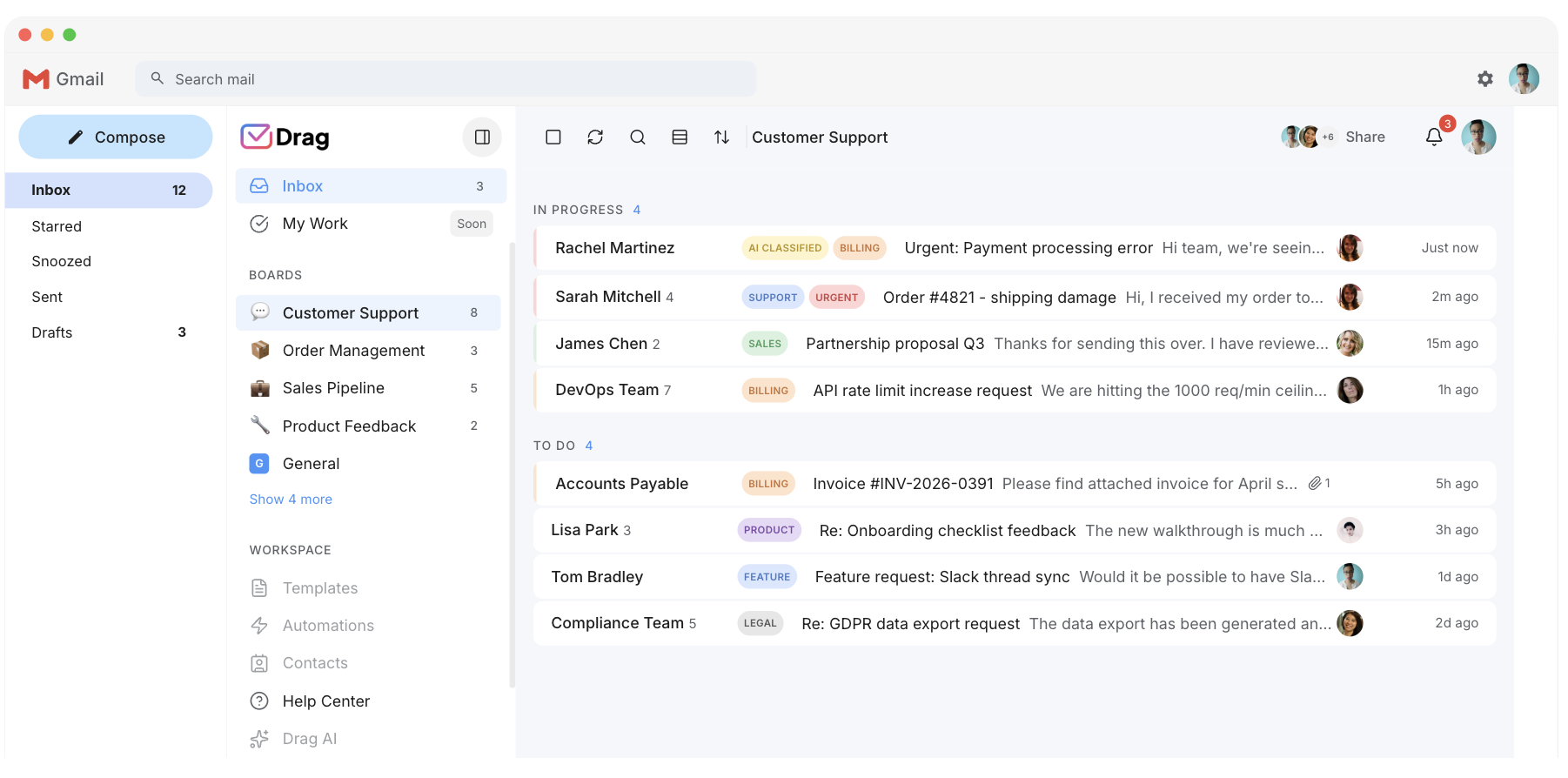
Helpwise is a well-made standalone inbox, and that is the architectural trade: your support email connects into its platform, which becomes the place your history lives. Drag is built on Gmail as the system of record: the same threads, in Gmail or in Drag’s web, desktop, and mobile apps, with nothing migrated in and nothing hostage on the way out.
AI
AI included, not gated.
Helpwise’s AI begins on its Premium tier at $29 a seat (AI Assist and Summarize) and adds AI Auto Prioritization only on Advanced at $49; the Standard entry tier has none. Varley, Drag’s AI, comes with the $18 plan: grounded drafts, automatic tagging, summaries, answers from your docs and Copilot, with monthly AI credits included. $90 for a five-person team.
Workflow
Boards, not just lists.
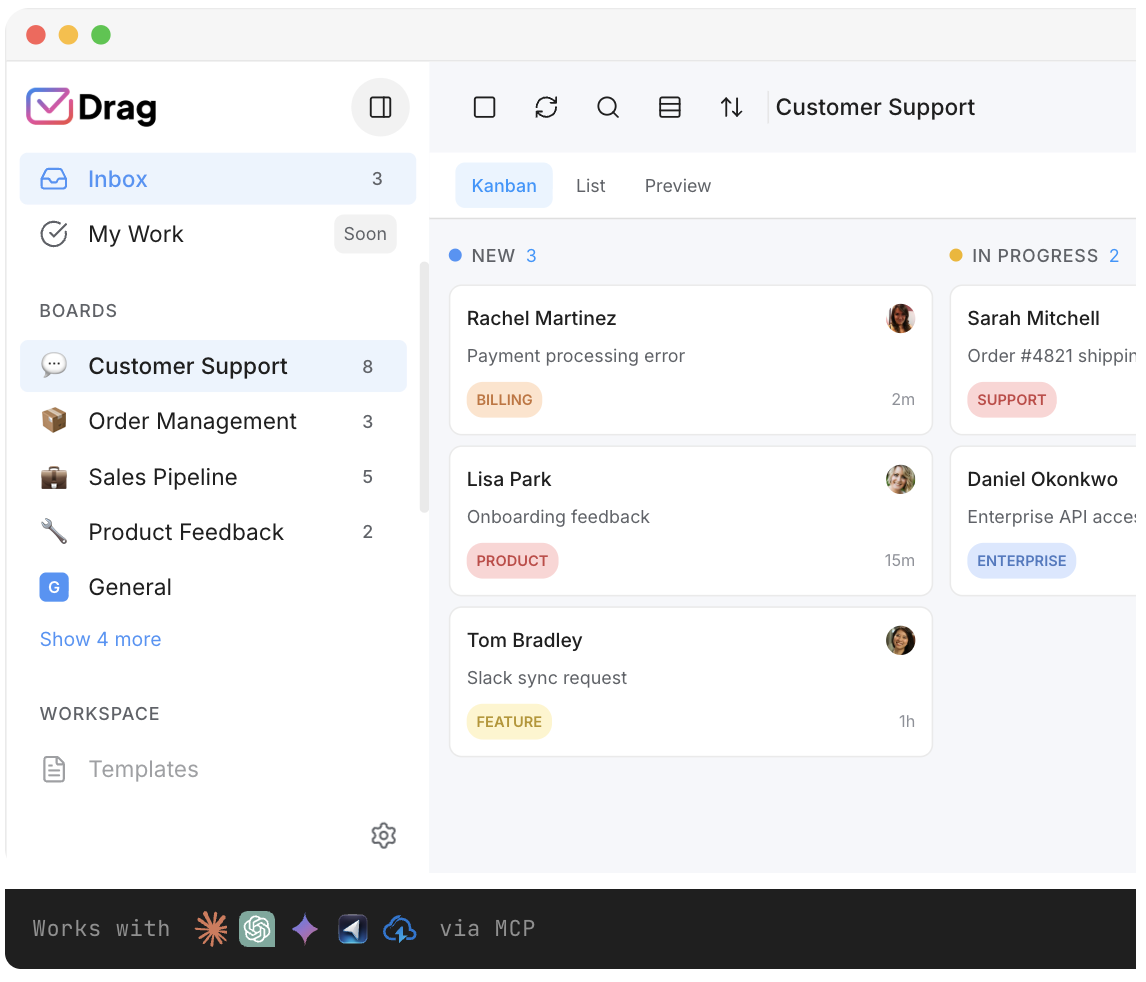
Drag’s kanban view turns the queue into workflow: columns for stages, drag-and-drop triage, collision detection, and the reporting that runs the Friday meeting. Helpwise organises well; Drag organises visually.
MCP
The queue your AI tools can drive.
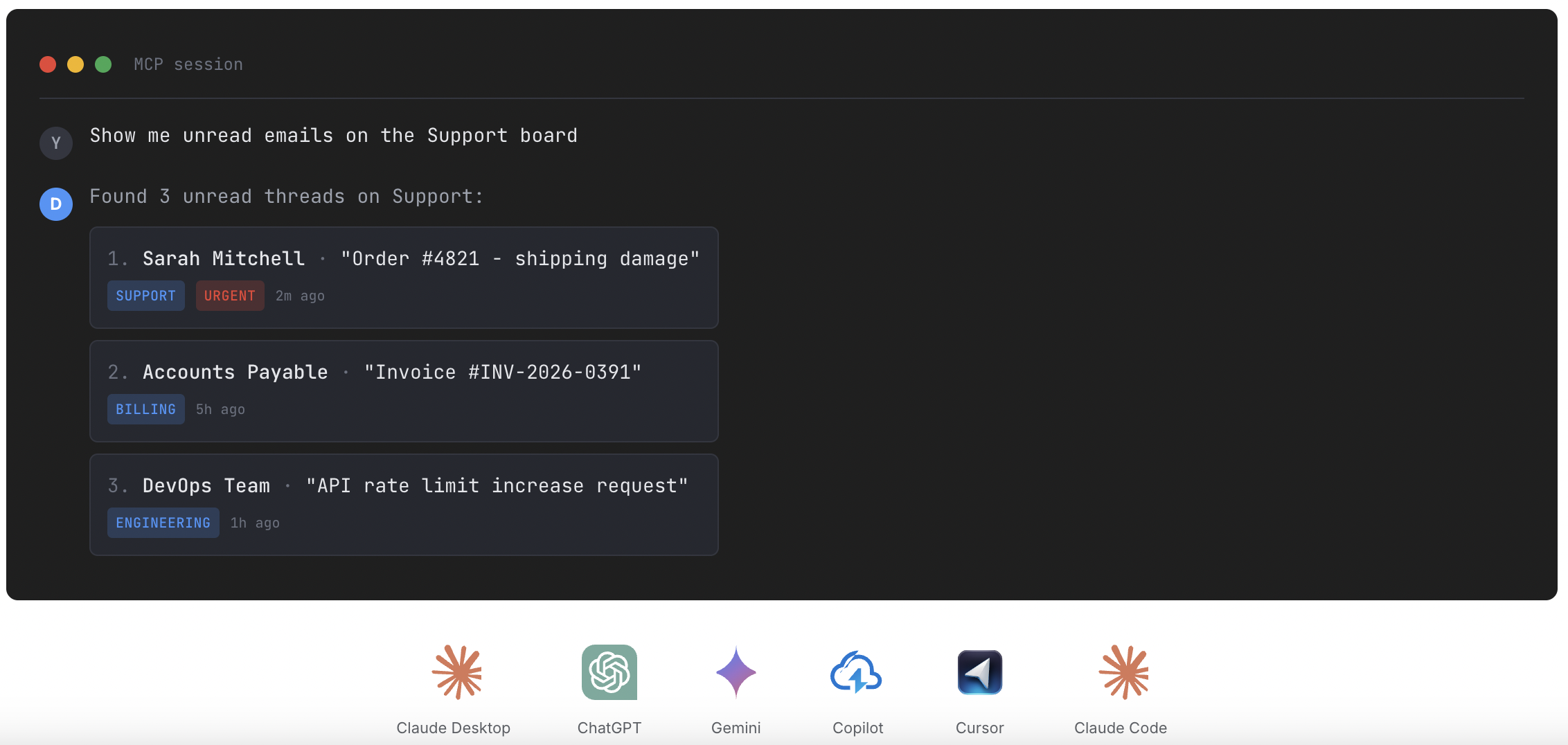
Drag’s MCP server exposes 47 tools, read and write, so Claude, ChatGPT, Gemini, Copilot, or Cursor can triage, draft, assign, and report across the whole operation. Helpwise has no MCP server.
Varley · Drag’s AI
AI included, not tiered up.
Varley, Drag’s AI, knows your help center, docs and past conversations. It drafts and tags every email, answers your team in Copilot, acts in Stripe, Slack and HubSpot when you approve, and on Pro resolves conversations on its own. Monthly AI credits come with every Plus and Pro seat, with no per-seat AI add-on.
Helpwise gates its AI to the Premium and Advanced tiers.
- CopilotAsk Varley, then let it act
- AgentsVarley resolves conversations on its own
- IntelligenceWhat Varley knows, and the tools it acts in
- AssistsVarley in every email: drafts, tags, summaries
Included in Plus. Pro gets 2x the usage. Power users top up any time.
Varley resolves the routine ones on its own.
On Pro, Varley’s Agent reads the email, checks your policy, acts in tools like Stripe, replies in your team’s voice and closes the conversation. Anything it isn’t sure of goes to your team, with everything it found. Included in Pro.
Helpwise offers AI assists on its upper tiers, but no autonomous resolution agent of this kind.

I was charged twice this month
Daniel Okonkwo · Customer
- 9:38:13
Read Daniel’s email
Billing · Urgent
- 9:38:15
Checked your refund policy
Duplicate charges: refund in full
- 9:38:18
Found both charges in Stripe
$49 on 12 April, twice
- 9:38:22
Refunded the duplicate
$49 back to Daniel’s card
- 9:38:30
Replied to Daniel
Policy cited, in your team’s voice
- 9:38:35
Closed the conversation
Logged, with its sources
Connect Claude to your inbox in about two minutes.
Paste one URL into Claude’s settings, enter your API key once, and your inbox becomes 47 tools with full read and write, WhatsApp included, on the Pro plan. ChatGPT, Gemini, Copilot and Cursor connect the same way. Then just ask:

Summarise unread Support threads and assign billing to Sarah.

Label everything mentioning refunds and move it to In Progress.

What was our first-reply time this week vs last?
Helpwise has a public API but no MCP server, so you cannot drive a Helpwise inbox from an AI tool.
Explore the MCP serverMCP server
@dragapp/mcp-server
47
tools · 12 categories · read + write
https://app.dragapp.com/mcp
paste into Claude › Settings › Connectors

 + any MCP client
Pricing: Drag vs Helpwise
Both are genuinely per-seat, so the calculator compares like for like: Drag’s AI plan against Helpwise’s AI-capable Premium tier, on annual billing.
AI features
 Drag Plus (AI included)
$2,160/yr
$18/user/mo × 10 seats · AI included
 Helpwise Premium (AI)
from $2,760/yr+
$23/user/mo × 10 seats · Premium is Helpwise's first AI-capable tier (AI Assist and Summarize) at ~$23 a seat on annual billing (~$29 monthly); it carries fewer AI features than Drag's Varley, and AI Auto Prioritization needs the ~$49 Advanced tier. Helpwise has a 2-seat minimum, and its no-AI Standard tier caps at 10 seats. Drag's $18 plan includes Varley at any team size.
Your team saves at least $600/yr with Drag.
Estimate based on annual per-seat pricing (Drag $12/$18; Helpwise Standard $12, Premium $23), July 2026. The AI comparison prices Helpwise's AI-capable Premium tier against Drag's AI plan. Confirm current pricing on each vendor's site.
The honest comparison prices Helpwise’s AI-capable tier against Drag’s AI plan, since that is the like-for-like; Helpwise’s entry tier is cheaper and thinner, and we say so. Full market context in the pricing report and its live comparator.
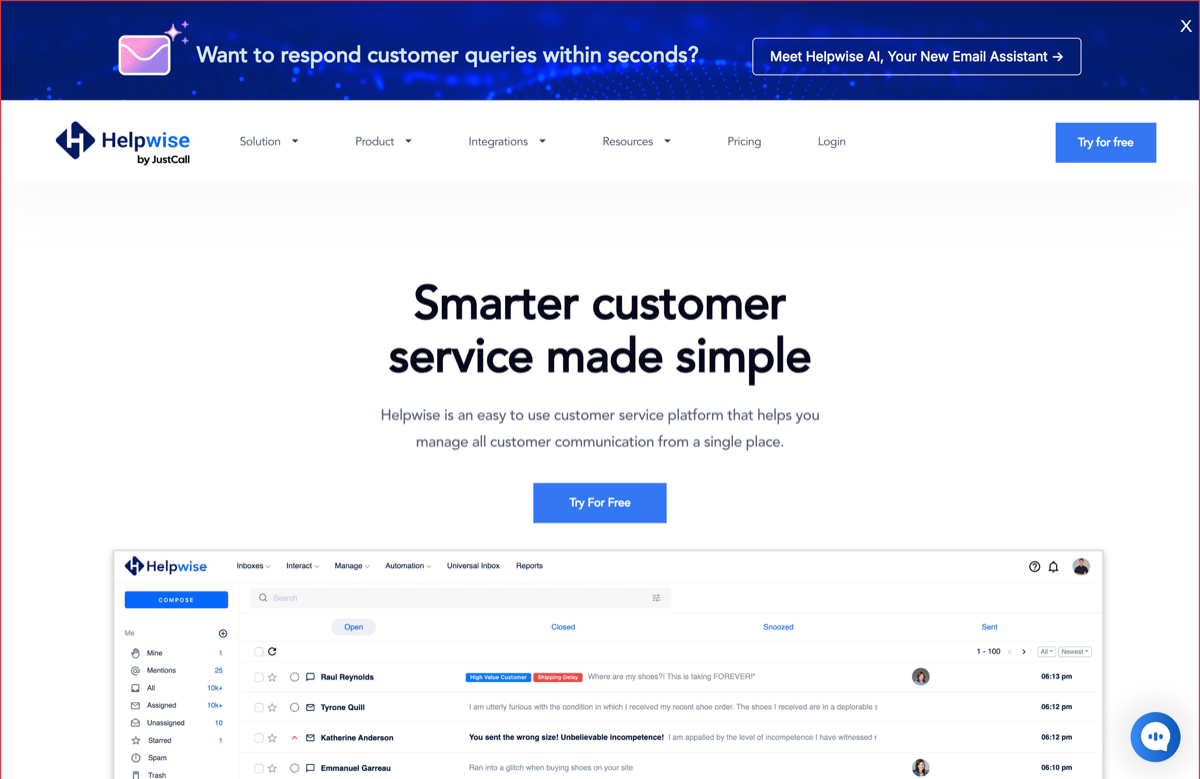
Source: helpwise.io pricing and Drag pricing, July 2026.
Drag vs Helpwise, feature by feature
The detail layer for evaluators. Where Helpwise is stronger, we say so and mark it plainly.
Shared inbox
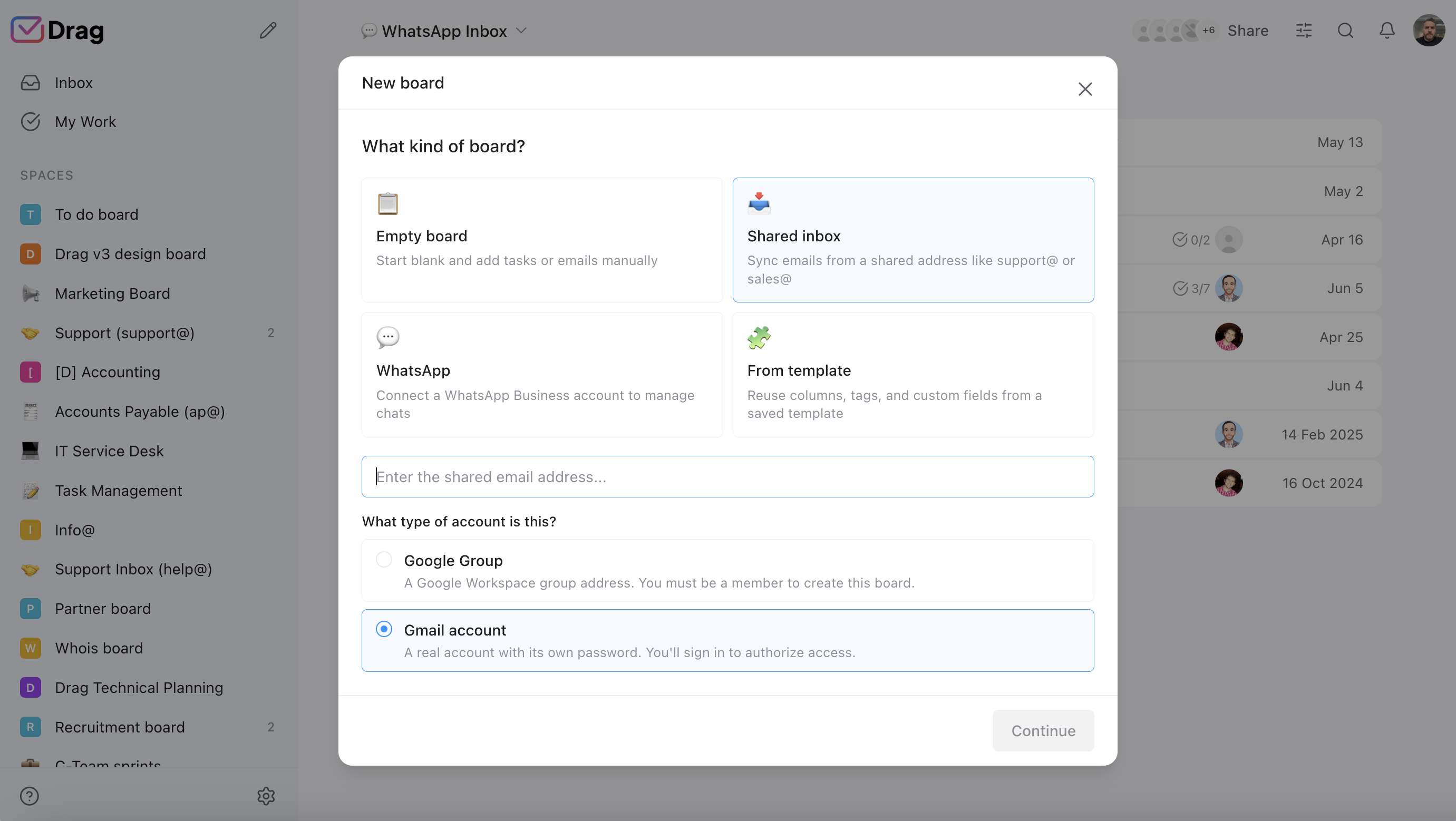
Both do the core job properly: assignment, notes, collision detection. The split is architectural: Helpwise holds the inbox; Drag reads Gmail.
- Drag: assignment, notes, and collision detection on Gmail, nothing migrates.
- Helpwise: the same collaboration craft, in its own standalone platform.
AI
Drag: Varley included at $18, working across email and chat alike. Helpwise: AI on upper tiers (AI Assist and Summarize on Premium, AI Auto Prioritization on Advanced).
- Drag: Varley included on the $18 plan, across every channel.
- Helpwise: AI gated to Premium (AI Assist and Summarize) and Advanced (AI Auto Prioritization).
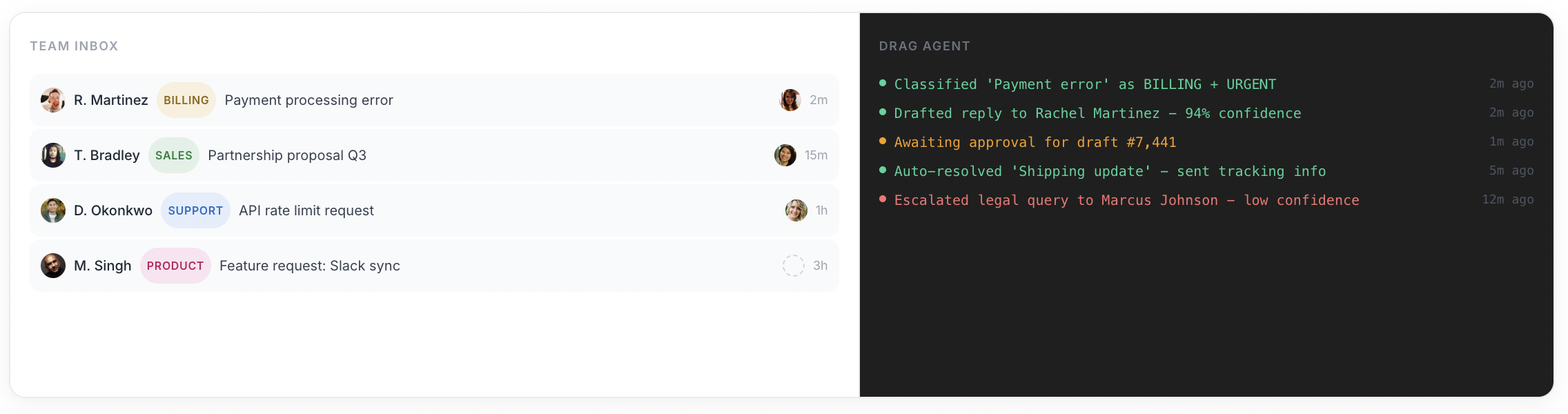
Channels
Helpwise’s breadth is real and SMS is its genuine edge: US texting-led teams should weigh that seriously. Drag: email, live chat, WhatsApp in one queue.
- Helpwise: email, SMS, WhatsApp, live chat, and social. SMS is a genuine edge.
- Drag: email, live chat, and WhatsApp in one queue on Gmail. No native SMS.
Workflow
Drag’s boards and automation rules vs Helpwise’s rules on a list-based inbox.
- Drag: kanban boards plus automation rules that move the queue.
- Helpwise: automation rules on a list-based inbox, no kanban.
Where you work
Drag: Gmail + its own apps + the Chrome extension. Helpwise: its apps, any mailbox provider.
- Drag: Gmail, its own web, desktop, and mobile apps, and a Chrome extension. Google-native.
- Helpwise: its own apps, provider-agnostic across Outlook, Gmail, and custom IMAP.
Collaboration
Both: notes, mentions, shared drafts. Drag adds the boards layer.
- Drag: notes, mentions, and shared drafts, plus the boards layer over the queue.
- Helpwise: notes, mentions, and shared drafts on its list-based inbox.
Reporting
Both report; Drag’s spans channels and boards.
- Drag: reporting across channels and boards, one view of the operation.
- Helpwise: reporting on its shared-inbox activity.
If you switch: what you keep, what changes
What you keep
Your email in full (it never left Gmail: connecting Drag is not a migration, it is an install), your templates and help content (they ground the AI), your team’s shared-inbox habits.
What changes
The inbox stops being a separate platform and becomes a layer on Gmail; the AI stops being a tier question; SMS, if you use it in Helpwise, needs an honest answer: Drag does not do native SMS, and if texting is a core channel, weigh the channels section above seriously before switching.
The honest note
Helpwise conversation history exports as records; your email history needs no export at all.
Where Helpwise fits better
To be straight, Helpwise is the better choice if:
- SMS-led support: if texting is a primary channel, Helpwise does it natively and Drag does not; that can decide this comparison alone.
- Mixed mailbox providers: teams spanning Outlook, Gmail, and custom IMAP get one neutral tool; Drag is deliberately Google-native.
- The entry-tier budget: Helpwise's Standard tier is about $15 a seat monthly (around $12 on annual billing, level with Drag's entry), but it caps at 10 seats and includes no AI.
If those describe you, Helpwise is a fine choice, and this page will still be here when the AI question grows.
No migration project to switch to Drag
Drag installs into the Google Workspace your support address already flows through. Connect inboxes, chat, and WhatsApp; set boards; load templates and help content; invite the team. Most teams are working the queue the same afternoon; the 7-day trial, no card, answers fit directly.
What customers say
“What we like the most about Drag is the ability to see at a glance where a client is during their Onboarding process, through the use of columns, tasks, and tags. It has been crucial for us because Waste Logics is a growing business and this transparency allows us to work faster and smarter.”
“There really is no comparison when it comes to Drag. We have a great relationship with their team, it's incredibly easy to use, addresses all of our needs, and the price is right!”
“Drag provided a lot of transparency and unified our team. It allowed us to bring the entire team together to manage emails and tasks collaboratively, as opposed to working in silos, across different tools.”
Frequently asked questions
Is Drag a good Helpwise alternative?
For teams on Google Workspace, yes, deliberately: the same shared-inbox job with boards on top, AI included from $18 flat rather than gated by tier, and Gmail as the system of record so nothing migrates in.
What is the main difference between Drag and Helpwise?
Architecture and AI access. Helpwise is a standalone platform your email connects into, with AI on its upper tiers; Drag is built on Gmail, with Varley, its AI, included on one $18 plan.
How much does Helpwise cost?
Per-seat tiers: Standard around $15 a seat monthly ($12 annual), Premium around $29 ($23 annual), Advanced around $49 ($39 annual), with a 2-seat minimum and roughly 20% off annual billing. AI features begin on the Premium tier. Verified against helpwise.io at publication.
Is Drag cheaper than Helpwise?
Entry to entry they are close ($12 vs ~$15); the real comparison is AI-capable to AI-capable, where Drag's $18 includes Varley and Helpwise's equivalent (Premium, ~$23 to $29 a seat) sits higher and carries fewer AI features. Run your seats in the calculator.
Does Drag do SMS like Helpwise?
No, and we say it plainly: Helpwise's native SMS is a genuine edge for texting-led teams. Drag's channels are email, live chat, and WhatsApp in one queue.
What AI does Drag include?
Varley, Drag’s AI, at $18 a seat: it drafts and tags every email, answers from everything your team knows and acts in your tools, with monthly AI credits included. On Pro, Varley’s Agent resolves threads autonomously.
Can my AI tools manage the queue?
Drag's MCP server exposes 47 tools, read and write: Claude, ChatGPT, Gemini, Copilot, or Cursor can run the whole operation. Helpwise has no MCP server.
Does Helpwise work with Gmail?
Yes: it connects Gmail accounts into its platform, which is exactly the architectural difference: your email then lives and gets worked in Helpwise. Drag works the same threads inside Gmail itself, or in Drag's own apps, with Gmail remaining the record.
Does Drag have a free plan?
A 7-day trial, no card; plans are $12, $18 (AI included from here), and $24 per user billed annually.
Who is Helpwise best for?
SMS-led support teams, teams on mixed mailbox providers, and budget-first teams whose needs fit the entry tier. It is a well-made product; this page is for the Google-stack team weighing architecture and AI inclusion.
Why do teams pick Drag instead?
AI included rather than gated, boards instead of lists, Gmail as the record instead of a second platform, the MCP server, and one flat bill.
Does Drag work outside Gmail?
Drag is built on Google Workspace and runs inside Gmail or in its own web, desktop, and mobile apps. Teams on Outlook or mixed providers should genuinely consider Helpwise or Missive instead; we say that plainly.
How does setup compare?
Both are light: Helpwise connects mailboxes in minutes; Drag installs into the Workspace you already run and is working the same afternoon. Neither is a migration project; only one avoids the word entirely.
Can I bring my Helpwise history?
Conversation history exports as records for reference. Your email history itself needs nothing: it never left Gmail.
Do both have mobile apps?
Yes, both. Drag adds the desktop app and the Chrome extension, and the queue is identical across all of them because Gmail is the single record underneath.
How do I try the comparison?
Run Drag's 7-day trial against a real week: connect the inboxes, load your content, watch the assists work, and compare the AI-capable bills side by side.


