













Two types of agentic CRM exist, walled and open, and the split decides your costs and your lock-in. Verified 2026 pricing, sized for small teams.
Key takeaways
- An agentic CRM is one where AI agents do the work, updating records, chasing follow-ups, resolving requests, instead of waiting for a human to click. The test is action: if the AI only summarizes and suggests, it is AI-assisted, not agentic.
- Two types exist and the difference decides everything downstream: walled systems where the vendor's own agents act inside the vendor's platform, and open systems that expose an MCP server so any AI you already use can act on your customer data.
- Verified costs, as of August 2026: on the walled side, prices run from about $0.50 per resolved conversation on HubSpot to $550 per user per month on Salesforce's all-in edition. Open systems mostly price the AI into the seat.
- For a small team, data lives where conversations happen. If your customer relationships run on a shared Gmail inbox, the agentic layer belongs there, not in a second system the team forgets to update.
Table of contents
- What is an agentic CRM?
- How an agentic CRM actually works
- The two types of agentic CRM: walled and open
- The features that matter for a small team
- Benefits, and the honest limits
- What an agentic CRM costs (as of August 2026)
- How to choose: five checks before you commit
- Agentic CRM use cases for small teams
- Frequently asked questions about agentic CRM
- Where this fits
Definition last reviewed: August 2026.
An agentic CRM is a customer relationship management system where AI agents carry out the work of managing relationships: they update records, chase follow-ups, qualify leads, draft and log replies, and resolve routine requests on their own, within limits the team sets. The short version: a traditional CRM is a database that waits for typing, an AI-assisted CRM suggests what to type, and an agentic CRM does the typing, and the chasing, and the filing, and then shows you what it did. The word doing the work is agentic, from agency: the system acts. Most of what has been written about this is by enterprise vendors, for enterprise buyers, priced accordingly. This guide is the other version: what agentic CRM means for a small or medium team, the two very different shapes it comes in, what each verifiably costs in 2026, and how to choose one without betting your customer data on a rebrand.
What is an agentic CRM?
Every CRM stores customer data. The generations differ in who moves it. In a traditional CRM, a person does everything: logs the call, updates the deal stage, sets the reminder, writes the follow-up. The database is passive, which is why the oldest joke in sales is that the CRM is only as good as the rep's Friday-afternoon data entry. AI-assisted CRM, the wave of the last few years, made the person faster: summaries of long threads, drafted replies, lead scores, next-step suggestions. Useful, but every action still waits for a human click.
An agentic CRM moves the click. The system watches what happens across your customer channels, reasons about what each situation needs, and takes the action itself: it logs the interaction, updates the record, sends the chased invoice, books the demo slot, or escalates to a person with the work already done. The human role shifts from operator to supervisor. You set the boundaries, review the audit trail, and handle the judgment calls; the agent handles the volume.
The test that cuts through the marketing is simple. Ask what the system does when nobody is looking at it. If the answer is nothing, it is a database with autocomplete. If the answer is a list of actions taken, with attribution and the reasoning available for review, it is agentic. Vendors currently attach the word to both, which is why the term needs defining at all. The same shift is happening one department over in support, and our guide to agentic customer support covers that side of the fence; this page stays on the relationship side: sales, pipeline, and the customer record.
How an agentic CRM actually works
Under every implementation, the loop is the same four steps. The agent watches connected channels: inbound email, form fills, meeting transcripts, payment events. It reasons over what it sees with the customer's history as context: this reply is a pricing objection from a deal in stage three, dormant for nine days. It acts through the tools it has been granted: updates the stage, drafts the response with the relevant case study attached, schedules the follow-up if no reply lands in four days. And it records: every action lands in an audit trail a human can review, correct, and, over time, use to grant the agent more rope or less.
Concretely, for an eight-person team: a lead fills the demo form on Tuesday night. Nobody is working. The agent creates the record, enriches it from public sources, notices the company matches your best-customer profile, sends the scheduling link from the right rep's calendar, and posts a summary to the pipeline before anyone logs in on Wednesday. The alternative, in the traditional world, is that the Tuesday-night lead waits in a queue and response-time research has been unkind about what waiting does to conversion. That is the pitch, and unlike a lot of AI pitches, the mechanics are real. The honest caveats live a few sections down.
The two types of agentic CRM: walled and open
Almost every comparison you will read ranks vendors. The more useful split is architectural, because it decides who your team is allowed to bring to the work: in a walled system, the intelligence is the vendor's own agents, acting only inside the vendor's platform; in an open system, the platform exposes its data and actions to whatever AI your team already uses.
Walled systems are where the enterprise market has gone. Salesforce's Agentforce, HubSpot's Breeze agents, Zoho's Zia: each vendor builds its own agents, runs them inside its own walls, and meters them on its own billing. The agents are genuinely capable, deeply integrated, and the governance tooling around them is mature. The trade-off is a new kind of lock-in. Your team's AI is now a line item the CRM vendor prices, the agents cannot act outside the platform, and switching CRMs later means abandoning the agent layer along with the database.
Open systems treat the CRM as something your AI connects to, rather than the place your AI lives. The mechanism is the Model Context Protocol, an open standard for connecting AI assistants to tools (the specification is public and vendor-neutral). A CRM that ships an MCP server lets the assistants your team already pays for, Claude, ChatGPT, Cursor, or an in-house agent, read customer records and take actions with the same permissions and audit trail as a human user. Attio ships an official MCP server and now describes itself as a CRM for agentic revenue; HubSpot, interestingly, plays both sides, selling walled Breeze agents while also publishing an official MCP server for developers. The walls are getting doors. What still differs, and what the next section prices, is the economics: walled vendors meter their agents per outcome or per seat, while in an open system the intelligence is something you already pay for elsewhere, and the CRM's job is to be a well-governed set of hands.
Neither shape is simply better. A walled system suits a team that wants one vendor to hold accountable and will pay for agents that arrive pre-integrated. An open system suits a team that already works with AI assistants every day and wants those assistants acting on customer data instead of alongside it. If the distinction between a protocol connection and a conventional integration is new territory, MCP vs API is the ten-minute primer.
Drag · with Varley
The inbox your team and Varley work in together
Shared inbox and live chat for Gmail teams, with Varley, Drag’s AI, included from $18. Plus an MCP server your own AI tools can drive.
The features that matter for a small team
Enterprise feature lists run long, and most of the length is irrelevant at ten seats. Five capabilities decide whether an agentic CRM earns its keep for a small team, and they are worth taking into any demo. First, real tool access: the agent must be able to touch the systems where work happens, the inbox above all, because an agent that cannot read and act on customer email is managing a shadow of the relationship. Second, guardrails with graduated autonomy: the ability to run the agent in draft-only mode first, then approve-before-send, then autonomous on the narrow slices it has earned, per task type, not as one global switch. Third, an audit trail the whole team can read: attributed actions, visible reasoning, one-click reversal. Fourth, usage economics you can predict: whether metered in credits, outcomes, or seats, you should be able to compute next month's bill from this month's volume without a spreadsheet of exceptions. Fifth, data that stays where the team works: for most small teams the customer record's ground truth is the email thread, and a CRM that demands the thread be copied into it, manually, is reintroducing the exact Friday-afternoon problem the agent was hired to end.
Benefits, and the honest limits
The benefits all fit in one sentence: the CRM stops depending on human discipline. Records stay current because updating them is no longer a chore anyone can skip; leads get answered at Tuesday-midnight speed; follow-ups stop falling through the gap between "meant to" and "did"; and the owner of a small team gets back the hours previously spent being the CRM's compliance officer. For teams of five to fifty, that last one is usually the real purchase: not superhuman insight, just the removal of the least-loved job in the company.
The limits deserve equal billing, because vendor pages will not give them any. Agents are only as reliable as the data they reason over, and a messy CRM handed to an agent produces confidently messy actions; hygiene comes before autonomy. Write access is a governance decision, not a feature toggle: an agent that can send, update, and delete needs the same on-boarding a new hire would get, which is what the graduated-autonomy pattern is for. Costs on metered systems scale with success, which reads fine until a good quarter doubles the agent bill. And the category is young: much of what is sold as agentic in 2026 is a capable assistant with a new label, which is precisely why the action test from the definition section is worth running in every demo.
What an agentic CRM costs (as of August 2026)
This is the section the vendor content skips, so the figures below are stated plainly. All prices were checked against the vendors' own published pricing this month; they are per user, per month, on annual billing unless noted. No agentic-CRM vendors appear in our verified interactive pricing dataset yet, so version one of this comparison is prose; the dataset treatment follows.
 Salesforce
Salesforce is the enterprise benchmark and prices like it. Sales Cloud runs from $25 (Starter) through $100 (Pro) to $175 (Enterprise) and $350 (Unlimited), and the agentic layer starts at Enterprise: the Agentforce Sales add-on is another $125 per user, or usage-billed through Flex Credits at $500 per 100,000, where a standard agent action consumes 20 credits, about $0.10 per action, and a customer-facing agent conversation is $2. The all-in Agentforce 1 Sales edition is $550 per user per month. For an eight-person team, Enterprise plus the agent add-on is $28,800 a year before any usage billing.
 HubSpot
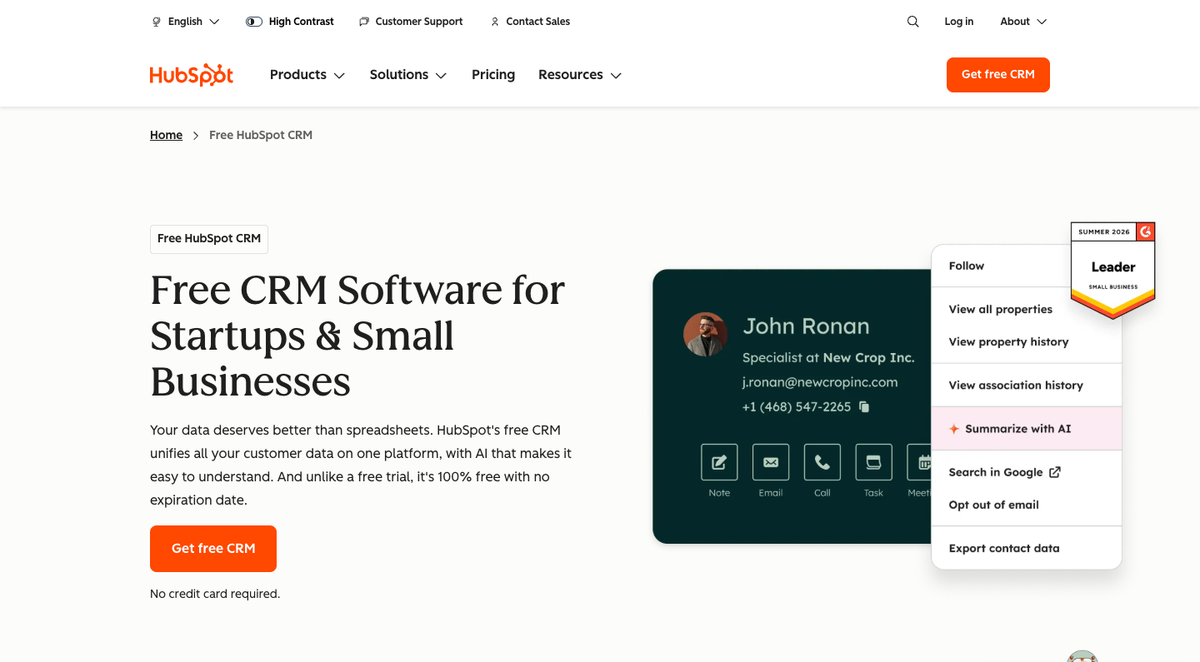
HubSpot sells the walled model at small-team prices, and its meter is the interesting part. The Smart CRM starts free for two seats, Starter is $20 per seat, and the Breeze agents bill per outcome through HubSpot's credit system: the customer agent costs 50 credits per resolved conversation, which HubSpot's own announcement prices at about $0.50 per resolution, and the prospecting agent 100 credits, about $1, per recommended lead. An eight-person team on Starter resolving 500 conversations a month lands around $410 a month, seats and usage together. It is cheap to start, and the bill tracks your volume forever.
 Zoho CRM
Zoho CRM is the budget walled option, with Zia agents included from the Standard tier upward. Zoho serves regional pricing, so treat these as approximate: the US list runs from about $14 (Standard) to about $52 (Ultimate), with Enterprise about $40, figures consistent with Digital Applied's July 2026 comparison. For the price of one Salesforce Enterprise seat you can run a whole small team, and the trade is depth: the agent tooling is thinner than the two above.
Pipedrive
Pipedrive, the long-standing small-team sales CRM, prices AI inside the seat: $14 (Lite) to $79 (Ultimate), with AI drafting, summaries, and report generation included at their tiers rather than metered. It sits at the assistant end of the spectrum rather than the fully agentic end, which for many teams is the honest place to start.
Attio
Attio is the clearest example of the open shape: Free, $44 (Plus), and $99 (Pro) per user, with AI included and an official MCP server, and usage governed by a two-layer credit allowance (per-seat and per-workspace) rather than per-outcome fees. An eight-person team on Plus is $4,224 a year with the agentic connection layer built in.
 Drag
Drag
Drag, for disclosure, is ours, and it is not a CRM: it is a shared inbox for teams that run customer relationships on Gmail, at $12 per user per month, $18 with the AI assistants, $24 with the autonomous agent, on a 7-day trial with no card. It belongs in this comparison for one reason: it ships its own MCP server, so the open pattern, your AI acting on your customer conversations with every action visible to the team, works on the inbox itself, which for many small teams is where the customer record actually lives.





Across all six, the same pattern holds: walled systems meter the intelligence (per action, per resolution, per lead, per seat tier), and open systems mostly price it in. Neither is automatically cheaper. A low-volume team can run HubSpot's meter for less than any seat upgrade; a high-volume team can watch the meter eat the difference in a quarter. Price your own volume, not the example volume.
How to choose: five checks before you commit
Choosing comes down to five checks, and each one has filtered out a real product for someone this year. One, run the action test: ask what the agent does with nobody watching, and walk if every answer is a draft or a suggestion. Two, ask where the agent is allowed to act, which is the walled-versus-open question, and decide which shape fits how your team already works with AI. Three, price the usage at your real volume, in writing, because per-unit prices are designed to look small. Four, read the audit trail before you believe the demo: attribution, visible reasoning, reversal. Five, start where your conversations already live: connect the agent to the inbox and the calendar first, prove it on low-risk work, and only then decide whether migrating to a new platform buys anything the connection did not.
Agentic CRM use cases for small teams
Sales is the classic case. Inbound leads get answered, enriched, and routed within minutes at any hour; dormant deals get surfaced with a drafted re-engagement note; the pipeline gets updated from what actually happened in email and meetings rather than from memory. At small-team scale the win is not sophistication, it is that nothing leaks.
Support wears the CRM hat too. In most small companies the same people, and the same inbox, handle the pre-sale question and the post-sale problem. An agent that reads the shared queue can triage by intent, resolve the routine tier, and log every customer touch against the record without anyone copying threads between systems. That workflow is the subject of our agentic customer support guide, and the two halves compound: the same customer, one history.

Operations runs on the record too. Renewal dates get watched and flagged with context, invoices get chased on a schedule with an escalating tone, meeting notes get filed to the right account, and the weekly pipeline summary gets written by the system that watched the pipeline move. Each of these is small on its own; together they are most of what a part-time ops hire would have done.
A team that runs these workflows on Gmail already has the raw material: the history is in the threads. Two of our guides cover the manual version of this pattern, using a shared Gmail inbox as a CRM and the free CRM options for Gmail, and the agentic layer is what removes the manual part: Drag's agent reads, classifies, and resolves on the queue itself, and its MCP server lets your own AI assistants work the same queue with every action attributed. That is the open pattern applied to the place where small-team customer data actually accumulates.
Frequently asked questions about agentic CRM
Is agentic CRM just AI CRM with new branding?
Sometimes, and the label will not tell you which. The real line is autonomy: AI CRM features assist a human who acts, agentic systems act themselves within set limits. Apply the action test from this guide, ask what happens with nobody watching, and classify by the answer rather than the product name.
What is the difference between an agentic CRM and CRM automation?
Automation replays rules you wrote: if stage changes, send template. It breaks the moment reality leaves the script. An agentic system holds a goal, reads context, and picks its route, so the same follow-up task produces a different, situationally reasoned action per customer. Rules execute; agents decide. Both have their place, and rules remain the right tool for the truly mechanical.
How much does an agentic CRM actually cost?
As of August 2026, verified against vendor pricing: on walled systems, usage runs from about $0.50 per resolved conversation (HubSpot's customer agent) to $2 per conversation and $125 per user add-ons at Salesforce, whose all-in edition is $550 per user monthly. Open systems mostly include AI in the seat: Attio from $44, Pipedrive from $14, Drag from $18 with AI.
Can a small team realistically use Agentforce?
You can, but the economics rarely work. The agentic layer starts on Sales Cloud Enterprise at $175 per user before the $125 agent add-on or usage credits, and the platform assumes admin capacity most small teams do not have. Small teams get the same ideas at their scale through outcome-priced walled tools, or through open systems that include AI in the seat.
What is an MCP server in a CRM context?
MCP, the Model Context Protocol, is an open standard that lets AI assistants use external systems as tools. A CRM with an MCP server lets Claude, ChatGPT, Cursor, or your own agent read records and take actions under the CRM's permissions and audit trail, so the AI your team already uses becomes the agent, instead of the vendor renting you theirs.
Do we need to replace our CRM to get agentic features?
No, and starting with replacement is usually backwards. Every incumbent is bolting agents on, and open-standard connections mean an assistant can often reach your existing stack today. Prove the agent on one workflow where your conversations already live, the inbox is the common answer, then decide whether the CRM itself needs changing.
Where this fits
Agentic CRM is one seat in a bigger shift: AI moving from answering questions about work to doing the work, through governed connections to real tools. The support-side version is covered in what is agentic customer support, the plumbing that makes open systems possible in MCP vs API, and if your team's customer relationships already run through a shared Gmail inbox, Drag's MCP server is the shortest path from reading about the pattern to watching your own assistant work your own queue.
For the practical layer under all of this: best Claude connectors for sales and marketing audits the CRM connectors that exist today, including which can write back to records, and MCP server vs connector vs plugin vs skill settles the vocabulary.

Co-founder
Building Drag for nearly ten years: shared inboxes, boards, and now the AI and agent layer, all on Gmail, plus HeyHelp for the personal inbox. Writes the honest versions of the comparisons.
