








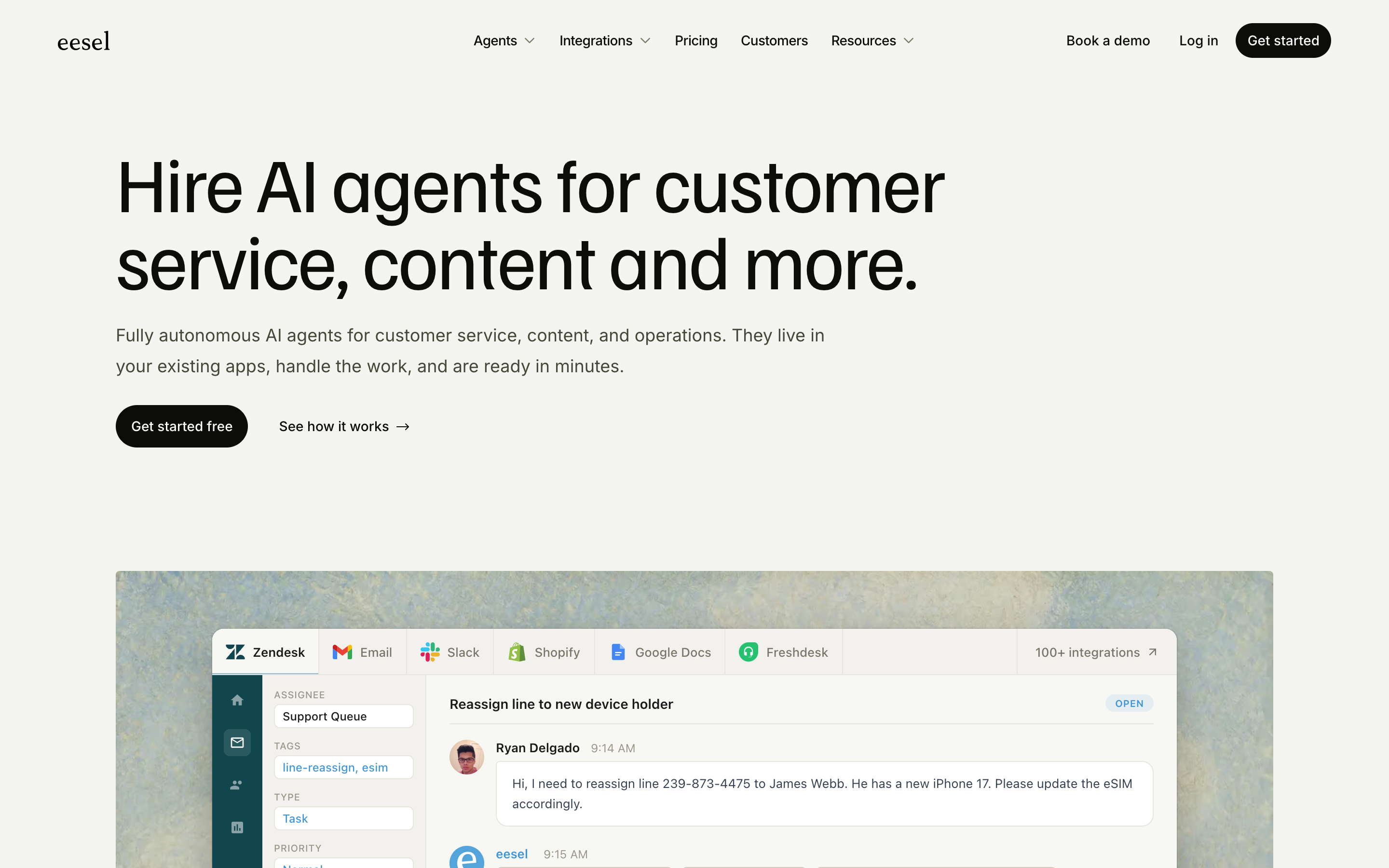
eesel does one job well: it sits on top of your existing helpdesk and answers tickets with AI, priced per interaction. Which means you are still paying for the helpdesk underneath, and the meter runs on top. Drag is the other architecture: the team’s shared inbox itself, on the Gmail you already use, with AI drafting, tagging, and triage included in the seat price, from $12 per user per month. If you are pricing eesel because support email got heavy, this page does the math both ways.

Table of contents
The verdict
eesel and Drag solve adjacent problems with opposite architectures. eesel is an AI layer: it needs a helpdesk or docs platform underneath, it answers a share of incoming questions automatically, and it charges by usage, so the bill scales with your ticket volume. Drag is the support surface itself: shared inboxes with boards, owners, and notes on Gmail, with Varley, Drag’s AI, included in the seat, so for most teams the bill scales with team size, not ticket volume. If you run Zendesk or Intercom and want deflection bolted on, eesel is a reasonable buy. If the helpdesk itself is the overhead you resent, replacing the stack with Drag costs less than metering AI on top of it.
Choose Drag if you…
- Want the inbox and the AI in one product, with AI credits included in the seat
- Run support through Gmail addresses like support@ and want owners on every email
- Would rather the bill scale with headcount than with ticket volume
- Want an MCP server included, so the inbox works from Claude or ChatGPT
- Want a 7-day trial with no card and no usage estimate call
Choose eesel if you…
- Are keeping your current helpdesk and want AI deflection added to it
- Have high, steady ticket volume where per-task pricing beats per-seat
- Need AI trained across many sources answering inside existing tools
- Want deflection without changing where the team works
Comparing more than one agent? See our best eesel alternatives for 2026 for the broader roundup.
Drag vs eesel at a glance
| Feature | Drag | eesel |
|---|---|---|
| What it is | ||
| What it is | The shared inbox itself | An AI layer on your helpdesk |
| Needs a helpdesk underneath | No, it replaces one for email | Yes, by design |
| Works in Gmail | Natively: extension or standalone app | Generic Email integration; Gmail not named among its nine helpdesk integrations |
| Pricing & AI | ||
| Pricing model | Per seat, $12 to $24, flat | Per task: $0.40 a ticket, no platform fee, no per-seat fee, no minimum |
| AI included | From $18, Varley in the seat with monthly AI credits | The AI is the product; every task it handles is metered |
| Free to start | 7-day trial, no card | $50 of free usage plus 2 blog generations, no card |
| Workflow & setup | ||
| Where the queue lives | In Drag: boards, owners, notes, due dates | In the helpdesk underneath |
| Kanban workflow | check_circle | cancel |
| MCP server | Yes, 47 tools | cancel |
| Rating | 4.7 from over 1,200 reviews | Not directly comparable |


Pricing and features verified July 2026; confirm current details on each vendor’s site.
Why teams pick Drag
Platform
One product, one bill.
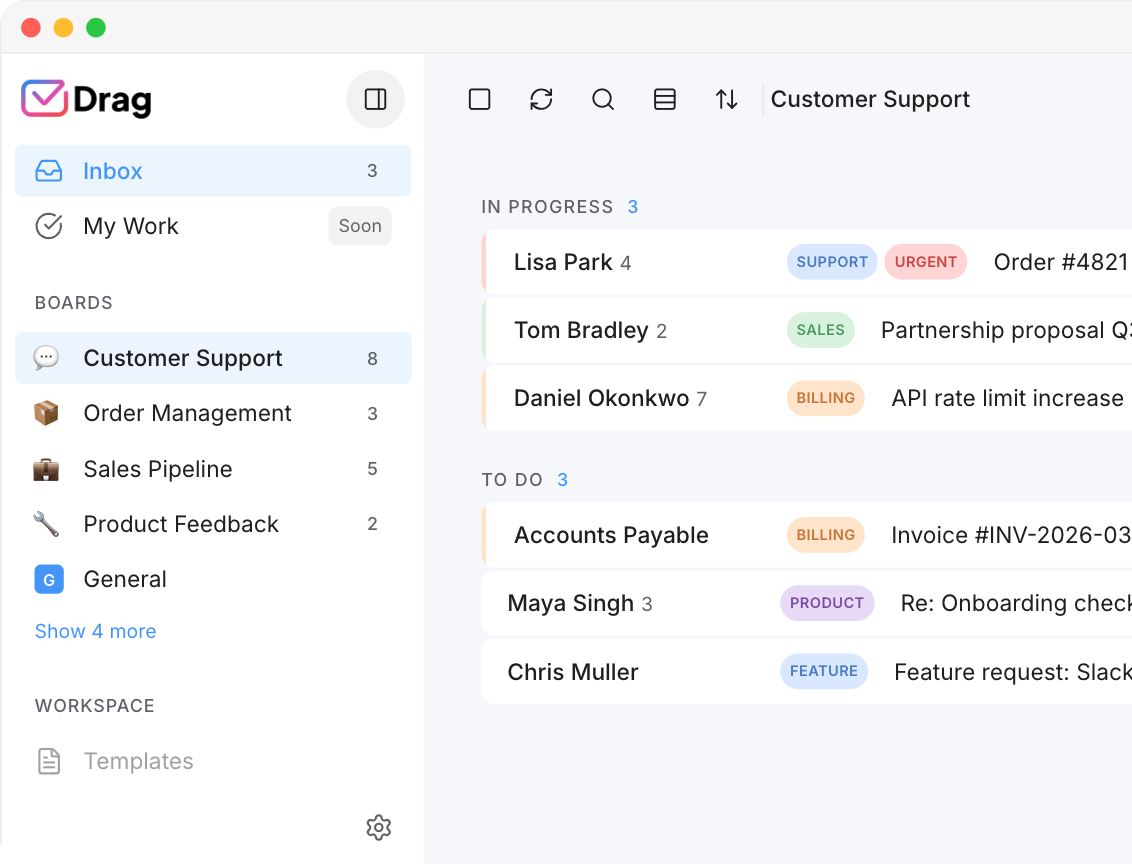
eesel’s model assumes a stack: a helpdesk underneath, eesel’s AI on top, two products and two bills before anyone answers an email. Drag collapses that to one: the shared inbox is the product, the AI ships inside it, and the bill is $12 to $24 per seat, flat. For a team whose support already lives in Gmail, the architectural difference is the decision: eesel’s named helpdesk integrations are Zendesk, Intercom, Freshdesk and their peers, with email supported as a generic channel, while Drag is built on Gmail itself, boards, owners, and AI native to the inbox the team already opens every morning. One of these products treats your stack as the destination; the other treats it as one more channel.
Pricing
AI you budget, not forecast.
Per-ticket pricing means the AI line in your budget moves with your busiest month: eesel’s own worked table runs $40 for 100 tickets to $400 for 1,000, honest and transparent, and still a forecast rather than a number. Drag’s AI is included in the seat from the $18 plan, unlimited, so the budget line is headcount times a constant, and a hard month costs exactly what a quiet one does.
AI
AI your team uses, not software you engineer.
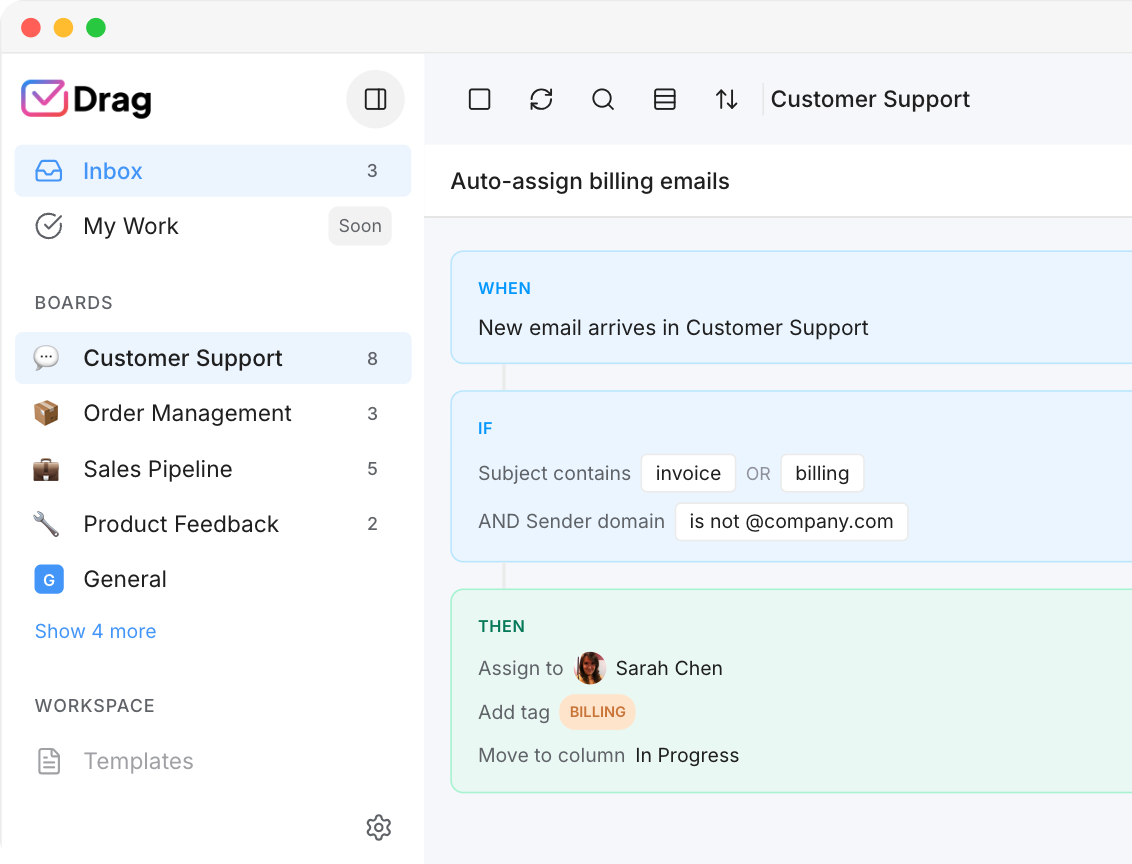
eesel is genuinely easy for what it is, but what it is is an integration project: sources to connect, a knowledge base to curate, deflection rates to tune. Drag’s AI works where the team already works, drafting, tagging, summarizing, and triaging inside the inbox, with an MCP server on the Pro plan so the same inbox can be driven from Claude or ChatGPT. Nothing to train before Tuesday.
Varley · Drag’s AI
AI included in the seat.
Varley, Drag’s AI, knows your help center, docs and past conversations. It drafts and tags every email, answers your team in Copilot, acts in Stripe, Slack and HubSpot when you approve, and on Pro resolves conversations on its own. Monthly AI credits come with every Plus and Pro seat, with no per-seat AI add-on.
eesel’s AI is bought by the outcome, $0.40 per resolved conversation: excellent for deflection, and silent on everything else a support inbox needs drafted, tagged or summarised.
- CopilotAsk Varley, then let it act
- AgentsVarley resolves conversations on its own
- IntelligenceWhat Varley knows, and the tools it acts in
- AssistsVarley in every email: drafts, tags, summaries
Included in Plus. Pro gets 2x the usage. Power users top up any time.
Varley resolves the routine ones on its own.
On Pro, Varley’s Agent reads the email, checks your policy, acts in tools like Stripe, replies in your team’s voice and closes the conversation. Anything it isn’t sure of goes to your team, with everything it found. Included in Pro.
Full credit where it is due: autonomous resolution is eesel’s core product, shipping today on top of the helpdesk underneath. The difference is where each one works. eesel answers in front of your stack; Varley works inside the team’s own inbox, with the boards, owners and history around it.

I was charged twice this month
Daniel Okonkwo · Customer
- 9:38:13
Read Daniel’s email
Billing · Urgent
- 9:38:15
Checked your refund policy
Duplicate charges: refund in full
- 9:38:18
Found both charges in Stripe
$49 on 12 April, twice
- 9:38:22
Refunded the duplicate
$49 back to Daniel’s card
- 9:38:30
Replied to Daniel
Policy cited, in your team’s voice
- 9:38:35
Closed the conversation
Logged, with its sources
Connect Claude to your inbox in about two minutes.
Paste one URL into Claude’s settings, enter your API key once, and your inbox becomes 47 tools with full read and write, WhatsApp included, on the Pro plan. ChatGPT, Gemini, Copilot and Cursor connect the same way. Then just ask:

Summarise unread Support threads and assign billing to Sarah.

Label everything mentioning refunds and move it to In Progress.

What was our first-reply time this week vs last?
eesel’s AI answers inside your helpdesk; it publishes no MCP server, so it is not a surface your other AI tools can drive.
Explore the MCP serverMCP server
@dragapp/mcp-server
47
tools · 12 categories · read + write
https://app.dragapp.com/mcp
paste into Claude › Settings › Connectors

 + any MCP client
Pricing comparison: per-task versus per-seat
Here is the comparison that decides most evaluations, worked honestly. A 5-person support team on Drag Plus pays $18 × 5 = $90 a month, $1,080 a year, with AI on every email, unlimited. The same team adding eesel to an existing helpdesk pays $0.40 per ticket handled, on eesel’s own published worked table $40 at 100 tickets a month and $400 at 1,000, on top of the helpdesk’s own seats, and the AI meter is a budget line that moves with volume: a busy month costs more than a quiet one, and growth is billed twice, once in helpdesk seats and once in tasks. Model both shapes in the live comparator in our pricing report or the cost calculator.
Drag, five seats with Varley
$90 / month, flat
One bill. Unlimited conversations, Varley (Drag’s AI), email + live chat + WhatsApp, boards, and a help centre.
See full pricingeesel, 500 tickets a month
$200 / month + helpdesk
Per-task fees at $0.40 a ticket, eesel’s own published figure for 500 tickets, stacked on top of your Zendesk, Intercom, or Freshdesk subscription. Helpdesk seats are billed underneath.
Source: eesel.ai/pricing and Drag pricing, July 2026. Model both shapes against your real volume in our AI support pricing report.
| Tickets per month | Monthly cost |
|---|---|
| 100 | $40 |
| 500 | $200 |
| 1,000 | $400 |
| 2,500 | $1,000 |
The honest counter-case: at very high volumes with strong deflection rates, per-task pricing can beat per-seat, because one AI resolution costs cents while a human minute does not. That arithmetic favors eesel exactly when ticket volume is high, deflection is proven, and the underlying helpdesk is staying regardless. If any of those three is not true for you, the meter is the expensive way to buy AI.
eesel’s pricing has one documented act in its own changelog: the April 2026 addition of pay-as-you-go billing alongside its plans, at transparent per-ticket rates. One dated change is not a history, so this page states eesel’s current pricing in full above and skips the timeline treatment rather than inventing one.
Drag vs eesel, feature by feature
The detail layer for evaluators. Where eesel is stronger, we say so and mark it plainly.
Queue
The support queue.
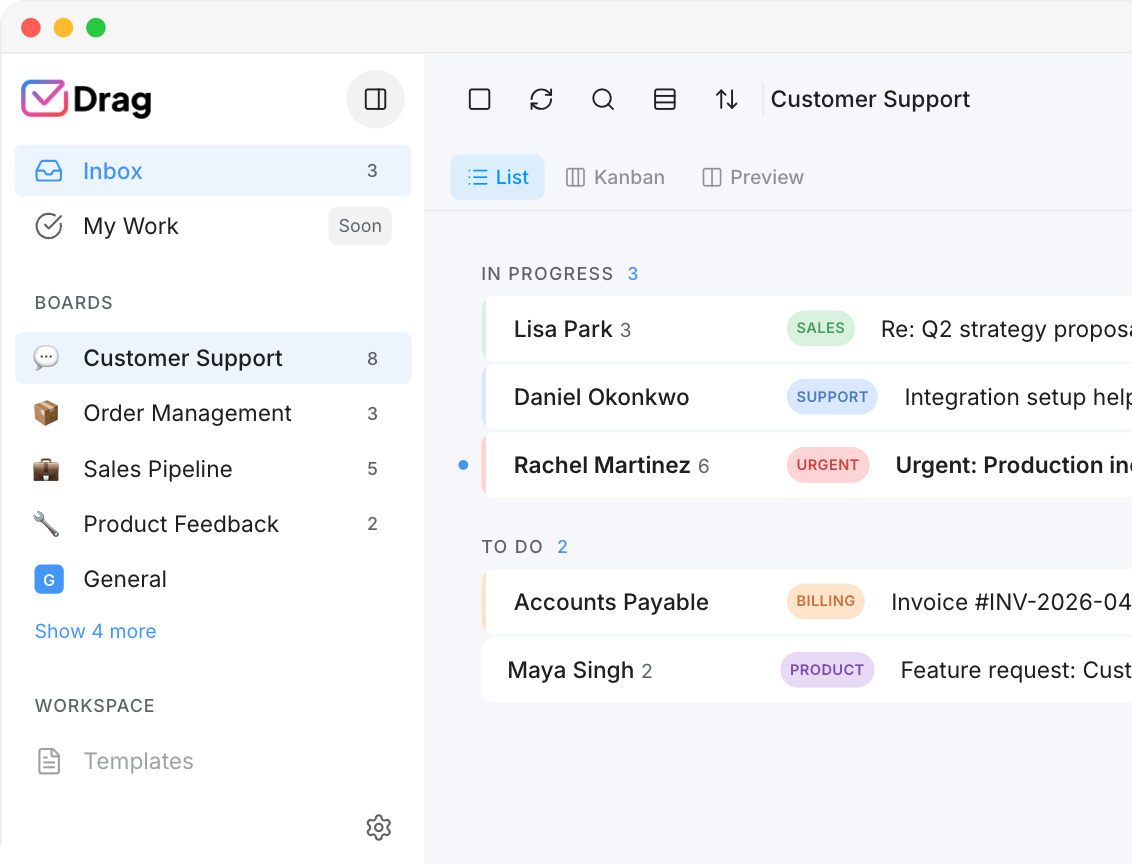
eesel deflects in front of a queue that lives elsewhere, in the helpdesk you keep. Drag is the queue: shared addresses become boards, every email is a card with an owner, internal notes, and due dates, and “who has this” is visible instead of asked. If the queue itself is the mess, deflection software polishes the front door of the wrong building.
Drag: the queue itself: shared addresses become boards, every email a card with an owner, internal notes, and due dates.
eesel: deflects in front of a queue that lives elsewhere, in the helpdesk you keep.
Automation
Autonomous resolution.
eesel’s AI agent resolves tickets end to end at $0.40 each, and at high volume with a strong knowledge base that is real economics. Drag’s automation runs inside the inbox, rules, round-robin assignment, AI triage, plus Varley’s Agent for autonomous resolution, and the honest difference is scope: eesel automates the answer, Drag automates the operation around it, ownership, routing, and follow-through included.
Source: eesel.ai/pricing, July 2026.
AI
AI drafting and triage.
Both products draft. eesel drafts inside your helpdesk’s composer from your connected sources; Drag drafts inside Gmail in your team’s voice, tags and summarizes threads, and includes it in the seat, with monthly AI credits. The deciding question is not which drafts better, it is which inbox your team is actually in when they need the draft.
Drag: drafts inside Gmail in your team’s voice, tags and summarizes threads, included in the seat.
eesel: drafts inside your helpdesk’s composer from your connected sources, metered per task.
Where you work
Where your team actually works.
eesel’s promise is “where your teammates work, no new dashboards”, and its integration list shows what that means: nine named helpdesks and doc tools, plus Slack, Teams, and a generic Email channel that drafts and sends from your inbox. Drag’s version of the promise is narrower and deeper: it is built on Gmail specifically, extension or standalone app, same boards either way. If your team’s support runs through Gmail addresses, one of these is your native ground and the other reaches you through a channel adapter.
Drag: Gmail-native, extension or standalone web, desktop, and mobile.
eesel: nine named helpdesk and docs integrations plus a generic Email channel; Gmail not named.
Surfaces
Also a help desk, not only an answerer.
Drag ships the customer-facing surfaces too: an AI-grounded help center and a live-chat widget whose conversations land in the shared inbox as cards. eesel answers inside surfaces you bring. If you have no helpdesk yet, one of these products requires you to buy one first, and it is not Drag.
Drag: help center + live chat included, conversations flow to the same boards.
eesel: deflection layer; the customer-facing stack is yours to provide.
Reporting
Reporting.
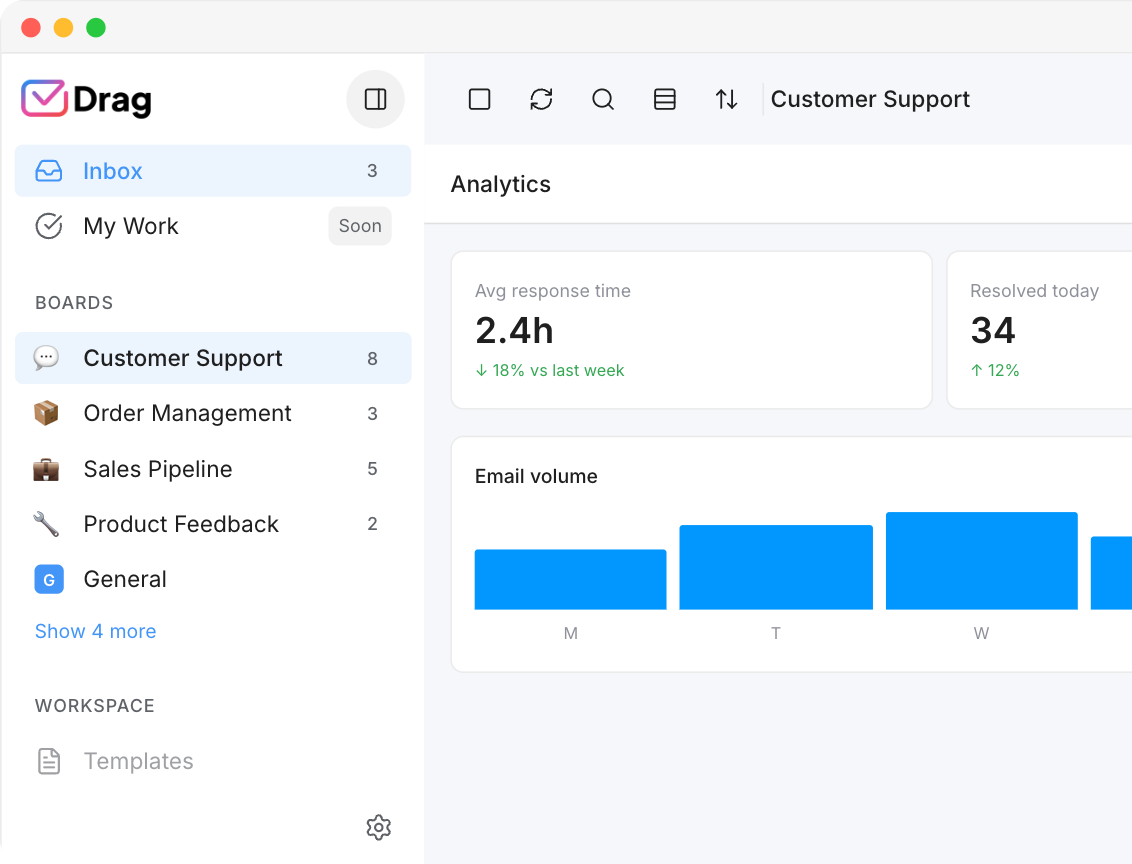
eesel reports on deflection: how many tickets its AI resolved, inside the dashboards of the helpdesk underneath. Drag reports on the operation: response times, volume, and workload per teammate and per shared address, measured where the work happens. If “how fast do we actually reply” is a number you want on a screen, that is Drag’s reporting, and it comes with the seat rather than with a second product’s dashboard.
Drag: response times, volume, and workload per teammate and per shared address, measured where the work happens.
eesel: deflection counts, inside the dashboards of the helpdesk underneath.
If you switch: what you keep, what changes
What you keep
Everything, because Drag runs on the Gmail your team already uses: the addresses, the history, the accounts all stay, and the boards go live in minutes via the extension or the standalone app. An eesel evaluation is the opposite motion, it assumes the helpdesk stack stays and adds to it, so switching to Drag is less a migration than a subtraction: one product where there were two.
The honest note
If you run Zendesk or Intercom, have high steady volume, a curated knowledge base, and proven deflection, eesel’s per-ticket math can genuinely beat per-seat pricing, and you should run their calculator before ours. This page’s argument is for the team whose support lives in email, whose stack is the overhead, and whose volume is human-scale: for that team, the meter is the expensive way to buy AI, and the stack is the thing to replace.
Where eesel wins
To be straight, eesel is the better choice if:
- Bring-your-own-stack: it adds AI to Zendesk, Intercom, Freshdesk, and docs tools without moving anyone.
- Deflection at scale: high-volume teams with good knowledge bases get real per-ticket economics.
- Multi-source training: it reads docs, past tickets, and wikis wherever they live.
If that is your situation, buy it honestly. If the situation is “support lives in Gmail and the stack is the problem,” read on.
There's nothing to migrate
Drag runs on the Gmail your team already uses: add the extension or open the web app, connect support@, invite the team, and the boards are live in minutes, with nothing exported and nothing to run in parallel. Leaving is the same in reverse, because your mail never left Gmail. An eesel evaluation, by contrast, is an evaluation of your whole helpdesk stack staying put, which is exactly the assumption this page is questioning.
What customers say
“What we like the most about Drag is the ability to see at a glance where a client is during their Onboarding process, through the use of columns, tasks, and tags. It has been crucial for us because Waste Logics is a growing business and this transparency allows us to work faster and smarter.”
“There really is no comparison when it comes to Drag. We have a great relationship with their team, it’s incredibly easy to use, addresses all of our needs, and the price is right!”
“Drag provided a lot of transparency and unified our team. It allowed us to bring the entire team together to manage emails and tasks collaboratively, as opposed to working in silos, across different tools.”
Frequently asked questions
Is Drag a good alternative to eesel?
For teams on Gmail, yes, and architecturally so: eesel adds AI to a helpdesk you keep paying for, while Drag is the support inbox itself with AI included from $18 per user per month. If your support runs through Gmail addresses, Drag replaces the stack eesel would sit on.
How much does eesel cost?
$0.40 per ticket, billed per ticket or helpdesk conversation handled rather than per reply, with no platform fee, no per-seat fee and no minimum; light tasks are free and heavy ones such as blog drafts are $4.00. A $300-a-month annual commit takes 25% off, and an Enterprise tier adds a $1,000 monthly platform fee on top of usage. Verified against eesel.ai/pricing in July 2026. The practical bill is that plus your existing helpdesk, since eesel requires one underneath.
Does eesel work without a helpdesk?
eesel is designed as a layer over existing tools, helpdesks, docs, chat, per its own positioning, so the honest answer is that you bring the stack and eesel brings the answers. Drag inverts that: it is the stack, on Gmail.
Is per-task AI pricing cheaper than per-seat?
At high volume with proven deflection, it can be. For most small and mid-sized teams, a flat seat with AI included is both cheaper and predictable, which is the comparison worked on this page.
Does Drag have AI like eesel's?
Drag's AI drafts, tags, summarizes, and triages inside the shared inbox, included from the $18 plan, and its MCP server lets the whole inbox be driven from Claude or ChatGPT. It answers as your team, in your team's inbox, rather than deflecting in front of a separate helpdesk.
Can I try both?
Drag's 7-day trial needs no card. eesel gives you $50 of free usage plus two free blog generations with every feature unlocked and no credit card required, per its own pricing page in July 2026. Running Drag's trial costs nothing and requires no stack change, which makes the order of evaluation easy.
Does eesel work with Gmail?
eesel lists a generic Email integration that drafts and sends from your inbox, and its nine named helpdesk integrations, Zendesk, Freshdesk, Intercom, HubSpot Service Hub, Gorgias, Help Scout, Front, Salesforce, and Jira Service Management, do not include Gmail. So email works as a channel; Gmail as a team's support stack is not what eesel is built around, and it is exactly what Drag is.
Can I run my inbox from Claude or ChatGPT with Drag?
Yes: Drag's MCP server exposes 47 tools, read and write, so Claude, ChatGPT, Gemini, Copilot, or Cursor can triage, draft, assign, and report on the queue. eesel does not offer an MCP server.
Does Drag have a free plan?
A 7-day trial with no card required; paid plans are $12, $18 (AI included from here), and $24 per user billed annually.
Does Drag work outside Gmail?
Drag is built on Google Workspace as the system of record and runs as a Gmail extension or in its own web, desktop, and mobile apps. Outlook-based teams should pick from the tools in our alternatives roundup instead; we say that plainly.


