













Zendesk stacks seat fees, a Copilot add-on, and per-resolution AI billing. The best alternatives for 2026, with the real math and honest fits.
Key takeaways
- Teams leave Zendesk over cost and complexity: Suite plans run $55 to $115 a seat, Copilot adds $50 a seat, and AI-resolved tickets carry a further per-resolution fee.
- The first question to ask is whether you need a full help desk at all. Many teams reply to email and chase the occasional message, that is a shared inbox job, not an enterprise ticketing one.
- For email-driven Gmail teams, Drag is the best-value alternative: $12 to $24 a seat, AI included, no per-resolution fees, no seat minimum, and its own MCP server.
- If you genuinely need full ticketing, Freshdesk and Zoho Desk offer Zendesk-class features at lower prices; Help Scout and Missive are simpler shared-inbox options.
Table of contents
- What this guide covers
- Zendesk alternatives compared at a glance
- 1. Drag - best for email-driven Gmail teams
- 2. Missive - best for multi-provider collaboration
- 3. Hiver - best for multichannel close to the inbox
- 4. Help Scout - best simple help desk
- 5. Freshdesk - best Zendesk-class help desk on a budget
- 6. Zoho Desk - best budget full help desk
- 7. Front - best for deep multichannel and routing
- When Zendesk (or a full help desk) is still the right choice
- How to choose a Zendesk alternative
- Frequently asked questions
The best Zendesk alternative in 2026, for email-driven Gmail teams, is Drag: $12 to $24 a seat with AI included and no per-resolution fees. If you genuinely need Zendesk-class ticketing, Freshdesk and Zoho Desk do it for less.
The search usually starts with the bill: Zendesk charges you a seat fee, then an AI add-on on top of it, then a fee every single time its AI resolves a ticket, and for a lot of teams that third line on the invoice is the moment the search for an alternative begins. The numbers: Suite plans run $55 a seat (Team) to $115 (Professional), Enterprise is quote-only, Copilot adds around $50 a seat, and each AI-resolved ticket carries a further per-resolution fee. Add annual increases and premium support and the effective cost runs well above the headline price. Zendesk is a genuinely capable enterprise platform, but most teams are not enterprises, and they feel it most in the bill.
So the first question is not "which alternative", it is "do you even need a help desk?" Plenty of teams land on Zendesk because it is the default, then spend months configuring a ticketing system they do not really need, when what they actually do is reply to email, loop in a colleague, and handle the occasional chat or WhatsApp message. That is a shared inbox job, not an enterprise-ticketing one. For comparison: Drag, our shared inbox for Gmail, costs $12 to $24 a seat, with AI included from $18 and no per-resolution fees. Below we compare the seven best Zendesk alternatives for 2026, split by what you actually need, a simpler shared inbox or a cheaper full help desk, with honest notes on who each suits, including where a full help desk still wins.
A note on pricing: figures are per seat per month on annual billing unless stated, verified June 2026. Confirm current pricing on each vendor's site before buying.
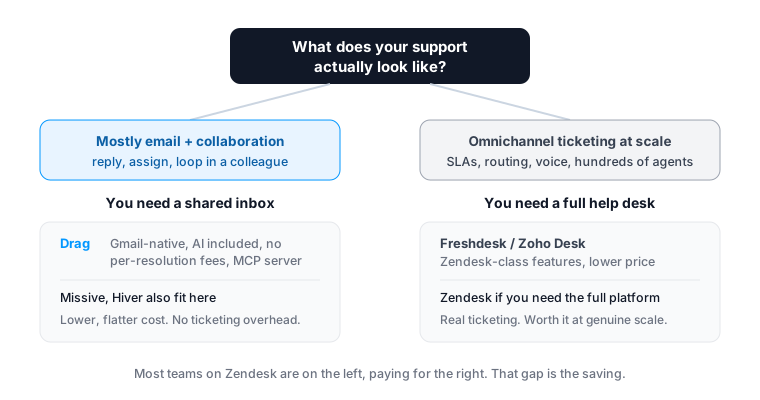
The split above is the real decision. Most of this guide's picks sit on the shared-inbox side, where teams overpay Zendesk the most. The help-desk options are here too, honestly assessed, for teams that genuinely need ticketing.
What this guide covers
- Zendesk alternatives compared at a glance
- Drag - best for email-driven Gmail teams
- Missive - best for multi-provider collaboration
- Hiver - best for multichannel close to the inbox
- Help Scout - best simple help desk
- Freshdesk - best Zendesk-class help desk on a budget
- Zoho Desk - best budget full help desk
- Front - best for deep multichannel and routing
- When Zendesk is still the right choice
- How to choose
- FAQ
Zendesk alternatives compared at a glance
All prices per seat per month, annual billing, June 2026.
| Tool | Type | Starting price | AI cost | Best for |
|---|---|---|---|---|
| Drag | Gmail shared inbox | $12 (AI from $18) | Included, no per-resolution fee | Email-driven Gmail teams |
| Missive | Shared inbox (multi-provider) | $14 | Limited / credits | Collaboration across providers |
| Hiver | Shared inbox (Gmail/Outlook) | $25 | Included from Growth | Multichannel close to the inbox |
| Help Scout | Simple help desk | From $25 | Per-resolution add-on | SMB teams wanting a clean help desk |
| Freshdesk | Full help desk | $19 (6-mo Free Program, 2 agents) | Freddy AI add-on | Zendesk-class features, lower price |
| Zoho Desk | Full help desk | From ~$14 | Zia AI (tiered) | Budget full help desk, Zoho stack |
| Front | Shared inbox (multichannel) | $25 (Starter, 10-seat cap) | Add-ons that stack | Deep multichannel + routing |
| Zendesk | Enterprise help desk | $55 to $115 | $50 add-on + per-resolution fee | Enterprise ticketing at scale |
Among these, only Drag includes AI in the seat with no per-resolution fee and offers its own MCP server. The cheaper full help desks (Freshdesk, Zoho Desk) match more of Zendesk's ticketing depth; the shared inboxes (Drag, Missive, Hiver, Front) trade ticketing complexity for simplicity and price.
 1. Drag - best for email-driven Gmail teams
Best for: Gmail teams whose support is really email (plus some chat/WhatsApp), paying Zendesk prices for ticketing they do not need.
If your "tickets" are mostly emails to support@ that a few people handle together, Drag does that job on Gmail, without turning every message into a numbered ticket or charging enterprise prices. It turns Gmail into a shared, assignable inbox with boards, and it includes AI in the seat from the $18 Plus plan (six assistants) with no per-resolution fee, where Zendesk charges a $50-a-seat AI add-on plus a fee on every AI-resolved ticket.
The honest framing: Drag is not a like-for-like Zendesk replacement for a 200-agent omnichannel operation. It is the right answer for the large number of small and mid-size teams who bought Zendesk by default and use a fraction of it. For them, Drag is $12 to $24 a seat (no seat minimum), keeps the team in Gmail, and adds its own MCP server so you can run support from Claude or ChatGPT, which Zendesk cannot.






- Pricing: Starter $12, Plus $18 (AI included), Pro $24. No seat minimum. No per-resolution AI fees.
- Rating: 4.7 from over 1,200 reviews.
- Why teams pick it over Zendesk: dramatically lower, flatter cost; AI included; no ticketing overhead; Gmail-native; its own MCP server.
- Watch-outs: It is a Gmail shared inbox, not a full enterprise help desk. If you need deep omnichannel ticketing, SLAs at scale, or voice, see Freshdesk or Zoho Desk below.
See the full Drag vs Zendesk comparison for the side-by-side.
Drag AI
The inbox your team and your AI work in together
Shared inbox, live chat, and AI in Gmail, with an MCP server your AI tools can drive.
 2. Missive - best for multi-provider collaboration
Best for: teams that want real collaboration on email and support more than one provider, without ticketing.
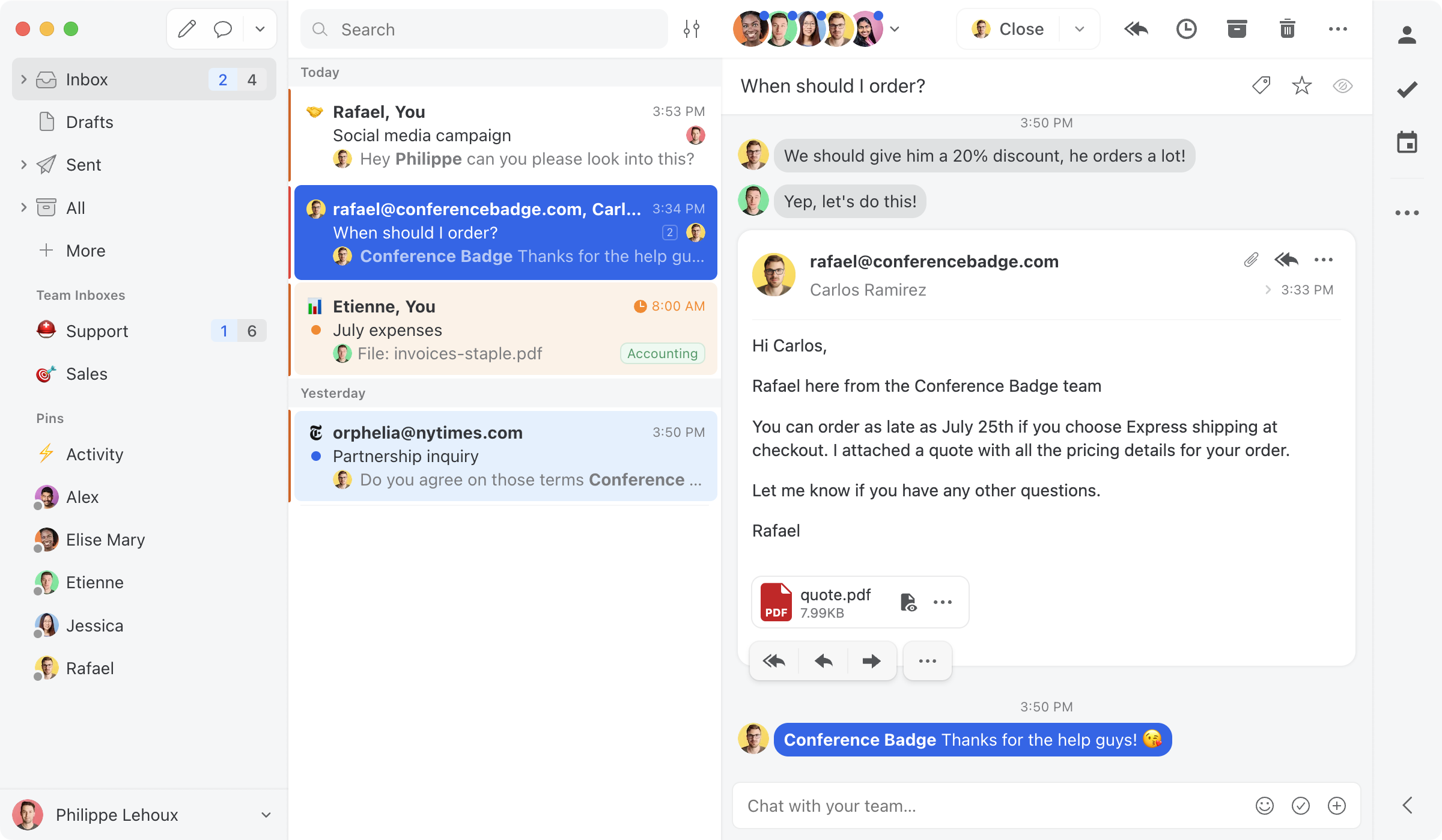
Missive is a collaborative inbox with in-thread team chat, shared drafts, and multi-assignee workflows, supporting Gmail, Outlook, iCloud, and IMAP. A common pick for teams that find Zendesk's ticket model heavier than they need.
- Pricing: Starter $14, Productive $24, Business $36.
- Watch-outs: Collaboration-first, lighter on formal ticketing, SLAs, and reporting than a help desk.
 3. Hiver - best for multichannel close to the inbox
Best for: Gmail or Outlook teams wanting light help-desk features and multichannel without a full platform.
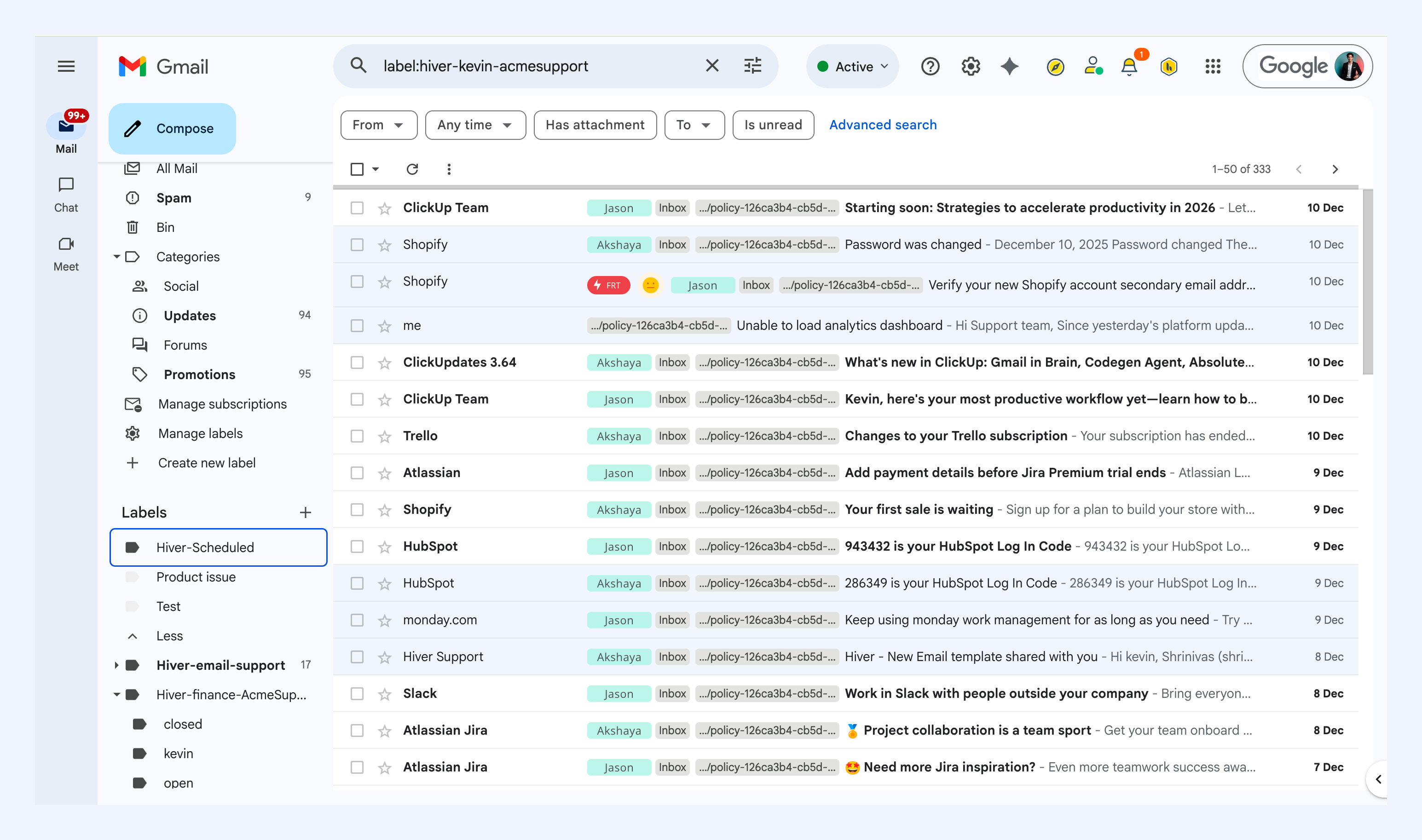
Hiver layers shared inboxes, assignment, CSAT, and multichannel (email, chat, voice, WhatsApp) onto Gmail and Outlook, lighter than Zendesk, though its pricing climbs and AI is an add-on.
- Pricing: Growth $25, Pro $55, Elite $85, with AI included from Growth up and a 2-seat minimum.
- Watch-outs: Costs climb at higher tiers; AI extra; no MCP server. See our Drag vs Hiver comparison.
 4. Help Scout - best simple help desk
Best for: SMB teams that want a clean, easy help desk without Zendesk's complexity.
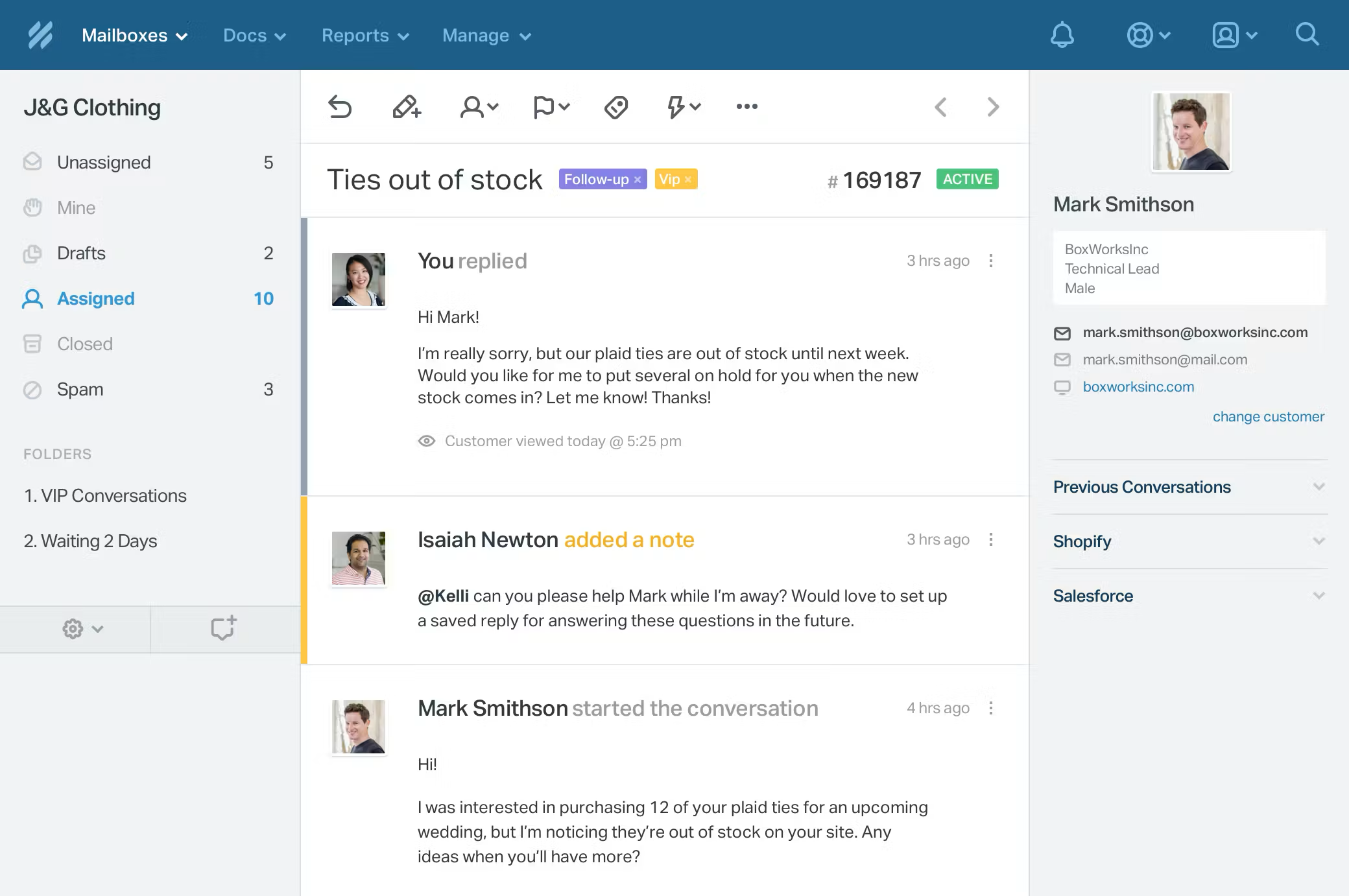
Help Scout offers a shared inbox, knowledge base, and live chat with a gentle learning curve, a popular Zendesk step-down. Note its AI Answers are billed per resolution, so run the full math if cost is the driver.
- Pricing: Free plan (limited); paid from $25 a seat; AI Answers per-resolution.
- Watch-outs: A standalone help desk, not Gmail-native; multichannel limited on lower tiers.
 5. Freshdesk - best Zendesk-class help desk on a budget
Best for: teams that genuinely need full ticketing and omnichannel, at a lower price than Zendesk.
Freshdesk is the most direct like-for-like Zendesk alternative, ticketing, automation, SLAs, knowledge base, omnichannel, generally priced below Zendesk. If you truly need a help desk (not a shared inbox), this is the value pick.
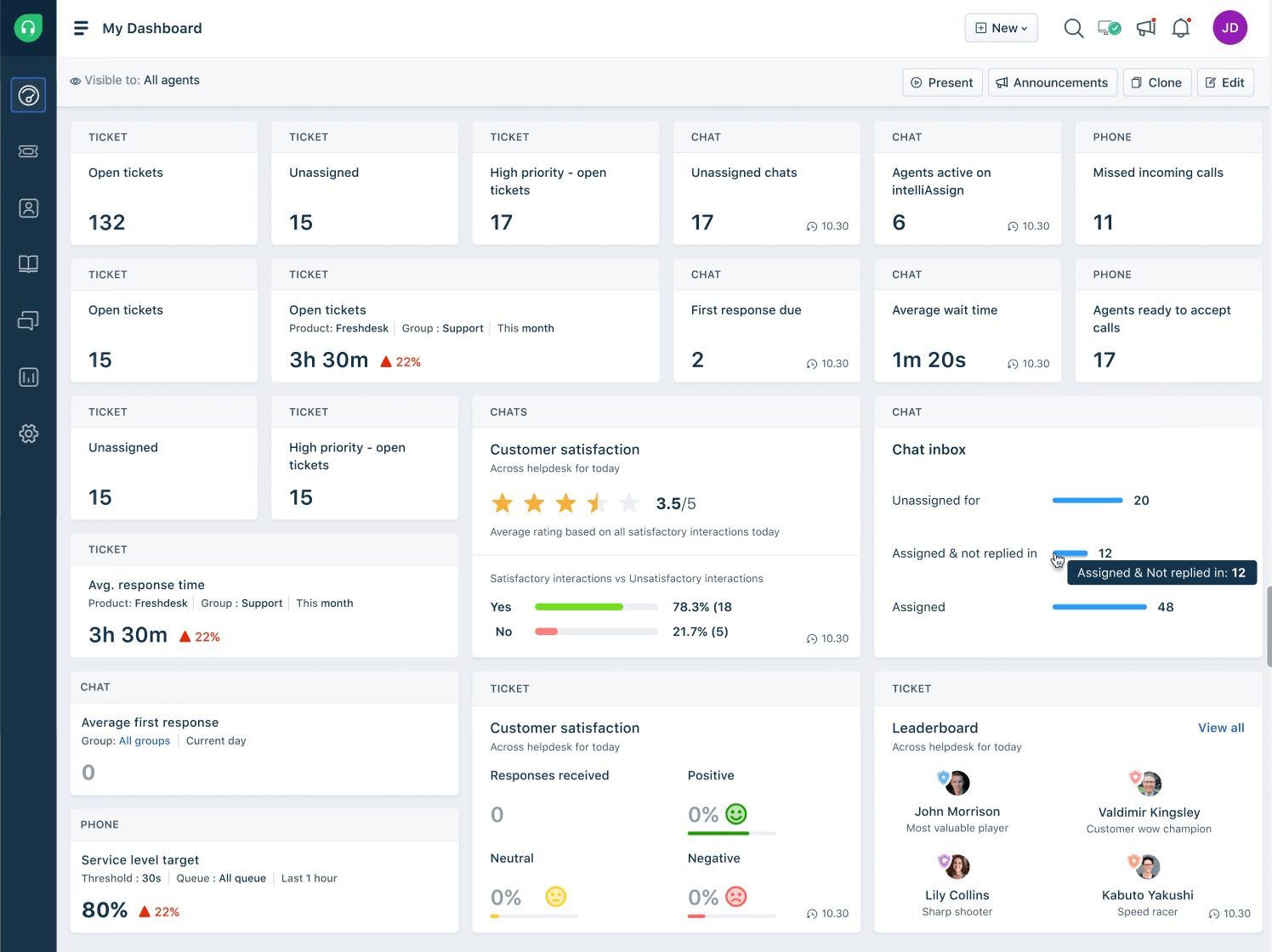
- Pricing: 6-month Free Program (2 agents), then Growth $19, Pro $55, Enterprise $89. Freddy AI is an add-on.
- Watch-outs: It is a full help desk (more setup than a shared inbox); AI costs extra.
 6. Zoho Desk - best budget full help desk
Best for: budget-conscious teams that need full help-desk features, especially if already in the Zoho stack.
Zoho Desk gives you the full multichannel help-desk feature set (tickets, email, chat, phone, social, web forms) at a meaningfully lower price than Zendesk Suite, with tight integration across Zoho's CRM and analytics. The catch reviewers note: the Standard tier is limited enough that most teams end up on Professional or Enterprise, so run the numbers at your real tier.
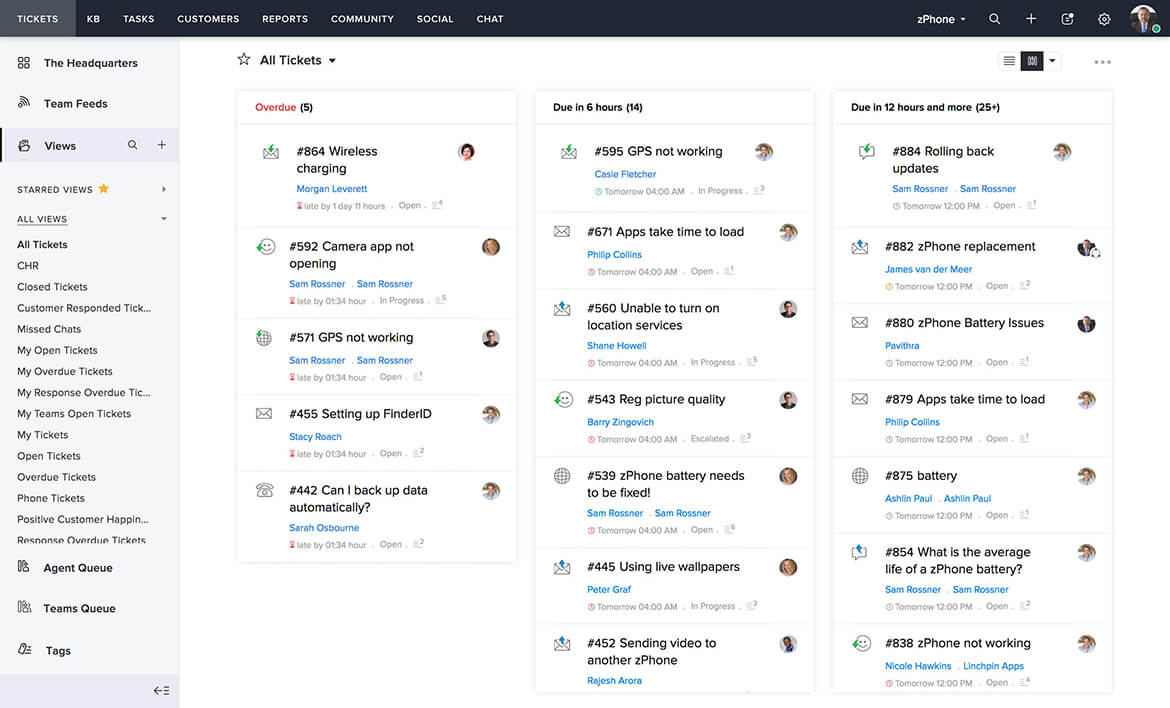
- Pricing: from around $14 a seat (Standard); most teams land on higher tiers. Free for very small teams.
- Watch-outs: UI feels dated relative to newer tools; real starting price is usually Professional.
 7. Front - best for deep multichannel and routing
Best for: teams that want a polished multichannel inbox with mature routing, and have the budget.
Front combines email, SMS, social, and chat in one workspace with strong routing and assignment. More polished than Zendesk for collaborative inbox work, though it runs $25 to $105 a seat with AI add-ons that stack.
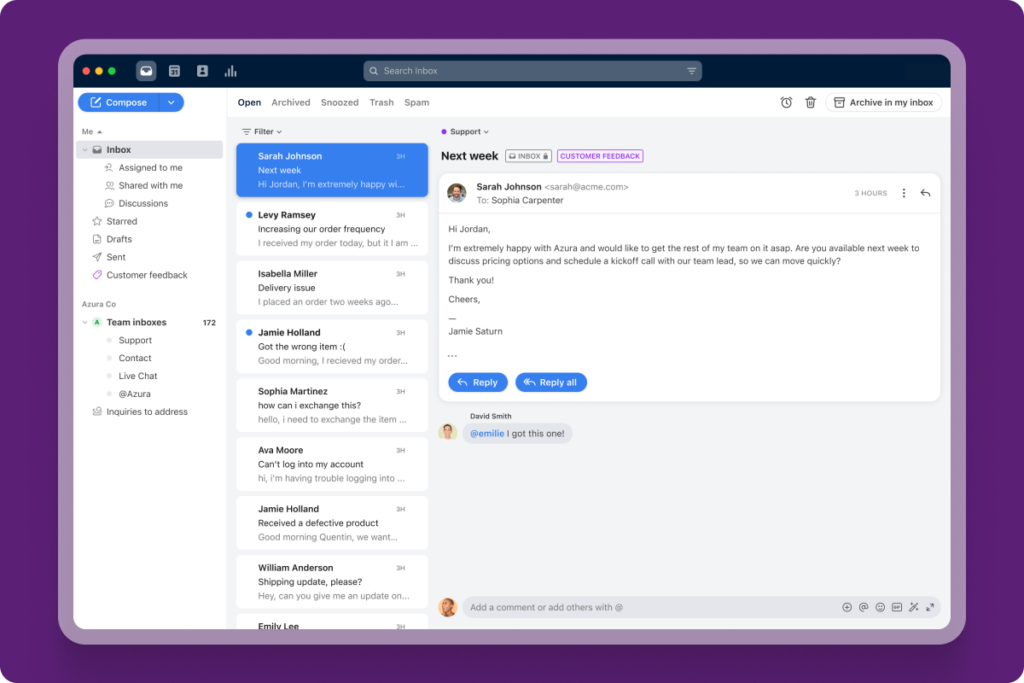
- Pricing: Starter $25 (single channel, 10-seat cap) to $105 (Enterprise); AI add-ons.
- Watch-outs: Costs climb; AI extra; standalone app (not Gmail-native). See our Drag vs Front comparison.
When Zendesk (or a full help desk) is still the right choice
To be fair to Zendesk: if you run a large or complex support operation, it earns its price. Stay on Zendesk, or choose a full help desk like Freshdesk or Zoho Desk, if you need deep omnichannel ticketing (email, chat, voice, social) with mature routing and SLAs at scale, hundreds of agents, heavy automation and reporting, or its 1,800-plus integrations. Drag and the other shared inboxes here are not trying to replace that. They are for the larger group of teams whose support is really email and collaboration, who do not need an enterprise ticketing platform and should not be paying for one.
How to choose a Zendesk alternative
Start with the honest question, shared inbox or full help desk:
- Your support is mostly email (and you are on Gmail): Drag (best value, AI included, no per-resolution fees) or Missive (multi-provider).
- You want light help-desk features near the inbox: Hiver, or Help Scout for a clean standalone help desk.
- You genuinely need a full help desk, cheaper than Zendesk: Freshdesk or Zoho Desk.
- You want deep multichannel and routing: Front.
- You are a large, complex operation: Zendesk may still be the right tool.
The biggest saving is usually structural, not switching to a cheaper help desk, but realising you needed a shared inbox all along. For email-driven Gmail teams, Drag is the closest fit, and a week's trial against your real inbox will tell you more than any table. Comparing the whole help desk category? See the best help desk software guide. To model exact costs at your team size and AI volume, use the shared inbox cost calculator.
Frequently asked questions
What is the best Zendesk alternative?
It depends on whether you need a shared inbox or a full help desk. For email-driven Gmail teams, Drag is the best-value alternative: $12 to $24 a seat, AI included, no per-resolution fees, no seat minimum. If you need full ticketing, Freshdesk and Zoho Desk offer Zendesk-class features for less; Help Scout and Missive are simpler shared-inbox options.
Why do teams leave Zendesk?
Cost and complexity. Zendesk Suite runs $55 to $115 a seat, Copilot adds about $50 a seat, and AI-resolved tickets carry a further per-resolution fee. Many teams also find it more complex than they need, an enterprise ticketing platform for what is really a shared-inbox job.
What is the cheapest Zendesk alternative?
Among full options, Drag (from $12, AI included), Missive (from $14), and Zoho Desk (from around $14) are the lowest entry prices; Freshdesk has no ongoing free plan, but its 6-month Free Program covers up to 2 agents before paid. For email-driven teams, Drag is typically the most cost-effective because AI is included and there are no per-resolution fees.
Does Zendesk charge per-resolution fees for AI?
Yes. In addition to the Copilot add-on (around $50 a seat), Zendesk charges a per-resolution fee for each ticket its AI resolves automatically. Drag includes AI in the seat with no per-resolution charge.
Do I need a full help desk like Zendesk?
Often not. If your team mainly replies to email, loops in colleagues, and handles the occasional chat or WhatsApp message, that is a shared-inbox job. A full ticketing platform adds cost and configuration you may not need. If you run a large, complex, multichannel operation, a help desk earns its place.
Is Drag a good Zendesk alternative?
For email-driven Gmail teams, yes: it does shared-inbox support on Gmail at a fraction of Zendesk's cost, with AI included and no per-resolution fees, plus its own MCP server. It is not a like-for-like replacement for enterprise omnichannel ticketing, for that, Freshdesk or Zoho Desk are closer.
Does Drag have an MCP server and Zendesk does not?
Correct. Drag publishes its own MCP server, so you can run your inbox from Claude, ChatGPT, or Cursor. As of mid-2026 Zendesk does not offer an official MCP server (it is building MCP client capabilities, the opposite direction). See our guide to MCP for customer support.

Co-founder
Building Drag for nearly ten years: shared inboxes, boards, and now the AI and agent layer, all on Gmail, plus HeyHelp for the personal inbox. Writes the honest versions of the comparisons.


