Front runs $25 to $105 a seat, caps Starter at 10 seats, and charges AI as add-ons that stack. The seven best alternatives for 2026, compared on what they actually cost once AI is included.
Key takeaways
- Drag is the best overall Front alternative for Gmail teams that want flatter pricing: $12 to $24 a seat with AI included from $18, no seat minimums or caps, and its own MCP server. Front runs $25 to $105 and charges AI separately, at $20 a seat for Copilot, $20 for Smart QA, and $10 for Smart CSAT, or $25 bundled.
- Teams usually leave Front over cost, not capability: the Starter plan caps at 10 seats and a single channel, AI is a stacking add-on, and a 15-person team can pay thousands more a year than on a flatter-priced tool.
- Missive and Hiver suit teams that want collaboration or multichannel close to the inbox; Gmelius is a cheaper Gmail-native option.
- Help Scout, Freshdesk, and Zendesk are the help-desk step-ups for teams that need full ticketing rather than a shared inbox.
Table of contents
- What this guide covers
- Front alternatives compared at a glance
- Pricing comparison: what the seven alternatives cost against Front
- Pricing history: how Front's seat price has actually moved
- Drag - best overall Front alternative for Gmail teams
- Missive - best for multi-provider collaboration
- Hiver - best for multichannel close to the inbox
- Gmelius - cheaper Gmail-native option
- Help Scout - best simple help desk
- Freshdesk - best full help desk on a budget
- Zendesk - best enterprise help desk
- When Front is still the right choice
- How to choose a Front alternative
- Frequently asked questions
The right Front alternative depends on where your team already works, not on which one has the longest feature list. In short:
- Drag if you live in Gmail and want Front-style collaboration without leaving it
- Missive if your team uses more than one email provider and wants chat inside the thread
- Hiver if you need phone, chat, and WhatsApp as well as email, but want to stay in Gmail or Outlook
- Gmelius if you want the cheapest Gmail-native place to start
- Help Scout, Freshdesk, or Zendesk if you have outgrown a shared inbox and need proper ticketing
Front itself is still a good product, and there is a section below on the teams who should stay with it.
Most people reading this have already decided to look, and the reason is usually that the bill outgrew the team faster than anyone expected. So the rest of this page takes each alternative in turn: what it is genuinely good at, who it suits, where it falls short, and what it costs once AI is counted. If you want Front's own numbers broken down tier by tier first, our Front pricing guide does that.
A quick note on pricing: all figures are per seat per month on annual billing unless stated, and were re-verified against each vendor's own pricing page in August 2026. Confirm current pricing before you buy, since this category moves.

Founder’s Take
A personal note from Nick, co-founder of Drag
Front is well known for taking the traditional venture path: raise money, deliver, raise more money, move up into the enterprise space, become the safe bet. As a go-to-market strategy it has worked for them.
Honestly though, I think they are unnecessarily expensive. They don't do anything outstanding or groundbreaking. What they have is very good business minds behind them and a great go-to-market strategy, and that is not the same thing as a better product.
The field has levelled, though. It is no longer just about who can secure the two-year contract with an enterprise customer. Companies are wising up to better options.
What this guide covers
- Front alternatives compared at a glance
- Pricing comparison: what they cost against Front
- Pricing history: how Front's price has moved
- Drag - best overall Front alternative for Gmail teams
- Missive - best for multi-provider collaboration
- Hiver - best for multichannel close to the inbox
- Gmelius - cheaper Gmail-native option
- Help Scout - best simple help desk
- Freshdesk - best full help desk on a budget
- Zendesk - best enterprise help desk
- When Front is still the right choice
- How to choose a Front alternative
- Frequently asked questions
Front alternatives compared at a glance
All prices are per seat per month, annual billing, as of August 2026. The AI column notes whether AI is included or a paid add-on, which is the recurring theme in this category.
| Tool | Starting price | AI | Gmail-native | MCP server | Best for |
|---|---|---|---|---|---|
 Drag Drag | $12 (AI from $18) | Included in the seat | Yes, plus standalone apps | Yes | Gmail teams wanting a shared inbox with included AI |
 Missive Missive | $14 | Limited / credits | No, standalone | No | Multi-provider collaboration, in-thread chat |
 Hiver Hiver | $25 | Included from Growth | Yes (Gmail + Outlook) | No | Multichannel help desk close to the inbox |
 Gmelius Gmelius | $19 | Basic, higher tiers | Yes, extension only | No | Small Gmail teams wanting automation |
 Help Scout Help Scout | $25 | Usage-based add-on | No, standalone | No | SMB teams wanting a simple help desk |
 Freshdesk Freshdesk | $19 (6-mo Free Program, 2 agents) | Add-on (Freddy) | No, standalone | Beta | Full ticketing on a budget |
 Zendesk Zendesk | $55 (+$50 AI add-on) | Add-on, per resolution | No, standalone | Beta | Enterprise support teams |
 Front Front | $25 / $65 / $105 | Add-on: $20 Copilot, $20 Smart QA, $10 Smart CSAT | No, standalone | Beta (open) | Multichannel teams wanting routing and polish |
Across this list, only Drag pairs AI included in the seat with a generally available MCP server (Beta marks official servers not yet generally available; statuses verified against vendor documentation, August 2026), and it is the lowest starting price of the Gmail-native options, with no seat minimum or cap.
Pricing comparison: what the seven alternatives cost against Front
Front runs $25 a seat on Starter, $65 on Professional, and $105 on Enterprise, on annual billing as of August 2026. Its AI is a second line on the invoice: Copilot at $20 a seat, Smart QA at $20, Smart CSAT at $10, or $25 for the QA and CSAT bundle. That second line is the one teams tend to forget when they compare the headline seat price to anything else.
The bars below show advertised per-seat ranges from each vendor's own pricing page. Front's shows the seat alone, without the add-ons.
Drag AI
The inbox your team and your AI work in together
Shared inbox, live chat, and AI in Gmail, with an MCP server your AI tools can drive.
Pricing history: how Front's seat price has actually moved
Front held its entry price at $19 a seat from 2021 through 2025, then raised it 32% to $25 in the 2026 tier rebrand. Before that, the move from frontapp.com to front.com in 2021 took the entry price from $9 to $19. Every point below is backed by an archived capture of the vendor's own pricing page, so you can check the trend rather than take our word for it.
Two patterns are worth naming. Entry prices in this category drift upward, and the tools that hold flat tend to be the ones whose entry tier is a deliberate on-ramp to a dearer one. And the model itself is less stable than the number: Help Scout spent seven months on per-contact pricing before returning to per-user, which is the kind of change that reprices a team overnight without the headline figure moving at all. Our support tool pricing history charts the full dataset with the receipts exposed.
To model your own team size and AI volume rather than reading ranges, the shared inbox cost calculator covers 17 tools including the metered ones.
Drag - best overall Front alternative for Gmail teams
Best for: Gmail teams that want Front-style collaboration for a fraction of the price, with AI included, no seat minimums, and the choice to work in Gmail or in a standalone app.
Drag does the core job Front does, turns a shared inbox into a place where a team assigns, collaborates, comments, and replies together, but it does it for a much lower, flatter price and gives your team a choice Front cannot: work in Gmail, or in a full standalone app, whichever each person prefers.
The dual experience (the thing Front cannot match). Front is a standalone app, you leave your inbox and live in Front. Drag gives you both: a full standalone web, desktop, and mobile app for people who want a dedicated workspace, and a native in-Gmail experience for people who would rather not leave their inbox, on the same shared data. Different team members can work however suits them, with no retraining and no forced migration off Gmail. That flexibility is a genuine edge over an app-only tool.
Price and seat structure. Drag is $12 to $24 a seat across every plan, with no seat minimum and no cap, so a seven-person team pays for seven seats and a fifty-person team is not forced up a tier. Front runs $25 to $105, and its Starter plan is capped at 10 seats and a single channel, with Professional capped at 50, so growth moves you up a tier rather than just adding seats.
AI included, and an MCP server. AI is included in the seat from the $18 Plus plan, six assistants (draft, tag, sentiment, compose, summarize, co-pilot), where Front charges AI as add-ons that stack on top. Drag also publishes its own MCP server (47 tools across 12 categories), so you can run your inbox from Claude, ChatGPT, or Cursor, which Front cannot do. (See our guide to MCP for customer support.)
The rest of the range. Boards and Kanban views, automation and assignment rules, a customer-facing help center, a live-chat widget, WhatsApp, reporting and analytics, and permission-based access that does not duplicate emails between mailboxes (and never stores your email on Drag's servers). It is a Google Cloud Partner with CASA Tier 2 verification and is GDPR compliant.






- Pricing: Starter $12, Plus $18 (AI included), Pro $24. No seat minimum. 7-day trial.
- Rating: 4.7 from over 1,200 reviews.
- Why it beats Front: lower flat pricing, AI included rather than billed as stacking add-ons, no seat minimums or caps, the choice of Gmail or a standalone app, and a generally available MCP server rather than an open beta.
- Watch-outs: Gmail and Google Workspace focused; Front supports more channels (SMS, social, voice via integrations) and is not tied to one provider.
See the full Drag vs Front comparison for a side-by-side breakdown.
Missive - best for multi-provider collaboration
Best for: teams that want real-time collaboration and support more than one email provider.
Missive is the alternative most former Front teams pick when collaboration matters more than ticketing. It is a collaborative email client with in-thread team chat, shared drafts, and multi-assignee workflows, and it natively supports Gmail, Outlook, iCloud, and custom SMTP.
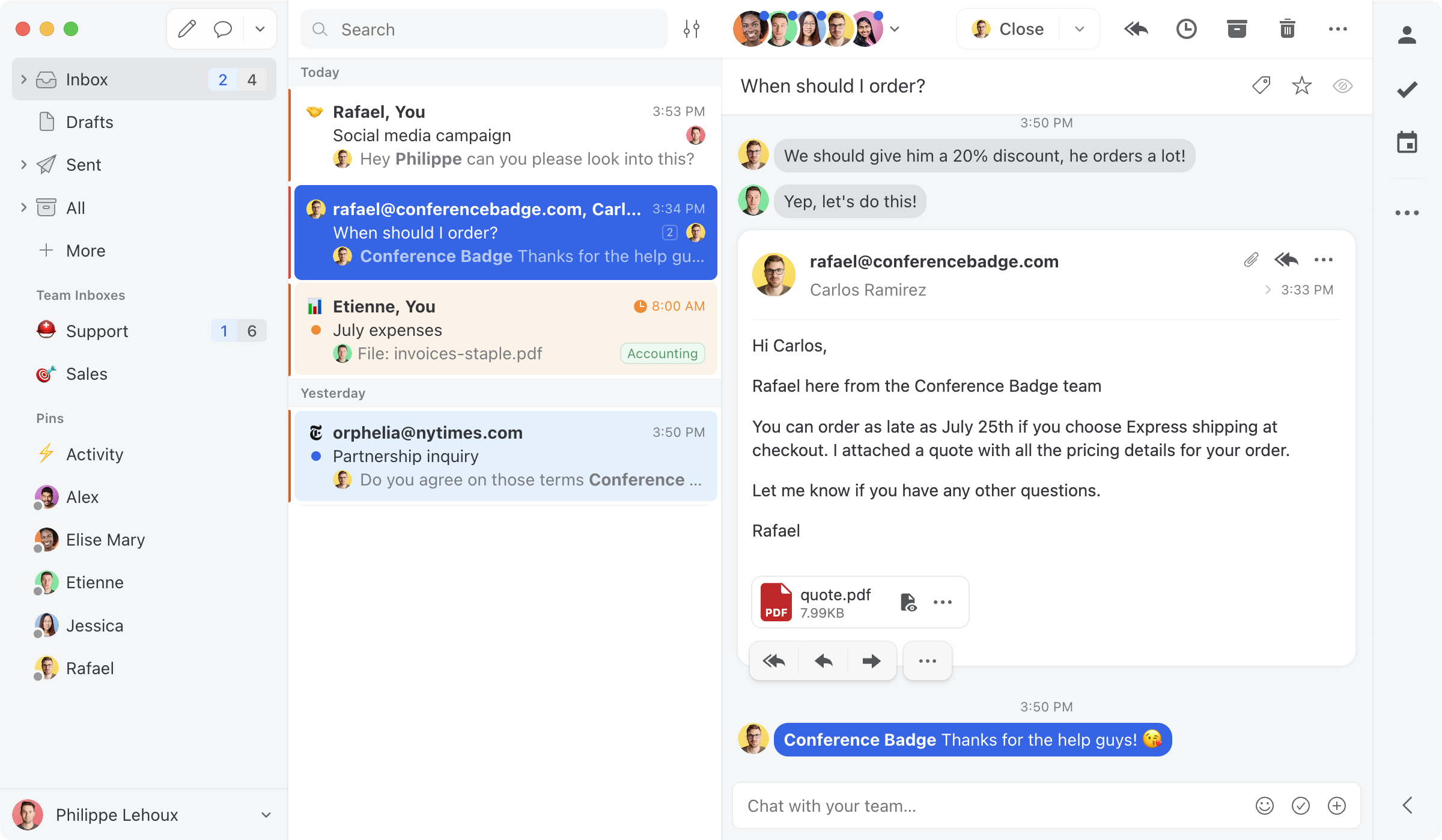
- Pricing: Starter $14, Productive $24, Business $36 (no free plan).
- G2 rating: strong (around 4.6); widely recommended as a Front value alternative.
- Watch-outs: Collaboration-first rather than help-desk-first; lighter on ticketing and SLAs. AI is more limited than Drag's included assistants.
Hiver - best for multichannel close to the inbox
Best for: Gmail or Outlook teams that want light help-desk features and multichannel without leaving the inbox.
Hiver layers shared inboxes, assignment, CSAT, and multichannel (email, chat, voice, WhatsApp) onto Gmail and Outlook, a lighter-weight middle ground between Front and a full help desk. Like Front, though, its pricing climbs and AI is an add-on.
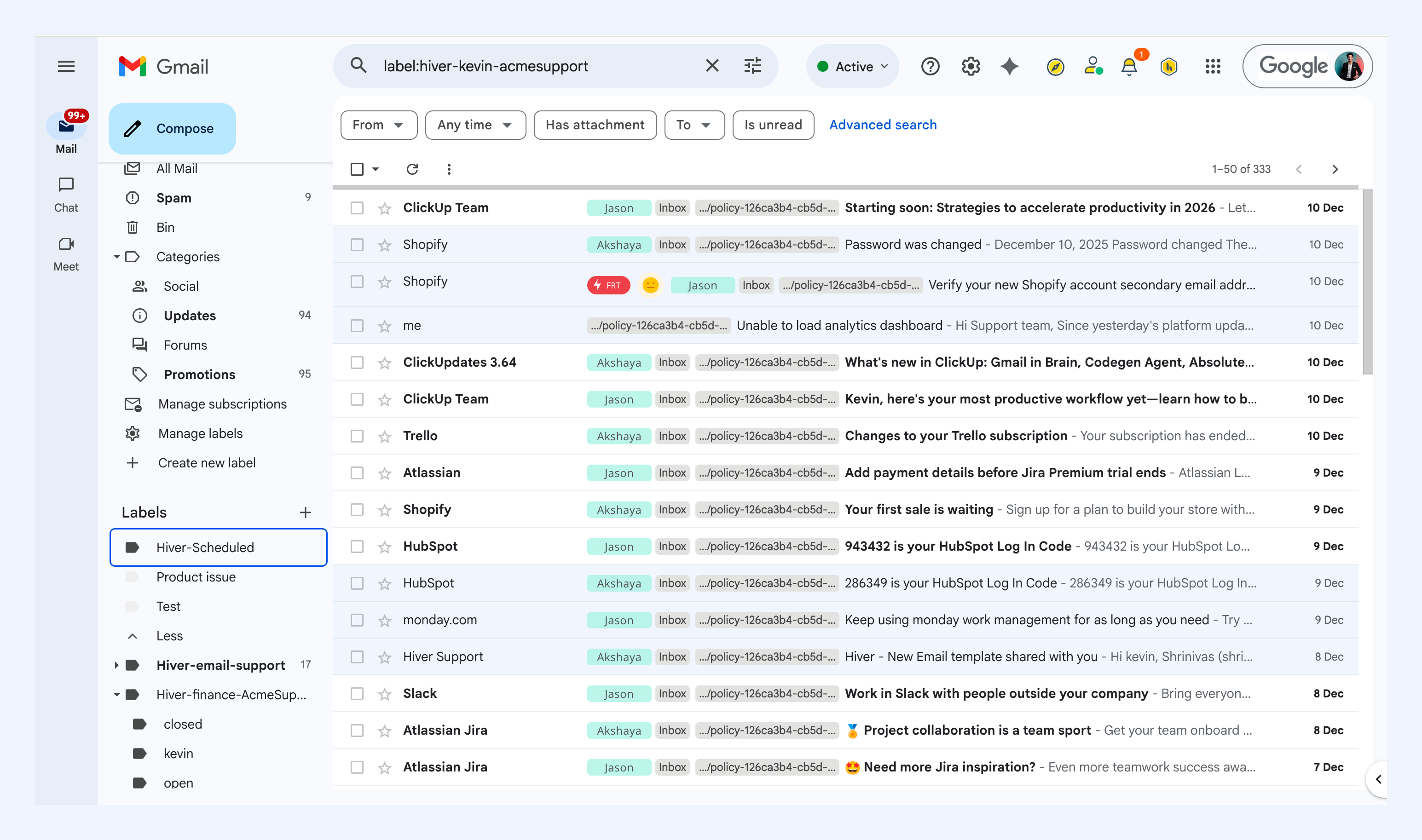
- Pricing: Growth $25, Pro $55, Elite $85 a seat, with AI included from Growth up and a 2-seat minimum.
- G2 rating: 4.6 (large review base).
- Watch-outs: Pricing climbs steeply, AI costs extra, no MCP server. See our Drag vs Hiver comparison if you are weighing those two.
Gmelius - cheaper Gmail-native option
Best for: small Gmail teams that want shared-inbox basics and automation at a lower entry price.
Gmelius is a Gmail-native shared inbox with shared labels, automation sequences, and a meeting scheduler, a cheaper entry point than Front, though it is a Chrome extension only and reviewers note it can slow down at higher volume. If Gmelius is the tool you are leaving, the best Gmelius alternatives roundup runs that field directly.
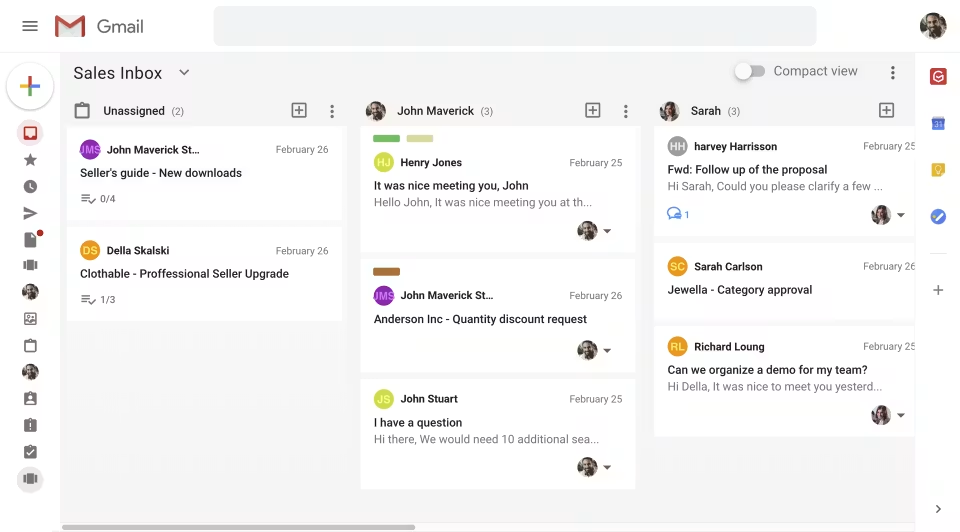
- Pricing: Meli $19 (capped at 5 users), Growth $25, Pro $40. No free plan.
- G2 rating: 4.4 (around 776 reviews).
- Watch-outs: Extension only, conversation caps by plan, no standalone app, and no MCP server.
Help Scout - best simple help desk
Best for: SMB support teams that want a clean, easy help desk rather than a collaborative inbox.
Help Scout is a well-liked, SMB-friendly help desk with a shared inbox, knowledge base, and live chat. If your reason for leaving Front is that you want a dedicated help desk with a gentle learning curve, Help Scout is a common pick.
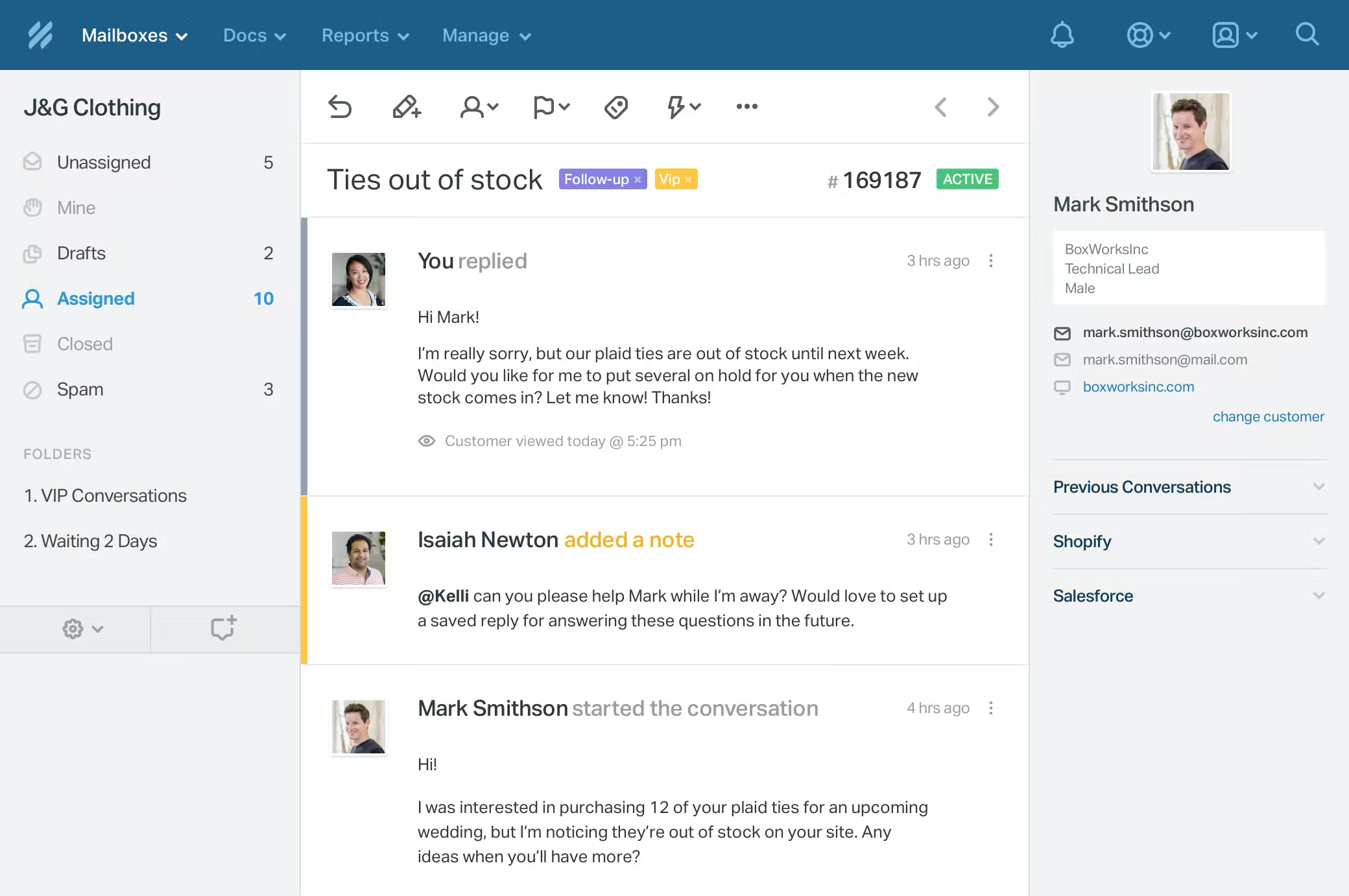
- Pricing: Free plan (limited, ~5 users, 1 inbox); paid tiers Standard $25, Plus $45, Pro $75 a seat on annual billing.
- G2 rating: 4.4 (around 424 reviews).
- Watch-outs: A standalone help desk rather than a Gmail-native inbox; AI answers are billed separately at $0.75 per resolution. The direct comparison is Drag vs Help Scout.
Freshdesk - best full help desk on a budget
Best for: support teams that need structured ticketing, SLAs, and omnichannel without enterprise pricing.
Freshdesk is a full help desk, ticketing, automation, SLA management, knowledge base, and omnichannel, at more accessible pricing than the enterprise incumbents. A natural step up if you have outgrown a shared inbox, though its AI (Freddy) is a paid add-on.
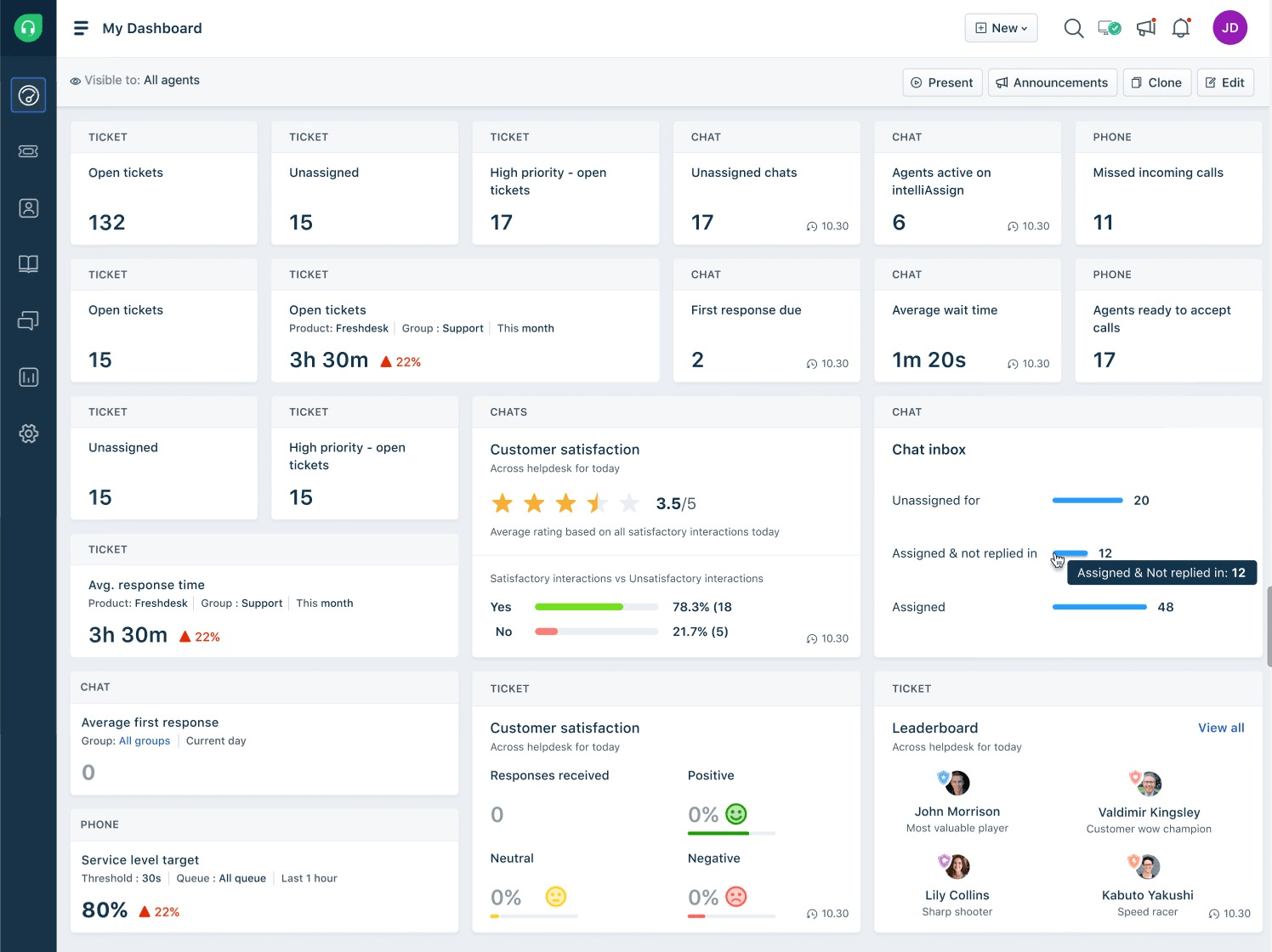
- Pricing: Free Program (1-2 agents for 6 months), Growth $19, Pro $55, Enterprise $89.
- G2 rating: 4.4 (around 3,750 reviews).
- Watch-outs: It is a help desk, not a Gmail-native inbox; reporting and AI are limited or extra-cost on lower tiers.
Zendesk - best enterprise help desk
Best for: larger support organizations that need a deep, extensible enterprise help desk.
Zendesk is the enterprise standard, deep ticketing, automation, reporting, and a huge app marketplace. If you are scaling well beyond what a shared inbox handles, it is the heavyweight option, though like the others here its AI is an expensive add-on on top of high per-seat pricing.
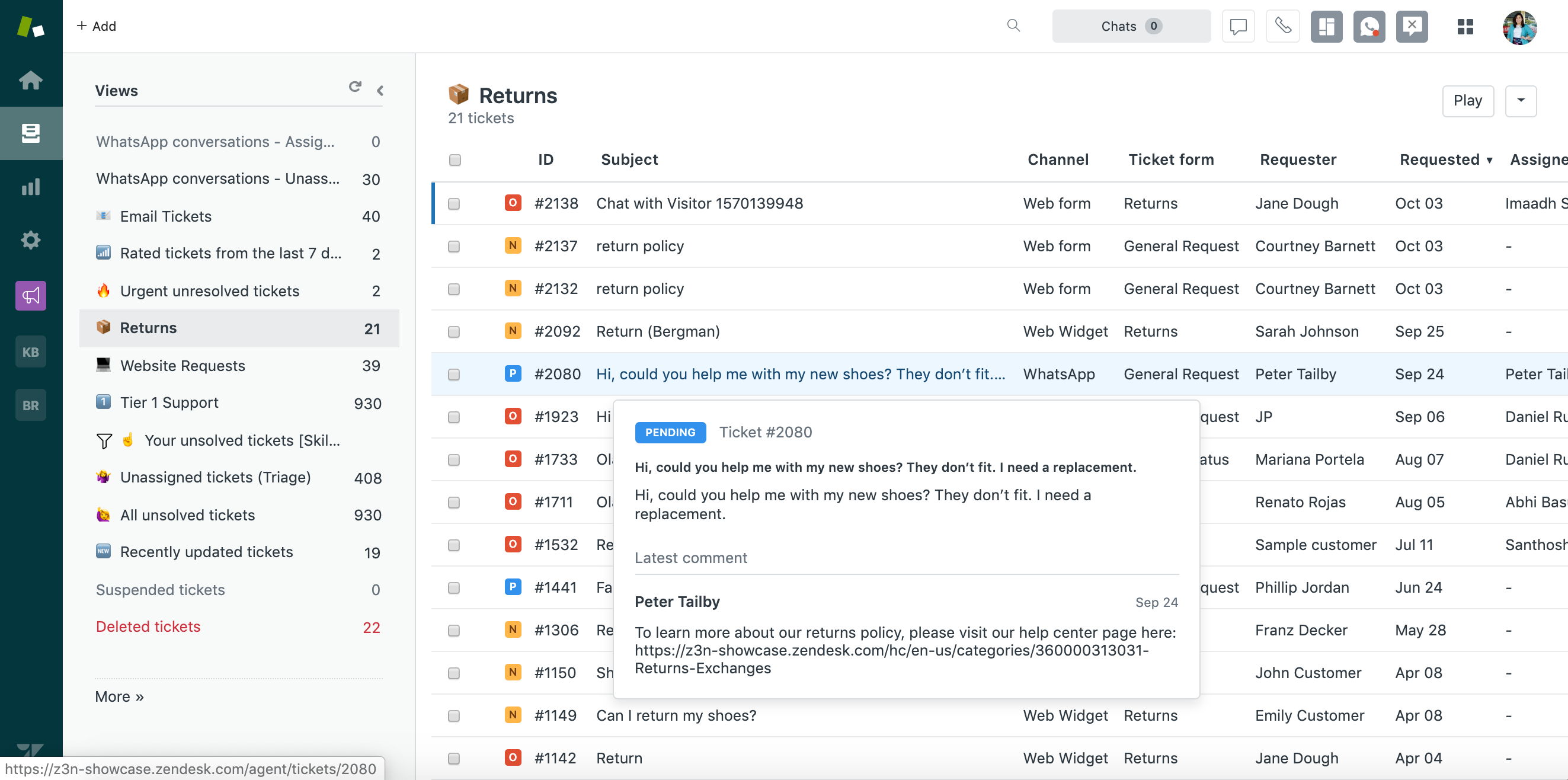
- Pricing: Suite Team $55, Suite Professional $115 a seat; Copilot a $50-a-seat add-on.
- G2 rating: large, mature review base.
- Watch-outs: Expensive and complex for small teams, usually more than a team leaving Front needs. Best when you genuinely need enterprise depth.
When Front is still the right choice
To be fair to Front: it is a polished, mature product, and it is the better choice if you need deep multichannel (email, SMS, social, and chat) with mature routing and assignment in one standalone workspace, you support more than one email provider, or you want its specific analytics and CRM-context features and budget is not the main constraint. For most Gmail teams whose priority is the same collaborative inbox at a lower, flatter price, with AI in the seat rather than beside it, Drag is the closer fit.
How to choose a Front alternative
- Stay in Gmail, lower and flatter pricing, AI included: Drag (best overall) or Gmelius (cheaper entry, extension only).
- Collaboration or multi-provider: Missive (best value, multi-provider) or Hiver (multichannel close to the inbox).
- Move to a dedicated help desk: Help Scout (simplest), Freshdesk (full help desk, budget), or Zendesk (enterprise).
- Stay on Front: if you need its multichannel depth, routing, and polish and budget is not the constraint.
For most Gmail teams leaving Front over the total bill, Drag is the closest like-for-like upgrade, AI and MCP included. As always, a short trial with your real workflow beats any comparison table. To model exact costs at your team size and AI volume, use the shared inbox cost calculator.
Frequently asked questions
What is the best Front alternative?
For Gmail teams, Drag is the best overall Front alternative: the same collaborative shared inbox at a flatter price ($12 to $24 a seat), AI included from $18, no seat minimum, and its own MCP server. The best choice depends on your needs -- Missive or Hiver for collaboration and multichannel, Gmelius for a cheaper Gmail-native option (Hiver vs Gmelius, head to head), and Help Scout, Freshdesk, or Zendesk if you need a full help desk.
Why do teams look for a Front alternative?
Usually cost. Front is capable, but it runs $25 to $105 a seat, caps Starter at 10 seats and a single channel and Professional at 50, and charges AI as add-ons that stack: $20 a seat for Copilot, $20 for Smart QA, $10 for Smart CSAT. For a 15-person team the all-in difference against a flatter-priced tool can run into thousands a year.
What is the cheapest Front alternative?
Drag (from $12 a seat, AI included from $18), Missive (from $14), and Gmelius (from $19) are among the lowest-priced options. Freshdesk has no ongoing free plan, but its 6-month Free Program covers up to 2 agents before paid. At the plans most teams use, Drag is typically the most cost-effective full-featured option, with no seat minimum or cap and no separate AI bill.
Is Drag a good alternative to Front?
Yes, for Gmail teams. Drag matches Front's core collaborative-inbox capability (shared inboxes, assignment, comments, AI) at a much lower, flatter price, including AI in the seat rather than as stacking add-ons, with no seat minimum or cap and its own MCP server. Front retains advantages in multichannel depth and being provider-agnostic.
Does Front have a 2-seat minimum?
It is widely cited, and it was explicit under Front's older plan structure, but Front does not display a seat minimum prominently on its current pricing page as of August 2026, so confirm at checkout rather than assuming either way. What Front does publish are seat caps: Starter is limited to 10 seats and a single channel, Professional to 50. Drag has no minimum and no cap.
What is the best Front alternative for Gmail specifically?
Drag and Gmelius are the most Gmail-native options. Drag is the more complete (AI included, MCP server, no seat minimum or cap, standalone apps as well as the extension); Gmelius is cheaper at entry but is a Chrome extension only. Front, Missive, and the help desks are not Gmail-native in the same way.
Does Front have an MCP server?
Yes. Front now ships an official MCP server with read access and limited write actions such as tagging, comments, and drafts. Among Gmail-native shared inboxes, Drag is the one with its own MCP server. See our guide to MCP for customer support.
Co-founder
Building Drag for nearly ten years: shared inboxes, boards, and now the AI and agent layer, all on Gmail, plus HeyHelp for the personal inbox. Writes the honest versions of the comparisons.