













Which AI extensions for Gmail help with organization and productivity? Here's our guide on top-rated options for any company's needs!
Table of contents
- What's a Chrome extension?
- How can an AI extension for Gmail change your workflow?
- What should you look for in an AI extension for Gmail?
- What's the difference between Gemini for Gmail and AI Gmail extensions?
- 10 AI extensions for Gmail that can change your routine
- Comparing AI extensions for Gmail
- Should my company invest in AI extensions for Gmail?
- Commonly asked questions
- Frequently asked questions
The launch of several new AI resources has transformed the daily operations of any business. However, before adding any tool to your tech stack, it's crucial to understand how it impacts your workflow. With that in mind, let's explore the advantages, limitations and best options amongst AI extensions for Gmail. AI extensions for Gmail are a user-friendly way to add AI resources to your work. That's because instead of opting for a new platform altogether, you incorporate new possibilities into your existing workspace. And given that Google Workspace and Gmail stats show that companies prefer a digital workspace with multiple options within a simple system, adding an AI extension for Gmail allows your team to thrive without leaving their existing workflow. Meaning: it's much easier to adapt, add new functions, and customize the experience to your company's needs, instead of the other way around. However, most team leads still need to find the best AI extensions for Gmail that actually solve their existing problems, instead of adding unnecessary features. With that in mind, this article will provide you with a few options and use cases for the top-rated AI extensions for Gmail.
What's a Chrome extension?
A Chrome extension is a browser add-on or available to download via the Chrome Web Store. They are developed to optimize the built-in Chrome features. There's a huge variety of Chrome extensions that work with different websites and the Google Workspace tools. Gmail extensions, specifically, bring extra tools to your inbox. Some of them are:
- Email tracking
- Message scheduling
- Follow-up automation
- Writing assistants
Gmail extensions are easy to install and work pretty much instantly with your inbox, so that you can get any optimization you need quickly, instead of having to deal with the learning curve of a new platform.
How can an AI extension for Gmail change your workflow?
AI Gmail extensions can improve overall productivity and organization on Gmail. First, AI tools can use machine learning to replicate your inbox behavior and transform your experience. Some of the tasks it can do are:
- Context-based searching through replies
- Summarizing email threads
- Creating a priority-based rules
However, current generative AI tools can go even further by improving the way you interact with emails as a whole. They can help you with:
- Writing suggestions
- Real-time translation
- Automated replies
- Tone detection
- Lead capturing
You can use AI for sales, for organizing and setting priorities on your helpdesk system, and even as an assistant to sort your inbox for you. That way, you save a lot of time spent on repetitive tasks.
What should you look for in an AI extension for Gmail?
Basically, you need an AI tool that helps you make your daily operations easier, not harder. It may seem counterintuitive, but often, multi-use tools can actually lead to wasted time. That's because they're harder to implement, and the feature bloat creates a challenging learning curve. Beyond that, cost is important. Your AI extension for Gmail should fit your budget. There are free and paid options, some with different tiers, so choose carefully. Something else that can't be overlooked? Privacy and security. Make sure the AI extension for Gmail is downloadable directly from the official Google Web Store. That means the developer has passed all safety requirements.
Drag · with Varley
The inbox your team and Varley work in together
Shared inbox and live chat for Gmail teams, with Varley, Drag’s AI, included from $18. Plus an MCP server your own AI tools can drive.
What's the difference between Gemini for Gmail and AI Gmail extensions?
10 AI extensions for Gmail that can change your routine
Now that you know the benefits of email AI assistants, it's time to pick the right addition to your current workflow. To do that, you need to ask a few simple questions:
- What is my inbox lacking that an AI extension for Gmail can help with?
- What features are a must?
- How does the cost fit into my budget?
With that in mind, you can browse through a few options and check user ratings for them. Then, use the trial period to check the usability before you commit. Now, all you have to do is find the right plan for your team! To help with the decision, we've found some of the top-rated options of AI extensions for Gmail by category:
Best productivity AI extensions for Gmail
1) Hey Help AI
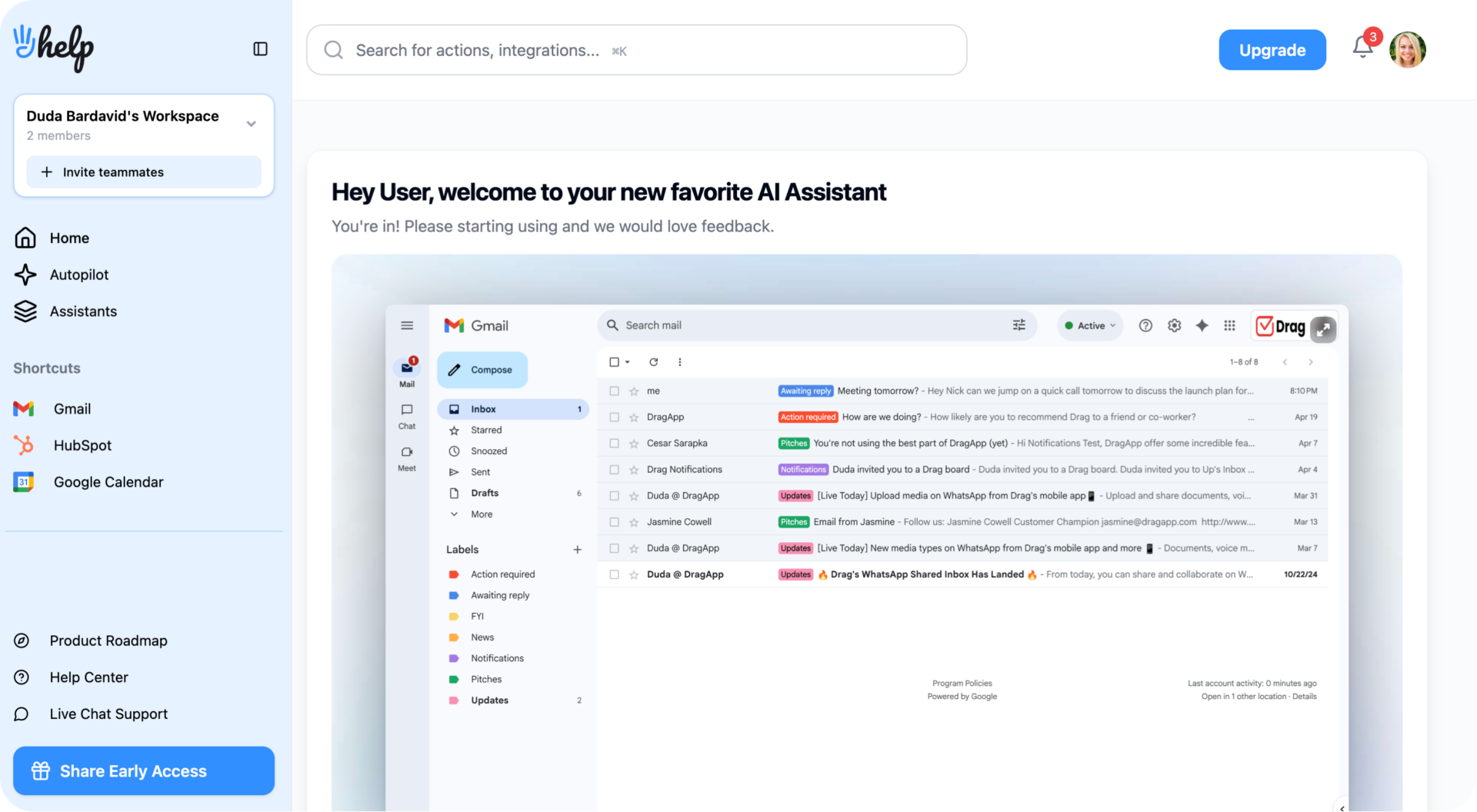 Hey Help is an AI extension for Gmail that fully transforms your email experience. It uses machine learning to continue improving the personalization by interpreting your inbox behavior and automating repetitive tasks. Hey Help can:
- Sort emails based on priority
- Flag messages that require extra attention
- Reply automatically to FAQs
- Draft response based on previous interactions
Price: $149 for lifetime access (pre-launch offer)
2) Trimbox
 Trimbox is a tool designed to help you get control of your cluttered inbox. It's AI-powered to identify mailing letters and other promotional messages. Then, you can mass-delete emails and unsubscribe from multiple lists with a single click. Rating: 4.4 stars Price: $19.99/month (you can use it on multiple Gmail accounts)
3) Nily
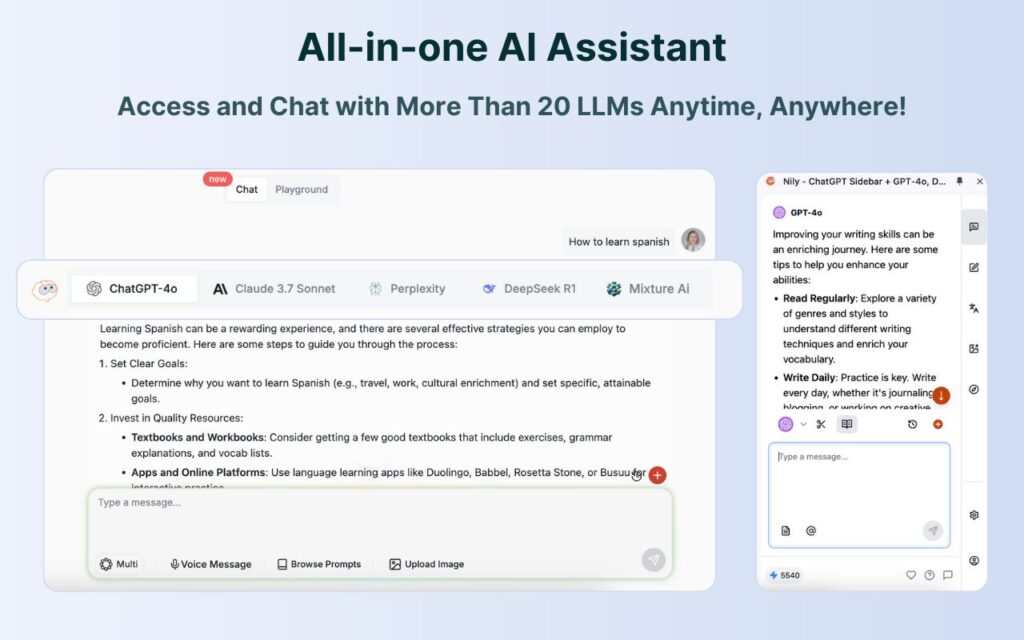 One of the best-selling points of AI tools is that they simplify access to information. However, users still need to open multiple tabs and send prompts to their preferred LLM. With Nily, you get over 20 LLMs (including DeepSeek, Chat GPT, Perplexity, Gemini, and Claude) on a sidebar, which you can even access directly from Gmail. That way, when reading and responding to emails, you can ask questions, generate data, and get help with deep research needs. Rating: 4.8 stars Price: $9/month for individual users and starting at $19/month for teams
4) MaxFocus
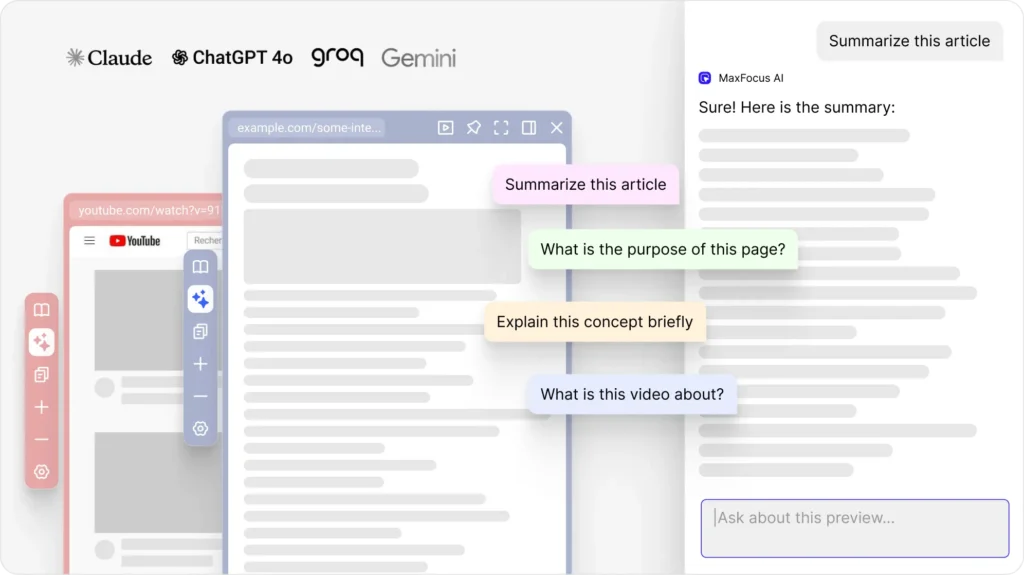 If you receive a high volume of links and files via email, you may need an AI extension for Gmail like MaxFocus. The idea behind this tool is opening up previews of attached links and files directly on the page you're working on, to minimize distractions. You can use reader-optimized mode (no ads or images) and use MaxFocus's AI assistant to ask questions about and give your summaries of these previews. Rating: 4.7 stars Price: There's a free version, but most features are included in the Pro option, which starts at $16.99 for lifetime access
Best writing assistance AI extensions for Gmail
5) Ellie
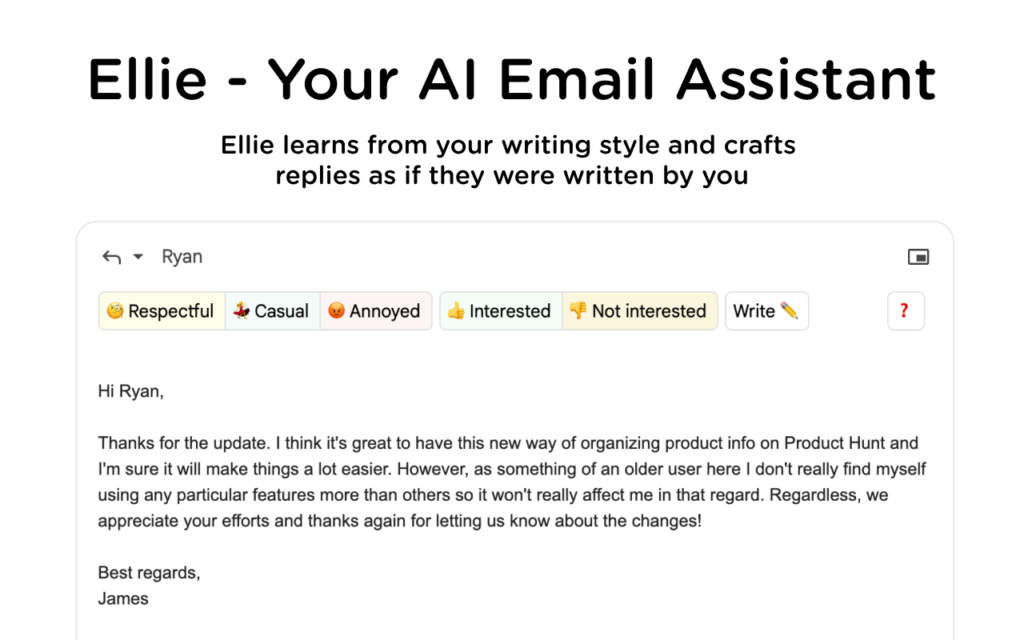 Ellie helps users craft emails and replies based on language, tone, and type of contact. Beyond simple suggestions, you can upload your own documents to Ellie so that it learns how to write in your style and according to your company's needs. Plus, a built-in translator helps you connect with customers across the globe. Rating: 4 stars Price: plans start at $19/month
6) Addy AI
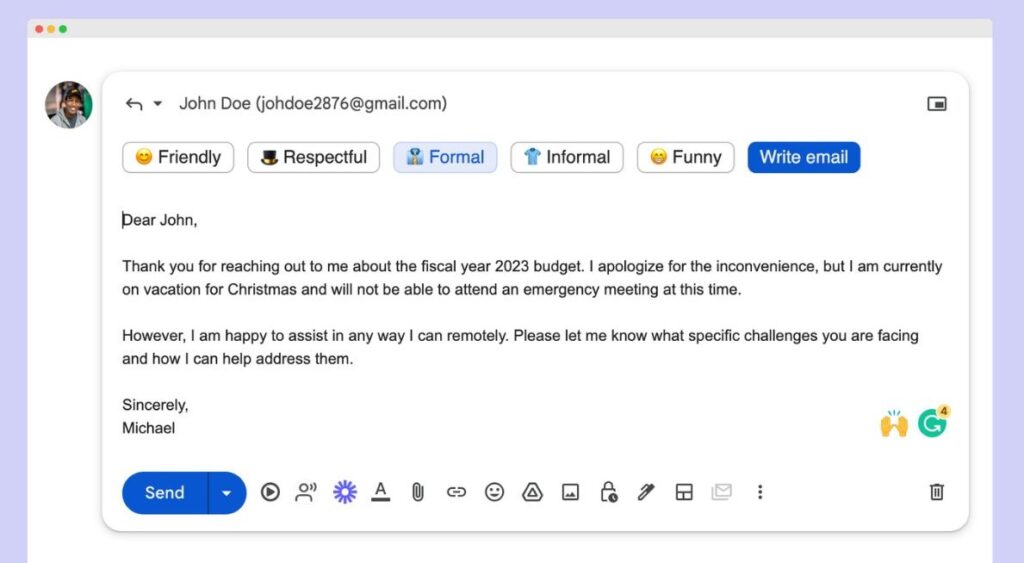 Addy AI uses ChatGPT to help users compose, summarize, and reply to emails based on their own writing style. You can prompt from a variety of tones (including friendly, formal, informal, interested, not interested) and create your knowledge base for future emails. Rating: 4.4 stars Price: There's a limited free version, but to get customization, you need the paid tiers, starting at $19/month
Best AI email management extensions for Gmail
7) Mixmax
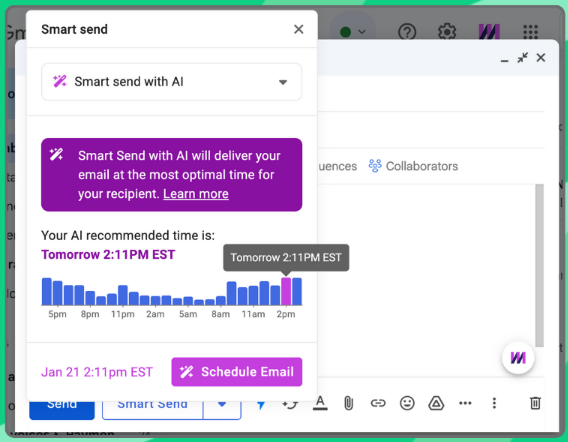 Mixmax uses AI resources to help you optimize your sales workflow. It includes tools such as an automated meeting scheduler, follow-up reminders, email tracking, custom templates and analytics reports to transform your email-based interaction with clients and leads. The biggest resources are the AI engagement score, a way to determine the best leads and solve sales hurdles to enhance conversion rates, and Smart Send, which gives you data-driven send times. Rating: 4.5 stars Price: AI tools are included with the Growth plan, at $49/user/month
8) MailMeteor
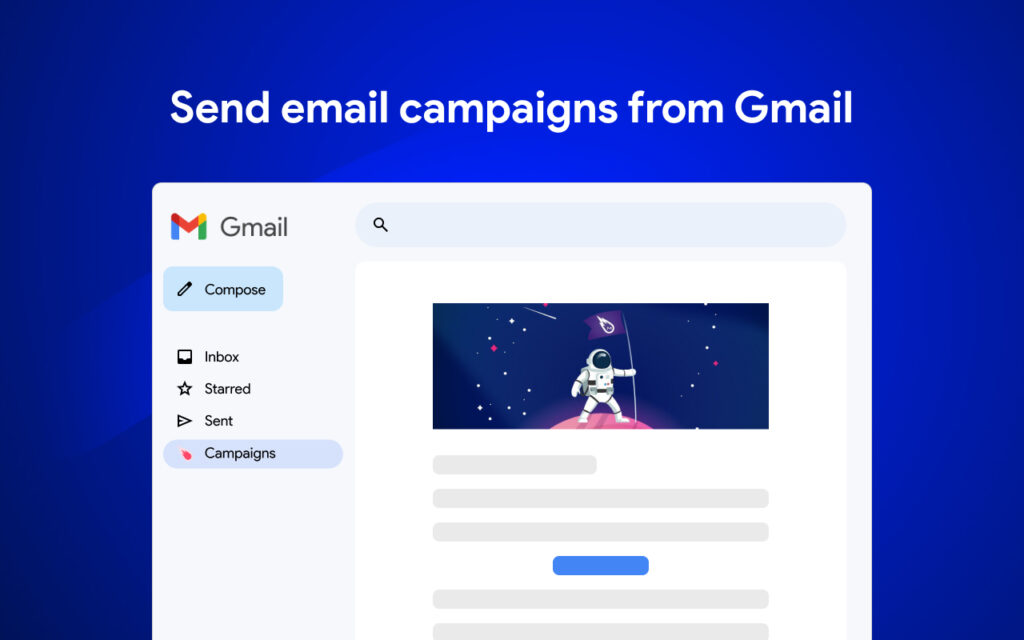 MailMeteor is a mail merge Gmail extension that helps you create and manage mass email campaigns with better success rates. It uses AI to help you write emails faster and better, all while tracking open and click-through rates. Auto follow-up sends you a reminder when an email is not opened or replied to, while the built-in bounce detection helps you trim your mailing list accordingly. Rating: 4.6 stars Price: Free limited version and paid plans starting at $4.99/user/month
9) Leadliner AI
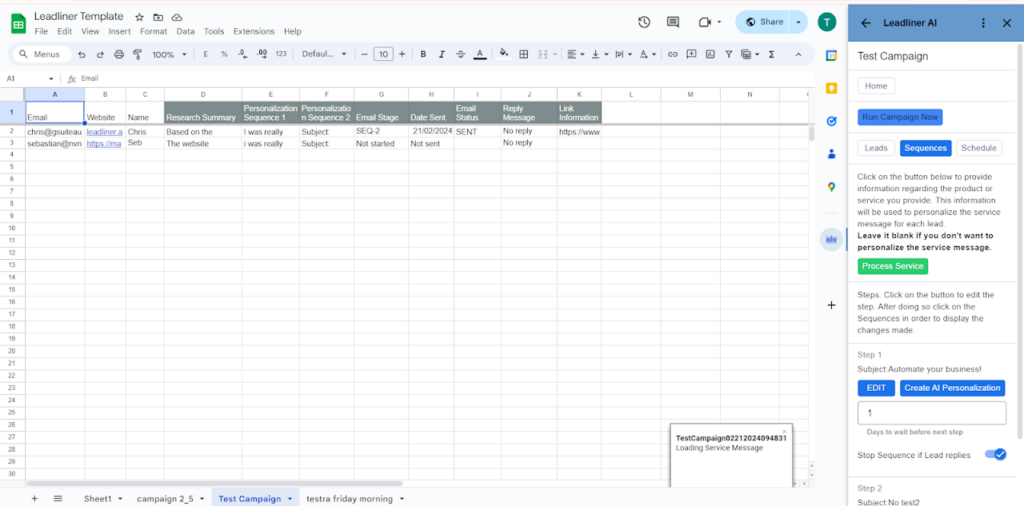 Leadliner AI is an AI extension for Gmail and Google Sheets. It integrates both tools to create a real-time data analysis system that learns from your interactions with customers and adds data to their contact information. Then, you can use the key AI insights to create custom, personalized email campaigns that connect you with different customer profiles. Rating: 5 stars Price: Free up to 50 emails a month, with paid plans for higher volumes starting at $19.99/month
10) Lavender
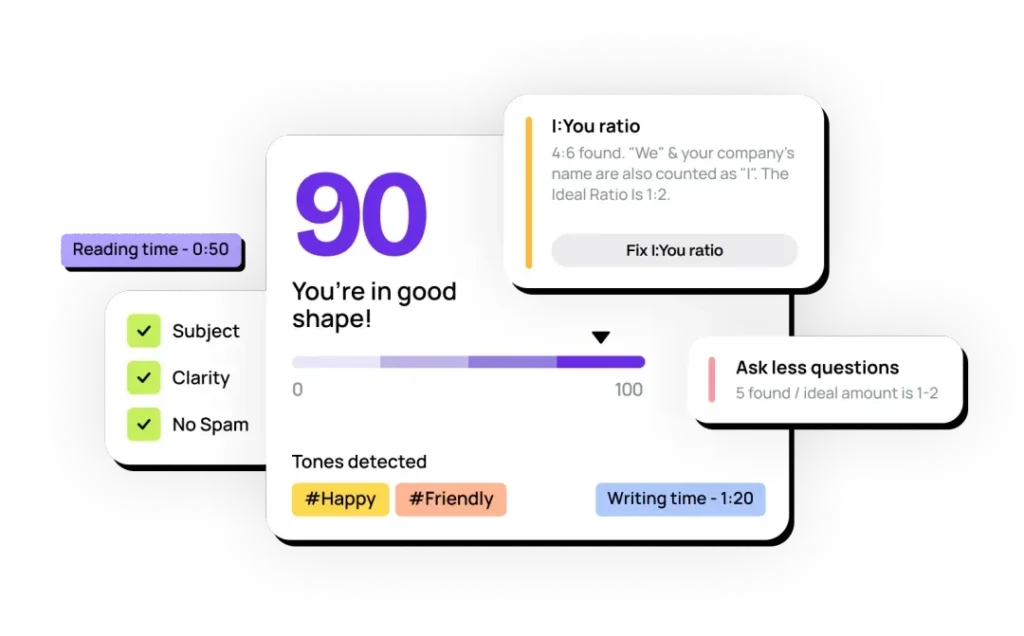 Lavender is a user-friendly Gmail extension for sales teams. The idea behind this tool is to make sure sales emails are tailored to each company's needs and their client base, all while building a successful long-term communication strategy that you can scale accordingly. It uses AI to detect message tone, suggest writing improvements, and create better drafts. You can also use machine learning to customize email based on previous interactions with contacts and insights from their information. Rating: 4.5 stars Price: AI tools are available with the Starter plan, at $27/month
Comparing AI extensions for Gmail
| Tool | Category | Key Features | Price |
|---|---|---|---|
| Hey Help AI | Email Management (Automation) | Inbox prioritization, automatic replies, flags urgent emails, and drafts responses based on behavior. | $129 lifetime (during beta) |
| Nily | Productivity | Sidebar with 20+ LLMs (ChatGPT, Claude, Gemini), email-side research, summarization, and brainstorming. | $9/month (individual), $19+/month (teams) |
| MaxFocus | Productivity | Preview links and files inside Gmail, distraction-free reader mode, and AI summaries. | Free; $16.99 one-time (Pro) |
| Ellie | Writing Assistance | AI drafts emails in your style, learns from uploaded documents, built-in translation support. | From $19/month |
| Addy AI | Writing Assistance | ChatGPT-powered replies and summaries, tone detector, and builds a personalized writing knowledge base. | Free (limited); $19+/month for full access |
| Mixmax | Email Management (Sales) | AI engagement scoring, Smart Send, sales email tracking, and automation tools. | $49/user/month (Growth plan) |
| MailMeteor | Email Management (Campaigns) | AI-assisted mail merge, auto follow-up, bounce detection, and real-time open and click tracking. | Free version; from $4.99/user/month |
| Leadliner AI | Email Management (CRM) | Integrates Gmail + Google Sheets, learns from interactions, real-time campaign insights, and customer segmentation. | Free (up to 50 emails); from $19.99/month |
| Lavender | Email Management (Sales) | AI sales email score, tone analysis, writing suggestions, and personalization based on contact insights. | From $27/month |
| Trimbox | Productivity | AI identifies and deletes promotional emails, mass unsubscribe, and inbox cleanup for multiple Gmail accounts. | $19.99/month |
Should my company invest in AI extensions for Gmail?
Yes! As AI continues to evolve, integrating smart tools like AI extensions for Gmail is a simple way to enhance your daily workflow while maintaining a simple, efficient system within Google Workspace for your team. These resources help with inbox cleanup and organization, email writing, customer engagement and marketing campaign tracking with data-driven insights. The right AI extension for Gmail can cut down repetitive tasks and increase productivity. Before committing to one of these solutions, however, you should know and prioritize what your team needs from AI and which options make the most sense for your team, then explore reviews, trials, and free versions to be sure. With so many highly-rated AI Gmail extensions available for each use case, you can find an AI assistant that works behind the scenes to improve performance, streamline communication, and make your Gmail better overall.
Commonly asked questions
Frequently asked questions
What are AI extensions for Gmail, and how do they work?
AI extensions for Gmail are add-ons that use artificial intelligence tools directly in your Gmail inbox. They improve your email experience with features like automatic replies, email summarization, smart scheduling, lead tracking, and writing assistance.
Can AI Gmail extensions help me write better emails?
Yes, AI extensions for Gmail can help you improve your email writing with resources such as tone detection, presets, and your own email history. These tools learn your writing style (through your inbox and uploaded files) and suggest better options to create more successful messages that generate more replies.
Are there free AI extensions for Gmail?
Sure! Many AI Gmail extensions offer free plans or limited versions, including MailMeteor and MaxFocus. Yes, free versions may have feature or message limits, but they’re great for testing before upgrading to a paid plan that fits your team’s needs.
How do I choose the right AI Gmail extension for my team?
Start by identifying what your team struggles with currently. Is it email volume and clutter? Do you need a reliable way to get data from campaign tracking? Better writing overall? Then compare features, pricing, and user reviews. The best AI extensions for Gmail are the ones that solve specific problems without adding barriers to your workflow.
How do AI extensions for Gmail learn and personalize my email experience?
AI extensions for Gmail use large language models (LLMs) like ChatGPT, Claude, and Gemini to interpret and generate information via prompts. These tools can learn from you as well: they use your email history and patterns to personalize suggestions and responses. Some even offer the option to upload documents on your writing style too!
Can AI extensions for Gmail help with email management and organization?
Yes, AI extensions for Gmail can help with email management. They sort and prioritize your inbox by identifying important emails, automating unsubscribe requests, and segmenting contacts for your campaigns. These extensions use context to transform your inbox, helping teams stay more productive.

