Gmelius is refocusing on ops teams and agentic email, per its own blog. If you run a support inbox: all 7 alternatives compared, prices verified and dated, plus which ones an AI assistant can operate.
Key takeaways
- Drag is the best overall Gmelius alternative for Gmail teams: Gmail-native, AI included from $18, its own MCP server, and standalone apps. Starts at $12.
- Hiver is the closest direct competitor (Gmail and Outlook, strong AI, multichannel), but pricing climbs and seat blocks can waste budget.
- Front and Missive suit teams that want multichannel or multi-provider collaboration; Front is the priciest, Missive the best value of the two.
- Keeping is a simple Gmail-native option; Freshdesk is the step up to a full help desk; Superhuman is for individual email speed, not team collaboration.
- Gmelius itself is repositioning: its 2026 content courts ops and coordination teams and pitches agentic email as an operations layer, per its own blog (read September 2026). If your need is a support-shaped shared inbox, that roadmap direction is a real reason to compare the field now.
Table of contents
- What this guide covers
- Gmelius alternatives compared at a glance
- Drag - best overall Gmelius alternative for Gmail teams
- Hiver - closest direct competitor
- Front - best for multichannel at scale
- Missive - best for multi-provider collaboration
- Keeping - simplest Gmail-native option
- Freshdesk - best step up to a full help desk
- Superhuman - best for individual email speed (not team collaboration)
- What Gmelius is focusing on now
- Which Gmelius alternatives can an AI assistant operate? (August 2026)
- Pricing comparison: the seven alternatives against Gmelius
- Pricing history: how Gmelius's price has actually moved
- How to choose a Gmelius alternative
- Frequently asked questions
- Related guides: going deeper on the Gmelius decision
The right Gmelius alternative depends on whether you want to stay in Gmail, add multichannel, or step up to a full help desk, not on which tool shouts loudest. In short:
- Drag if you want the like-for-like Gmail upgrade: AI included from $18, standalone apps, no conversation caps
- Hiver if you want the closest direct competitor, with multichannel inside Gmail or Outlook
- Missive if your team spans more than one email provider and wants chat in the thread
- Front if you need enterprise multichannel routing and have the budget for it
- Keeping if you want the simplest, cheapest Gmail-native basics
- Freshdesk if you have outgrown a shared inbox and need real ticketing
- Superhuman if the problem is one person's inbox speed, not a team's
Teams typically leave Gmelius for a few recurring reasons: it is a Chrome extension only, reviewers report it slowing down at higher volume, it caps shared conversations by plan, and its entry price has history, the cheapest paid plan more than tripled in a single 2023 restructure. (For where Gmelius stands on its own, see our Gmelius review.) Each section below takes one alternative honestly: who it suits, what it costs, and where it falls short.
A quick note on pricing: all figures below are per seat per month on annual billing unless stated, re-verified against each vendor's own pricing page in August 2026. Always confirm current pricing before you buy.

Founder’s Take
A personal note from Nick, co-founder of Drag
We have a love-hate relationship with Gmelius. We love their features, they are surprisingly very similar to ours. But joking aside, one thing they do lead on is keeping their prices generally affordable and fair.
If you want something basic, Gmelius may be a good fit. If you want something similar but also with an MCP server, so you can control your inbox from Claude, ChatGPT, and others, or a standalone web app so you do not depend on Gmail (though you can use our Chrome extension for it too), we may be the way to go.
Read on, and please make the decision for yourself.
What this guide covers
- Gmelius alternatives compared at a glance
- Drag - best overall for Gmail teams
- Hiver - closest direct competitor
- Front - best for multichannel at scale
- Missive - best for multi-provider collaboration
- Keeping - simplest Gmail-native option
- Freshdesk - best step up to a full help desk
- Superhuman - best for individual email speed (not team collaboration)
- Pricing comparison: the seven against Gmelius
- Pricing history: how Gmelius's price has moved
- What Gmelius is focusing on now
- Which alternatives can an AI assistant operate?
- How to choose
- FAQ
Gmelius alternatives compared at a glance
All prices per seat per month, annual billing, August 2026.
| Tool | Starting price | AI | Gmail-native | MCP server | Best for |
|---|---|---|---|---|---|
 Drag Drag | $12 (AI from $18) | Included in the seat | Yes, plus standalone apps | Yes | Like-for-like Gmail upgrade |
 Hiver Hiver | $25 | Included from Growth up | Yes (Gmail + Outlook) | No | Multichannel close to the inbox |
 Front Front | $25 | Add-ons that stack | No, standalone | Beta | Enterprise multichannel routing |
 Missive Missive | $14 | Credits or your own key | No, standalone | No | Multi-provider collaboration |
 Keeping Keeping | ~$12 (annual) | Minimal | Yes | No | Simplest Gmail basics |
 Freshdesk Freshdesk | $19 (6-mo Free Program, 2 agents) | Freddy add-ons | No, standalone | Beta | Full help desk on a budget |
 Superhuman Superhuman | $25 | Included | No, standalone | Yes (Mail MCP) | Individual speed, not teams |
 Gmelius Gmelius | $19 (Meli, 5-user cap) | On all plans, advanced gated higher | Yes, extension only | No | Small Gmail teams with modest volume |
Drag - best overall Gmelius alternative for Gmail teams
Best for: Gmail teams that want a like-for-like upgrade from Gmelius without leaving their inbox.
Drag turns Gmail into a shared inbox with boards, assignments, and built-in AI, the same job Gmelius does, but with a few things Gmelius lacks. It includes six AI assistants in the seat from the $18 Plus plan (draft, tag, sentiment, compose, summarize, co-pilot), with no separate AI tier. It publishes its own MCP server (47 tools across 12 categories, read and write), so you can run your inbox from Claude or ChatGPT, something Gmelius cannot do. And it runs as a Chrome extension or as standalone web, desktop, and mobile apps, so the tool scales with you rather than capping you at the extension.






Drag also includes a customer-facing help center and a live-chat widget, and it places no conversation limits on any plan (Gmelius caps shared conversations by tier). It is a Google Cloud Partner with CASA Tier 2 verification and GDPR compliance.
- Pricing: Starter $12, Plus $18 (AI included), Pro $24. 7-day trial.
- Rating: 4.7 from over 1,200 reviews, named best overall Gmelius alternative.
- Watch-outs: Gmail and Google Workspace focused; if your team is on Outlook, a multi-provider tool may suit better.
See the full Drag vs Gmelius comparison for a side-by-side breakdown.
Drag AI
The inbox your team and your AI work in together
Shared inbox, live chat, and AI in Gmail, with an MCP server your AI tools can drive.
Hiver - closest direct competitor
Best for: Google Workspace or Outlook teams that want a mature, multichannel help desk inside the inbox.
Hiver is the most direct Gmelius competitor and the one teams most often shortlist alongside it. It works in Gmail and Outlook, offers shared inboxes, AI Agents and Copilot, automated QA, and multichannel support across email, chat, voice, SMS, and WhatsApp. Its review base is the largest in this category, which speaks to maturity.
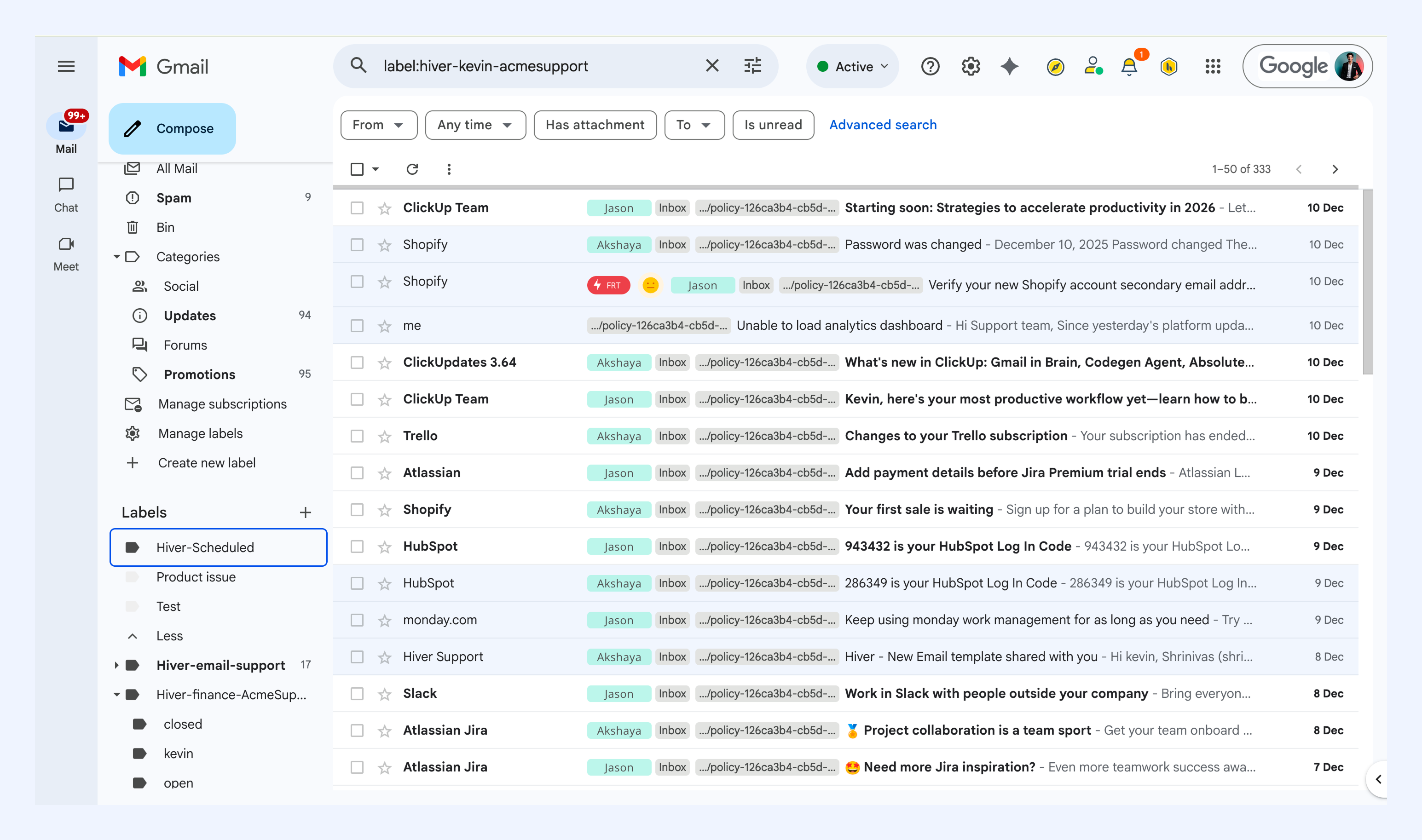
- Pricing: Free plan; Growth $25, Pro $55, Elite $85 (annual; monthly runs $35/$65/$95). AI included from Growth up. 2-seat minimum on every plan, with seats sold in blocks past five.
- G2 rating: 4.6 (around 1,283 reviews).
- Watch-outs: Pricing climbs quickly once you add users, automation, and AI. Seat blocks can force you to buy unused seats (a 7-person team may pay for 10). Some reviewers dislike that it forces a conversation view.
For a head-to-head, see our Hiver vs Gmelius comparison, our Drag vs Hiver comparison, or the full best Hiver alternatives for 2026.
Front - best for multichannel at scale
Best for: larger or well-funded teams that need email, SMS, chat, and social in one place with mature routing.
Front is a polished, collaboration-focused shared inbox that goes well beyond Gmail. It brings email and other channels into one workspace with internal comments, assignments, shared drafts, and strong analytics. It is a capable, enterprise-grade option, and priced accordingly; if Front is the tool you are really weighing up, our Front alternatives comparison puts it against the whole field, and the Drag vs Front comparison goes head-to-head with the pricing receipts.
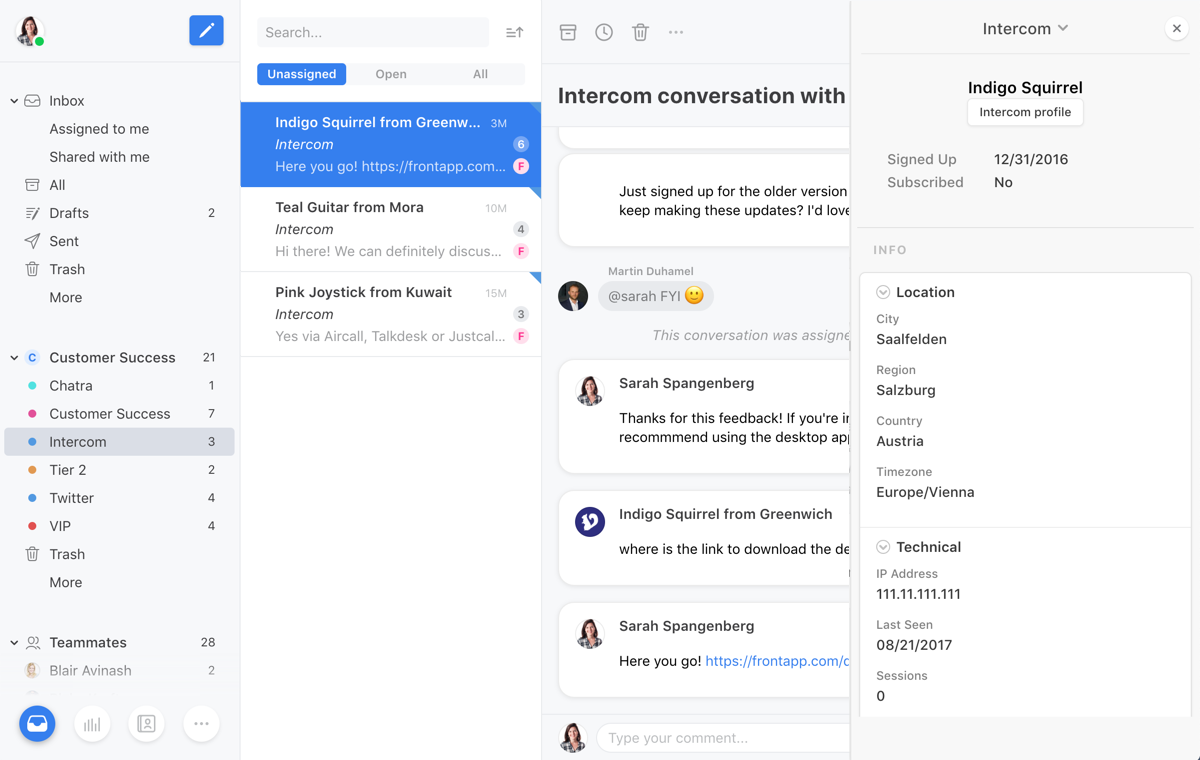
- Pricing: Starter $25, Professional $65, Enterprise $105. Starter caps at 10 seats and a single channel. AI is a paid add-on on lower tiers (Copilot $20 a seat, Smart QA $20, Smart CSAT $10; Autopilot is usage-metered, quoted from $0.05 per conversation on front.com, with third-party breakdowns citing around $0.89 per resolution, different units, so price it in a sales conversation).
- G2 rating: 4.6 (around 2,419 reviews).
- Watch-outs: Expensive for small teams, and AI add-ons can roughly double the bill. Some reviewers report problems with two-way Outlook sync. It is not Gmail-native in the way Gmelius and Drag are.
Missive - best for multi-provider collaboration
Best for: teams that want real-time collaboration and support more than one email provider.
Missive was built from the ground up as a collaborative email client rather than a help desk with email bolted on. Its standout is in-thread team chat alongside shared inboxes, shared drafts, and tasks, and it supports Gmail, Outlook, iCloud, and custom SMTP natively, useful if your team is not all on Gmail.
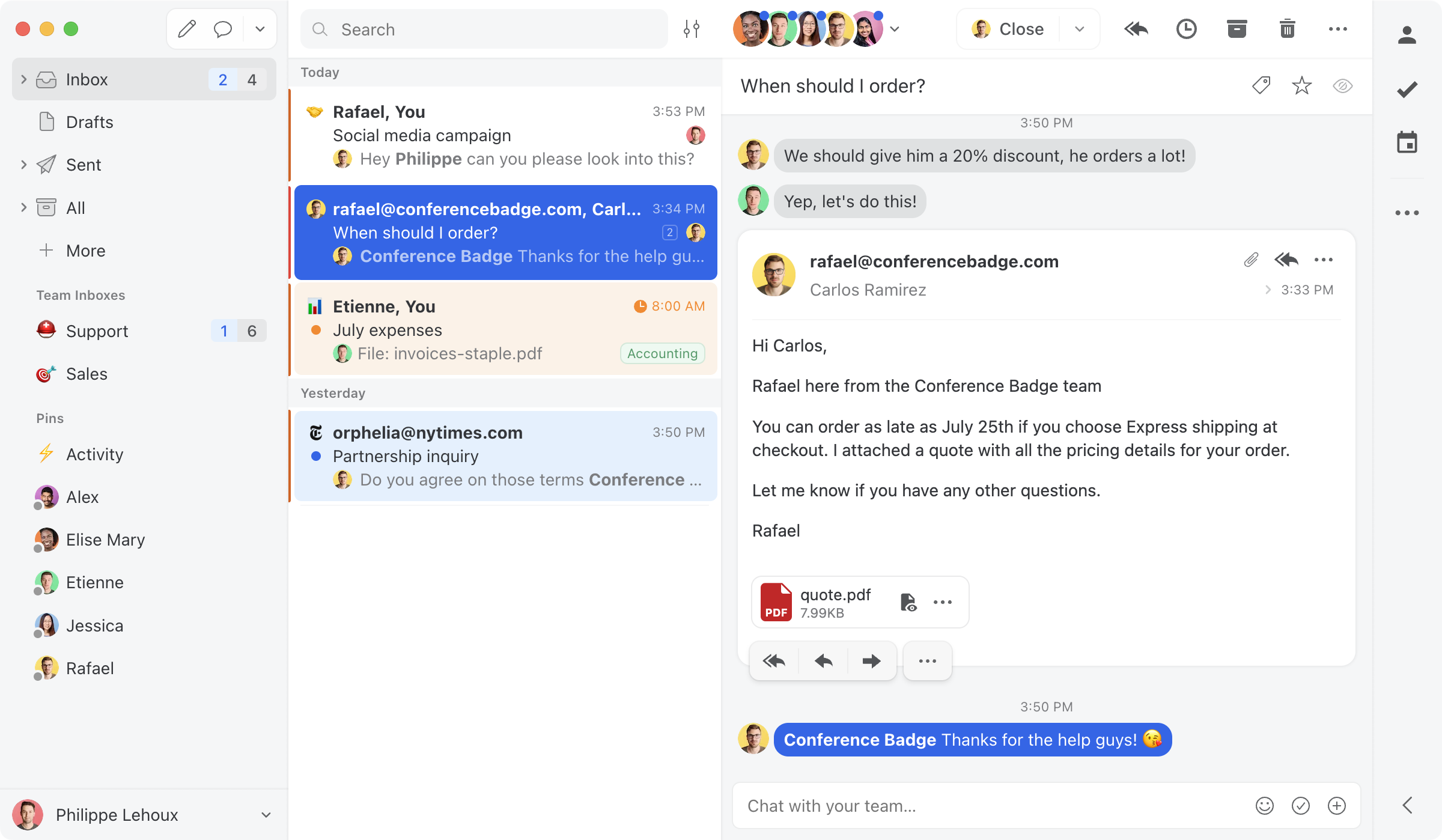
- Pricing: Starter $14, Productive $24, Business $36. A free plan still exists in-product ($0, up to 3 users) but was de-listed from the pricing page in 2024.
- G2 rating: strong; widely recommended as a value pick for collaboration.
- Watch-outs: Collaboration-first rather than help-desk-first; if you need heavy ticketing, SLAs, and automation, a help desk may fit better.
Keeping - simplest Gmail-native option
Best for: small support or sales teams that want basic shared-inbox ticketing on Gmail with no learning curve.
Keeping is a lightweight, Gmail-native shared inbox and simple ticketing tool. It lets a small team manage a group address like support@ without leaving Gmail, with assignments, statuses, and notes. Its appeal is simplicity and a low entry price.
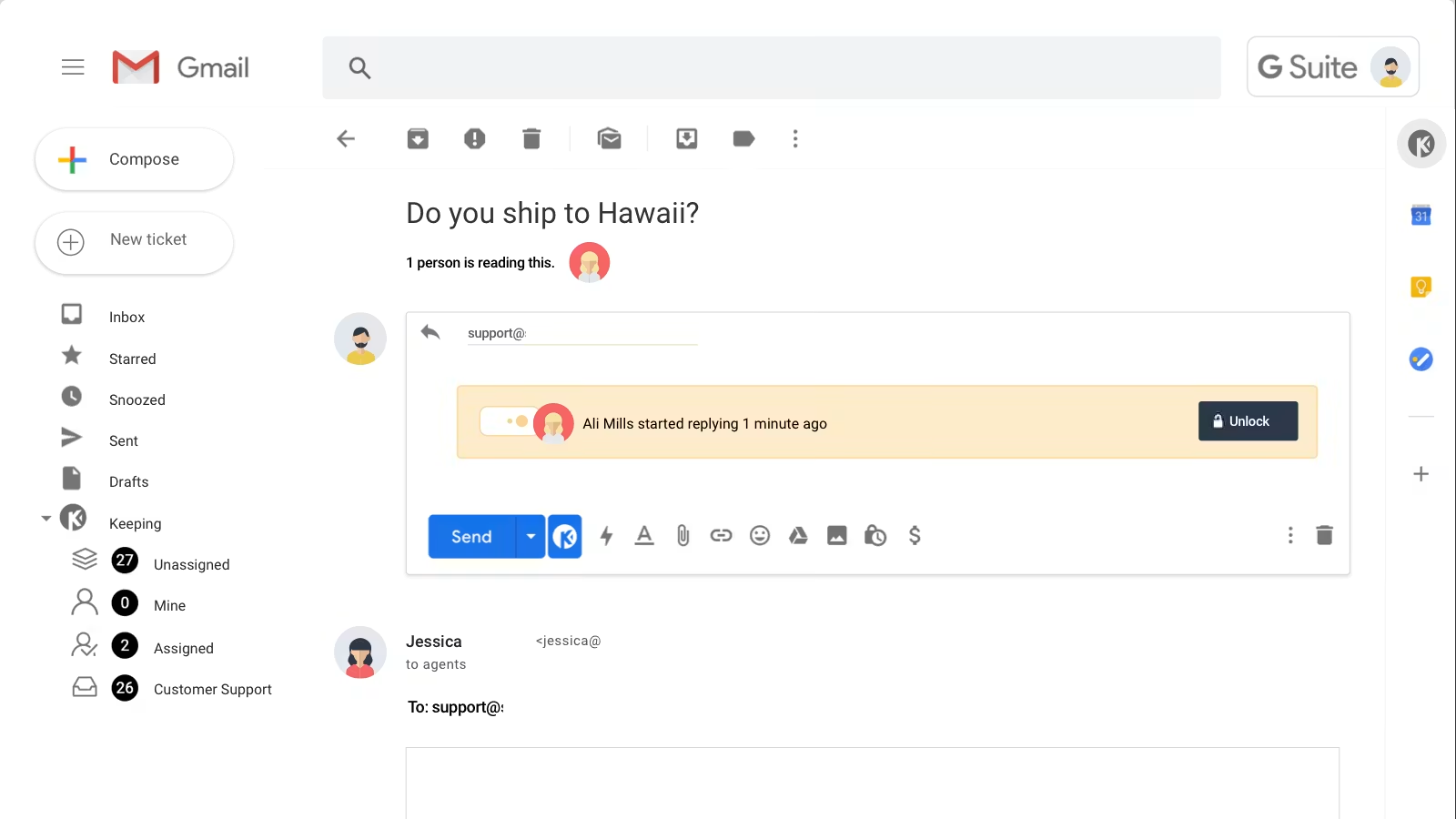
- Pricing: Essentials around $14 a user monthly (about $12 with annual billing).
- Watch-outs: Deliberately simple, so it lacks the deeper automation, boards, AI, and MCP capability of Drag or the help-desk depth of Freshdesk. Reviewers note it is desktop-focused. Good for basic needs, limited for scaling teams.
Freshdesk - best step up to a full help desk
Best for: support teams that have outgrown a Gmail shared inbox and need structured ticketing, SLAs, and omnichannel.
If your reason for leaving Gmelius is that you need a real help desk rather than a better inbox, Freshdesk is the natural step up. It is a full ticketing platform with automation, SLA management, a knowledge base, live chat, and omnichannel support. Every email becomes a structured ticket with status, priority, and owner.
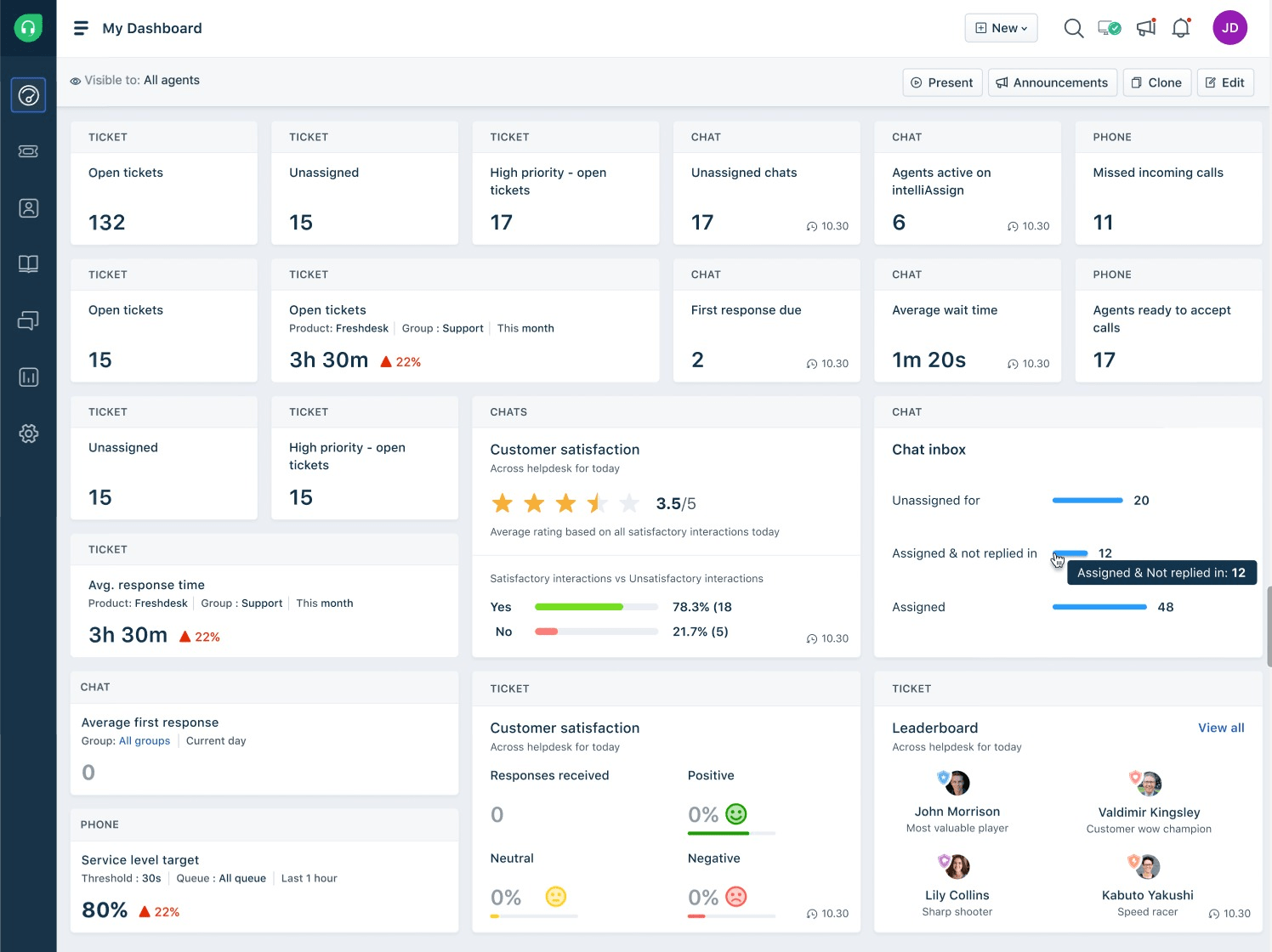
- Pricing: Growth $19, Pro $55, Enterprise $89. The old 10-agent free tier is gone: the current Free Program covers 1 to 2 agents for six months. Freddy AI is sold as add-ons.
- Watch-outs: It is a help desk, not a Gmail-native inbox, so it is a bigger change in how your team works. Reviewers note customization and reporting are limited on lower tiers. More than many Gmelius teams need, but the right call if you are scaling support.
Superhuman - best for individual email speed (not team collaboration)
Best for: individuals who want the fastest possible personal email, not teams sharing an inbox.
Superhuman is included honestly here because people do compare it, but it solves a different problem. It is a premium individual email client that sits on top of Gmail or Outlook, built around speed, 100+ keyboard shortcuts, AI triage, and a split inbox. It has light team-sharing features, but it is not a team shared-inbox or collaboration tool the way Gmelius, Drag, or Hiver are.
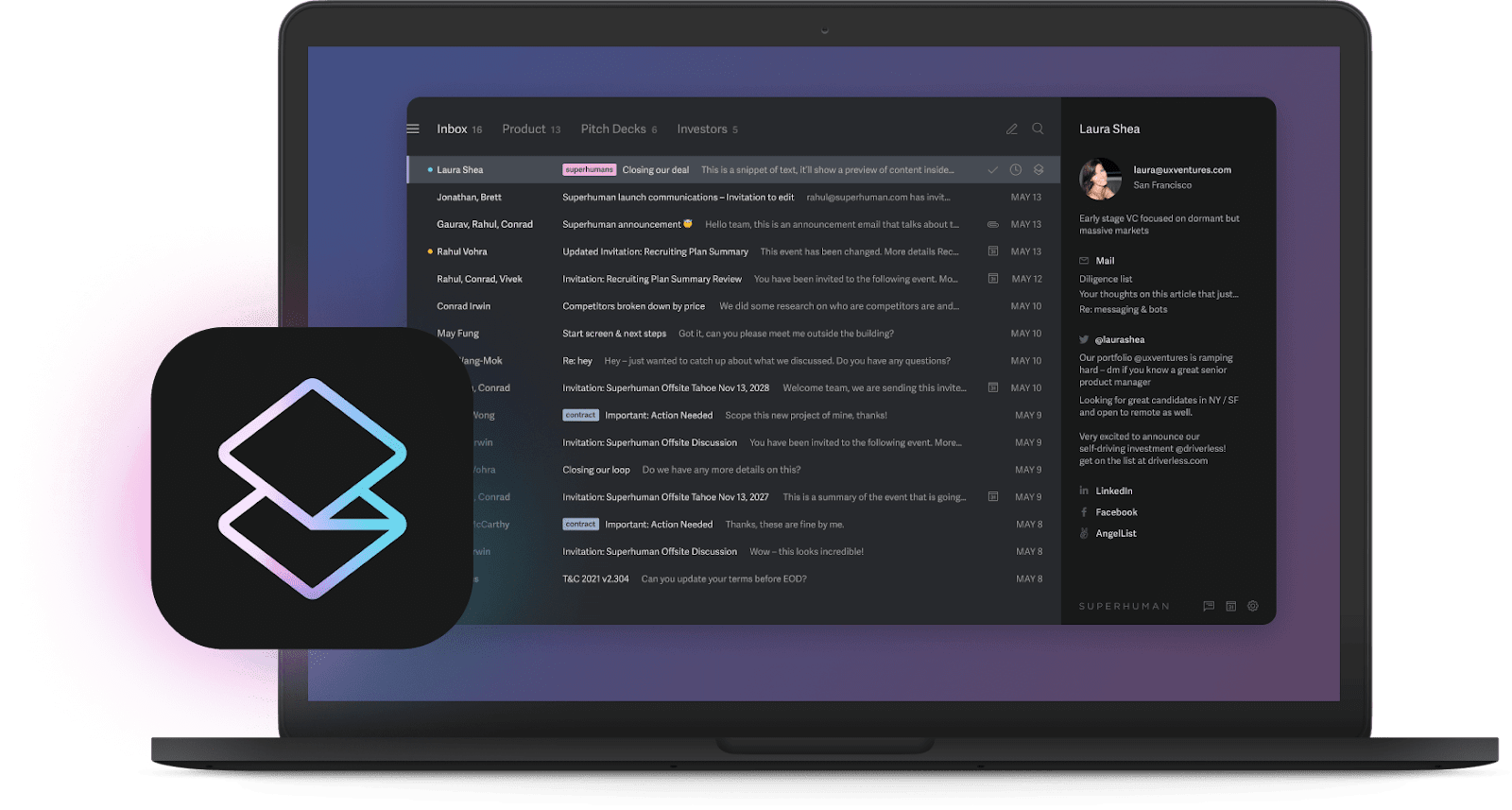
- Pricing: Starter $25, Business $33 (annual; $30/$40 monthly). The old flat $30 single price split into two tiers in August 2024. (Acquired by Grammarly.)
- Watch-outs: Not a shared inbox. If your goal is team collaboration on a shared address, this is the wrong category. If your goal is personal inbox speed, it is excellent.
What Gmelius is focusing on now
Worth knowing before you compare, because it reframes the decision. Gmelius is an active, shipping company, and its 2026 direction is visible in its own content: as of September 2026, its blog leads with agentic email as "an operations layer," its Meli assistant and AI agents, and comparison posts aimed at ops and coordination teams weighing tools like Wrike and Asana. That is a coherent strategy, and it is aimed at a different buyer than a support team running sales@ or support@. None of this makes Gmelius a bad product today; it does mean that if your need is a support-shaped shared inbox, the roadmap energy is pointing somewhere else, which is exactly the situation where comparing the field is worth an afternoon. The full Drag vs Gmelius comparison runs the head-to-head, and the Gmelius pricing receipts carry the dated history.
Which Gmelius alternatives can an AI assistant operate? (August 2026)
A new question entered this comparison in 2026, and it got sharper this week: Anthropic shipped sending for Claude's Gmail connection in August 2026, so an assistant can now read, draft, and send on one person's mailbox. For a team inbox, that is not enough. The assistant needs the tool itself to expose an MCP server, so it can triage, assign, and reply on the shared queue with the team watching. Where the main contenders stand, per our maintained vendor MCP map: Drag ships its own server (47 tools, read and write), Front has one in open beta, and Freshdesk has an early-access beta. Gmelius, Hiver, and Missive have no official server. If AI operating your inbox is part of why you are leaving Gmelius, that line splits this list in two.
Pricing comparison: the seven alternatives against Gmelius
The chart says it plainly: Gmelius's team plans run $25 to $40, and the like-for-like Gmail upgrade starts at half that with AI included. To model your own team size, the shared inbox cost calculator covers every tool here.
Pricing history: how Gmelius's price has actually moved
Gmelius's line is the sharpest on the chart: a free plan removed in 2021, an entry price that fell to $7 in 2022, then a 2023 restructure that retired the cheap tiers and more than tripled the floor to $24 in one act, before the five-user-capped $19 Meli tier opened a cheaper door in 2026. That history is worth pricing into a multi-year decision. The full dataset with every archive capture exposed is on our support tool pricing history page.
How to choose a Gmelius alternative
A simple way to narrow it down:
- Stay in Gmail, upgrade like-for-like: Drag (best overall, AI + MCP + apps) or Keeping (simplest, cheapest).
- Closest direct competitor, multichannel inside the inbox: Hiver.
- Multichannel or multi-provider collaboration: Front (enterprise, priciest) or Missive (best value, multi-provider).
- Move up to a full help desk: Freshdesk.
- Individual email speed, not team collaboration: Superhuman.
For most teams leaving Gmelius who want to stay in Gmail and gain AI, MCP, and standalone apps without conversation limits, Drag is the closest upgrade, and the most cost-effective at the plans most teams use. The best next step is a short trial: most of these tools offer one, and a week with your real workflow tells you more than any comparison table. To model exact costs at your team size and AI volume, use the shared inbox cost calculator.
Frequently asked questions
What is the best Gmelius alternative?
For Gmail teams, Drag is the best overall Gmelius alternative: it is Gmail-native, includes AI from $18 a seat, publishes its own MCP server, offers standalone apps as well as a Chrome extension, and places no conversation limits on any plan. G2 reviewers name it the best overall Gmelius alternative. The best choice for you depends on whether you want to stay in Gmail (Drag, Keeping), go multichannel (Hiver, Front), support multiple providers (Missive), or move to a full help desk (Freshdesk).
Why do teams look for a Gmelius alternative?
Common reasons include that Gmelius is a Chrome extension only with no standalone app, reviewers report it slowing down at higher email volume, its AI is seen as basic compared to newer tools, and it caps shared conversations by plan (5,000 a month on Meli, 10,000 on Growth). Teams scaling up often want more speed, deeper AI, or a full help desk.
What is the cheapest Gmelius alternative?
Drag (from $12 a seat) and Keeping (around $12 to $14 a seat) are among the lowest-priced. Hiver delisted its free plan in September 2026, so its door is now $25 a seat. At the plans most teams actually use, Drag is typically the most cost-effective full-featured option.
Which Gmelius alternative is best for Gmail?
Drag, Hiver, and Keeping are the most Gmail-native options. Drag is the most complete (AI included, MCP server, standalone apps, no conversation limits), Hiver is the most mature multichannel option, and Keeping is the simplest. Front and Missive work with Gmail but are not Gmail-native in the same way.
Is Hiver or Gmelius better?
Hiver has a larger review base (G2 4.6 from around 1,283 reviews) and stronger multichannel and AI features, but its pricing climbs quickly and seat blocks can waste budget. Gmelius is cheaper at entry and fully Gmail-native via its extension. For a Gmail team wanting more capability, Hiver is a common upgrade; for the most complete Gmail-native upgrade with AI and MCP included, many teams choose Drag. See our Hiver vs Gmelius comparison.
Is Superhuman a Gmelius alternative?
Not really a like-for-like one. Superhuman is a premium individual email client focused on personal speed, not a team shared inbox. If your goal is collaborating on a shared address, Gmelius alternatives like Drag, Hiver, Front, or Missive fit better. If your goal is individual inbox speed, Superhuman is excellent.
Does Gmelius have an MCP server?
No. As of 2026 Gmelius offers a REST API plus Zapier and Make connections, but no MCP server, so you cannot drive your Gmelius inbox from an AI client like Claude or ChatGPT. Among Gmail-native shared inboxes, Drag is the only one with its own MCP server.
Related guides: going deeper on the Gmelius decision
Gmelius's own numbers and history are broken down in our Gmelius pricing guide, the head-to-head against Drag lives at Drag vs Gmelius, and the two Gmail-native rivals square off in Hiver vs Gmelius. If Front or Hiver is the tool you are really weighing, the best Front alternatives and the best Hiver alternatives cover those fields, and the shared inbox cost calculator models any of these at your team size.
Co-founder
Building Drag for nearly ten years: shared inboxes, boards, and now the AI and agent layer, all on Gmail, plus HeyHelp for the personal inbox. Writes the honest versions of the comparisons.