













Gemini AI is Google's AI add-on for its tools. But will Gmail with Gemini AI actually enhance your productivity?
Table of contents
Google has introduced its new AI resource: Gemini AI. As with other AI developments, it promises to enhance productivity and save time. But can you actually have a better experience on Gmail with Gemini AI? Many work tasks are email-based, even though they go through multiple tools. With sales, for instance, your team has to prospect clients and follow negotiations over email. That means you end up spending a lot of time on Gmail. Google's new AI tool was developed so that users can get more information without leaving their inbox. But does it work? And how can you benefit the most from it? In this article, we'll get into which resources are available on Gmail with Gemini AI, what the difference is between AI tiers, and whether the move is worth the investment for your company. Keep reading to find out more!
How does Gmail with Gemini AI work?
AI assistants have popped up across online platforms with the advancement of generative AI models. Most of them are developed to help through prompts. The user can search for helpful information, chat with a bot to find helpful solutions and use it to sort and filter data. On Gmail with Gemini AI, it works similarly. The idea behind it is making your workflow more efficient by helping users craft professional responses, find the answers they need much faster, and sort through their inbox to prioritize better.
Writing assistant
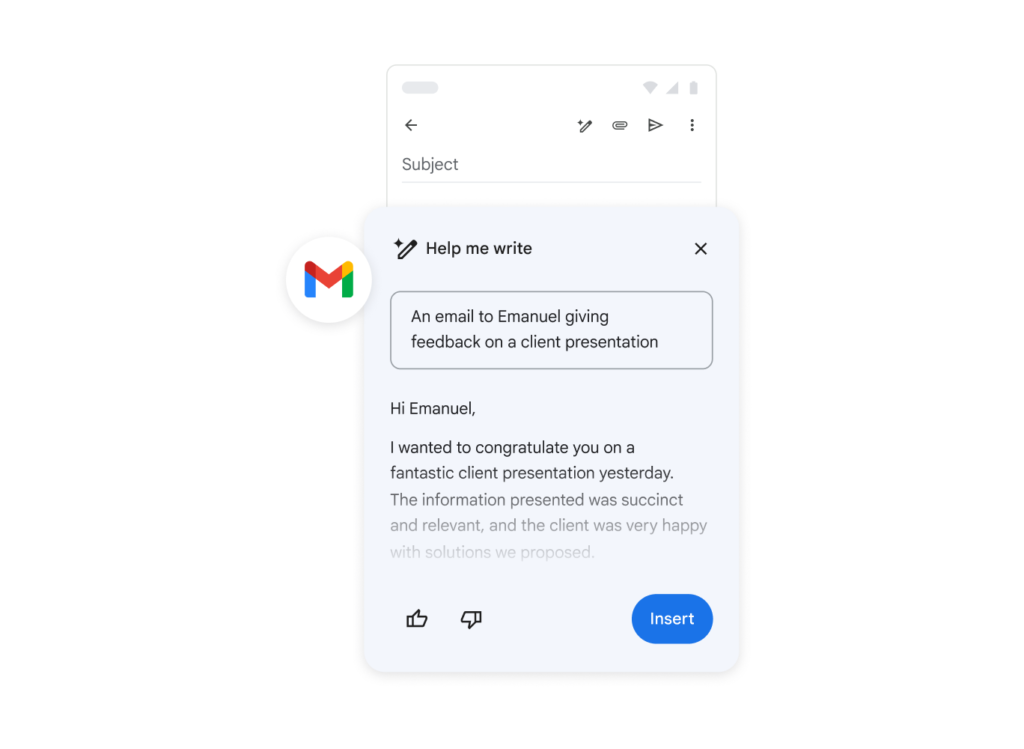 source: Google Help One of the biggest challenges when writing professional emails is making sure you reach the correct tone. Customers expect fast responses, but complete ones, with all the information they need to proceed. However, with the volume of emails most teams get every single day, it can be hard to send efficient replies. Gmail with Gemini AI includes a writing helper, which allows users to prompt Gemini into crafting an email draft. Then, all they have to do is edit accordingly.
Gmail thread summaries
The volume of internal emails, especially in areas such as product development and project magament, can be overwhelming. Which is why one of the features of Gmail with Gemini AI is thread summarization. That way, if your team is working on multiple projects at a time, you can use summaries to catch up on conversations before jumping into discussions.
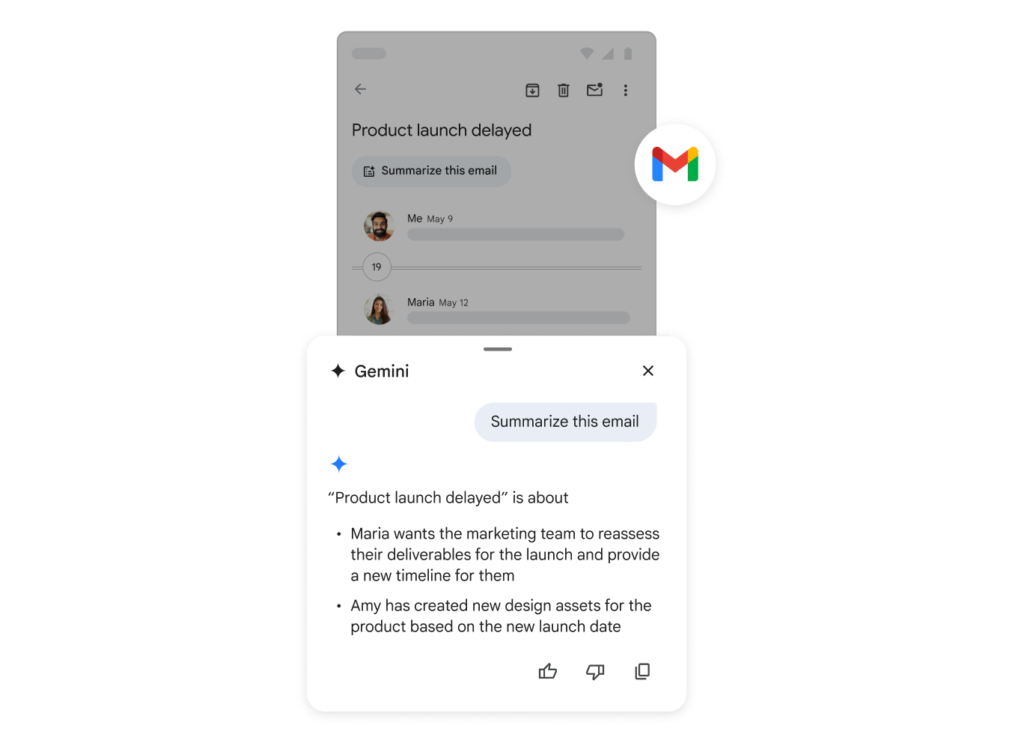
Find information
Need to find a previous conversation? Gemini AI's context window can help you sort through your inbox and find the data you need. Just ask a question and, if it's part of your inbox history, Gemini will find it for you: 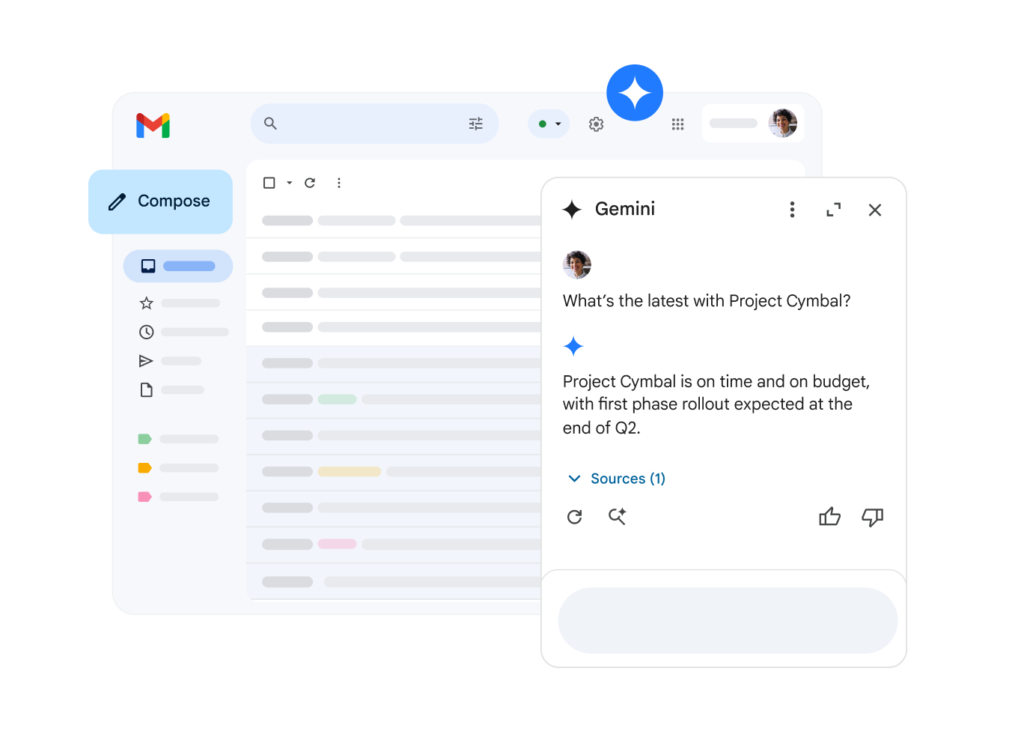
Email management
Part of the difficulty of customer-facing emails is making sure you stay on top of them. After all, late responses and miscommunications are terrible for customer service metrics. If someone emails your company about the cost of a service, for instance, your sales team should get back to them as soon as possible with the quotes. On the other hand, if you receive a support email about a product defect, you wouldn't want to let it sit in your inbox unanswered. On Gmail with Gemini AI, you get time notification reminders. So if a conversation has been sitting there unfulfilled, a reminder will be shown in your inbox page. Here's how it looks: 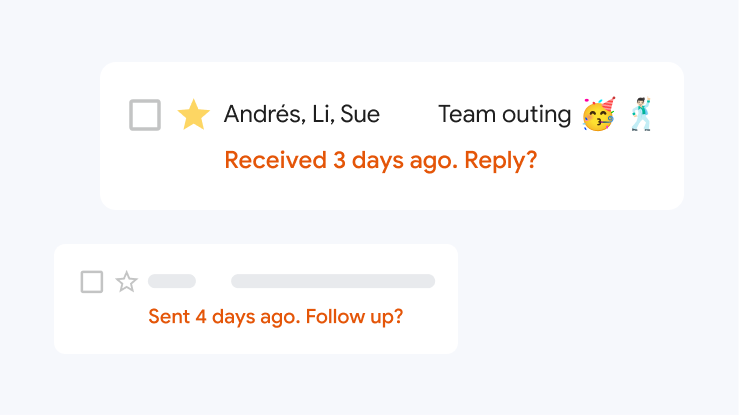 source: Google Help Read more: Using AI to Improve Sales
Gemini x Gemini Advanced
How to use Gmail with Gemini AI Advanced
The standard Gemini AI is already available to all Gmail users. It's also possible to go to Gemini AI's browser version or mobile app and ask questions directly. That can be useful if you want to use the data across Google Workspace tools.
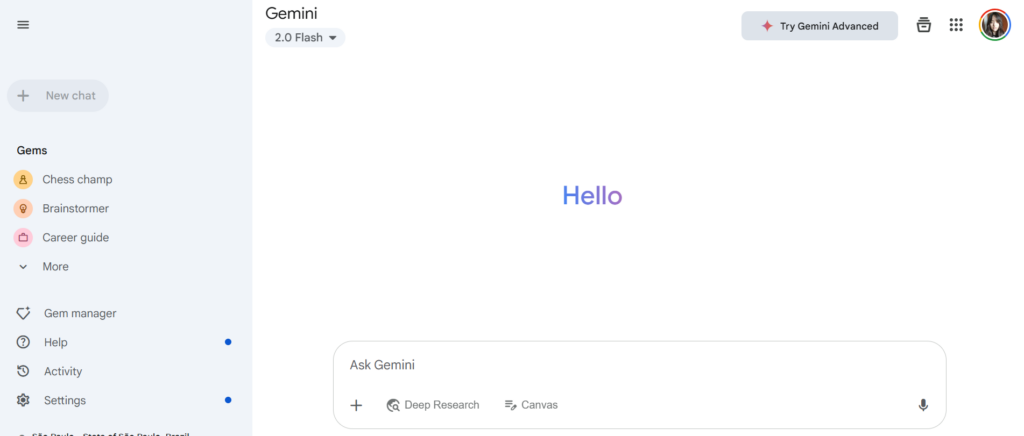 However, this method lacks the useful integration between different areas of your Google account, which doesn't help you save time. Which is why many companies opt to invest in signing up for Gemini AI Advanced. If you want Gmail with Gemini AI Advances, there are two methods:
1) Google One subscription
Google One is Google's extra resource plan. With this subscription, individual users get extra storage space, photo editing resources, and other benefits. Now, the higher-tier One subscriptions also include Gemini AI Advanced resources.
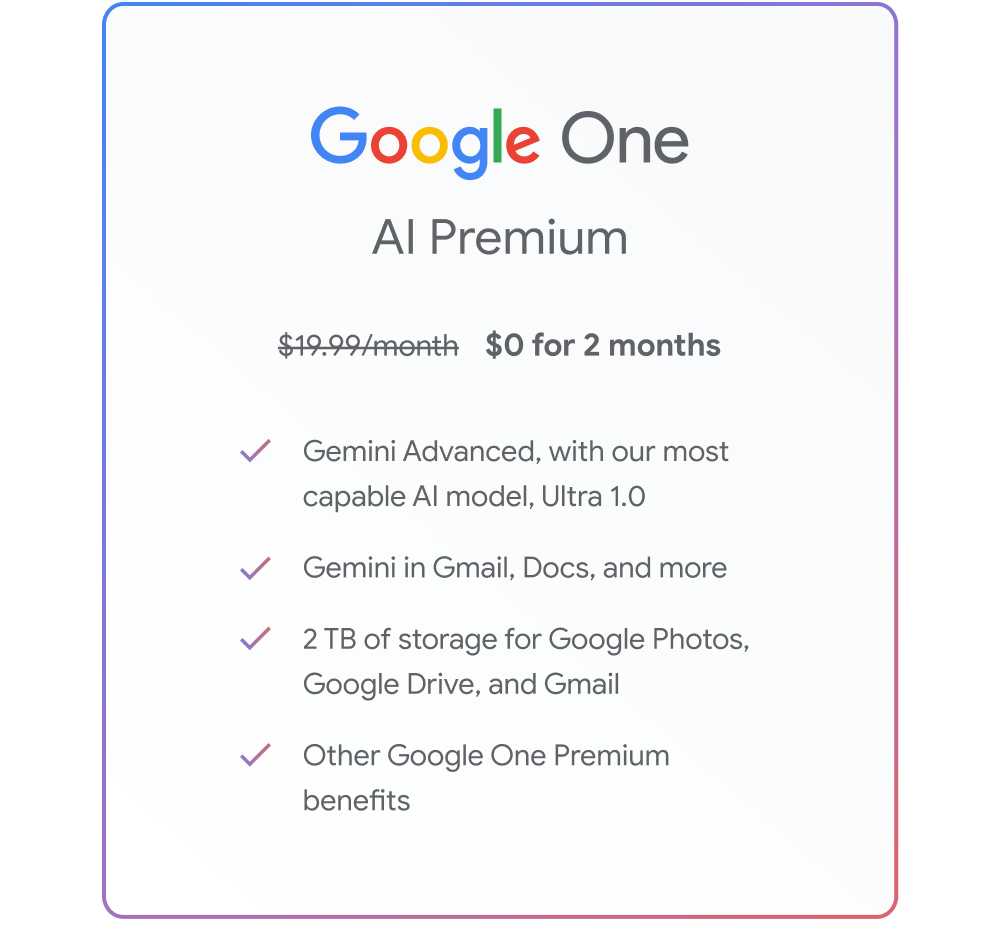 For $19.99/month, individuals can use AI and up to 2TB of extra storage for their files, which they can share with people on their family plan. This can be useful for entrepreneurs, but it isn't a reliable resource for teams.
2) Google Workspace subscription
Google Workspace business plans, however, were developed with teamwork in mind. With these subscriptions, users get shared storage, extra collaborative resources, and, of course, AI tools. 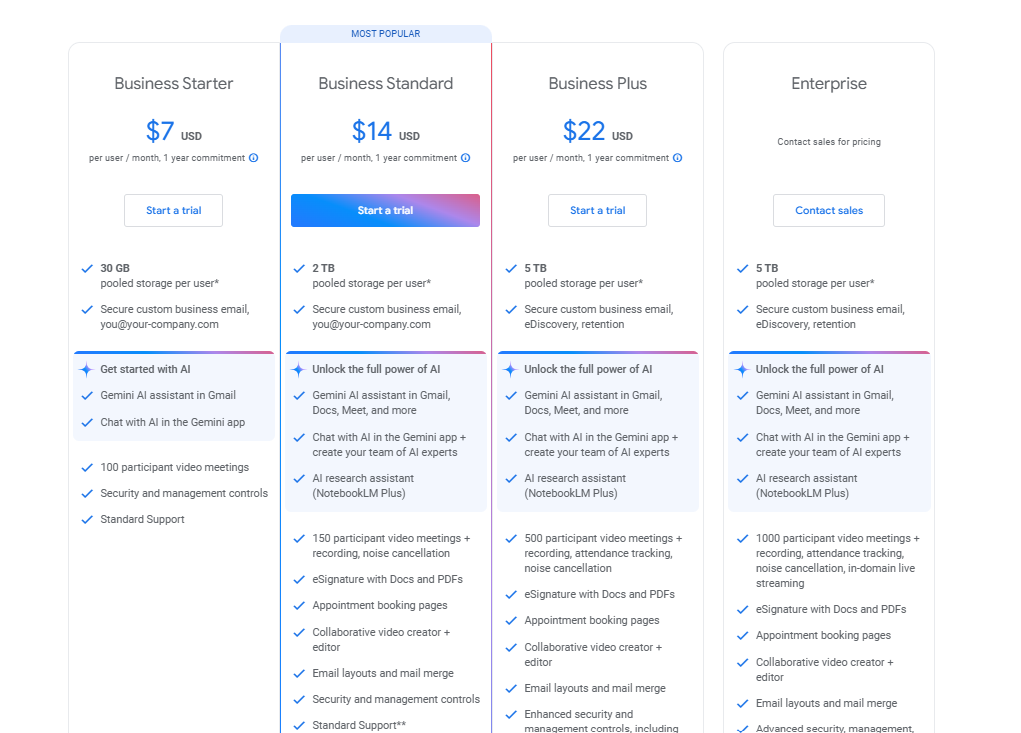 To get the most out of Gemini through Gemini AI Advanced, companies need to subscribe to the Business Standard plan or up, which means it costs from $14/user/month. This, of course, helps your teams collaborate easily across all Google Workspace apps and benefit from Gmail with Gemini AI Advanced, including smart reply assistance and file generation.
Drag · with Varley
The inbox your team and Varley work in together
Shared inbox and live chat for Gmail teams, with Varley, Drag’s AI, included from $18. Plus an MCP server your own AI tools can drive.
Alternatives to Gmail with Gemini AI
Gmail with Gemini AI can be helpful, but the costs add up if you decide to go for Gemini Advanced. If most of your work is email-based, it makes more sense to invest in a platform that brings the resources you need directly to your inbox.
Hey Help AI
Hey Help is an AI Assistant in Gmail. It's not a chatbot like Gemini, it actually does things for you. Just like an Executive Assistant would.
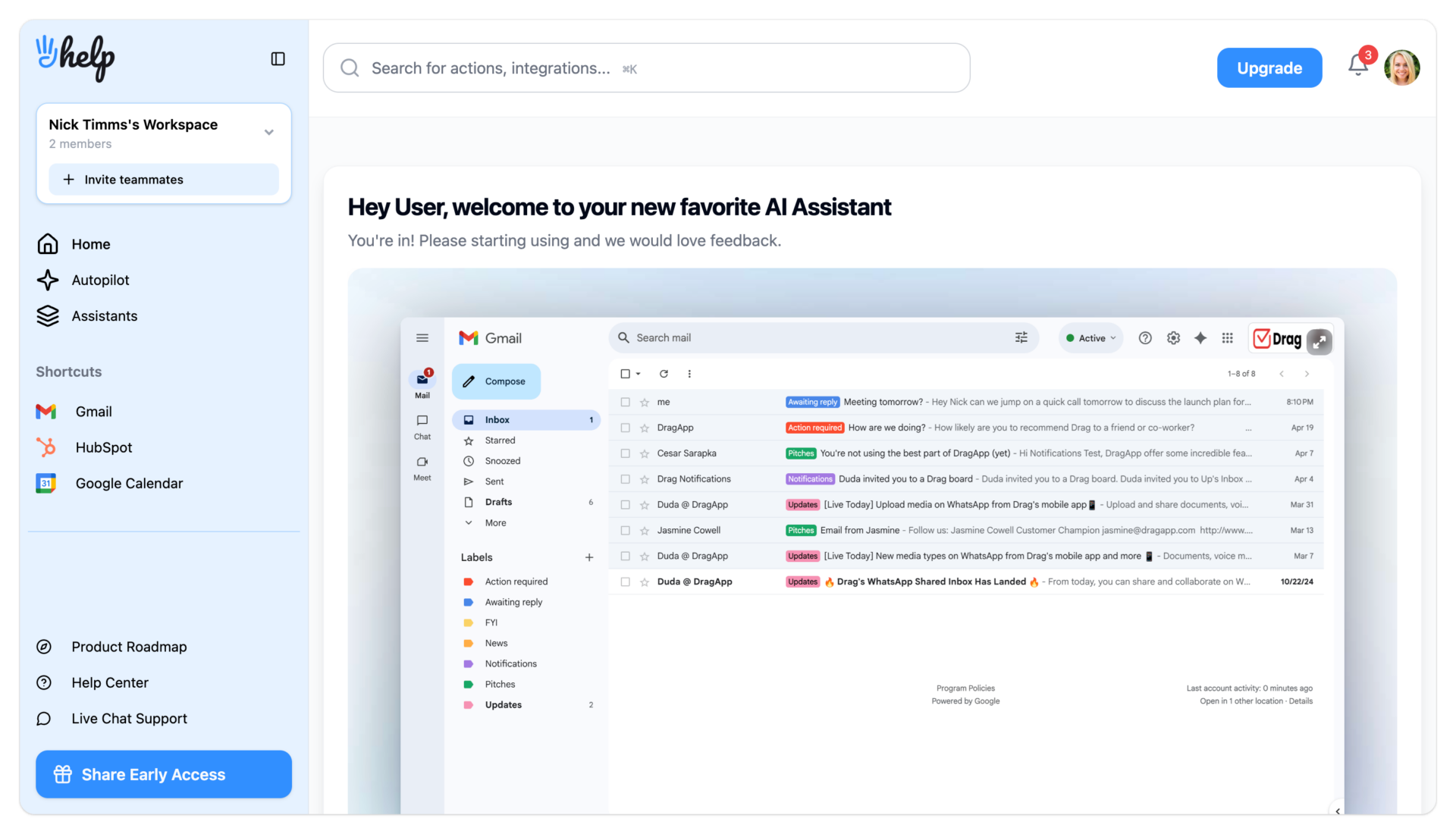 Hey Help takes over users' inbox admin tasks - sorting, archiving, drafting responses, following up and more, saving users up to 1 hour each day.
DragApp Gmail Shared Inbox
A Gmail shared inbox like DragApp, is a platform that includes multiple collaboration and project management resources in your email. Here's how it works: your team leader sets up a company inbox (such as IT@companyname or sales@companyname). Then, they use Drag to set up a shared inbox interface that includes all your workflow needs. Now, all they have to do is invite collaborators to the collaborative workspace. There, all the tasks can be viewed, managed, and sorted according to the team's needs. Here are some key resources Drag offers for teams:
Tasks and project management
It's hard to organize incoming tasks from Gmail inboxes. You need to open email threads and find each demand, then add them to your queues, which complicates things for users with a high volume of emails. With Drag, your emails are automatically turned into task cards, which you can manage based on your specific requirements.
Workspace views
You can view your workflow in multiple ways, including Kanban boards and a previews. That way, it's easy to check for any new tasks and updates without having to sort through conversations.
Task notes






Task cards include a space to which users can add shared notes. This allows for team collaboration and context sharing. While Gemini AI can summarize chats, it can be too restrictive and simplify updates. Notes help users guide their work.
@mentions
On the same vein, it can be hard to keep up with all developments on projects via email. While Gemini AI can help you with search prompts, most times, users have to stay on track with small details and changes on projects. That is, summaries aren't that practical. Drag allows collaborators to @mention each other on tasks they need input on. Then, everyone on the team knows where their attention is a priority.
Activity log
The activity log is another key resource on Drag. When users open the shared inbox, they'll receive a log of any changes made to the tasks they're following, including new notes, files, and whether the task has been moved across the workflow.

Email automation
Gmail with Gemini AI offers some basic email automation tools, including a writing assistant and reply reminders. However, this isn't as useful for teams that require specific replies and more robust automation.
Shared templates
Yes, Gemini AI can help with quick replies. But the generic tone can limit your brand identity. Most companies should have specific customer service email best practices, which include language, tone, and templates for FAQs. With that in mind, DragApp includes shared email templates, which users can add to a collaborative database and adapt to their needs. That way, all emails coming from the company are pre-vetted and follow your communication strategy.
Auto replies and sequences
Drag allows you to go further with email automation through autoresponders and email sequences. You can set up automation rules based on email addresses, subject lines, and keywords. Then, it'll trigger an auto reply. This is useful, for instance, for customer service, since most FAQs can be answered much faster this way. However, a key difference is that Drag includes email sequences. These automations help you follow up on previous messages based on two-step triggers. An outreach campaign, for instance, can include a follow-up message a few days later to generate better results if the original message got lost in your recipient's inbox:
This is a step further than Gmail with Gemini AI's reminder to send another email. It's very useful for marketing teams during launches.
Shared contacts management
The key to good customer service and support is having a reliable CRM system. AKA, knowing the important data about your customers and how they interact with your company. However, most teams still have to manually share contact information to reach out to their client base. With Drag's Shared Contact Management, it's possible to add contacts to a collaborative database, then use them to create campaigns, close sales deals, and offer better support to your existing customers.
Custom fields
Drag users can create custom fields (numeric, ID, text, multiple choice) for their contact cards. So, for example, it's possible to add the company sector and transaction amount.

Then, when writing an invoice email, for instance, you can send bulk messages through Drag by including custom field tags to the text and they'll be automatically filled with each recipient's data. Gemini AI only includes this feature if you sign up for a premium plan. On Gmail with Gemini AI standard, you'll have to use data from your Google Sheets manually.
AI resources
DragApp is implementing further AI resources. Tools such as AI summarize and smart replies will become part of the ecosystem soon. The main advantage to look for, however, is AI Tagging. This will allow messages and tasks to be sorted according to topics, which cuts down on admin time and helps your workflow's productivity.
Integration
Gmail with Gemini AI is pretty limited to the inbox itself. To get the full advantage of Gemini across Google apps, you need a premium subscription. Still, it's limited to Google Workspace, so you can't get all the automation benefits on other apps you use regularly. With DragApp, on the other hand, you can sync your work across platforms.
Google Workspace suite
By bringing automation tools to your inbox, you get the full collaboration experience directly on Gmail. And since, unlike Google Workspace, it isn't a directory, but a fully shared account, users can find the files they need on Drive and so on. Meaning: instead of sharing files and forwarding conversations, everything that happens on your account is managed by your entire team.
Zapier
DragApp includes Zapier integration. That way, you can implement automation rules that incorporate other tools you use daily, such as accounts payable software, Slack conversations, CRM software and database updates. 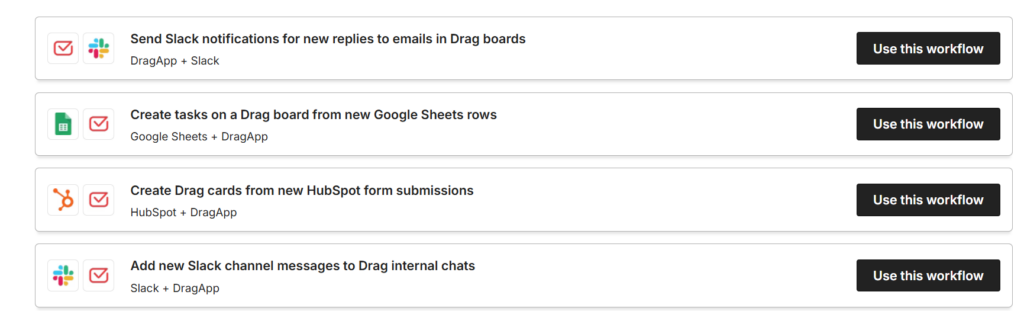
Gmail with Gemini AI is useful if all your conversations happen on Gmail. But what about companies that receive internal and external communications across multiple channels? WhatsApp has become one of the main drivers of customer support, marketing and sales in the past few years. And Gemini resources won't be accessible for these conversations.
DragApp offers WhatsApp and Gmail integration, including all shared inbox resources and automation for WhatsApp Business accounts. That allows teams to have dedicated workflows for both platforms, which helps productivity, cohesive branding and seamless collaboration. Related Post: WhatsApp for Customer Service
Cost x benefit
Instead of paying for a Google One or Google Workspace subscription. which limits AI use to Google tools, using a shared inbox platform can help you redefine workflows across all company areas. DragApp starts at $12/user/month and, besides AI tools, it contributes to project management and teamwork.
Is Gmail with Gemini AI worth it?
It depends. Gmail with Gemini AI is already part of your inbox, and if you know how to use it well, you can enhance your individual email use. Writing assistance and reply reminders can help you email better and faster. However, teams require more from their AI resources, including sharing data across apps, more context on their conversations, and extra security. That means you have to upgrade to a paid AI plan on Google Workspace. This subscription includes other benefits, such as storage space. However, Gemini AI is limited to Google apps, which is a con, especially given the subscription costs. It isn't fully applicable to companies that require a custom communication strategy either or teams that need multiplatform workflows. To create a better, more efficient, AI powered collaborative workspace, you need a shared inbox platform.

Related articles
Shared Inbox MCP Servers Compared (2026): Which Team Inboxes Your AI Can Actually Work
Nick Timms
Gmail AI Inbox: Who Gets It, How to Turn It Off, and What It Can't See (2026)
Nick Timms
If we didn't want to pay for a help desk, here's exactly what we'd build. Gmail, a free Google Group, and Claude or ChatGPT.
Duda Bardavid
