













Can you create a Gmail account without a phone number? What are the pros and cons? Follow DragApp's simple and safe guide.
Table of contents
- Why do you need to verify a phone number to create a Gmail account?
- Can you use a disposable number to create a Gmail account?
- Can you recover a Gmail account without a phone number?
- How do you set up Gmail without a phone number using a custom domain?
- Why choose a shared inbox over a Gmail account without a phone number?
- Creating a Gmail account without a phone number safely and effectively
- What you need to know before you create a Gmail account without a phone number
- Frequently asked questions
Did you know you can technically create a Gmail account without a phone number? The honest answer in 2026: you often can create a Gmail account without a phone number, officially. Google's signup treats the phone step as optional and risk-based, so on a low-risk signup (the Gmail mobile app, a clean home connection, a recovery email instead) a Skip option appears and works. When Google's systems judge the signup risky, the Skip option disappears and a number becomes unavoidable on that attempt. This guide covers when Skip shows up, how to raise your odds legitimately, what to do when no Skip appears, and how to keep an account recoverable without a number.
Why do you need to verify a phone number to create a Gmail account?
The two primary reasons are identity confirmation and anti-spam measures. That is, this step makes both your inbox and the platform as a whole a better experience. Here's why:
-
User verification: adding a phone number helps Google confirm that you’re a real person, not a bot. This ensures accounts are connected to actual users, protecting the platform from spam and phishing attemps.
-
Security: your phone number can also be used for two-factor authentication (2FA). This extra security step makes it harder for anyone to access your Gmail account on a new device.
What if you don't have an additional number or don't want to attach your personal phone to the account? There are a few ways to do it.
Can you use a disposable number to create a Gmail account?
Yes, the most basic way to create a Gmail account without a phone number that you don't want to share is to use another number. Either a prepaid SIM card or a virtual phone number service, for example.
Why do users opt for disposable numbers when setting up Gmail accounts?
The biggest advantage of using a Gmail account without a phone number and opting for a disposable one is being able to customize it to your needs. There are many platforms that help you do this, including:
- International paid eSIMs, such as Numero, if you decide to keep using the alternative number for other reasons
- Free virtual SMS platforms, like SMStoMe, that offer temporary numbers to which you can send your confirmation link
It's worth noting that paid options can be costly for this purpose, while free alternatives aren't secure enough for sensitive data. 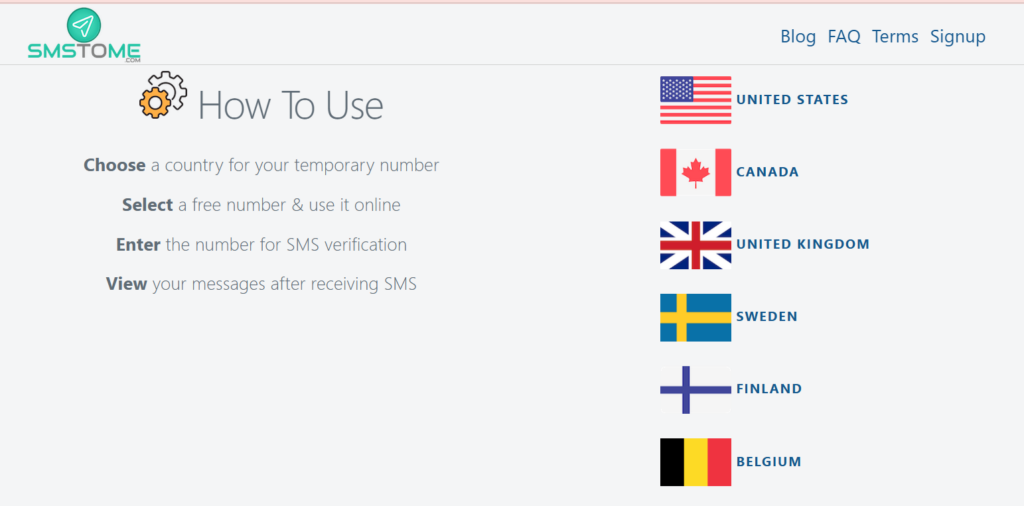
Can you recover a Gmail account without a phone number?
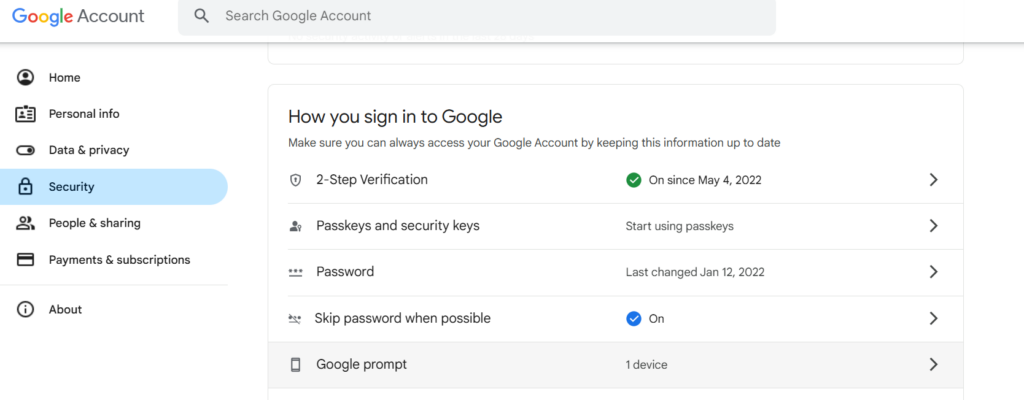
Yes, by having the account attached to a device via Google Prompt. If you turn on this feature, you can have safe devices that show a login confirmation prompt to the account whenever you log into it from a new device.
- After you set up your Gmail account without a phone number, open your inbox;
- Click on your avatar at the top right and then Manage your Google Account;
- Select the Security tab and scroll down to How you sign into Google;
- Click on Google Prompt:
- You'll have to sign into your account again to verify your identity;
- Then, you'll see a list of devices you're connected to and their Google Prompt availability;
- Select the one(s) you want to apply it to and you're done!
- Now you can recover your Gmail account without a phone number.
Drag AI
The inbox your team and your AI work in together
Shared inbox, live chat, and AI in Gmail, with an MCP server your AI tools can drive.
How do you set up Gmail without a phone number using a custom domain?
Google's signup asks for a phone number for two different jobs, and understanding the split is the whole game. Verification is fraud control: Google decides at signup, based on risk signals it never publishes, whether to demand a number. Low-risk attempts, signing up inside the Gmail app on a phone, an ordinary residential connection, a sensible pace, typically show a Skip option on the phone step. High-risk attempts, VPNs and data-center IPs, rapid repeat signups, desktop flows from flagged networks, get a hard requirement with no Skip, and no trick on this page will remove it on that attempt; your move is changing the conditions, not fighting the screen. Recovery is the second job, and that one is genuinely optional forever: a recovery email does the same work, and you can run a Google account indefinitely with no number attached. The old advice on this topic assumed a hard phone wall and taught workarounds; the current reality is a conditional gate that you can often walk through legitimately.
If you would rather avoid it, a reliable way is to use an email account on another host and import it into Gmail's interface. That way, you get a Gmail account without a phone number. Here's how:
- Open Gmail on your browser and click on Add another account;
- Then, click on Create a new account and select between Personal use, Child, or Work or business options;
- On the next page, you'll be prompted to add your first name and last name (optional), then tap Next;
- Now, add your birth date to confirm eligibility;
- Instead of creating a Gmail username, click on Use your existing email:
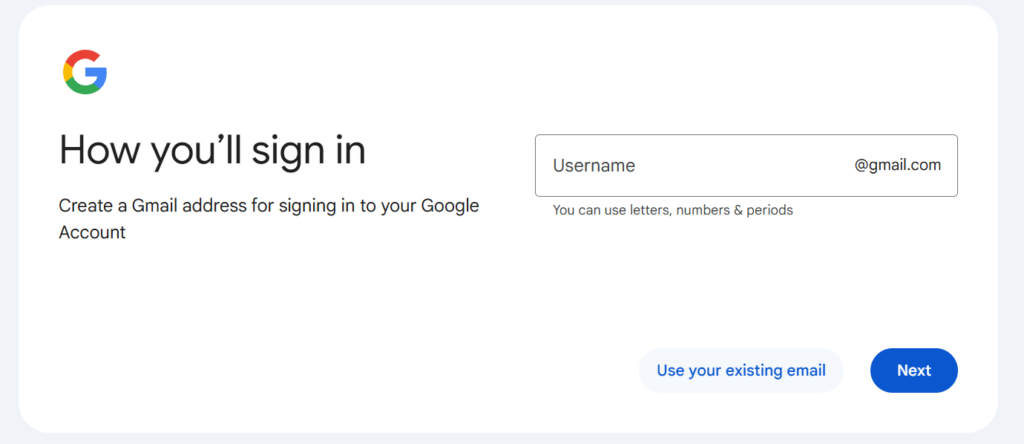
- After adding your email address, you'll need to open your domain's inbox and confirm the account belongs to you (the process varies by platform).
- After it's done, you'll be able to use these credentials to log into a Gmail account without a phone number.
Is it practical to use custom domains on Gmail?
It depends on your workflow and the size of your team. The benefit of using custom domain names and addresses to use Gmail is that you get the full flexibility and function Gmail offers, but with a custom email address. This is useful for:
- Giving a specific identity for your digital brand
- Creating multiple business email accounts, such as IT@companyname or marketing@companyname, which makes it easy to flip between different communication channels
There are, of course, cons.
- Website and domain hosting require additional subscriptions and/or annual renewal fees
- Every team member will have to add these company accounts to their Gmail interface (more endpoints = more risks)
- Revoking access and changing passwords anytime someone leaves your company
Related article: Google Workspace security best practices
Are you doing this for a team?
If the account you need is sales@ or support@, stop fighting the phone screen: create it under Google Workspace (no personal phone verification), and Drag turns it into a shared inbox the whole team answers. $12 a seat, AI included from $18, 7-day trial, no card.
Just need a personal account? The steps above are everything we know; the FAQ covers the recovery-email route.
Why choose a shared inbox over a Gmail account without a phone number?
A Gmail shared mailbox works a bit differently from traditional company emails. Instead of each person having their own account and logging into the team account on their device, the manager creates a shared workspace and invites collaborators. Our solution, DragApp, lets users:
- Create different email-based workflows
- Manage and assign tasks across the team
- Tag and categorize their priorities visually
- Automate repetitive tasks and emails
Here's a look at a Drag inbox:






After Drag's Gmail extension is installed and the board is connected to the company's Gmail account, inviting other users is easy:
- Open your Gmail shared inbox;
- There's a Share board icon on the top right. Click on it: - Go to Invite member and write the email addresses you want to share the board with:
- Click Send. Now, as soon as these users open their emails and click on the invite, they can see and manage the shared board.
Why is a shared inbox the most reliable option?
This method allows users to access Gmail functions without having to create another Gmail account without a phone number. It works great for companies in which team members require access to multiple public-facing accounts. Much like the second method, this makes it easy to flip between different workflows. The biggest difference is accountability. With multiple logins, you won't be able to see who is working on which email task, and there's the risk of miscommunication. With Drag, everyone is a collaborator in a collective workspace. So when a user replies to, deletes, archives, or filters an email, everyone else sees it in real-time. Drag plans start at $12/user/month, which fits most small and medium-sized business budgets.
Creating a Gmail account without a phone number safely and effectively
Creating a Gmail account without a phone number can, theoretically, be done if you have the right tools. However, it's important to note that it comes with certain security and account recovery risks.
Practical considerations also matter. Using a custom domain may involve extra costs and team management, while shared inboxes offer convenience but require careful setup to maintain privacy and security.
Ultimately, creating a Gmail account without a phone number is about balancing convenience, cost, and security. With the right solution, you can enjoy Gmail’s resources, maintain a professional email identity, and stay in control of your digital workspace for better communication skills and strategy.
What you need to know before you create a Gmail account without a phone number
Three things save the most grief. First, Skip appears or it does not, per attempt: if it is missing, abandoning and retrying later from the mobile app on a normal connection beats hammering the same flow. Second, add a recovery email the moment the account exists, an account with no phone AND no recovery email is one forgotten password from gone. Third, if this account is for a team address, sales@ or support@, a phone-less personal Gmail is the wrong tool anyway: a proper shared inbox setup keeps ownership with the business, which is exactly what Drag adds on top of Gmail.
Are you doing this for a team?
If the account you need is sales@ or support@, stop fighting the phone screen: create it under Google Workspace (no personal phone verification), and Drag turns it into a shared inbox the whole team answers. $12 a seat, AI included from $18, 7-day trial, no card.
Just need a personal account? The steps above are everything we know; the FAQ covers the recovery-email route.
Frequently asked questions
Can you create a Gmail account without a phone number?
Not always. Google treats the phone step as risk-based: low-risk signups get a Skip option, higher-risk ones do not. A recovery email can stand in for account recovery, and you can add or remove a phone number any time afterwards under Personal info, then Contact info.
Are you able to recover a Gmail account without a phone number?
Yes, if you’ve taken additional security measures. Set up a recovery email or Google Prompt on authorized devices to make sure you don’t lose your account.
Can I share a Gmail account without a phone number?
You can use a Gmail shared inbox app, like Drag, to create a collaborative workspace for your company’s email and personalize it to your workflow. Then, add your team members through their company email addresses, and you won’t need any additional Gmail usernames, phone numbers or shared credentials.
If you create a Gmail account without a phone number, can you add it later?
Yes! Log into your Gmail page, then click Manage your Google account. Open the Personal info tab, then scroll down to Contact info. You can insert a number, get an SMS code and that's it.
Are there any drawbacks to creating Gmail without a phone number?
Some cons include limited recovery options if you forget your password, extra setup for custom domains, or managing security for shared inboxes. Planning ahead is key to maintaining both convenience and account security.
Can businesses use Gmail without phone numbers for multiple team accounts?
Yes, businesses can use custom domains or shared inboxes to manage multiple Gmail accounts without phone numbers. However, you need to manage access carefully to avoid security risks and ensure accountability. A shared inbox tool does this properly: Drag, our shared inbox for Gmail, costs $12 to $24 a seat, with AI included from $18 and a free 7-day trial.
Why do I not see a Skip option?
Because Google's systems scored that signup attempt as risky, common triggers are VPNs, data-center or shared IPs, several signups in a row, or unusual browser signals. The Skip decision is per attempt: try again later from the Gmail mobile app on your normal connection, at a normal pace, and the option frequently returns.

Co-founder
Co-founder at Drag, writing about Google Workspace, shared inboxes, and how teams actually run email.
