Chrome
 Web
Web iOS
iOS Android






7 Best Hiver Alternatives in 2026 (Cheaper, AI Included)

Hiver runs $25 to $85 a seat, and prices only move one way. The 7 best alternatives for 2026, compared on verified pricing and honest fit.
- Drag is the best overall Hiver alternative for Gmail teams that want lower, flatter pricing: AI is included from $18 against Hiver's $25 AI entry point, there are no seat blocks, and Drag has its own MCP server. Starts at $12.
- Hiver is a strong, mature tool, but pricing climbs steeply: Growth $25, Pro $55, Elite $85 a seat on annual billing, with a 2-seat minimum and seats sold in blocks past five. A 10-person team runs $3,000 to $10,200 a year.
- Front and Missive suit teams wanting heavier multichannel or multi-provider collaboration; Gmelius is a cheaper Gmail-native option.
- Help Scout, Freshdesk, and Zendesk are the help-desk step-ups for teams that need full ticketing rather than a shared inbox.
Table of contents
- What this guide covers
- Hiver alternatives compared at a glance
- Pricing comparison: the seven alternatives against Hiver
- Pricing history: how Hiver's seat price has actually moved
- Drag - best overall Hiver alternative for Gmail teams
- Front - best for multichannel at scale
- Missive - best for multi-provider collaboration
- Gmelius - cheaper Gmail-native option
- Help Scout - best simple help desk
- Freshdesk - best full help desk on a budget
- Zendesk - best enterprise help desk
- When Hiver is still the right choice
- How to choose a Hiver alternative
- Frequently asked questions
- Related guides: going deeper on the Hiver decision
The right Hiver alternative depends on where your team works and what job the inbox is doing, not on which tool has the longest feature list. In short:
- Drag if you want Hiver-style shared inboxes in Gmail at a lower, flatter price with AI included
- Missive if your team spans more than one email provider and wants chat inside the thread
- Front if you need heavier multichannel routing at scale and have the budget for it
- Gmelius if you want a cheaper Gmail-native entry point
- Help Scout, Freshdesk, or Zendesk if you have outgrown a shared inbox and need full ticketing
Hiver itself is a capable, mature tool, and there is a section below on the teams who should stay with it. But most people reading this have already decided to look, and the usual reason is the bill: plans climb from $25 to $55 to $85 a seat, every plan carries a 2-seat minimum with seats sold in blocks past five, and a ten-person team runs $3,000 to $10,200 a year depending on tier. The rest of this page takes each alternative in turn: what it is genuinely good at, who it suits, where it falls short, and what it costs.
A quick note on pricing: all figures are per seat per month on annual billing unless stated, and were re-verified against each vendor's own pricing page in August 2026. Confirm current pricing before you buy, since this category moves.

Founder’s Take
A personal note from Nick, co-founder of Drag
Hiver have been around for some time. They are well established, with a large, credible team headquartered in India. They move fast, and they consistently deliver comprehensive features to serve the needs of their customers. That comes with a price.
Talking honestly, most of our switch customers come from Hiver, and it is not down to the product. It is down to price. It only ever goes one way, and faster than at most other companies.
I genuinely think they do so much well. They are just very aggressive on their pricing strategy.
What this guide covers
- Hiver alternatives compared at a glance
- Pricing comparison: the seven against Hiver
- Pricing history: how Hiver's price has moved
- Drag - best overall for Gmail teams
- Front - best for multichannel at scale
- Missive - best for multi-provider collaboration
- Gmelius - cheaper Gmail-native option
- Help Scout - best simple help desk
- Freshdesk - best full help desk on a budget
- Zendesk - best enterprise help desk
- When Hiver is still the right choice
- How to choose
- FAQ
Hiver alternatives compared at a glance
All prices are per seat per month, annual billing, August 2026. AI column notes whether AI is included in the plan or charged as an add-on, the recurring theme across this category.
| Tool | Starting price | AI | Gmail-native | MCP server | Best for |
|---|---|---|---|---|---|
 Drag Drag | $12 (AI from $18) | Included in the seat | Yes, plus standalone apps | Yes | Gmail teams wanting shared inbox with included AI |
 Front Front | $25 | Add-on (extra per seat) | No, standalone | Beta | Larger teams needing multichannel routing |
 Missive Missive | $14 | Limited / credits | No, standalone | No | Teams wanting in-thread chat, multi-provider |
 Gmelius Gmelius | $19 | Basic, higher tiers | Yes, extension only | No | Small Gmail teams wanting automation |
 Help Scout Help Scout | $25 | Usage-based add-on | No, standalone | No | SMB teams wanting a simple help desk |
 Freshdesk Freshdesk | $19 (6-mo Free Program, 2 agents) | Add-on (Freddy) | No, standalone | Beta | Teams needing full ticketing on a budget |
 Zendesk Zendesk | $55 (+$50 Copilot) | Add-on, per resolution | No, standalone | Beta | Enterprise support teams |
 Hiver Hiver | $25 to $85 | Included from Growth | Yes (Gmail + Outlook) | No | Mature multichannel help desk in the inbox |
The pattern worth noticing: across this whole list, only Drag pairs AI included in the seat with a generally available MCP server (Beta marks official servers not yet generally available; statuses verified against vendor documentation, August 2026), and it is the lowest starting price of the Gmail-native options.
Pricing comparison: the seven alternatives against Hiver
The chart says it plainly: Hiver's paid plans run from $25 to $85 a seat, and the Gmail-native tools that do the same job start at half that. To model your own team size rather than reading ranges, the shared inbox cost calculator covers every tool here including the metered ones.
AI Platform
The inbox your team and your AI work in together
Shared inbox, live chat, and AI in Gmail, with an MCP server your AI tools can drive.
Pricing history: how Hiver's seat price has actually moved
Entry prices in this category drift upward, and the history matters because it prices the future: the tool you migrate to will keep moving, and five years of direction is the best forecast available. The full dataset with every archive capture exposed is on our support tool pricing history page.
Drag - best overall Hiver alternative for Gmail teams
Best for: Gmail teams that want Hiver-style shared inboxes for a fraction of the price, with AI included and room to scale beyond the extension.
Drag does the core job Hiver does, turns Gmail into a shared inbox with boards, assignments, and AI, but at a much lower, flatter price. AI is included in the seat from the $18 Plus plan (six assistants: draft, tag, sentiment, compose, summarize, co-pilot), where Hiver's AI arrives inside its plans from the $25 Growth tier, with several of its AI features still marked coming soon on its pricing page as of August 2026. The price gap is real: Drag is $12 to $24 a seat across all plans, while Hiver runs $25 (Growth) to $55 (Pro) to $85 (Elite). And with no seat minimums or seat blocks, a seven-person team pays for seven seats. Our co-founder's honest take on Hiver opens that comparison.
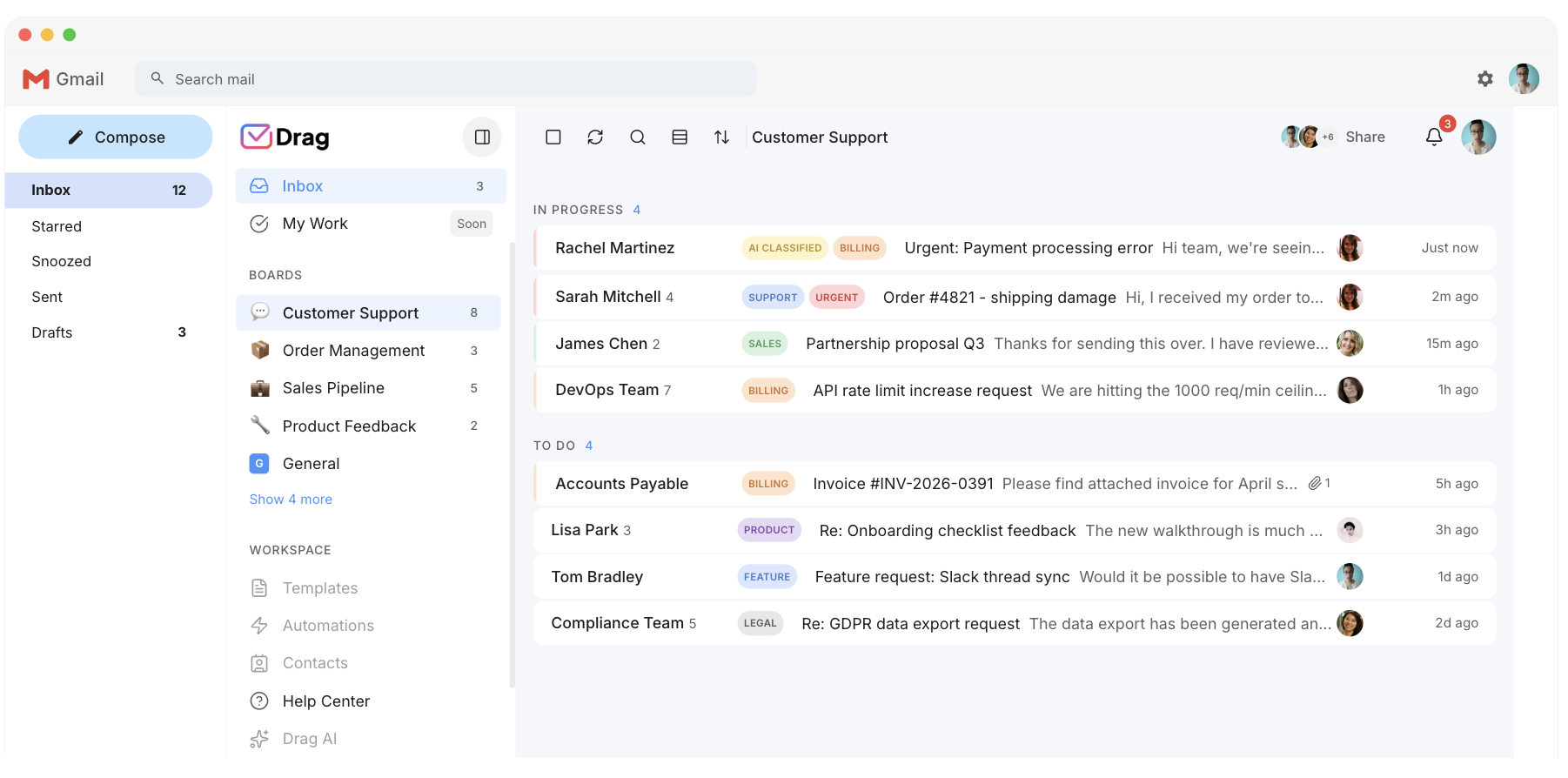
But price is only half the story. Two things make Drag genuinely different from Hiver, not just cheaper:
- It is not extension-bound. Hiver, like most Gmail shared inboxes, lives entirely as a Chrome extension, which competes with every other tab and can slow down as teams grow. Drag runs as a Chrome extension or as a full standalone web, desktop, and mobile app, same data, same boards. You start where you are and scale into a real app without changing tools.
- It has its own MCP server. Drag publishes a 47-tool MCP server (read and write), so you can run your inbox directly from Claude Desktop, ChatGPT, Cursor, Windsurf, Claude Code, and other MCP-compatible clients -- triage, reply, assign, and report by prompt. No Gmail-native shared inbox competitor, Hiver included, offers this. If you are building an AI-driven support workflow, it is a category of its own. (See our guide to MCP for customer support.)
Drag also includes a customer-facing help center and live-chat widget, places no conversation limits on any plan, and is a Google Cloud Partner with CASA Tier 2 verification and GDPR compliance. Two more differences Hiver users notice: Drag does not clutter your Gmail with shared labels the way label-based tools do, and it uses permission-based access rather than copying emails between mailboxes, so when someone leaves the team their access is revoked instantly and cleanly.
- Pricing: Starter $12, Plus $18 (AI included), Pro $24. 7-day trial.
- Rating: 4.7 from over 1,200 reviews.
- Why it beats Hiver: lower flat pricing, AI included from $18 against Hiver's $25 entry, no seat blocks, standalone apps as well as the extension, and its own MCP server.
- Watch-outs: Gmail and Google Workspace focused; Hiver also supports Outlook, so an Outlook-heavy team should weigh that.
See the full Drag vs Hiver comparison for a side-by-side breakdown.
Front - best for multichannel at scale
Best for: larger or well-funded teams that need email, SMS, chat, and social in one workspace with mature routing.
Front is a polished, collaboration-focused shared inbox that goes well beyond Gmail. Like Hiver it handles multichannel, but it is built as a standalone app with strong routing, analytics, and CRM context. It is capable and enterprise-grade, and priced accordingly, generally more expensive than Hiver.
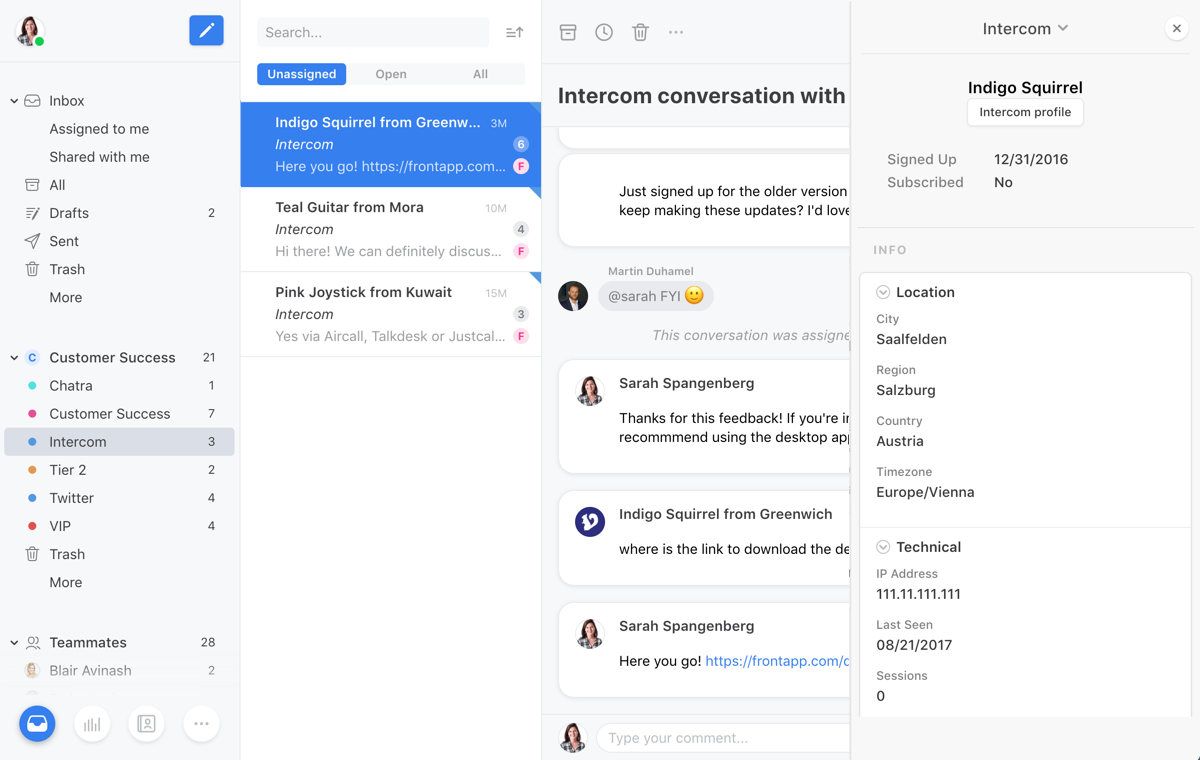
- Pricing: Starter $25, Professional $65, Enterprise $105. Starter caps at 10 seats and a single channel, and Professional caps at 50. AI is a paid add-on on lower tiers.
- G2 rating: 4.6 (around 2,419 reviews).
- Watch-outs: Expensive for small teams, and AI add-ons increase the bill. Some reviewers report two-way Outlook sync issues. Not Gmail-native.
Missive - best for multi-provider collaboration
Best for: teams that want real-time collaboration and support more than one email provider.
Missive is a collaborative email client built around in-thread team chat alongside shared inboxes, drafts, and tasks. Where Hiver is Gmail and Outlook, Missive natively supports Gmail, Outlook, iCloud, and custom SMTP, useful for mixed-provider teams.
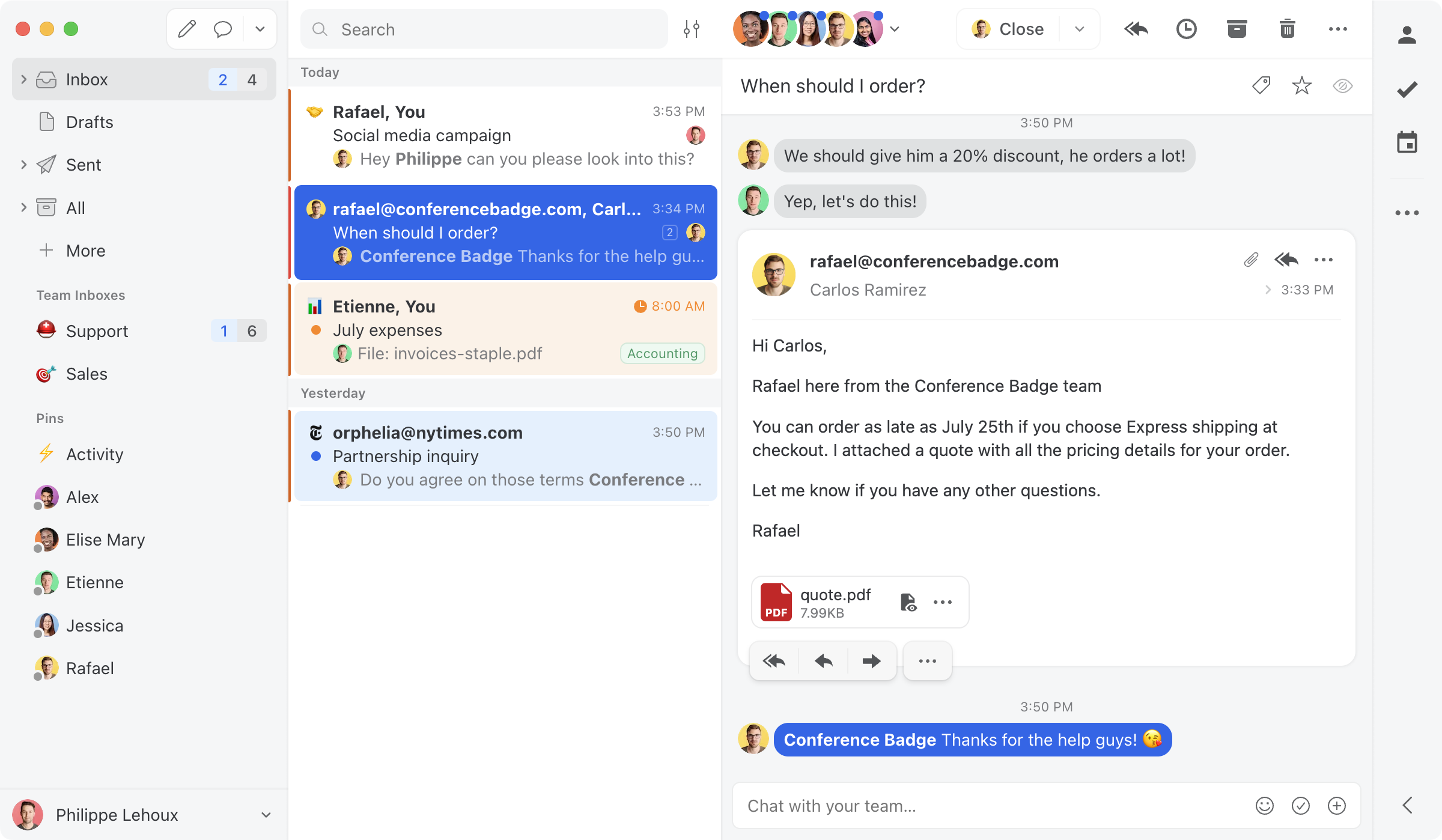
- Pricing: Starter $14, Productive $24, Business $36 (no free plan).
- G2 rating: strong (around 4.6); widely recommended as a value pick for collaboration.
- Watch-outs: Collaboration-first rather than help-desk-first; lighter on ticketing, SLAs, and automation than Hiver. AI is more limited than Drag's six included assistants.
Gmelius - cheaper Gmail-native option
Best for: small Gmail teams that want shared-inbox basics and built-in automation at a lower entry price than Hiver.
Gmelius is another Gmail-native shared inbox, with shared labels, automation sequences, and a meeting scheduler. It is a direct Hiver competitor at the smaller-team end, though it is a Chrome extension only (no standalone app) and reviewers note it can slow down at higher volume.
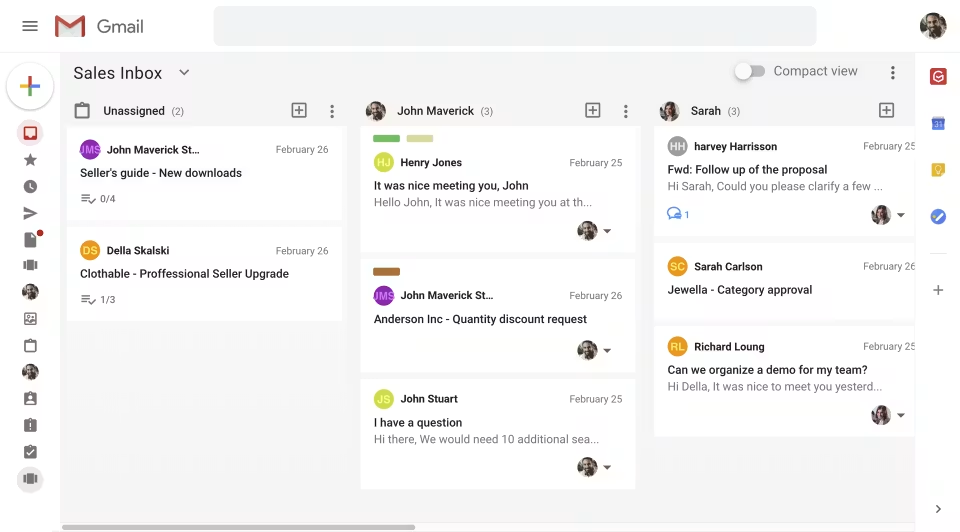
- Pricing: Meli $19 (capped at 5 users, no automation rules), Growth $25, Pro $40. No free plan; 7-day trial.
- G2 rating: 4.4 (around 776 reviews).
- Watch-outs: Extension only, conversation caps by plan, no MCP server. See our Hiver vs Gmelius comparison if you are weighing those two specifically.
Help Scout - best simple help desk
Best for: SMB support teams that want a clean, easy help desk rather than an inbox add-on.
Help Scout is a well-liked, SMB-friendly help desk with a shared inbox, knowledge base, and live chat. If your reason for leaving Hiver is that you want a dedicated help desk with a gentle learning curve, Help Scout is a common pick; our Help Scout alternatives guide compares that whole lane, including its per-resolution AI billing.
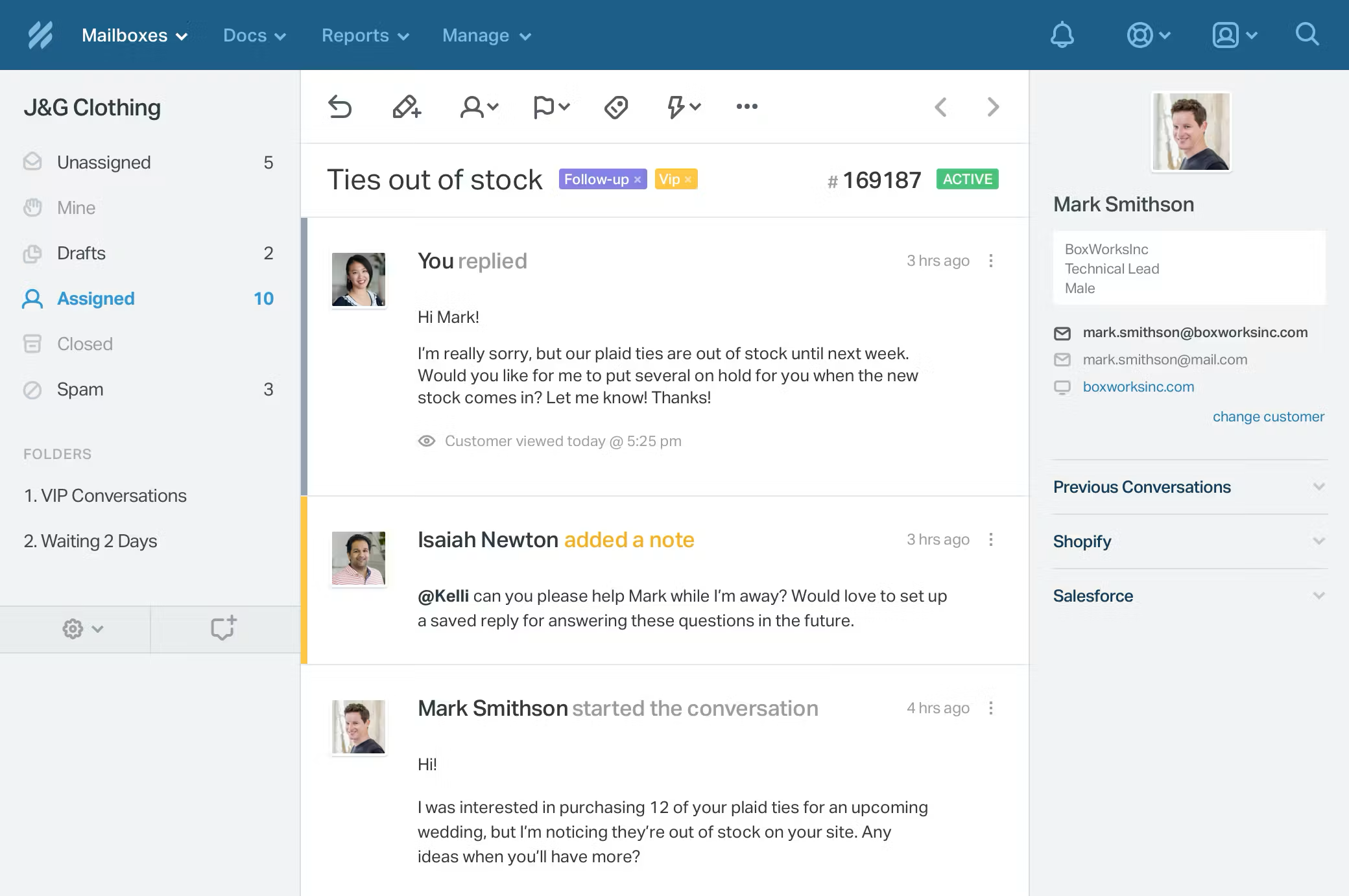
- Pricing: Free plan (limited, ~5 users, 1 inbox); paid tiers $25, $45, and $75 a seat, with customer-facing AI metered at $0.75 per resolution.
- G2 rating: 4.4 (around 424 reviews).
- Watch-outs: A standalone help desk rather than a Gmail-native inbox, so it is a bigger change in how your team works day to day. The direct comparison is Drag vs Help Scout.
Freshdesk - best full help desk on a budget
Best for: support teams that need structured ticketing, SLAs, and omnichannel without enterprise pricing.
Freshdesk is a full help desk, ticketing, automation, SLA management, knowledge base, live chat, and omnichannel, at more accessible pricing than the enterprise incumbents. A natural step up if you have outgrown a shared inbox. Note its AI (Freddy) is a paid add-on, where Drag includes AI in the seat.
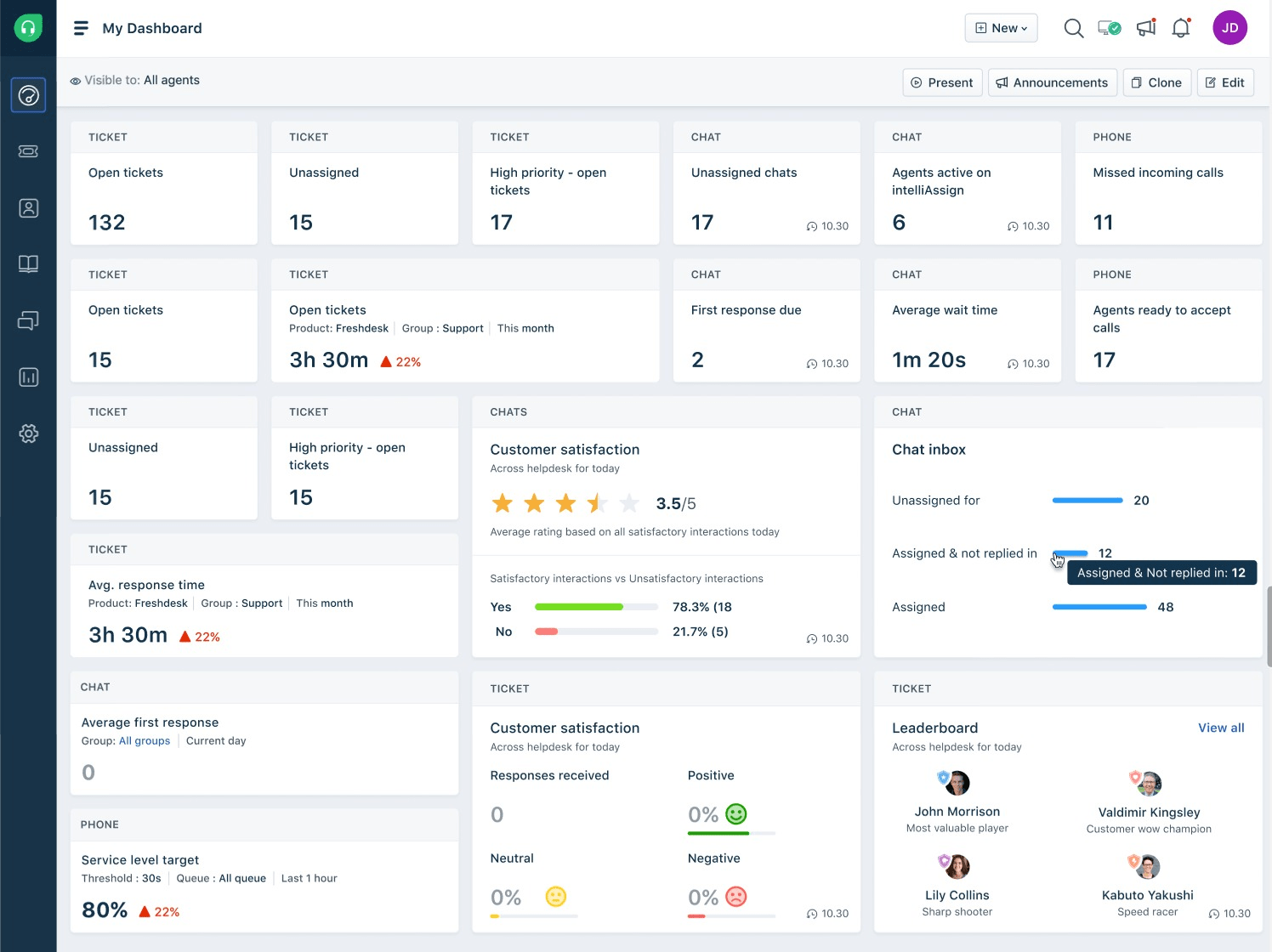
- Pricing: Free Program (now 1-2 agents for 6 months, not the old open 10-agent tier), Growth $19, Pro $55, Enterprise $89.
- G2 rating: 4.4 (around 3,750 reviews); strong time-to-value.
- Watch-outs: It is a help desk, not a Gmail-native inbox; reviewers note customization, reporting, and AI are limited or extra-cost on lower tiers. The Freshdesk alternatives field covers that whole lane.
Zendesk - best enterprise help desk
Best for: larger support organizations that need a deep, extensible enterprise help desk.
Zendesk is the enterprise standard for support, deep ticketing, automation, reporting, and a huge app marketplace. If you are scaling well beyond what a shared inbox handles, it is the heavyweight option. Note that, like the other help desks here, its AI is an expensive add-on (around $50 a seat) on top of already-high per-seat pricing.
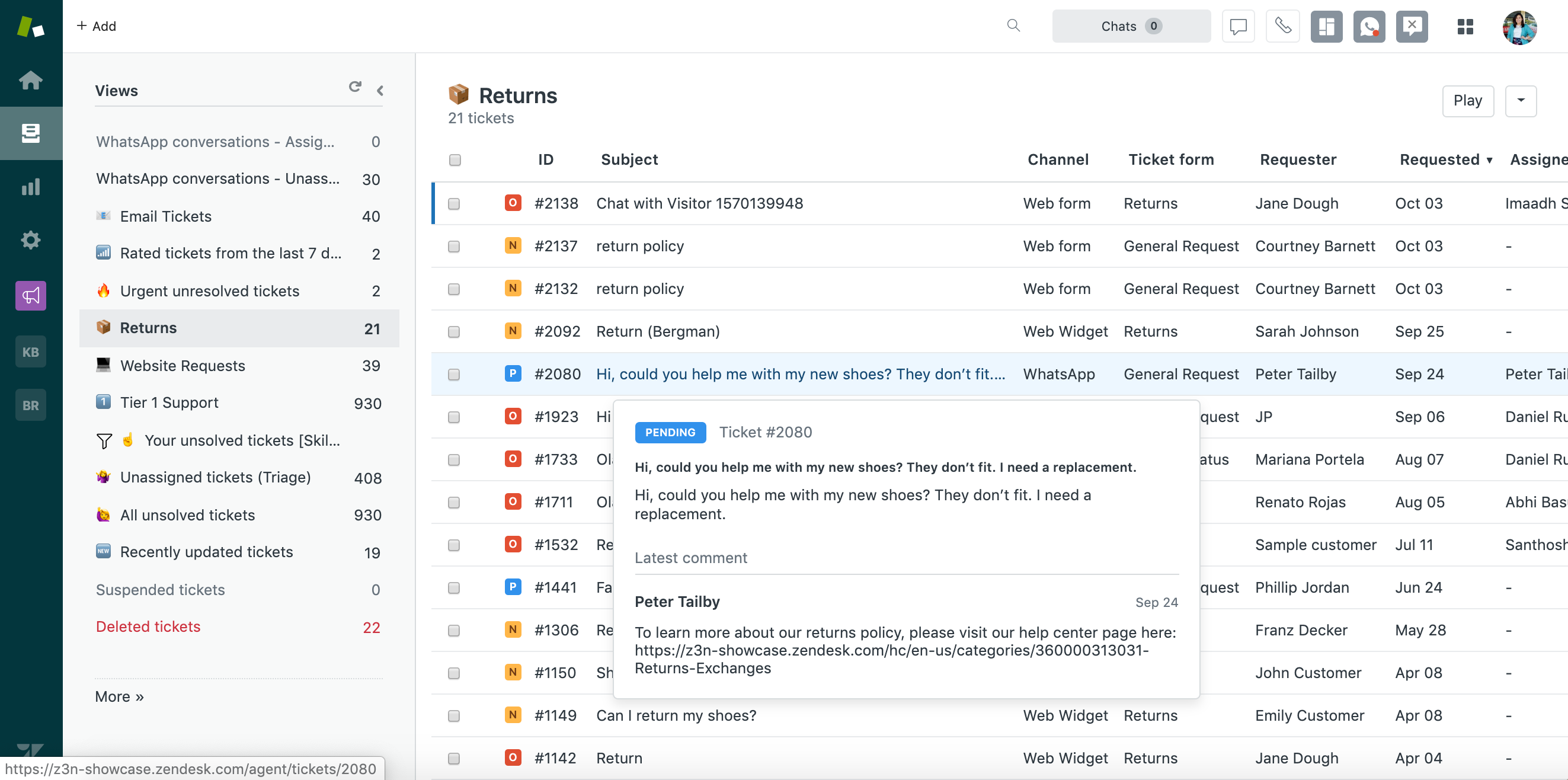
- Pricing: Support Team $19 (email only), Suite Team $55, Suite Professional $115 a seat (annual); Enterprise quote-only. Copilot is a $50-a-seat add-on, with uncapped per-resolution AI billing.
- G2 rating: large, mature review base (thousands of reviews).
- Watch-outs: Expensive and complex for small teams, and AI costs stack on top, often far more than a team leaving Hiver actually needs. Best when you genuinely need enterprise depth.
When Hiver is still the right choice
To be fair to Hiver: it is a mature, well-reviewed tool, and it is still the right pick if you need deep multichannel (email, chat, voice, SMS, WhatsApp) as a first-class feature, or you are on Outlook and want native support alongside Gmail, and budget is not your main constraint. But for most teams the deciding factor is cost, and that is exactly why so many Gmail teams move to a flatter-priced, AI-included alternative like Drag.
How to choose a Hiver alternative
A simple way to narrow it down:
- Stay in Gmail, lower and flatter pricing, AI included: Drag (best overall) or Gmelius (cheaper entry, extension only).
- Multichannel or multi-provider collaboration: Front (enterprise, priciest) or Missive (best value, multi-provider).
- Move to a dedicated help desk: Help Scout (simplest), Freshdesk (full help desk, budget), or Zendesk (enterprise).
- Stay on Hiver: if you need its maturity, deep multichannel, or Outlook-first support and budget is not the constraint.
For most Gmail teams leaving Hiver over price and seat blocks, Drag is the closest like-for-like upgrade with AI and MCP included and no seat minimums. It is worth noting a pattern across this whole list: Front, Freshdesk, and Zendesk all charge for AI as a separate add-on (from $20 to $50 a seat), Hiver includes AI only from its $25 Growth tier up, and Drag includes it in an $18 seat. If included AI and the ability to run your inbox from an AI client matter to you, that is where Drag stands apart. As always, a short trial with your real workflow beats any comparison table. To model exact costs at your team size and AI volume, use the shared inbox cost calculator.
Frequently asked questions
What is the best Hiver alternative?
For Gmail teams, Drag is the best overall Hiver alternative: it offers the same shared-inbox power with flatter pricing ($12 to $24 a seat), AI included from $18 against Hiver's $25 entry, no seat blocks, and its own MCP server. The best choice depends on your needs, Front or Missive for heavier multichannel and multi-provider collaboration, Gmelius for a cheaper Gmail-native option, and Help Scout, Freshdesk, or Zendesk if you need a full help desk.
Why do teams look for a Hiver alternative?
Almost always price. Hiver is a capable tool, but its plans climb from $25 (Growth) to $55 (Pro) to $85 (Elite) a seat on annual billing, every plan starts at 2 seats with seats sold in blocks past five, and a 10-person team runs roughly $3,000 to $10,200 a year. Teams want the same shared-inbox power for less, from a lower floor.
What is the cheapest Hiver alternative?
Drag (from $12 a seat, with AI included from $18) and Gmelius (from $19) are among the lowest-priced Gmail-native options. Freshdesk has no ongoing free plan, but its 6-month Free Program covers up to 2 agents before paid. At the plans most teams use, Drag is typically the most cost-effective full-featured option, with no seat blocks and no separate AI bill.
Is Drag a good alternative to Hiver?
Yes, for Gmail teams. Drag matches Hiver's core shared-inbox capability (boards, assignments, automation, AI) at a much lower, flatter price, includes AI from an $18 seat where Hiver's AI starts at its $25 Growth tier, avoids seat blocks, and adds an MCP server so you can run your inbox from Claude or ChatGPT. Hiver retains advantages in multichannel depth and Outlook support.
Does Hiver have a free plan?
Yes, Hiver offers a free plan with limits, then paid tiers: Growth $25, Pro $55, Elite $85 a seat (annual), with a 2-seat minimum on every plan. Its AI ships inside the paid plans from Growth up rather than as a separate add-on. Several alternatives, including Drag and Freshdesk, also offer low-cost entry points.
What is the best Hiver alternative for Gmail specifically?
Drag and Gmelius are the most Gmail-native alternatives. Drag is the more complete (AI included, MCP server, no seat blocks, standalone apps as well as the extension); Gmelius is cheaper at entry but is a Chrome extension only with conversation caps. Front and Missive work with Gmail but are not Gmail-native in the same way.
Does Hiver have an MCP server?
No. As of 2026 Hiver does not publish an MCP server, so you cannot drive your Hiver inbox from an AI client like Claude or ChatGPT. Among Gmail-native shared inboxes, Drag is the only one with its own MCP server.
Related guides: going deeper on the Hiver decision
Hiver's own numbers are broken down tier by tier in our Hiver pricing guide, the head-to-head against Drag lives at Hiver vs Drag, and if you are weighing the two Gmail-native rivals against each other, Hiver vs Gmelius covers that pair. When you are ready to test a switch, migrating from Hiver to Drag is the walkthrough, and the shared inbox cost calculator models your exact team size before you commit.
Co-founder
Building Drag for nearly ten years: shared inboxes, boards, and now the AI and agent layer, all on Gmail, plus HeyHelp for the personal inbox. Writes the honest versions of the comparisons.