Freshdesk's $19 headline hides Freddy add-ons and expiring session packs. The 9 best alternatives for 2026, free and paid, with every AI cost verified.
Key takeaways
- Freshdesk's $19 starting price is for email ticketing only; real multichannel means Freshdesk Omni at $29 to $119 a seat, and AI is extra on top of both.
- Freddy AI stacks two ways: Copilot at $29 a seat (Pro and Enterprise only) and customer-facing AI Agent sessions at about $0.49 each, which expire every month with no rollover.
- For Gmail teams, Drag is the best-value alternative: $12 to $24 a seat with AI included, no add-on, no session fees, working on Gmail, plus its own MCP server.
- If you genuinely need a full help desk, Zendesk (enterprise) or Zoho Desk (budget) are the closest; for a simpler shared inbox, Drag, Missive, or Help Scout. Genuinely free routes exist too: Zoho Desk's 3-agent tier, HubSpot's free desk, and ad-supported Spiceworks.
Table of contents
- What this guide covers
- Freshdesk alternatives compared at a glance
- Pricing comparison: the field against Freshdesk
- Pricing history: how these prices have moved since 2021
- Drag - best for email-driven Gmail teams
- Missive - best for multi-provider collaboration
- Hiver - best for multichannel close to the inbox
- Help Scout - best for simple, polished email support
- Zendesk - best for enterprise omnichannel ticketing
- Zoho Desk - best budget full help desk
- Front - best for deep multichannel and routing
- The genuinely free Freshdesk alternatives
- When Freshdesk (or a full help desk) is still the right choice
- How to choose a Freshdesk alternative
- Frequently asked questions
- Related guides: going deeper on the Freshdesk decision
The best Freshdesk alternative for email-driven Gmail teams is Drag, with AI included in the seat and no add-ons or session packs; the right pick otherwise depends on what sent you looking: the stacked AI fees, the platform weight, or the bill itself. In short:
- Drag if your support is really email in Gmail and you want AI included, with no add-ons or session packs
- Missive if your team spans more than one email provider and wants collaboration over ticketing
- Hiver if you want light help-desk features without leaving Gmail or Outlook
- Help Scout if you want a simpler, polished standalone email help desk
- Zendesk or Zoho Desk if you genuinely need a full help desk, at enterprise or budget scale
- Front if deep multichannel routing is the actual job
- Zoho Desk free, HubSpot's free desk, or Spiceworks if the budget is genuinely zero
Freshdesk itself is a good, affordable help desk, and there is a section below on the teams who should stay. But the usual trigger is the bill behind the headline: $19 a seat buys email ticketing only, real multichannel means Freshdesk Omni at $29 to $119, and the AI stacks on top, Freddy Copilot at $29 a seat (Pro and Enterprise only) plus customer-facing AI sessions at about $0.49 each that expire every month with no rollover. Each section below takes one alternative honestly, by real cost and fit.
A note on pricing: per seat per month on annual billing unless stated, re-verified against each vendor's own pricing page in August 2026. Confirm current pricing before you buy.
What this guide covers
- Freshdesk alternatives compared at a glance
- Pricing comparison: the field against Freshdesk
- Pricing history: how these prices have moved
- Drag - best for email-driven Gmail teams
- Missive - best for multi-provider collaboration
- Hiver - best for multichannel close to the inbox
- Help Scout - best for simple, polished email support
- Zendesk - best for enterprise omnichannel ticketing
- Zoho Desk - best budget full help desk
- Front - best for deep multichannel and routing
- The genuinely free Freshdesk alternatives
- When Freshdesk is still the right choice
- How to choose a Freshdesk alternative
- FAQ
Freshdesk alternatives compared at a glance
All prices per seat per month, annual billing, August 2026.
| Tool | Type | Starting price | AI model | Best for |
|---|---|---|---|---|
 Drag Drag | Gmail shared inbox | $12 (AI from $18) | Included, no add-on or session fees | Email-driven Gmail teams |
 Missive Missive | Shared inbox (multi-provider) | $14 | Limited / credits | Collaboration across providers |
 Hiver Hiver | Shared inbox (Gmail/Outlook) | $25 | Included from Growth | Multichannel close to the inbox |
 Help Scout Help Scout | Email-first help desk | $25 | $0.75/resolution | Simple polished email support |
 Zendesk Zendesk | Enterprise help desk | $19 (email only) to $115 | $50/seat + per-resolution | Enterprise omnichannel ticketing |
 Zoho Desk Zoho Desk | Full help desk | $7 (Express) | Zia AI (tiered) | Budget full help desk |
 Front Front | Shared inbox (multichannel) | $25 (caps at 10 seats) | Add-ons stack | Deep multichannel + routing |
 HubSpot Service Hub HubSpot Service Hub | Free desk, paid ladder | $0 (2 users), then $20 | Credits by tier | Free start, CRM gravity |
 Spiceworks Spiceworks | Ad-supported help desk | $0, unlimited agents | None | Zero budget, IT-shaped |
 Freshdesk Freshdesk | Full help desk | $19 (email only; Omni $29+) | Copilot $29 + AI sessions ~$0.49 | Affordable full ticketing |
Only Drag includes AI in the seat with no add-on and no session fees, runs on Gmail, and offers its own MCP server.
Pricing comparison: the field against Freshdesk
The chart is the argument in one picture: Freshdesk looks cheap at $19 until the AI line items land on top, while the Gmail-native lane starts at $12 with AI already in the seat, and two real $0 routes exist for genuinely tiny budgets. To model your own team size and session volume, the shared inbox cost calculator covers every tool here including the metered ones.
Drag · with Varley
The inbox your team and Varley work in together
Shared inbox and live chat for Gmail teams, with Varley, Drag’s AI, included from $18. Plus an MCP server your own AI tools can drive.
Pricing history: how these prices have moved since 2021
Freshdesk's own line held $15 flat from 2021 to 2025 before rising to $19 in 2026, and the quieter story is where the increase actually hid: the free tier shrank from unlimited agents to ten to today's two-agents-for-six-months program, while the AI arrived as add-ons and expiring session packs. The headline moved once; what you get for it has moved every year. The full dataset with every archive capture exposed is on our support tool pricing history page.
Drag - best for email-driven Gmail teams
Best for: Gmail teams whose support is really email, paying for full-help-desk complexity and stacked AI fees they do not need.
Where Freshdesk charges $19 for email-only ticketing, more for Omni multichannel, and then stacks Freddy Copilot ($29 a seat) and customer-facing AI sessions (~$0.49 each, expiring monthly) on top, Drag turns Gmail into a shared, assignable inbox with boards and includes AI in the seat from the $18 Plus plan, with no add-on and no session fees. Support lives in Gmail, so there is no separate platform to configure or learn, and its AI works on your real inbox. Flat $12 to $24 a seat.






- Pricing: Starter $12, Plus $18 (AI included), Pro $24. No seat minimum. No AI add-on or session fees.
- Rating: 4.7 from over 1,200 reviews.
- Why teams pick it over Freshdesk: AI included (no Copilot add-on, no session packs); no ticketing overhead; Gmail-native; its own MCP server.
- Watch-outs: A Gmail shared inbox, not a full help desk. If you need deep ticketing, SLAs, or omnichannel at scale, see Zendesk or Zoho Desk.
See the full Drag vs Freshdesk comparison.
Missive - best for multi-provider collaboration
Best for: teams that want real collaboration on email across more than one provider.
Missive is a collaborative inbox with in-thread chat, shared drafts, and multi-assignee workflows across Gmail, Outlook, iCloud, and IMAP. A good fit for teams that find Freshdesk's ticketing heavier than they need.
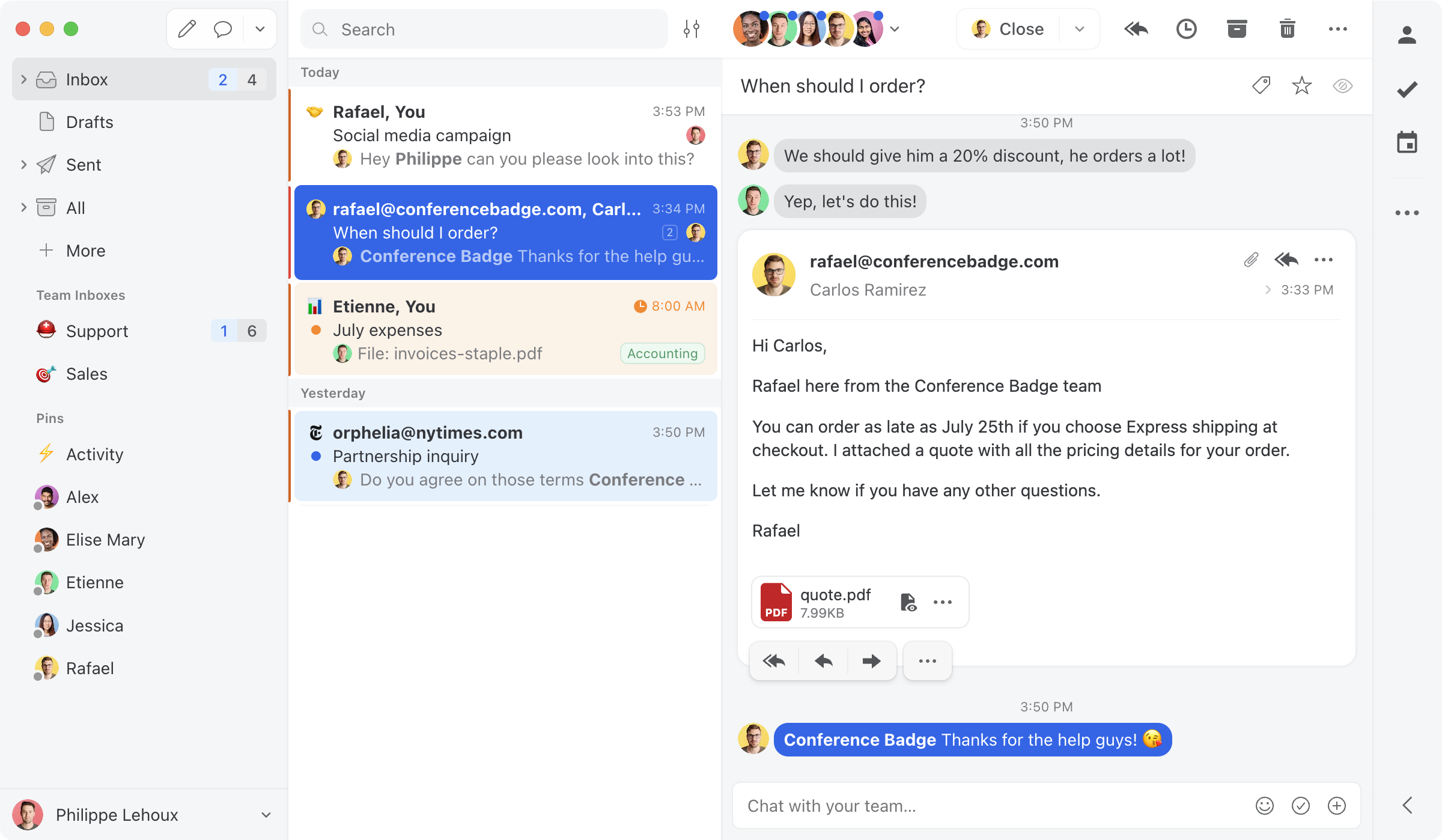
- Pricing: Starter $14, Productive $24, Business $36.
- Watch-outs: Collaboration-first; lighter on formal ticketing, SLAs, and reporting than a help desk.
Hiver - best for multichannel close to the inbox
Best for: Gmail or Outlook teams wanting light help-desk features and multichannel without a separate platform.
Hiver layers shared inboxes, assignment, CSAT, and multichannel onto Gmail and Outlook. AI is now bundled from the Growth tier up, and pricing climbs at higher tiers.
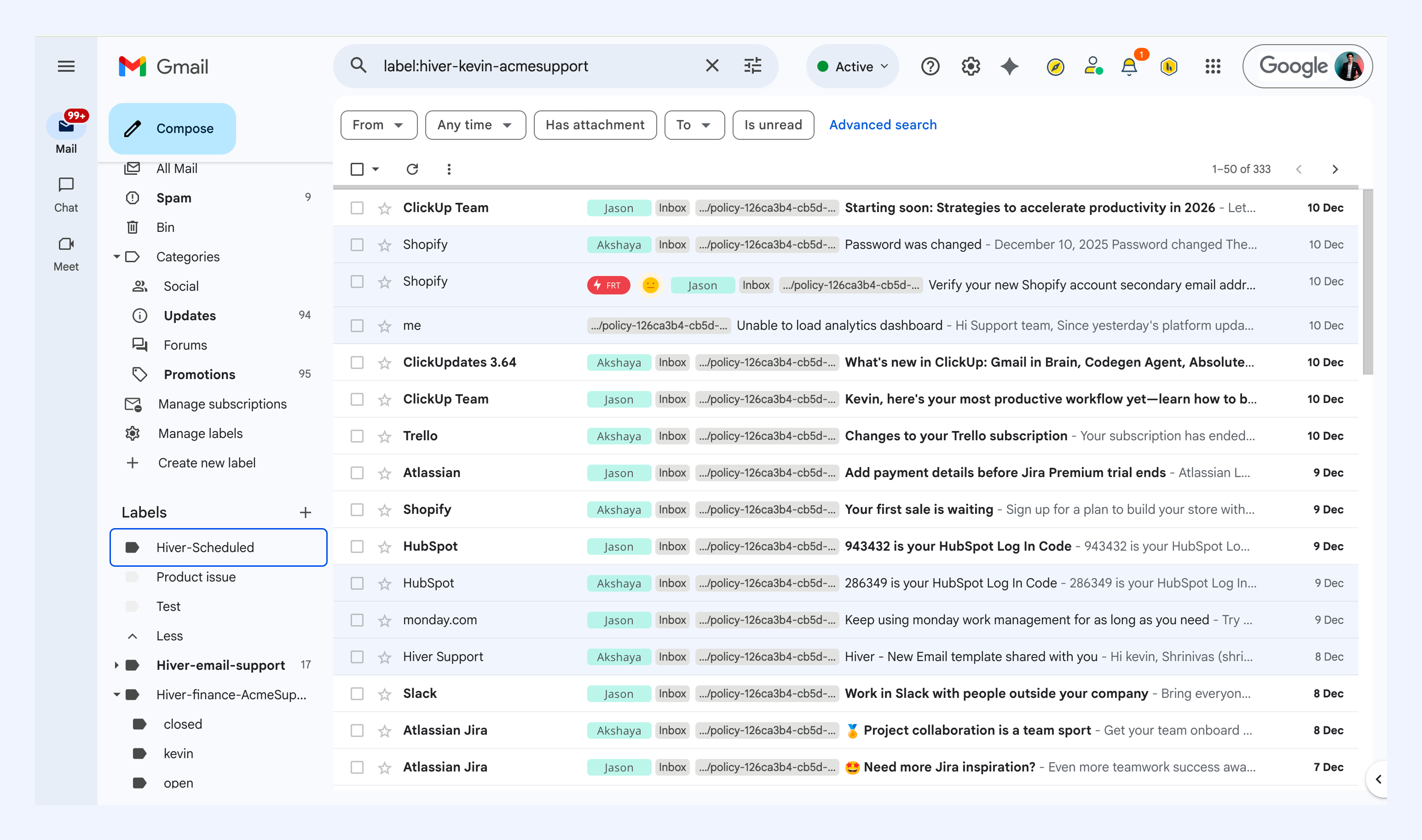
- Pricing: Growth $25, Pro $55, Elite $85, with AI included from Growth up and a 2-seat minimum.
- Watch-outs: costs climb; no MCP server. See our Drag vs Hiver comparison.
Help Scout - best for simple, polished email support
Best for: small-to-mid teams wanting a clean, standalone email-first help desk.
Help Scout is a well-designed email-first help desk with an excellent knowledge base, simpler than Freshdesk. Its AI Answers is billed per resolution ($0.75), so like Freshdesk's sessions it is usage-based, but the interface is cleaner and the learning curve gentler.
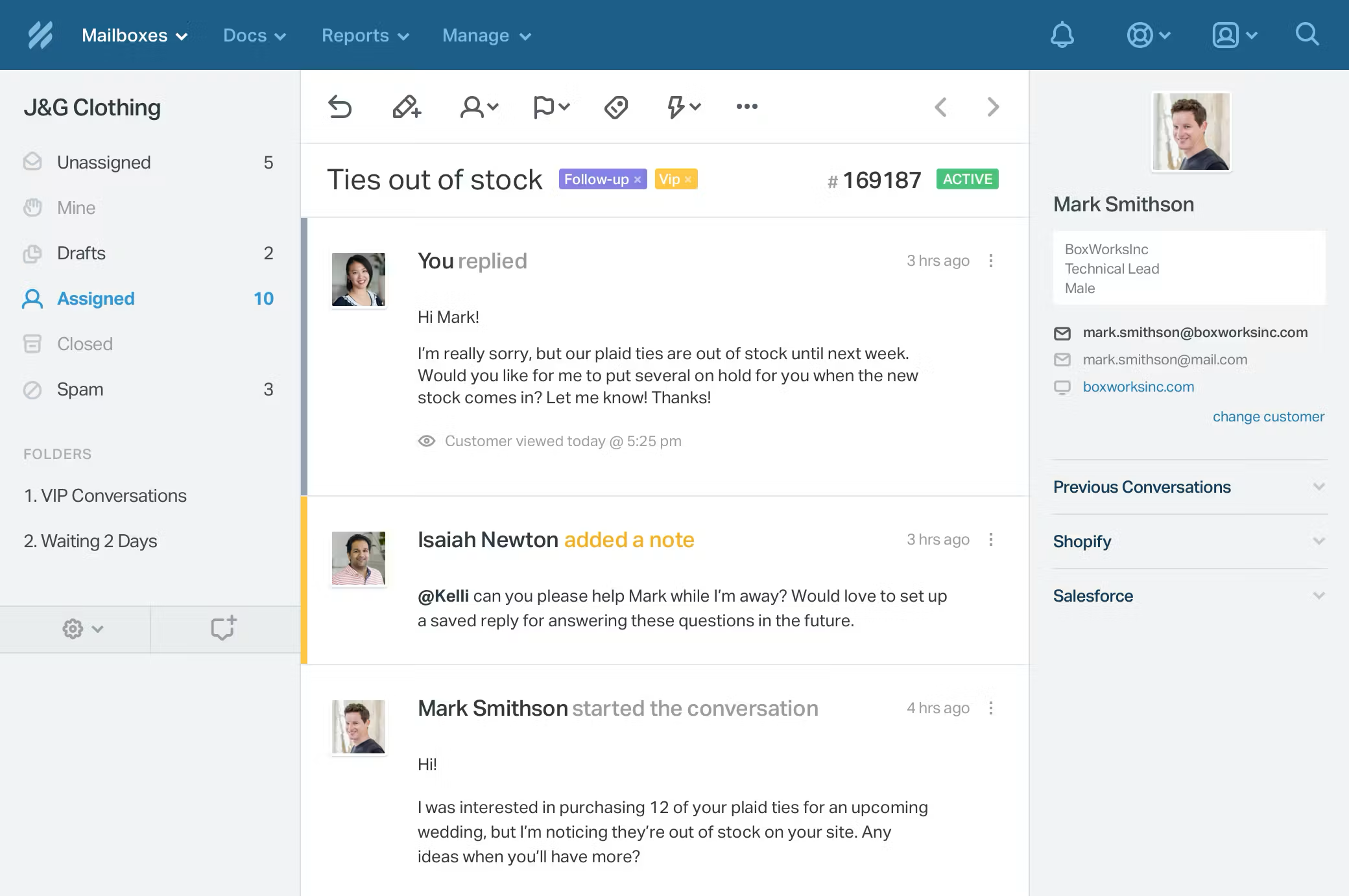
- Pricing: Free (5 users); Standard $25, Plus $45, Pro $75. AI Answers $0.75/resolution.
- Watch-outs: AI per-resolution; standalone platform, not Gmail-native. See our Drag vs Help Scout comparison.
Zendesk - best for enterprise omnichannel ticketing
Best for: large teams that need deep omnichannel ticketing, SLAs, and routing at scale.
Zendesk is the heavyweight enterprise help desk, more powerful than Freshdesk but more expensive: $19 buys email-only Support Team, the real Suite runs $55 to $115 a seat, and AI adds a $50-a-seat Copilot plus metered resolutions at a rate Zendesk does not publish. A fit when you have genuinely outgrown Freshdesk and need enterprise depth.
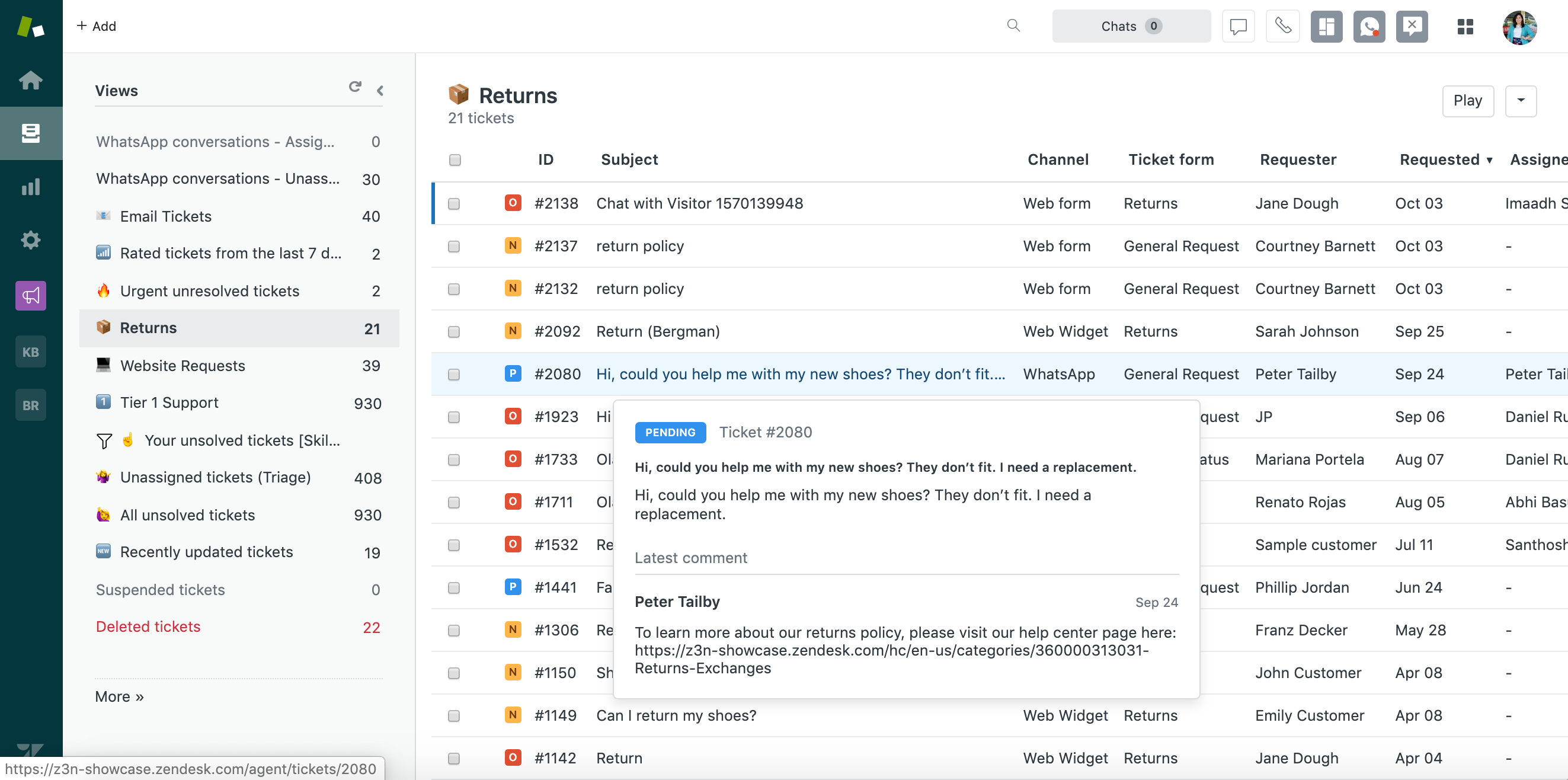
- Pricing: Support Team $19 (email only), Suite Team $55, Suite Professional $115 (annual); Enterprise quote-only. Copilot $50/seat; AI resolutions metered.
- Watch-outs: Enterprise pricing and complexity; AI doubly charged. See our Drag vs Zendesk comparison.
Zoho Desk - best budget full help desk
Best for: budget-conscious teams that need full help-desk features, especially in the Zoho stack.
Zoho Desk is the closest like-for-like to Freshdesk at a lower price, a full multichannel help desk (tickets, email, chat, phone, social) with tight Zoho CRM integration. Most teams land on Professional or Enterprise rather than the limited entry tier.
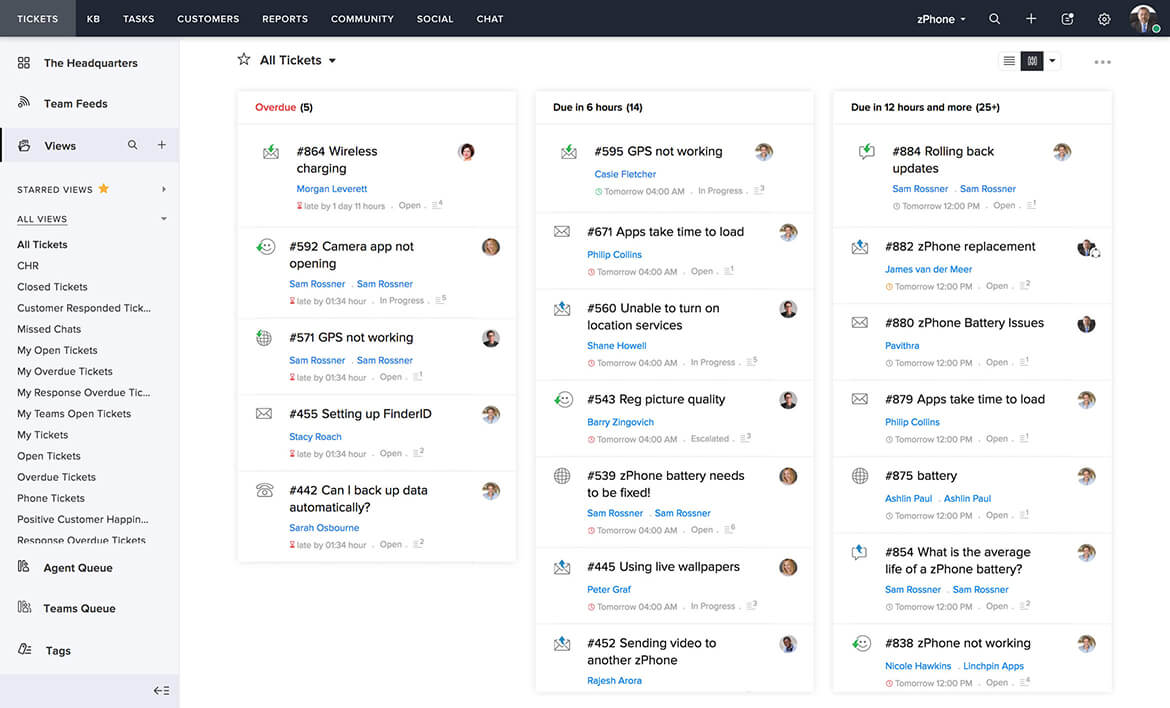
- Pricing: Express $7, Standard $14, Professional $23, Enterprise $40 (annual, verified August 2026); free plan for up to 3 agents. Most teams land on Standard or Professional.
- Watch-outs: UI feels dated; real starting tier is usually Professional.
Front - best for deep multichannel and routing
Best for: teams that want a polished multichannel inbox with mature routing.
Front combines email, SMS, social, and chat with strong routing and assignment, a more collaborative feel than Freshdesk's ticketing, though it runs $25 to $105 a seat, with Starter capped at 10 seats and AI add-ons that stack.
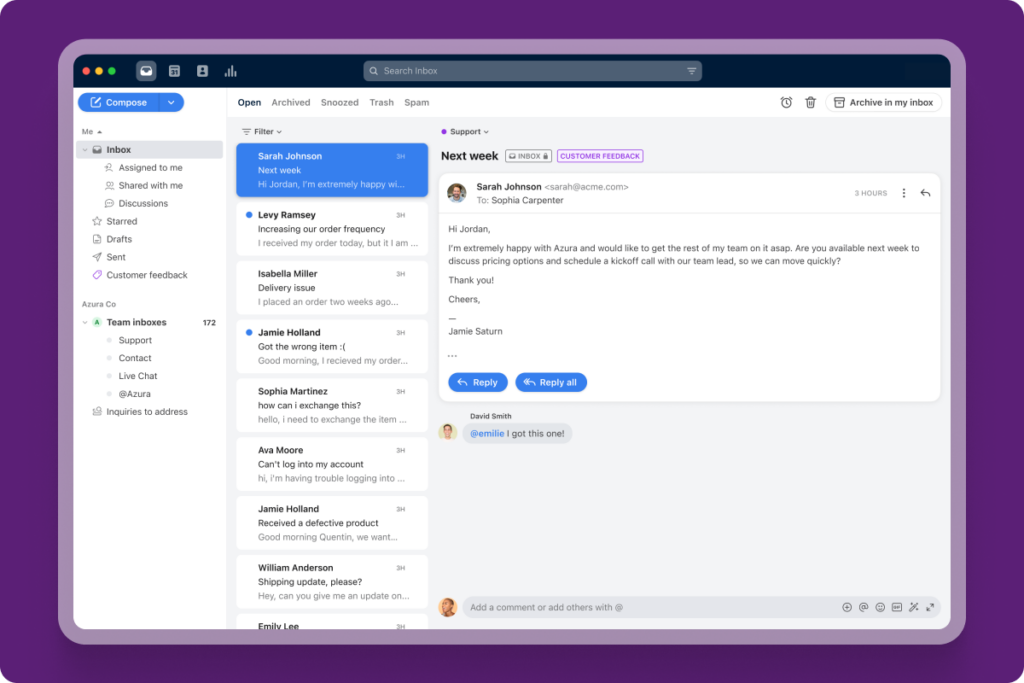
- Pricing: Starter $25 (single channel, up to 10 seats) to $105 (Enterprise); Professional caps at 50 seats; AI add-ons (Copilot $20, Smart QA $20, Smart CSAT $10 a seat).
- Watch-outs: Costs climb; AI extra; standalone app. See our Drag vs Front comparison.
The genuinely free Freshdesk alternatives
The searches say plenty of teams leaving Freshdesk are really asking what costs nothing, especially since Freshdesk's own free tier shrank from unlimited agents to a two-agent, six-month program. Three routes are genuinely free, each with an honest catch.
Zoho Desk Free: the cleanest free help desk
Three agents, email ticketing, a customer portal, no ads and no clock. The catch is the fourth agent and the single channel; paid unlocks from $7 (Express). Covered in full above.
HubSpot Service Hub Free: the generous recruiter
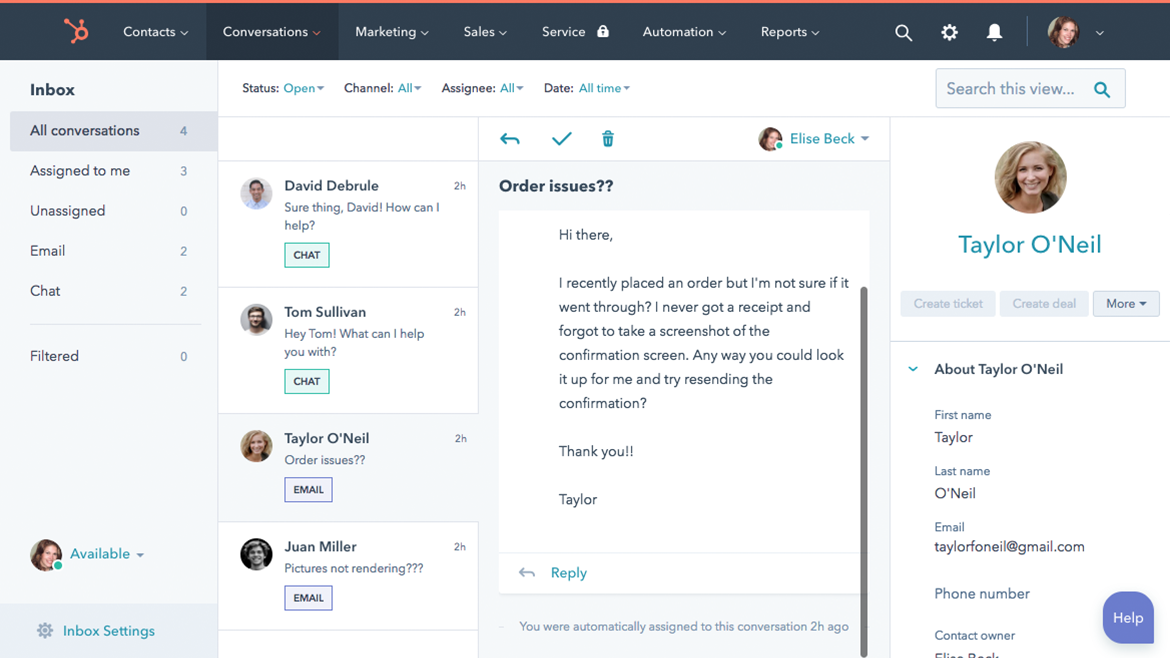
Free for up to 2 users: shared inbox, ticketing, live chat, tied into HubSpot's free CRM. The catch is the ladder above it, Starter $20 a seat and Professional $100 with a mandatory $1,500 onboarding fee, and HubSpot branding on customer-facing assets until you pay.
Spiceworks: free forever, ads included
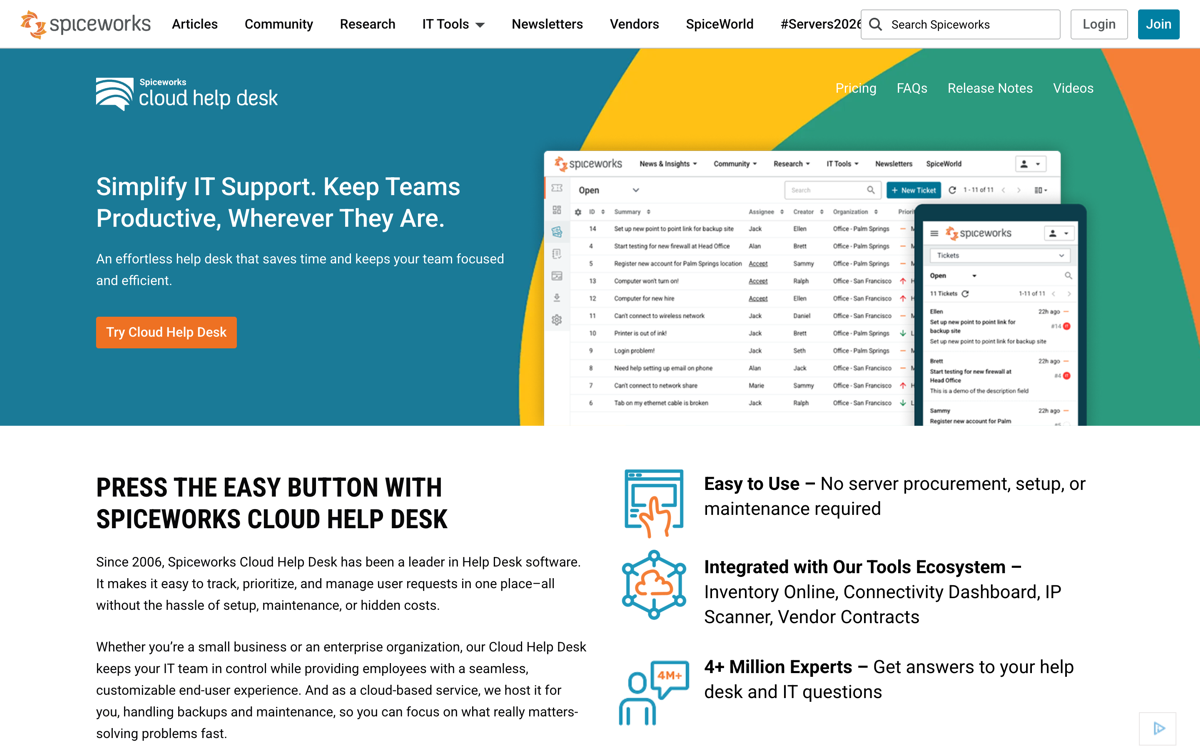
The only unlimited-agents free desk, because ads fund it. IT-department shaped (assets, internal requests) rather than customer-support shaped, so it suits an internal queue better than a customer support@ address.
The fuller zero-budget field, including Google's own free options and the self-hosted route, is in our free help desk software guide and the free Zendesk alternatives guide.
When Freshdesk (or a full help desk) is still the right choice
To be fair: Freshdesk is a capable, affordable full help desk, and for teams that genuinely need one it is a strong pick, often better value than Zendesk. Choose Freshdesk (or Zendesk at enterprise scale, or Zoho Desk on a budget) if you need full ticketing with SLAs, deep automation, and true omnichannel (email, chat, phone, social) at scale, and you can budget the AI as a separate line item. The shared-inbox alternatives here are for the larger group of teams whose support is really email and collaboration and who do not need a full ticketing platform, or the stacked AI fees that come with one.
How to choose a Freshdesk alternative
- Email support on Gmail, AI included: Drag (best value, no add-on or session fees).
- Collaboration across providers: Missive.
- Light help-desk features near the inbox: Hiver.
- Simple standalone email help desk: Help Scout.
- You genuinely need a full help desk: Zendesk (enterprise) or Zoho Desk (budget).
- Deep multichannel and routing: Front.
- Genuinely zero budget: Zoho Desk free (cleanest), HubSpot free (most generous), Spiceworks (unlimited, ads).
The biggest saving is usually structural: realising you needed a shared inbox, not a full help desk with stacked AI fees. For Gmail teams, a week's trial of Drag against your real inbox beats any table. Comparing the whole help desk category? See the best help desk software guide. To model exact costs at your team size and AI volume, use the shared inbox cost calculator.
Frequently asked questions
What is the best Freshdesk alternative?
For Gmail teams wanting AI included, Drag ($12 to $24 a seat, AI in the seat, no add-on or session fees, its own MCP server). For a full help desk, Zendesk (enterprise) or Zoho Desk (budget); for simple email support, Help Scout.
Why do teams leave Freshdesk?
Two reasons: the real cost is higher than the $19 headline (email-only; multichannel needs Omni at $29 to $119, and AI stacks on top), and it is a full help desk to configure and maintain when many teams just need a shared inbox.
How much does Freshdesk's AI cost?
Freddy AI stacks: Copilot (agent assist) is a $29-a-seat add-on on Pro and Enterprise, and the customer-facing AI Agent is session-based at about $0.49 per session (500 free once, then $49 per 100), with sessions expiring monthly. Drag includes AI in the seat with no add-on or session fees.
What is the cheapest Freshdesk alternative?
Drag (from $12, AI included), Missive (from $14), and Zoho Desk (from around $14) have the lowest entry prices; Help Scout has a free-ish path and Freshdesk itself has no ongoing free plan, but its 6-month Free Program covers up to 2 agents before paid. For Gmail teams wanting AI, Drag is usually the most predictable.
Is there a free alternative to Freshdesk?
Yes, three real ones: Zoho Desk's free plan (3 agents, email ticketing, no clock), HubSpot Service Hub's free tier (2 users, shared inbox and ticketing, HubSpot branding), and Spiceworks (unlimited agents, funded by ads, IT-shaped). Freshdesk's own free offer is now a two-agent, six-month program rather than the old open free tier.
Is Freshdesk's AI included in the price?
No. Freddy Copilot is a $29-a-seat add-on (Pro and Enterprise only), and the customer-facing AI Agent is billed by session packs that expire monthly. AI is a separate, variable line item on top of the plan.
Is Drag a good Freshdesk alternative?
For Gmail teams whose support is email, yes: shared inbox in Gmail, AI included with no add-on or session fees, and its own MCP server. It is not a full help desk, so teams needing deep ticketing should look at Zendesk or Zoho Desk.
Do I need a full help desk like Freshdesk?
Often not. If your team mainly replies to email, loops in colleagues, and handles the occasional chat, that is a shared-inbox job. A full ticketing platform adds cost, configuration, and stacked AI fees you may not need.
Does Drag have an MCP server?
Yes, its own MCP server with 47 tools across 12 categories, so you can run your inbox from Claude, ChatGPT, or Cursor. See MCP for customer support and what is an AI support agent.
Related guides: going deeper on the Freshdesk decision
The head-to-head against Drag lives at Freshdesk vs Drag, the zero-budget field is mapped in free help desk software, and the enterprise step is costed in our Zendesk pricing breakdown. If Help Scout or Hiver is the tool you are really weighing, the Help Scout alternatives guide and the Hiver alternatives guide cover those fields, and the shared inbox cost calculator models any of these, session packs included, at your team size.

Co-founder
Building Drag for nearly ten years: shared inboxes, boards, and now the AI and agent layer, all on Gmail, plus HeyHelp for the personal inbox. Writes the honest versions of the comparisons.