













Five ways to connect Gmail to AI in 2026: Claude's Gmail connector, Google's official Gmail MCP server, community servers, aggregators, shared-inbox MCPs.
Key takeaways
- Gmail MCP is not one thing: there are five distinct ways to connect Gmail to an AI assistant, and they differ on the three questions that matter: can it send, whose mailbox does it see, and how much setup it demands.
- Google now ships an official Gmail MCP server (gmailmcp.googleapis.com), in developer preview as of October 2026. The honest detail most coverage misses: the toolset Google documents for developers searches, reads, labels and drafts but has no send tool, and it requires your own Google Cloud project and OAuth setup. Claude's directory, meanwhile, lists a Google-made Gmail connector on the same endpoint that can send.
- The quickest route for one person is Claude's built-in Gmail connector (sends with per-message approval since August 2026). The most powerful personal route is a community server, with a warning attached: the most-starred one, GongRzhe's at 1,200+ stars, was archived in March 2026 and is now unmaintained.
- Every personal option acts as one person on one mailbox. The moment the inbox is support@ or sales@, the answer changes category: a shared inbox MCP like Drag's gives the AI the whole queue, with assignment and attribution, so the team can see what the AI did.
Table of contents
Gmail MCP is not one product you install; it is a category with five doors, and picking the wrong one wastes an afternoon. The five, from least setup to most:
 Claude's built-in Gmail connector: one toggle, sends with approval
 Google's official Gmail MCP server: new, developer preview, documented tools draft but do not send
 Community servers: full power, self-hosted, maintenance is yours
 Aggregators like Zapier MCP: Gmail plus thousands of apps, via a middleman
 Shared inbox MCP (Drag): the whole team queue, with attribution
They differ on exactly three questions: can the AI actually send email, whose mailbox does it see, and how much setup stands between you and the first prompt. This page compares all five honestly, including the detail most coverage skips: the toolset Google documents for its official server, as of October 2026, has no send tool, even though the Google-made Claude connector on the same endpoint can send.
Gmail is one lane of a wider category. If your question spans providers and jobs, Outlook, sending infrastructure, or an inbox for the agent itself, the email MCP servers guide compares the whole field.
What Gmail MCP actually means
MCP (Model Context Protocol) is an open protocol that lets an AI assistant call real tools: search this, draft that, label those. A "Gmail MCP" is any MCP server whose tools operate Gmail. The distinction that trips people up is connector versus server: Claude's built-in Gmail integration is a connector you switch on inside Claude, while an MCP server is a separate service (Google's, a community project's, or a product's) that any MCP-capable assistant can attach to. If the vocabulary is new, our MCP server vs connector vs plugin vs skill guide untangles it in five minutes; this page assumes only that you want an AI working your email and asks which door fits.
The five options compared at a glance
| Option | Setup | Can it send? | Whose mailbox | Auth |
|---|---|---|---|---|
| Claude's built-in connector | One toggle in Claude | Yes, per-message approval (since Aug 2026) | Yours, as you | Google sign-in |
| Google's official Gmail MCP | Your own Google Cloud project + OAuth | No send tool documented: drafts and labels | Yours, as you | OAuth 2.0, developer preview |
| Community servers | Cloud project + OAuth + npx/Docker | Yes, full power: send, attachments, delete | Yours, as you | Your OAuth credentials, stored locally |
| Aggregators (Zapier MCP) | Account sign-in on the platform | Varies by platform and plan | Yours, via the middleman | The aggregator holds the connection |
| Shared inbox MCP (Drag) | Paste one API key | Yes, with approval, visible to the team | The team's shared inbox | API key from the product, Pro plan |
The first four options share one property the table understates: the AI acts as one person on one mailbox. That is exactly right for your own email and exactly wrong for support@, which is why the fifth exists as its own category.
The five options, one by one
1. Claude's built-in Gmail connector: the one-toggle default
If you use Claude and want it working your own Gmail, start here and you may never need anything else: switch the Gmail integration on in Settings and Claude can search, read, and, since August 2026, send, reply, and forward, showing you each outgoing message for approval first. No Cloud project, no keys, no server to run. Claude's connector directory lists it as made by Google, running on Google's Gmail MCP endpoint (gmailmcp.googleapis.com) with 29 tools, including send_message, reply and forward (checked October 14, 2026).
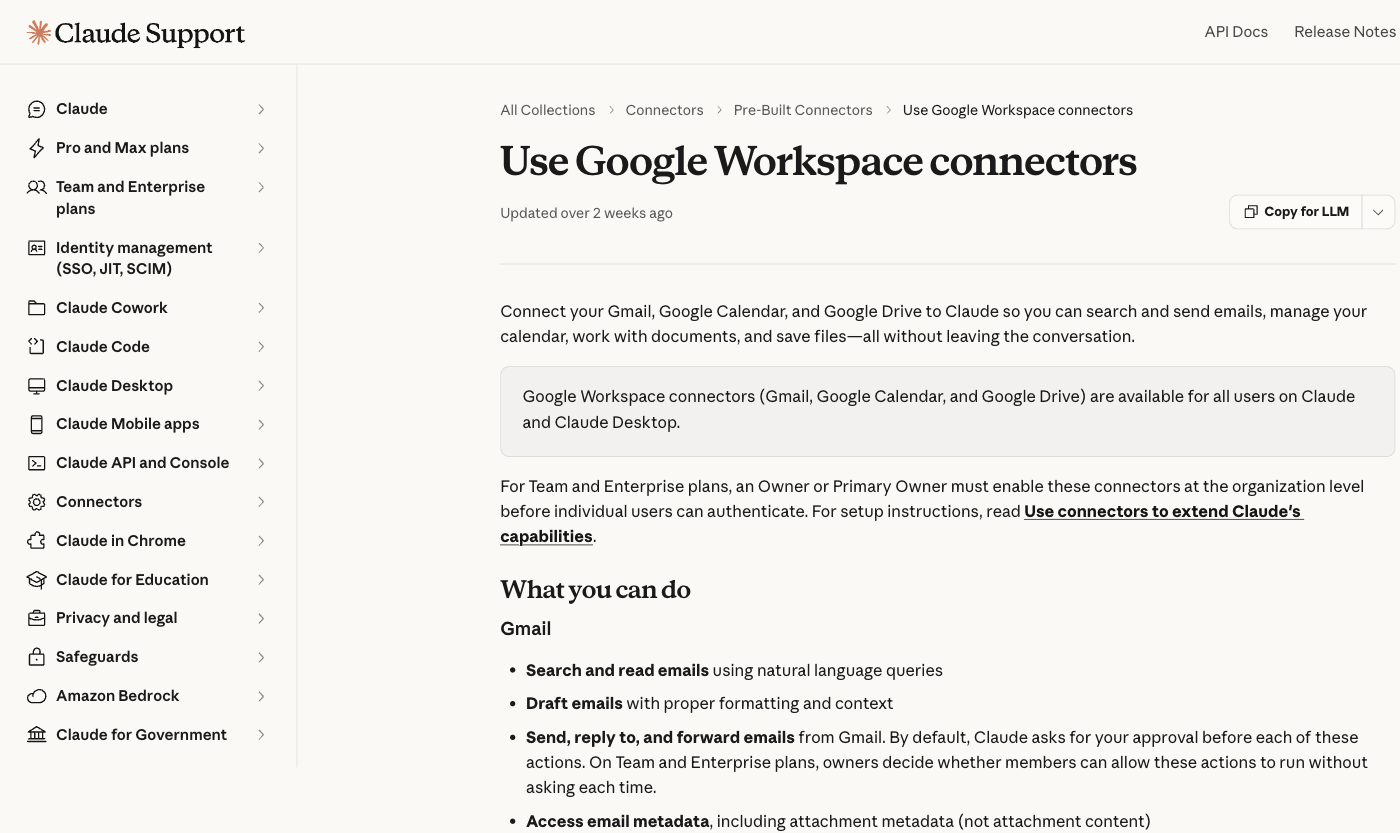
Pros: genuinely zero-setup; sending with a human approval step by default; built by Google and listed in Claude's connector directory, so it tracks Gmail changes for you. Cons: Claude-only, so nothing for ChatGPT or Cursor; acts as you alone; capability set is Anthropic's choice, not yours.
Best for: anyone whose question is simply "can my AI handle my email?" Our connect Gmail to Claude guide covers setup and the approval flow, and the multiple accounts guide handles the work-plus-personal reality. Different assistant? The same job has walkthroughs for ChatGPT, Gemini, and Cursor.
2. Google's official Gmail MCP server: new, and narrower than it sounds
The newest door, and the reason this page exists: Google now runs a remote Gmail MCP server at gmailmcp.googleapis.com, in developer preview as of October 2026 under the Workspace Developer Preview Program. The v1 toolset in Google's reference (last updated July 21, 2026) lists 10 tools covering searching and reading threads and messages, listing labels, labeling and unlabeling, listing drafts, and creating drafts (the reference also names create_label), usable from Google's own Antigravity, from Claude on paid plans, or from any MCP client that speaks OAuth. Google's own framing is telling: read data, take action ("create draft emails and label messages"), respect security.
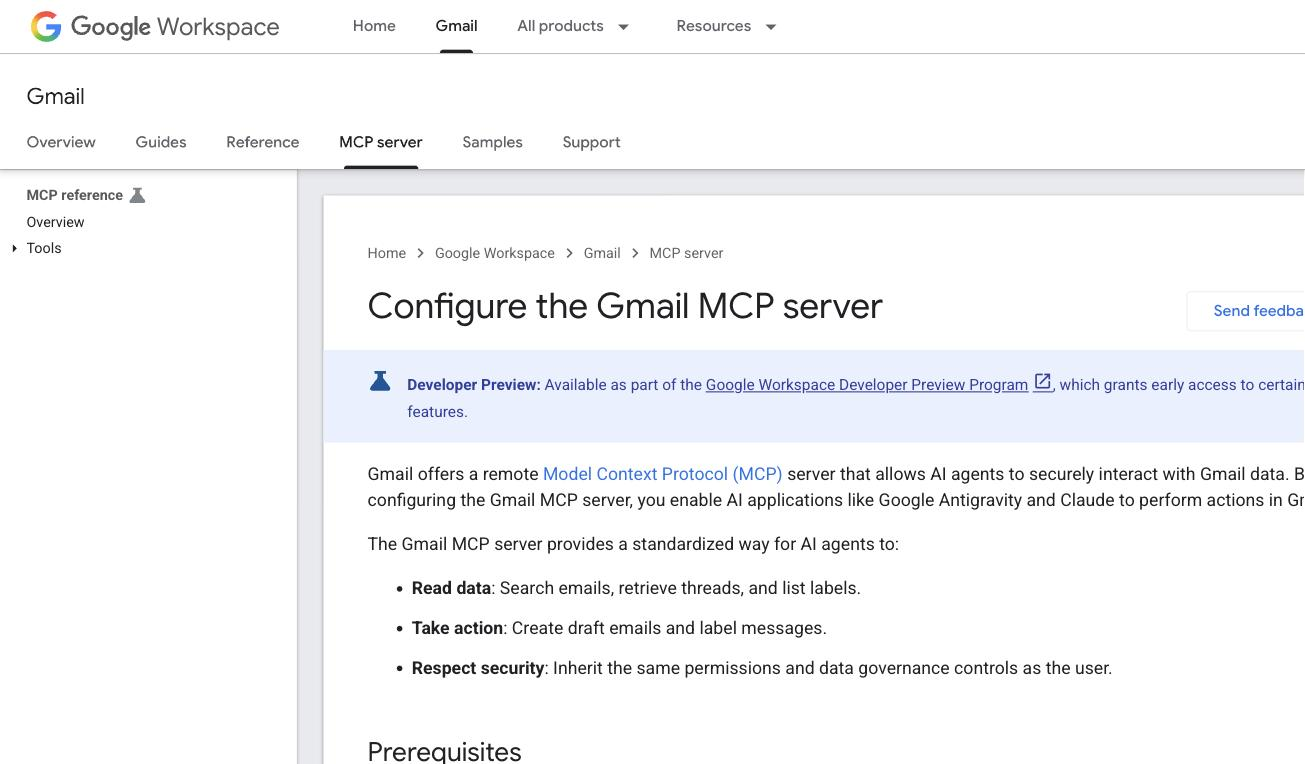
Pros: first-party and future-proof; inherits the user's own Gmail permissions and governance; the narrow scope (readonly plus compose) is a security feature. Cons: no send tool in the documented toolset, so drafts are as far as you can rely on; setup is a developer's afternoon (your own Cloud project, Gmail API and Gmail MCP API enabled, OAuth client, consent screen, per Google's configuration guide); developer preview means it can change under you.
Best for: developers standing up governed, first-party Gmail access for an agent. For everyone else it is, today, the hardest way to get less capability than option 1. We date every claim here to August 2026 and will update as it moves toward general availability.
3. Community Gmail MCP servers: the power tools, maintenance included
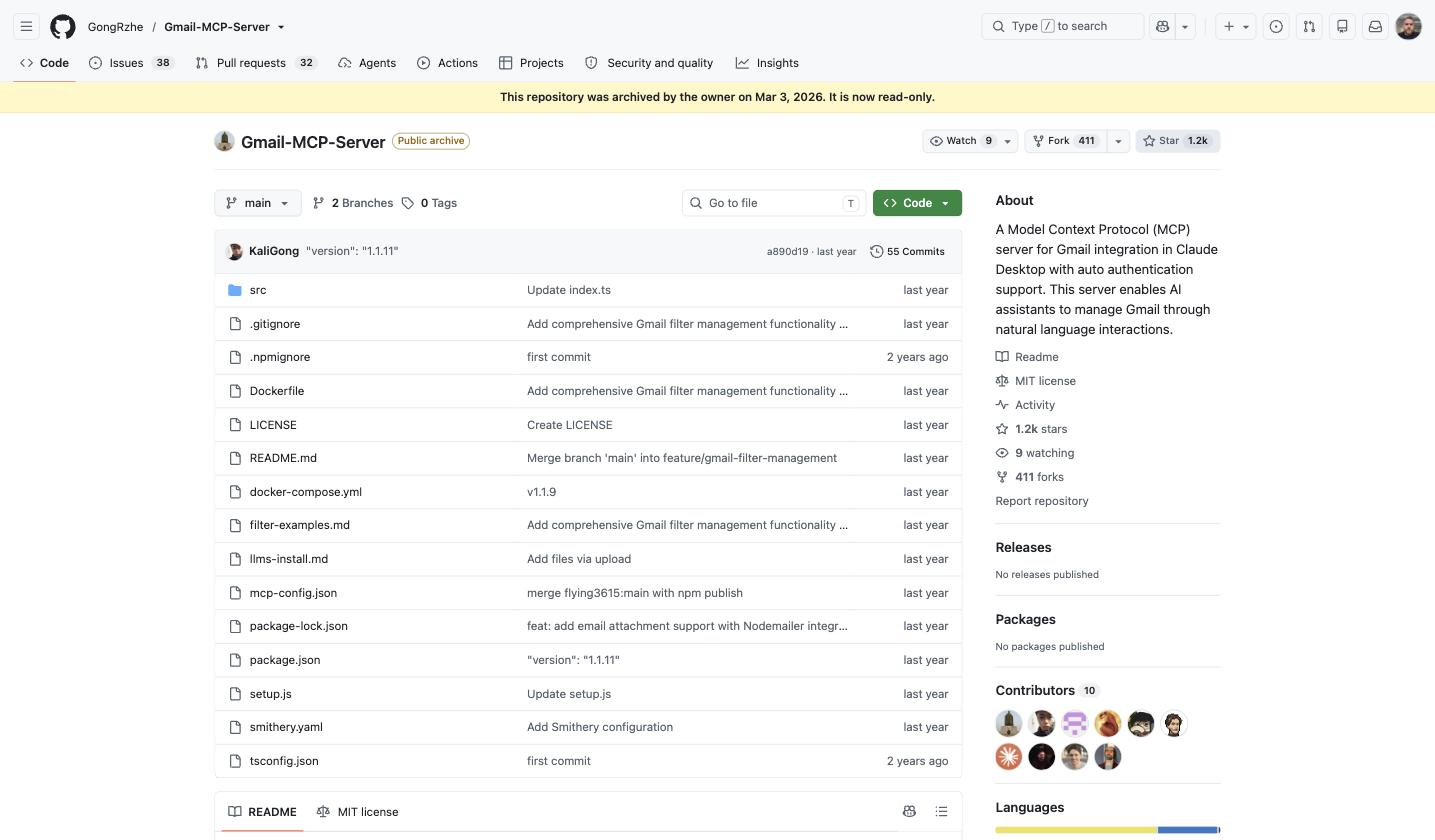
The open-source route predates Google's server and still out-powers it: full send with CC, BCC, and attachments, drafts, search with Gmail's operators, label and filter management, and batch operations including batch delete. The best-known project, GongRzhe's Gmail-MCP-Server, earned 1,200+ stars doing exactly this, and it also demonstrates the route's defining risk in one screenshot: the repository was archived in March 2026 and is now read-only. The most popular community Gmail server is unmaintained. Directories like PulseMCP and the Docker MCP Catalog list dozens of alternatives and forks; picking one now means checking the commit history, not just the star count.
Setup on any of them is the same Cloud-project-and-OAuth dance as option 2, plus running the server yourself via npx or Docker, with your OAuth credentials stored on your machine.
Pros: the fullest Gmail capability of any route, sending and attachments included; works with every MCP client; free; the code is inspectable. Cons: you grant a community-maintained process standing access to your mailbox; credentials live in your home directory; updates and security are your job, and the flagship project going read-only shows how real that is; full scope includes permanent delete, which is exactly as useful and as dangerous as it sounds.
Best for: technical users who want an AI with full authority over a personal mailbox, will vet what they run, and check the maintenance pulse before trusting it.
4. Aggregator MCPs: Gmail as one app among thousands
Platforms like Zapier expose Gmail through their own MCP endpoints: sign in once on the platform, attach its MCP to your assistant, and Gmail arrives alongside the platform's whole app catalog. Zapier pitches it as "use Gmail MCP to take action in your AI tools," and for multi-app agents that is the honest appeal: one connection, many tools, no server of your own.
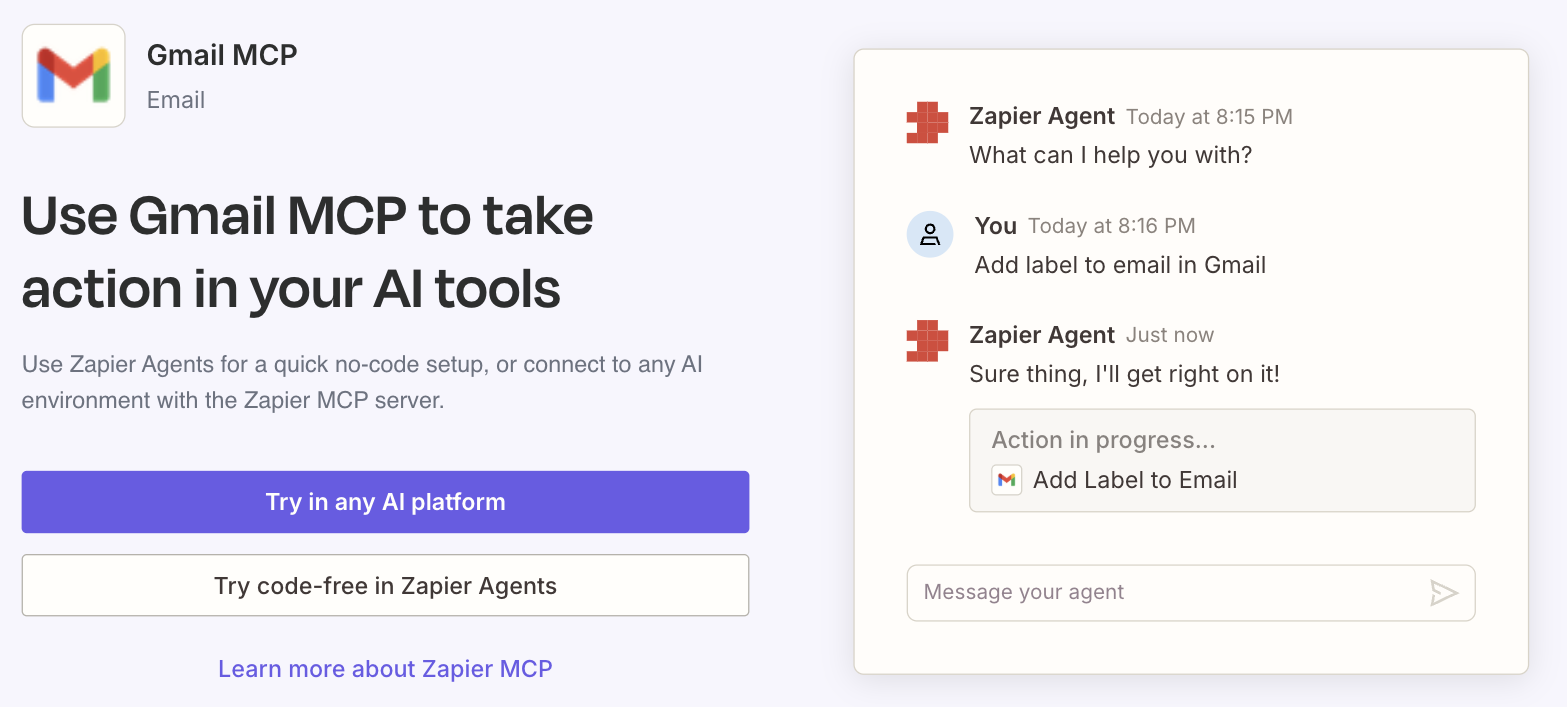
Pros: fastest multi-app route; no Cloud project or hosting; actions beyond Gmail in the same session. Cons: your email flows through the aggregator; capabilities follow the platform's action catalog rather than the full Gmail API; usage is metered on the platform's pricing; one more vendor in the trust chain.
Best for: people already living in an aggregator's ecosystem who want Gmail as one tool among many. For the assistant-side survey of this landscape, our best Claude MCP servers guide grades the options.
5. Drag's shared inbox MCP: when the inbox belongs to a team
Here is the line every option above stops at: they all act as one person on one mailbox. Point them at support@ and the AI answers customers invisibly, as one teammate, with no record the rest of the team can see, no assignment, and no way to stop it colliding with a human answering the same thread. That is not a setup problem; it is the wrong architecture for a shared queue.
Full disclosure, Drag is ours, and this is the category it built for: Drag turns Gmail addresses like support@ into a shared inbox and ships its own MCP server with 47 tools across the whole operation, threads, replies, assignment, boards, labels, the knowledge base, WhatsApp, and response analytics. The connection is one API key pasted from Drag's settings, no Cloud project, and every AI action lands attributed and visible to the team, with sending on the same ask-first pattern as option 1.
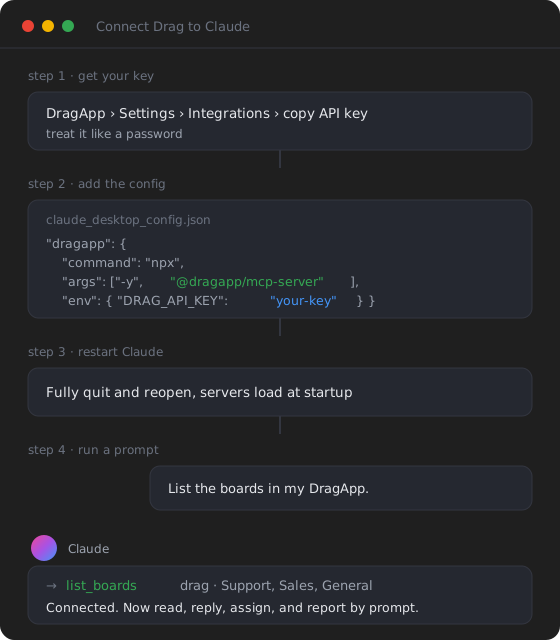
Pros: the only route where AI actions are visible and attributed to the whole team; covers the operation (assignment, boards, knowledge, WhatsApp, analytics), not just messages; one-key setup; works from Claude, ChatGPT, Cursor, and other MCP clients. Cons: it is for the team's shared inbox, not your personal mailbox, and options 1 to 3 are the right tools for that; it requires Drag (included on the Pro plan, $24 a seat billed yearly; 7-day free trial, no card).
Best for: any inbox a team answers together. The shared inbox connection guide shows the setup in minutes, and MCP for customer support covers what the protocol changes for support teams generally.
Drag · with Varley
Point your AI at the team inbox, not just yours
Drag's MCP server lets Claude, ChatGPT or Cursor search, triage and draft across your shared Gmail inbox, with replies approved and visible to the whole team. MCP is on Pro, $24 a seat billed yearly, with Varley's AI included. 7-day free trial, no card.
Which Gmail MCP should you use, by situation
For your own email, minimum fuss: option 1, Claude's built-in connector, and stop there. For your own email, maximum power, and you are technical: option 3, a community server, chosen by commit history as much as stars. For building an agent on governed, first-party access: option 2, Google's official server, accepting that its documented toolset does not send yet. For Gmail as one app among many: option 4. For a shared inbox your team answers: option 5, because the other four cannot be made team-safe with any amount of configuration.
Is giving an AI your Gmail safe?
The right questions are scope, approval, and storage. Scope: grant the narrowest that does the job (Google's official server asks for readonly plus compose, and its documented tools stop at drafts; a community server with full scope can do everything, including delete). Approval: prefer options where a human sees outgoing mail before it goes, which is the default in option 1 and in Drag, and absent in a fully-scoped community server unless you configure restraint. Storage: know where credentials live (Claude holds the connector's grant; community servers keep OAuth tokens on your machine; aggregators hold the connection server-side) and revoke unused access from your Google account periodically. And on any option, the AI can only be as safe as the mailbox's contents deserve: a queue full of customer data belongs on the route with attribution and audit, not the one with batch delete.
Frequently asked questions
What is Gmail MCP?
Not a single product: it is any MCP (Model Context Protocol) server whose tools let an AI assistant operate Gmail, searching, reading, drafting, labeling, and on some routes sending. The five current options are Claude's built-in connector, Google's official Gmail MCP server, community-built servers, aggregator platforms, and shared inbox products like Drag that ship their own server.
Does Google have an official Gmail MCP server?
Yes, new in 2026: a remote server at gmailmcp.googleapis.com, in developer preview as of October 2026. Its public reference documents about ten tools (10 in the v1 table, plus create_label) covering search, reading, labels, and draft creation; it requires your own Google Cloud project and OAuth setup, and works with Google's Antigravity, Claude on paid plans, and other MCP clients. None of the documented tools sends, though Claude's directory lists a Google-made Gmail connector on the same endpoint with 29 tools, including send_message, reply and forward.
Can a Gmail MCP send email?
Depends entirely on the option. Google's official server, as documented for developers, does not: its public toolset stops at drafts. Claude's built-in Gmail connector sends, replies and forwards with per-message approval. Community servers send fully, attachments included, with no approval step unless you add one. Drag's shared inbox server sends with approval, visibly to the whole team.
What is the best Gmail MCP for Cursor?
Cursor speaks MCP, so options 2 through 5 all attach: Google's official server for governed read-and-draft access, a maintained community server for full personal power, or Drag's server if the inbox is a team's. Our connect Gmail to Cursor guide walks the setup end to end.
What is the difference between Claude's Gmail connector and a Gmail MCP server?
The connector is built into Claude: one toggle, Claude-only, acts as you. An MCP server is a separate service any MCP-capable assistant can attach to, which is what makes the same Gmail tools available to Claude, ChatGPT, Cursor, and others. Capability differs by server, not by the label: the connector currently sends, while the toolset Google documents for its own server does not.
Related guides: the setup walkthroughs and the wider MCP picture
The per-assistant setups: connect Gmail to Claude, to ChatGPT, to Gemini, to Cursor, and multiple Gmail accounts in Claude. For teams: connect a shared inbox to Claude and MCP for customer support. For the wider field: best Claude MCP servers for business and the MCP-native support stack.

Co-founder
Building Drag for nearly ten years: shared inboxes, boards, and now the AI and agent layer, all on Gmail, plus HeyHelp for the personal inbox. Writes the honest versions of the comparisons.
