













How to set up WhatsApp Business Web, whether it works without your phone connected, how it differs from regular WhatsApp Web, and sharing one number as a team.
Table of contents
Companies across the world have started incorporating WhatsApp into their tech stacks. After all, if customers are already there, it's a great space to convert sales, solve problems and carry out marketing campaigns. WhatsApp Business Web is an additional tool to optimize this communication system. WhatsApp Business is a solution designed for entrepreneurs and business managers, with features that contribute towards your interactions with customers. But it's not limited to the app: teams can use the WhatsApp web version to take better advantage of the platform. In this article, we will explore the advantages, limitations, and alternatives to WhatsApp Business Web, as well as its role in establishing WhatsApp as a viable communication channel. First of all, it's important to define exactly how WhatsApp Web differs from the app versions. A team WhatsApp account on WhatsApp Business is essential for any company, as it allows teams that communicate directly with customers to have an accessible channel. For example, when using WhatsApp for customer service, covered in the full customer-service playbook, you benefit from important features like WhatsApp quick replies and file sharing. This is done primarily on the app on your mobile device, which is restricted to one user. Through this application, you can chat with customers, close sales, and, if applicable, offer a digital catalog of products and a checkout tool. In addition, the platform creates an official profile for your business, which looks professional and secure to the customers. 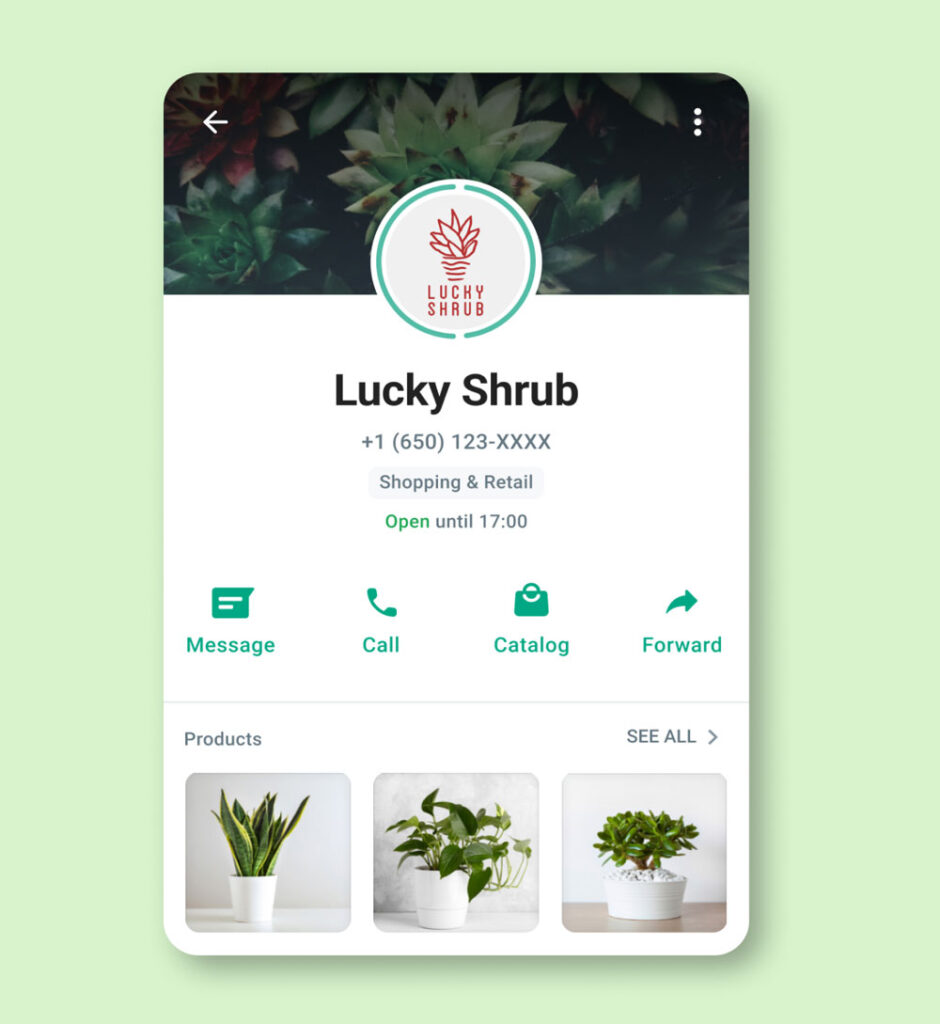 However, practicality is a point to take into account. Writing longer messages can be hard on mobile devices. WhatsApp messages are usually a starting point for everyday tasks. So, the team ends up having to read the conversations on mobile devices, filter the demands, and solve them through the computer, using other tools. That is, it would be useful to be able to check WhatsApp Business messages from a computer. Starting in 2015, WhatsApp has allowed users to link their account to a desktop through WhatsApp Web. The user can leave the tab open while working on other activities on the desktop and enable notifications. Then, if they get a new message, they just need to change tabs. This helps with organization and boost response rates.
The short version: WhatsApp Business Web is the browser version of the WhatsApp Business app, the same web.whatsapp.com, linked by scanning a QR code from the Business app on your phone. Once linked it works as a full linked device: your phone can be offline for up to 14 days and messages keep flowing, and your labels, quick replies and business profile come with you. Setup takes about a minute, the steps are below, along with what works and what does not in the browser, and the honest point where the free app stops being enough for a team.
One name, three products
Half the confusion around "WhatsApp Business Web" is that Meta ships three different things under similar names. WhatsApp is the personal app. The WhatsApp Business app is the free small-business version, business profile, labels, quick replies, and it is what WhatsApp Business Web mirrors into your browser. The WhatsApp Business Platform, often called the API, is the third tier: no app at all, built for teams and software integrations, priced per message by Meta, with rates set by message category and country. This guide covers the middle one, the free app in your browser. The last section covers the moment the middle one stops fitting, because that moment is predictable and it is the point of this page's honesty.
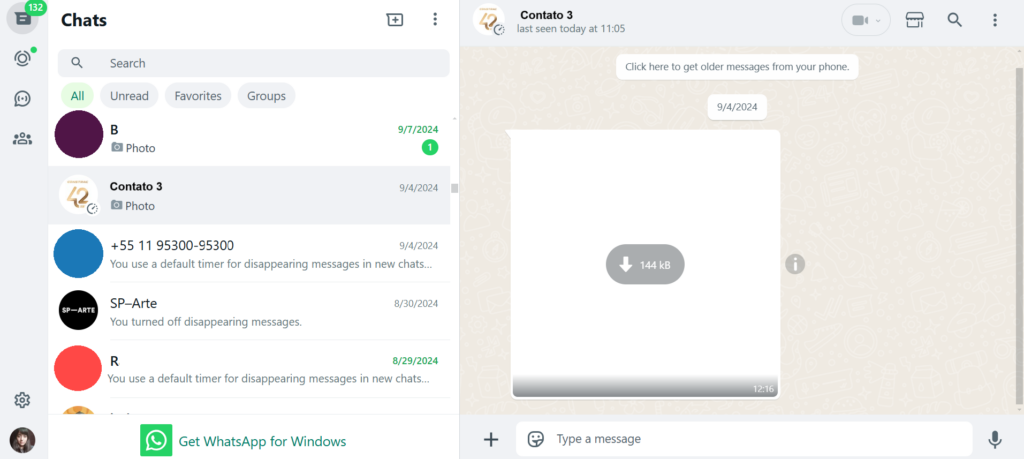
The advantages of WhatsApp Business Web
Organization and speed are not the only advantages of incorporating WhatsApp Business Web in your communication systems. Among other benefits are:
Automatic syncing
When WhatsApp Business Web is logged into a specific account, it automatically syncs with your phone's incoming messages. That is, you don't have to change devices to keep track of conversation updates. This continuity decreases the loss of focus and enhances productivity in everyday activities. Related Post: Can You Schedule Messages on WhatsApp
Sending local files
Another important point is file sharing. You can send documents, images, videos, and audio to your contacts on WhatsApp, which can be useful for companies. For example, when the marketing team uses WhatsApp for campaigns, they may need to send graphics about products and services. These files are not always available on mobile devices, as they are important resources for the team as a whole. The agent can access the shared folders on their desktop, find the relevant file, and send it via WhatsApp Business Web.
Team collaboration
In the case of small and medium business teams, it's crucial to make communication easier, so as not to miss sales opportunities. Therefore, multiple team members must have access to WhatsApp Business. If you use the app, the account is restricted to one phone. When using WhatsApp Web, you can connect up to four additional devices. That is, while a manager has primary access, other employees can use WhatsApp via browser to update customers, close sales and solve problems.
Personal/professional boundaries
As for individual entrepreneurs, on the other hand, it's important to know how to organize their schedules and separate personal and professional communication. In addition to using separate WhatsApp accounts with WhatsApp Business, restricting professional use to the WhatsApp desktop version might be a good option. That way, it's easier to organize your tasks and your professional communication in the same digital space, keeping WhatsApp closer to your other operation software. On the other hand, personal messages are exclusive to the mobile device, creating a well-defined work-life balance. Related post: How to Create a Broadcast List on WhatsApp
How to get started with WhatsApp Business Web: a quick guide
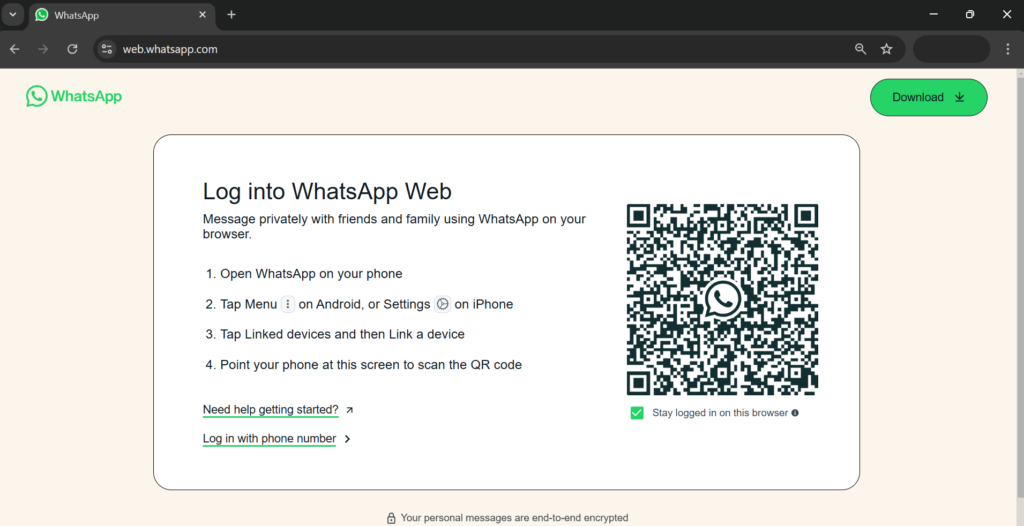 WhatsApp Business Web requires no download to begin with. The process is quite simple:
- Keep web.whatsapp.com open on your browser;
- Open the WhatsApp Business app on your mobile device;
- Go to Menu > Linked devices;
- Click Link device;
- Point your device at the computer screen to scan the QR code;
- Authenticate with your password or biometrics if necessary;
- Done! WhatsApp Business is now connected to the browser.
Remember: as a linked device, your session stays active across browser restarts, so you do not need to re-scan the QR code each time; WhatsApp only logs you out after about 14 days of inactivity. Turn WhatsApp into your Team's Workspace.
Drag AI
The inbox your team and your AI work in together
Shared inbox, live chat, and AI in Gmail, with an MCP server your AI tools can drive.
The limitations of WhatsApp Business Web
What works in the browser: conversations, media, voice notes, groups, your business profile, labels and quick replies, synced live with the phone app, and as a linked device it keeps working with the phone offline for up to 14 days. Voice calls work on WhatsApp Web in current browsers; video calls need the Desktop app. What stays phone-only: creating catalog items and most account-level settings. The real limits are not technical but structural, one phone number, one person at a time answering it properly, and they are the subject of the final section.
When the free app stops being enough
Every vendor guide on this topic ends with a pitch, so here is ours with the reasoning shown. The WhatsApp Business app, on web or phone, is built for one person answering one number. The moment two or three people share the inbox, orders, support, bookings, you feel the walls: linked devices collide, nobody can see who is handling what, and there is no assignment, no notes, no reporting, no automation worth the name. Meta's answer is the WhatsApp Business Platform, and it is the right answer, but the Platform is an API, not a product; it needs an inbox on top. That is what Drag provides, with a difference the WhatsApp-only tools cannot match: your team's WhatsApp conversations land as cards on shared boards next to your Gmail, one queue for both channels, with owners, statuses, notes and automations, and the whole thing is manageable from Claude or ChatGPT through Drag's official MCP server. Plans run $12 to $24 per user per month, and the 7-day trial needs no card. If you are one person on one number, keep the free app, it is genuinely good. The section above tells you exactly when to come back.
Frequently asked questions
Is WhatsApp Business Web different from regular WhatsApp Web?
Same site, different account type: web.whatsapp.com shows whichever app scanned the QR code. Scan from the WhatsApp Business app and the browser carries your business profile, labels, and quick replies; scan from personal WhatsApp and it is the personal experience.
Can I use WhatsApp Business Web without my phone connected?
Yes. It links as a device of its own, so it keeps working with your phone offline for up to 14 days of inactivity, after which WhatsApp asks you to re-link. The old always-online requirement ended with multi-device support.
Can I make calls from WhatsApp Business Web?
Voice calls, yes, in current browsers. Video calls need the Desktop app rather than the browser version.
Can two people use one WhatsApp Business number?
Technically up to four linked devices can share one number, but they collide: no assignment, no visibility of who is answering, and real risk of stepping on each other. Teams should move to the WhatsApp Business Platform with a shared inbox on top, that is the structural fix, not another linked device.
Is WhatsApp Business Web free?
Yes, the Business app and its web version cost nothing. Costs begin only if you move up to the WhatsApp Business Platform, where Meta charges per message, by category and destination country, and your inbox tool has its own pricing.
What is the best way for a team to run WhatsApp and email together?
A shared inbox that carries both. Drag connects your WhatsApp Business Platform number and your Gmail addresses into the same boards, so one team works one queue across both channels, with AI assistance and assignment built in.
Is WhatsApp Business Web secure?
Yes, the same end-to-end encryption as the phone app covers linked devices, and your messages are not stored on WhatsApp's servers along the way. The practical risks are physical, not cryptographic: log out of shared computers (Settings, then Linked devices on your phone ends any session remotely), and treat an unrecognized linked device as a reason to remove it immediately.

Co-founder
Co-founder at Drag, writing about Google Workspace, shared inboxes, and how teams actually run email.
