Customer communication software compared: 9 tools for email, chat and WhatsApp teams, with October 2026 prices and a six-person monthly cost example.
Key takeaways
- Customer communication software puts every customer conversation (email, live chat, WhatsApp, SMS, social messages) into one place your team shares, so each message has an owner and nothing is answered twice.
- Pick the category before the tool: a shared inbox for email-led teams, a help desk for ticket volume with SLAs, a messaging-first platform when WhatsApp or chat comes before email.
- Entry plans run from $12 to $25 a seat on annual billing as of October 2026, and plans with chat and WhatsApp reach $55. AI is where bills split: it is sold seven different ways, from per-outcome fees to AI included in the plan.
- In our six-person worked example, the same month costs between $144 and $585 depending on the tool, a 4.1x spread, and the AI line accounts for most of the gap at the top.
Table of contents
- What is customer communication software?
- Which kind of customer communication software do you need?
- The 9 best customer communication software tools at a glance
- Pricing comparison: what customer communication software costs per seat
- What customer communication software costs: a worked example
- Drag: best for Gmail teams that want AI included
- Hiver: best for Gmail teams that want a help desk feel
- Front: best for teams on several email providers
- Missive: best for email plus SMS and WhatsApp in one app
- Help Scout: best simple help desk
- Zendesk: best for high-volume support teams
- Freshdesk: best low-cost ticketing
- Intercom: best for website and in-app chat
- Trengo: best for WhatsApp-first teams
- Customer communication software vs CCM vs CRM
- How to choose customer communication software
- Frequently asked questions
- Related guides: pricing breakdowns and channel guides for customer communication tools
The short version: customer communication software is the shared workspace where a team receives and answers customers across email, live chat, WhatsApp, SMS and social messages, with each conversation assigned to one person. The best choice depends on where your conversations already happen. Gmail teams should start with a Gmail-native shared inbox such as Drag (AI included from $18, no minimums) or Hiver (AI included, 2-seat minimum). Teams on several email providers should look at Front or Missive. Teams running ticket volume with SLAs need a help desk such as Help Scout, Zendesk or Freshdesk, and teams where WhatsApp or website chat comes first should look at Intercom or Trengo. All nine are priced below as checked on October 5, 2026.
One warning before the list. Search for this term and half the results describe a different product: "customer communications management" (CCM), the enterprise software that composes printed letters, bills and policy documents. If that is what you need, the section on CCM explains the split and this list is not for you.
Disclosure: Drag is our product. It is priced and described below on the same terms as the other eight, from each vendor's own pricing page.
What is customer communication software?
Customer communication software is a tool that collects every message customers send your business, across email, chat, messaging apps and SMS, into one queue the whole team can see, so each conversation is assigned, answered once and tracked to the end. It replaces a shared password to info@, forwarding rules and "did anyone reply to this?" messages.
Most products in the category share five jobs:
- One queue for every channel: email addresses like support@ and sales@, a website chat widget, WhatsApp Business, SMS and social direct messages.
- Ownership: every conversation is assigned to one person, with a status (open, waiting, closed) so nothing slips.
- Internal notes: teammates discuss a customer's message beside it instead of forwarding it.
- Automation and AI: rules that route and tag, plus AI that drafts replies or answers simple questions on its own.
- Reporting: response times, volume by channel and who is handling what.
The category goes by several names. Vendors call it a shared inbox, an omnichannel inbox, a customer communication platform or a help desk, and the differences are real but smaller than the names suggest. The useful split is by where your conversations start, which the next section sorts out.
Which kind of customer communication software do you need?
The kind you need depends on one question: where do most of your customer conversations happen today? Answer it honestly and the shortlist drops from nine to two or three.
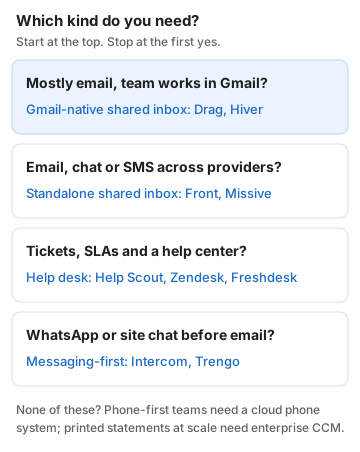
Two categories are deliberately left off the list. Phone-first teams (sales floors, clinics, field service) need a cloud phone system, where call routing, recording and voicemail matter more than any inbox feature. Teams that produce printed letters and statements at scale need enterprise CCM, covered further down. And one-way messaging platforms, which send bulk SMS, delivery alerts and login codes but are not built for replies, are a third category this list leaves out.
The 9 best customer communication software tools at a glance
All prices are per seat per month on annual billing, from each vendor's own pricing page on October 5, 2026, unless the row says otherwise.
| Tool | Entry price | Best for | Channels on the entry plan | How AI is billed |
|---|---|---|---|---|
 Drag Drag | From $12; AI included from $18 | Gmail teams | Email, help center, live chat (early access); WhatsApp on Pro | Included in Plus and Pro; heavy users top up |
 Hiver Hiver | $25 (2-seat minimum) | Gmail teams wanting a help desk feel | Email, chat, help center; voice as an add-on | Included in every plan |
 Front Front | $25 (Starter, up to 10 seats) | Teams on several email providers | One channel type (email, chat or SMS) | Add-ons from $20 a seat, plus usage |
 Missive Missive | $14 (up to 5 users, no AI) | Email plus SMS and WhatsApp in one app | Email, SMS, WhatsApp, Messenger, Instagram | Credits, or bring your own AI key |
 Help Scout Help Scout | Free (5 users); $25 | Simple help desk, many channels | Email, chat, SMS, WhatsApp, Instagram, Messenger | $0.75 per AI resolution |
 Zendesk Zendesk | $19 (email only); $55 for chat and WhatsApp | High-volume support teams | Email on Support Team; chat, voice, WhatsApp and social on Suite | 5 AI resolutions per agent included, then $1.50 to $2.00 each |
 Freshdesk Freshdesk | $19 | Low-cost ticketing | Email, ticketing, customer portal | 500 AI Agent sessions to start, then $49 per 100 |
 Intercom Intercom | $19 (Essential, shown as promotional) | Website and in-app chat | Chat, email, in-app; SMS, WhatsApp and phone pay as you go | $0.99 per Fin outcome |
 Trengo Trengo | $335 a month flat (10 users) | WhatsApp-first teams | Email, WhatsApp, chat, Facebook, Instagram; SMS and voice as add-ons | $0.28 per AI conversation |
Also on this page: what customer communication software costs for a six-person team, how it differs from CCM and CRM, and how to choose.
Pricing comparison: what customer communication software costs per seat
Entry plans for customer communication software run from $12 to $25 a seat on annual billing, plans with chat and WhatsApp reach $55, and the seat is often the smaller half of the bill once AI is switched on. The chart shows all nine vendors' published plan ranges, with what is billed on top in the notes beneath it.
Three things the chart cannot show:
- Minimums and caps change the real seat price. Hiver sells 2 to 5 seats, then packs of 5, so six people pay for ten. Front's Starter stops at ten seats. Missive's $14 Starter stops at five users and leaves out AI and rules.
- Some channels need a higher plan. Zendesk's $19 plan is email only; chat, voice and WhatsApp start on the $55 Suite Team plan. Drag's WhatsApp channel is on Pro at $24.
- AI is billed seven different ways. As per-seat add-ons (Front), per outcome (Intercom), per resolution (Help Scout, Zendesk), per session (Freshdesk), per conversation (Trengo), as AI credits (Missive), or inside the plan (Drag and Hiver). The worked example below puts them on one page.
What customer communication software costs: a worked example
For a six-person team on annual billing whose AI answers 200 conversations a month, customer communication software costs between $144 and $585 a month on the nine tools in this guide, as priced on October 5, 2026. The table shows each tool's cheapest plan that covers six people, then adds each vendor's published AI rate for 200 answered conversations. Drag is our product; its row uses the same assumptions as the rest.
| Tool and plan | Month total | Seats or platform for 6 people | AI for 200 answered conversations |
|---|---|---|---|
| Drag Pro | $144 | 6 × $24 = $144 | Included: Varley answers within Pro's monthly AI allowance |
| Missive Productive | $144 plus credits | 6 × $24 = $144 (Starter stops at 5) | AI credits, price not published |
| Freshdesk Growth | $212 | 6 × $19 = $114 | 2 packs of 100 sessions at $49 = $98, once the 500 starter sessions are used |
| Hiver Growth | $250 | 10 × $25 = $250 (seat packs) | $0 (included) |
| Front Starter | about $280 | 6 × $25 = $150 | $120 Copilot (6 × $20) + about $10 Autopilot (from $0.05 each) |
| Help Scout Standard | $300 | 6 × $25 = $150 | 200 × $0.75 = $150 (first 3 months free) |
| Intercom Essential | $312 | 6 × $19 = $114 | 200 × $0.99 = $198 |
| Trengo Boost | $391 | $335 flat (10 users, 500 conversations a month) | 200 × $0.28 = $56 |
| Zendesk Suite Team | $585 | 6 × $55 = $330 | 30 included, 170 × $1.50 = $255 |
How to read it:
- The spread is 4.1x for the same month of work, and the AI column explains most of it: at Zendesk, Intercom and Help Scout the AI line is as large as, or larger than, the seats.
- Usage-billed AI grows with you. Double the answered conversations to 400 and Intercom's AI line doubles to $396 and Zendesk's rises to $555. Drag and Hiver include AI in the plan; a Drag team that leans on Varley that hard can top up, and credits it buys never expire.
- Freshdesk is cheaper at the start. Freshworks' pricing page says the first 500 AI Agent sessions are included, and we treat them as a starter allowance, so the first months cost $114 until they are used up. Growth is email-led: AI Copilot for agents needs the $55 Pro plan, and chat or WhatsApp sit in the separate Freshdesk Omni suite.
- Drag's row includes the AI. Varley tags, drafts and, on Pro, answers conversations on its own within the plan's monthly AI allowance; teams that lean on it hard all month can top up. Drag Plus ($108 for six) covers drafting and tagging but not answering on its own. How AI credits work.
The numbers are illustrative: vendors count AI work in different units (outcomes, resolutions, sessions, conversations), so treat the AI column as the published rate times 200, not as a quote. The vendor-by-vendor breakdowns are linked at the end of this guide.
Drag: best for Gmail teams that want AI included
Drag is a shared inbox for Gmail teams: addresses like support@ and sales@ become shared boards where every email has an owner, a status and internal notes, with Varley, its AI, included from the Plus plan. It comes first because this guide is ordered by where conversations happen, the decision tree starts with Gmail teams, and Drag is the tool we build for them.






- Channels: email, a help center and live chat (in early access) on every plan; WhatsApp on Pro.
- AI: Varley, Drag's AI, tags and drafts every email, acts in Stripe, Slack and HubSpot when you approve, and on Pro resolves conversations on its own, handing the rest to a named teammate. AI is included in Plus and Pro, and teams that lean on Varley hard can top up: credits you buy never expire, you only pay for work you accept, and email never stops if AI credit runs out. ChatGPT and Claude can also work the inbox through Drag's MCP server.
- Price: Starter $12, Plus $18 (AI included), Pro $24 a user on annual billing ($16, $22 and $30 monthly), with no minimums, no seat packs and no AI add-on. No free plan; a 7-day trial with no card. Full pricing.
- Where it falls short: no phone or SMS channel, and live chat is still in early access. Teams whose customers mostly call or text should look elsewhere.
Drag · with Varley
Customers write to your Gmail? Give every message an owner today
Drag turns support@ and sales@ into shared boards inside the Gmail your team already uses: assignment, notes and statuses, with Varley, Drag's AI, drafting replies and on Pro answering conversations on its own. No migration and no new inbox to learn. 7-day free trial, no card.
Hiver: best for Gmail teams that want a help desk feel
Hiver is a help desk that runs inside Gmail, with AI included on every plan and a 2-seat minimum. It suits Gmail teams that want help desk structure, such as SLAs and a customer portal on its Pro plan, without leaving the inbox.
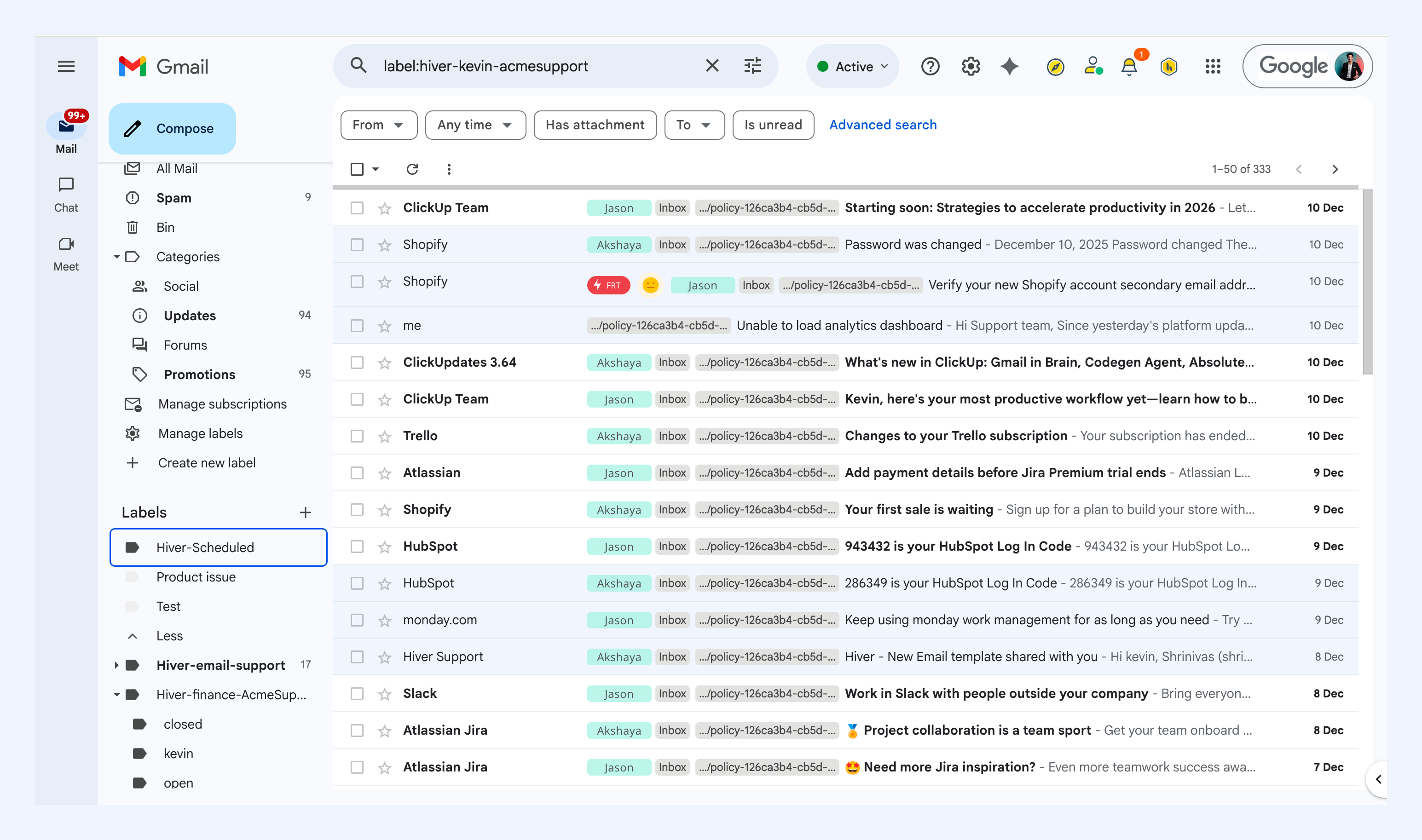
- Channels: email, chat and help center; voice is a $30-a-seat add-on.
- AI: AI agents and AI Copilot are included from Growth.
- Price: Growth $25, Pro $55, Elite $85 a seat annual ($35, $65 and $95 monthly). Seats are sold 2 to 5, then in packs of 5. No free plan on the pricing page; a 7-day trial.
- Where it falls short: the seat packs. A six-person team pays for ten seats. More on the Hiver alternative page.
Front: best for teams on several email providers
Front is a standalone shared inbox that works with any email provider and adds SMS, chat and social channels on higher plans. It suits larger teams that need deep routing and analytics across several providers and can pay for AI as add-ons.
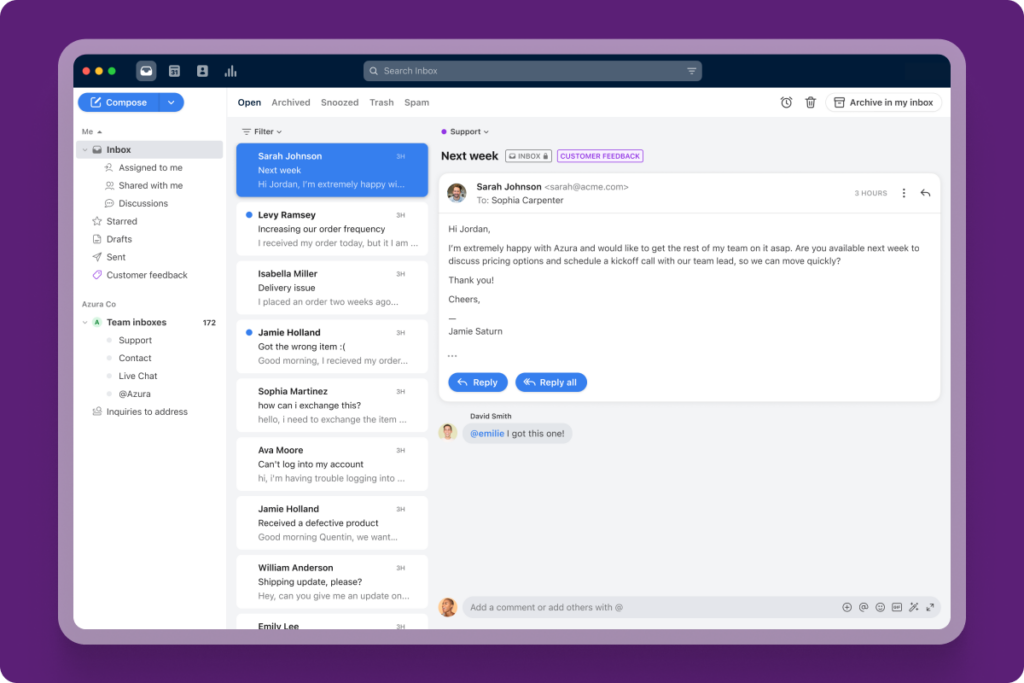
- Channels: Starter takes one channel type (email, chat or SMS); Professional adds the rest, with WhatsApp as a paid add-on.
- AI: Copilot $20 a seat, Smart QA $20, Smart CSAT $10, and Autopilot from $0.05 per conversation. Enterprise includes the assistive add-ons.
- Price: Starter $25 (up to 10 seats), Professional $65 (up to 50), Enterprise $105 a seat annual; Front says annual billing saves 24%. No free plan.
- Where it falls short: the add-on stack and the seat caps, which force a plan jump at 11 and 51 seats. See the Front alternative comparison.
Missive: best for email plus SMS and WhatsApp in one app
Missive is a team email app that puts email, SMS, WhatsApp and social messages in one place, with chat beside each conversation. It suits small teams that want messaging channels without buying a help desk.
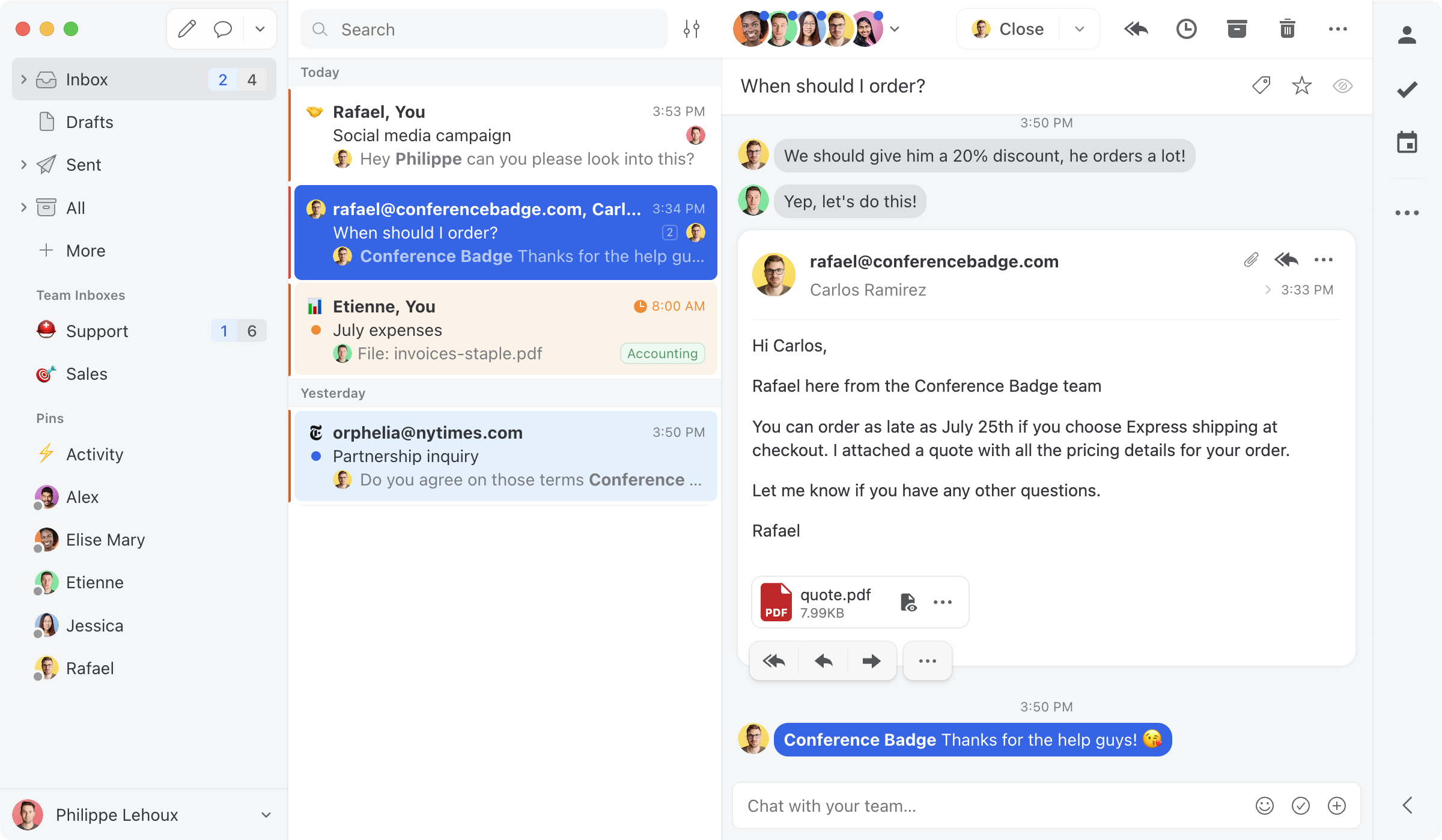
- Channels: email, SMS, WhatsApp, Messenger and Instagram.
- AI: Missive AI credits, or bring your own AI provider key; credit prices are not on the pricing page.
- Price: Starter $14 (up to 5 users, without rules, AI or integrations), Productive $24, Business $36 a user annual (Starter and Productive are $18 and $30 monthly). A 30-day trial.
- Where it falls short: the useful plan is Productive, not Starter, so price it at $24. More on the Missive alternative page.
Help Scout: best simple help desk
Help Scout is a help desk built to feel like email, with a free plan for up to 5 users and one of the widest channel lists on an entry plan in this guide. It suits small support teams that want a help desk without the setup weight of Zendesk.
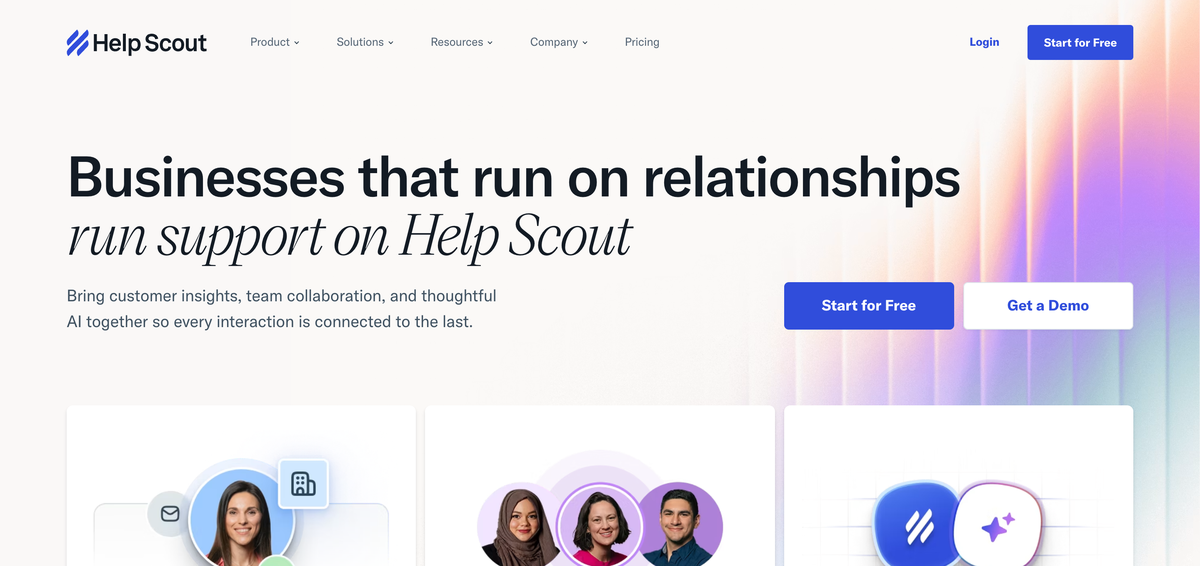
- Channels: email, live chat, SMS, WhatsApp, Instagram and Messenger from Standard.
- AI: AI Answers costs $0.75 per resolution on every plan, with the first 3 months free; AI drafts are unlimited on Plus and Pro.
- Price: Free for up to 5 users (one inbox), then Standard $25, Plus $45, Pro $75 a user annual. Annual billing saves 16% against monthly.
- Where it falls short: the AI meter scales with volume, and Pro has a 10-user minimum. More on the Help Scout alternative page.
Zendesk: best for high-volume support teams
Zendesk is a full customer service platform for teams that measure support by tickets, SLAs and queues. It suits larger support teams that need deep reporting, a large app marketplace and AI agents at scale.
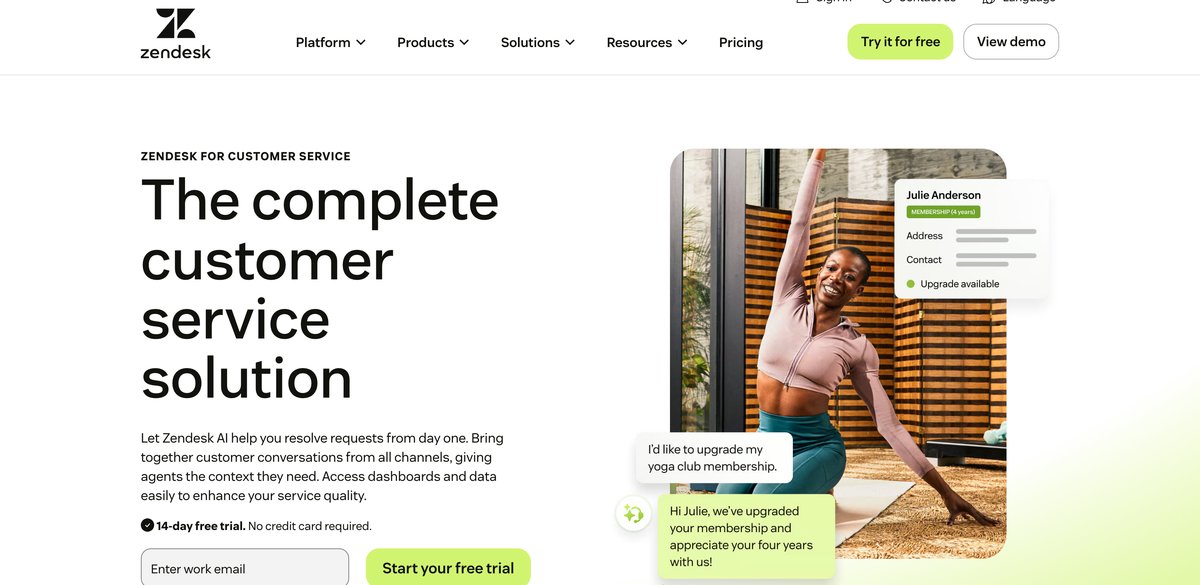
- Channels: Support Team ($19) is email and ticketing only; Suite Team ($55) adds messaging and live chat, voice, WhatsApp and social.
- AI: each plan includes 5 automated resolutions per agent a month (10 on Suite Professional); beyond that, $1.50 each on a committed add-on or $2.00 pay as you go. Copilot is a $50-a-seat add-on.
- Price: Support Team $19, Suite Team $55, Suite Professional $115 an agent annual ($25, $69 and $149 monthly). No free plan; a 14-day trial.
- Where it falls short: cost and weight for small teams. In our worked example it is the most expensive row. More on the Zendesk alternative page.
Freshdesk: best low-cost ticketing
Freshdesk is a ticketing help desk with a low entry price and an AI agent included up to a session allowance. It suits budget-conscious teams that want help desk structure, mostly over email.
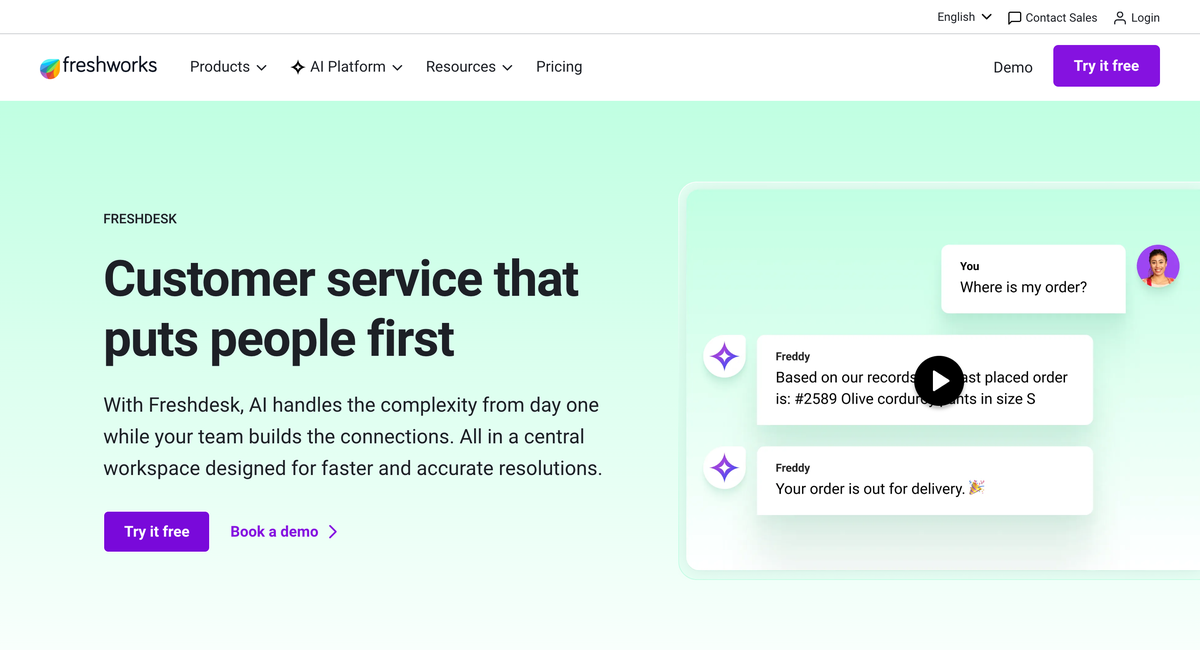
- Channels: Growth covers email, ticketing and a customer portal; chat and WhatsApp sit in the separate Freshdesk Omni suite.
- AI: Freddy AI Agent with 500 sessions included to start, then $49 per 100 sessions; Freddy Copilot is $29 a seat on Pro and Enterprise only.
- Price: Growth $19, Pro $55, Enterprise $89 an agent annual. A 14-day trial.
- Where it falls short: multichannel means a second product, and agent-side AI needs Pro. More on the Freshdesk alternative page.
Intercom: best for website and in-app chat
Intercom is a customer service platform built around its Messenger chat widget and Fin, its AI agent, which is billed per outcome. It suits software companies whose customers talk to them inside a website or app. (The company renamed itself Fin, formerly Intercom, in 2026, and Salesforce announced it had completed the acquisition on September 10, 2026; our Salesforce and Fin explainer covers what the deal means.)
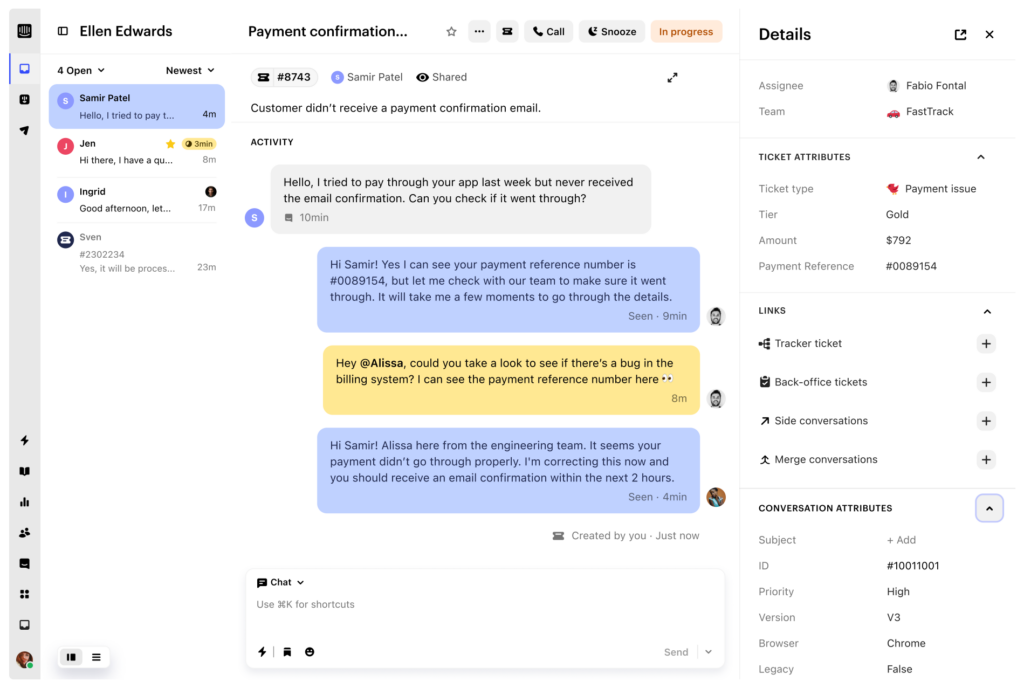
- Channels: Messenger chat, email and in-app messages included; SMS, WhatsApp and phone are pay as you go.
- AI: Fin AI Agent from $0.99 per outcome; Copilot $29 a seat.
- Price: Essential $19 a seat annual on October 5, 2026 (a promotional price; the list price is $29), Advanced $85, Expert $132.
- Where it falls short: the per-outcome AI line can outgrow the seat bill. The Intercom alternative page compares it with Drag.
Trengo: best for WhatsApp-first teams
Trengo is an omnichannel inbox priced as a flat platform plan, built around WhatsApp and social messaging. It suits teams of around ten whose customers message on WhatsApp, Instagram and Facebook more than they email.
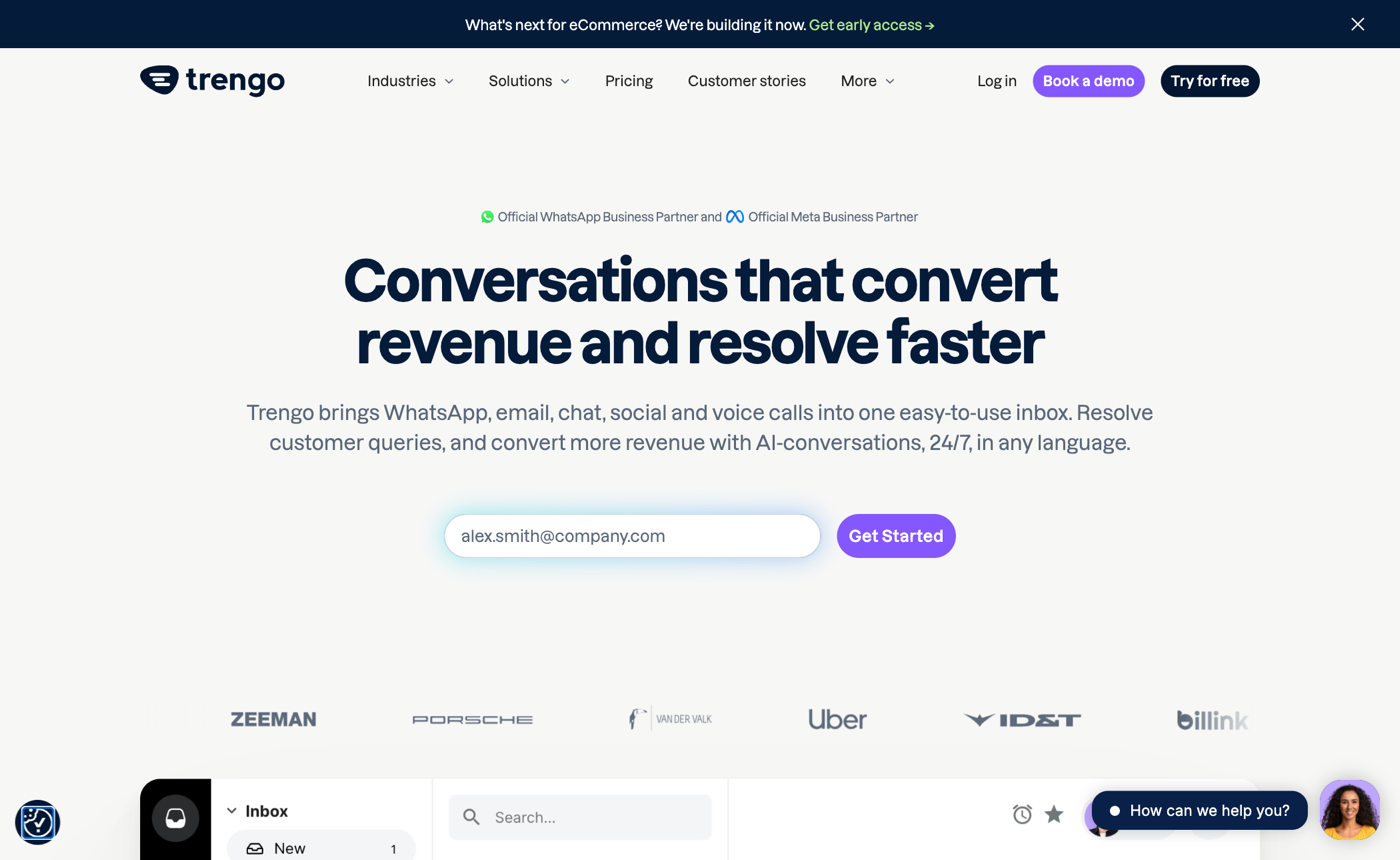
- Channels: email, WhatsApp, live chat, Facebook and Instagram; SMS and voice as add-ons.
- AI: conversations handled by its AI agent carry a surcharge of $0.28 each on annual billing ($0.34 monthly).
- Price: Boost $335 a month annual ($391 monthly) for 10 users and 6,000 conversations a year; Pro $559 a month annual for 20 users. Extra conversations are $17 per 100 on annual billing.
- Where it falls short: the flat plan is expensive for three or four people. More on WhatsApp options in our WhatsApp shared inbox guide and the Trengo alternative page.
Customer communication software vs CCM vs CRM
Customer communication software is for answering customers in conversation; customer communications management (CCM) is for producing documents at scale; a CRM is for tracking the relationship and the deal. Many buyers need two of the three, rarely all three from one vendor.
| Customer communication software | Customer communications management (CCM) | CRM | |
|---|---|---|---|
| Main job | Receive and answer customer messages as a team | Compose and send personalized documents in bulk | Record contacts, deals and history |
| Typical output | Replies to emails, chats and WhatsApp messages | Bills, statements, policy documents, regulated letters | Pipeline, forecasts, contact records |
| Who uses it | Support, sales and operations teams | Banks, insurers, utilities, government | Sales and account management |
| Examples | The nine tools above | Enterprise suites such as Quadient Inspire and OpenText Exstream | HubSpot, Salesforce |
If your search started with "customer communication management software" and you send statements, notices or policy packs to thousands of customers, you are in the CCM market, and the tools above will not do that job. If you need to answer the replies those letters generate, you are back in this one.
CRMs overlap from the other side. HubSpot Service Hub and Salesforce Service Cloud add inboxes to a CRM; they make sense when the CRM is already the center of your business. Most small teams connect a shared inbox to their CRM instead (Drag connects to HubSpot, for example). Our customer service tools guide covers the support-specific end of this market.
How to choose customer communication software
Choose customer communication software by checking six things in this order: where conversations happen, team size against seat rules, which channels your plan really includes, how AI is billed, security terms, and how long setup takes.
- Start from your busiest channel. If 80% of customer messages arrive by email, buy an inbox built for email and treat chat as a bonus. If customers message on WhatsApp, check the plan that includes it, not the entry plan.
- Price your actual headcount. Check minimums, packs and caps (Hiver's packs of 5, Front's 10-seat Starter cap, Missive's 5-user Starter) before comparing per-seat prices.
- Read the channel line on the plan you will buy. Zendesk, Front, Freshdesk and Drag all put some channels on higher plans.
- Model the AI line at twice your expected volume. Per-outcome and per-resolution pricing is cheap at 50 answers a month and expensive at 500. If you cannot predict volume, AI included in the plan is easier to budget.
- Check the security terms. Ask for the vendor's SOC 2 report and GDPR data processing terms, check where data is stored, and if you handle health data in the US, confirm the plan comes with a HIPAA business associate agreement before anyone forwards a patient email.
- Count the switching cost. Tools that run in the inbox your team already uses (Drag and Hiver for Gmail) need no migration; standalone tools mean moving addresses, history and habits.
If you run your business email on Google Workspace, our shared inbox guide goes deeper on the Gmail options, including Google's own: a native shared inbox for Business Starter, Standard and Plus that Google is releasing in phases. It lets delegates share one mailbox and records who sent each reply, but Google's help page describes no assignment or statuses (checked October 5, 2026).
Frequently asked questions
Which customer communication software is best for a small team?
For a small team that works in Gmail, a Gmail-native shared inbox is usually the best fit: Drag starts at $12 with no minimum and includes AI from $18, and Hiver starts at $25 with a 2-seat minimum. Small teams outside Gmail should compare Missive, at $24 for the plan with AI and rules. Help Scout is the other option: its free plan covers up to 5 users with one inbox.
Is there free customer communication software?
Yes, with limits. Help Scout has a free plan for up to 5 users and one inbox, and Google is rolling out a native shared inbox that is included in Workspace Business Starter, Standard and Plus. Neither includes much automation or AI. Most paid tools offer a 7 to 30 day trial instead of a free plan; Drag's is 7 days with no card.
Can I manage customer communication from Gmail?
Yes. Gmail-native tools such as Drag and Hiver add shared inboxes, assignment and notes to the Gmail your team already uses, so nobody changes apps. Google Groups' Collaborative Inbox and Google's native shared inbox also work from Gmail, but without full assignment and status tracking. WhatsApp from Gmail needs a tool that adds the channel, such as Drag Pro.
Do I need a CRM as well as customer communication software?
Not always. If your team mainly answers customers, a shared inbox with contact history is enough. Add a CRM when you track deals, pipelines or account revenue. Most small teams connect the two rather than buying one suite: the inbox handles conversations and the CRM records the relationship. All-in-one suites suit teams already committed to that CRM.
How much does customer communication software cost per month?
For a three-person team on annual billing, per-seat tools run from $0 on Help Scout's free plan (one inbox) and $36 on Drag Starter to $165 on Zendesk Suite Team, and Trengo's flat plan is $335. AI then adds anything from nothing (Drag and Hiver include it) to $2.00 per conversation it answers (Zendesk pay as you go), so estimate your monthly volume first.
Related guides: pricing breakdowns and channel guides for customer communication tools
- Shared inbox guide: how shared inboxes work and the best options for Gmail and Outlook teams.
- Customer service tools: the support-specific market, from help desks to AI agents.
- WhatsApp shared inbox: how teams share one WhatsApp Business number.
- Marketing agency software: the client communication stack for agencies, including portals and proofing.
- Pricing breakdowns for Zendesk, Intercom, Help Scout, Front, Hiver, Missive and Freshdesk.
Ready to give every customer message an owner? Start a 7-day free trial of Drag, no card needed.

Co-founder
Building Drag for nearly ten years: shared inboxes, boards, and now the AI and agent layer, all on Gmail, plus HeyHelp for the personal inbox. Writes the honest versions of the comparisons.