













AI time management tools are great to improve team efficiency with modern resources. Here are some suggestions to optimize many workflows.
Table of contents
- Where traditional time management fails and how AI time management tools help
- Why adoption strategy matters for AI time management tools
- What are the best AI tools for teamwork and collaboration?
- How can AI tools improve meeting and calendar scheduling?
- Do AI tools help users manage email priorities and daily tasks?
- Which AI tools help teams visualize projects and ongoing work?
- What are AI note-taking and documentation tools used for?
- How do AI tools summarize data and generate reports?
- Where AI time management tools create the biggest time savings at work
- How to choose the right AI time management tools for your team
- Making AI time management tools work for your team
- Frequently asked questions
AI time management tools are quickly becoming crucial for complex business tasks. As workloads scale and teams rely on email, meetings, and shared systems to get work done, managing time manually isn’t efficient. In 2026, the best AI time management tools go beyond assigning tasks and blocking time on a calendar. Instead, they actively reduce time spent on coordination by automating how work is scheduled, summarized, and organized. That way, teams can focus on critical work instead of repetitive tasks. This guide breaks down the best AI time management tools by use cases, showing how different categories of AI help save time in practice.
Where traditional time management fails and how AI time management tools help
Teams may struggle to stay productive when standard time management methods can’t keep up with fast-paced, information-heavy workflows. There are multiple ways to use AI at work to reduce these gaps by automating planning, prioritization, and task organization. With that, users can reclaim focus and reduce wasted time.
4 common challenges AI time management tools solve
- Inbox overload: Constant emails, threads, and notifications make it hard to know what requires immediate attention, slowing decision-making
- Meeting misuse: Frequent and poorly coordinated meetings fragment attention, which limits work productivity and doesn’t address main concerns
- Unclear priorities: Without task prioritization, teams spend energy deciding what should be done by whom, leading to longer completion times
- Scattered information: Notes, documents, and project data spread across channels make it difficult to find relevant insights quickly
Why adoption strategy matters for AI time management tools
Even the most advanced AI time management tools can only help when integrated thoughtfully into workflows. Teams that start with valuable areas see the most gains. Here’s what you need to know:
- Start with key workflows: Focus on tasks that consume the most time, like email triage or scheduling meetings
- Set the correct expectations: Give users the tools they need to onboard new AI systems based on their roles and assignments
- Measure and reevaluate: Track time saved and task completion to maintain momentum
What are the best AI tools for teamwork and collaboration?
AI tools in shared inboxes can foster teamwork and collaboration by assigning conversations, summarizing email threads, and preventing duplicate replies and lost messages. By reducing coordination friction and inbox overload, these tools save time for teams that rely on shared email addresses. Companies can use AI for sales, support and marketing, for instance.
DragApp: a shared inbox with AI power
Our solution, DragApp, transforms your basic Gmail interface into a collaborative workspace board that allows team members to contribute on ongoing tasks through a centralized platform. To fit all modern workflow requirements in project management, Drag implements machine learning in:
- AI tagging: sort and categorize emails based on tone and urgency
- AI drafts and compose assistant: write better emails with AI and get instant context-aware reply suggestions
- AI summaries: get instant insights into your inbox and conversation threads
- Copilot: ask Varley, Drag’s AI, questions about your shared board and get actionable answers
These resources use AI to help with time management because they shorten professional email response times without the need to do repetitive sorting and assigning work. Pricing: Plans start at $12/user/month
Drag · with Varley
The inbox your team and Varley work in together
Shared inbox and live chat for Gmail teams, with Varley, Drag’s AI, included from $18. Plus an MCP server your own AI tools can drive.
How can AI tools improve meeting and calendar scheduling?
AI-based meeting and calendar tools reduce the time spent coordinating schedules by automatically booking timeslots for meetings based on team availability. Many also assist with meeting notes and follow-up reminders, helping teams keep meetings efficient before and after they happen.
Motion AI: team meetings for everyone
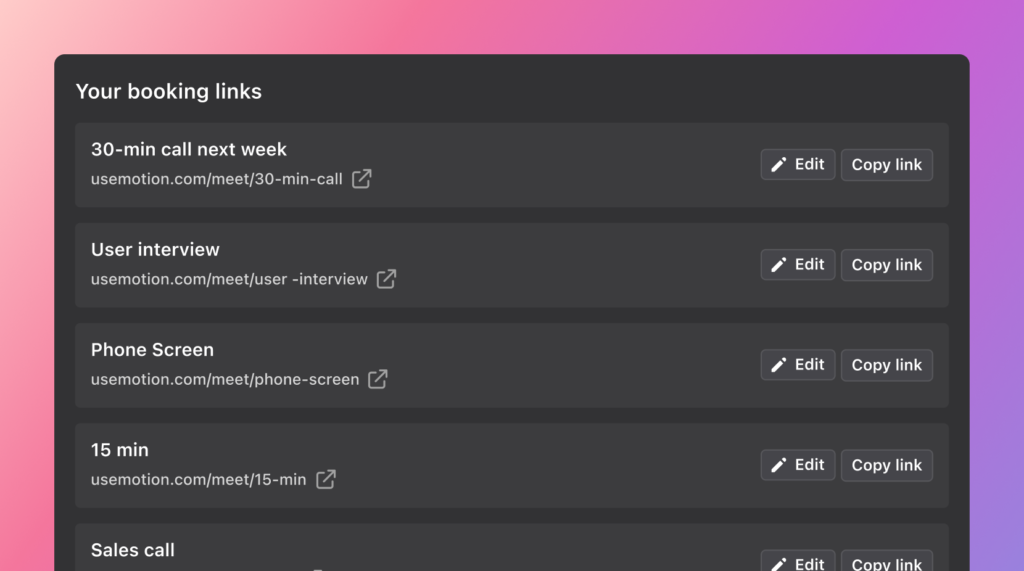 Motion AI Meeting Assistant lets you pick ideal meeting preferences, set a daily time cap and sync with task management platforms and calendars. Then, it uses AI to optimize timeslots for the entire team and avoid interrupting critical tasks. Pricing: Starts at $19/seat/month
Clockwise: book efficient time
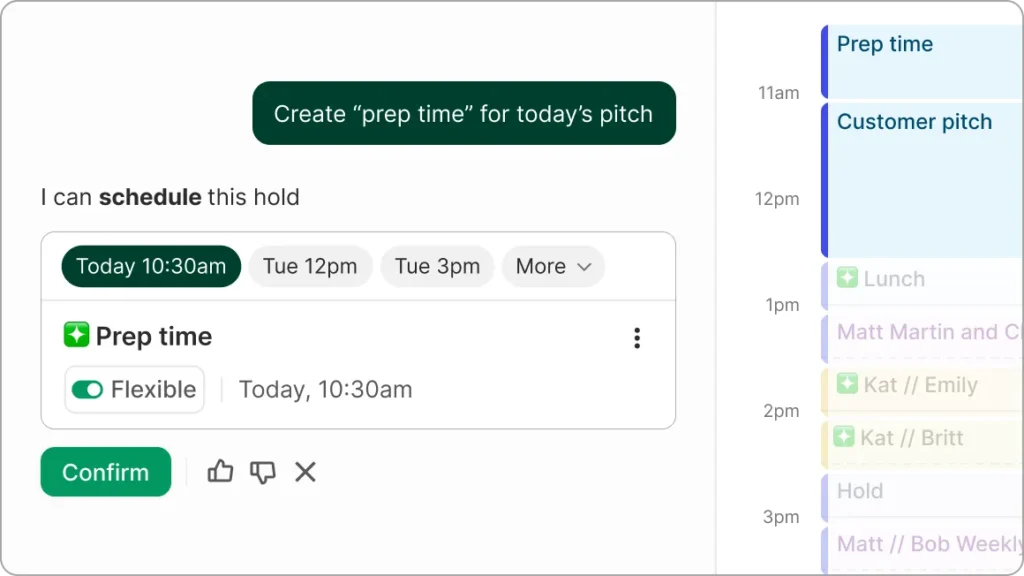 Clockwise helps teams unify their calendars and book efficient, relevant meetings for their ongoing collaborative work with the help of AI. It's able to fit different events into multiple schedules, signal conflicts and build templates so that users know when and why they're needed. Pricing: Free tier available, paid plans with more features start at $6.75/user/month
Do AI tools help users manage email priorities and daily tasks?
Yes, AI Gmail assistants are tools that combine email intelligence and task prioritization to help users decide what matters most. They summarize inboxes, highlight urgent messages, extract action items, and recommend the next steps. That way, they also reduce both inbox overload and decision making time.
HeyHelp




HeyHelp is an AI email assistant that declutters and optimizes your business inbox with AI power. By implementing different AI models, it includes:
- AI drafts and editing
- Automatic follow-ups
- AI sorting and inbox prioritization
It's also able to learn from your personal inbox use and history. AKA: the more you use it, the more it adapts to your writing style, filtering choices and workflow urgency needs. Pricing: $12/user/month
Which AI tools help teams visualize projects and ongoing work?
AI-based platforms that include graphs, task boards, presentations and data extraction from multiple company communication channels.
Notion: visual project management
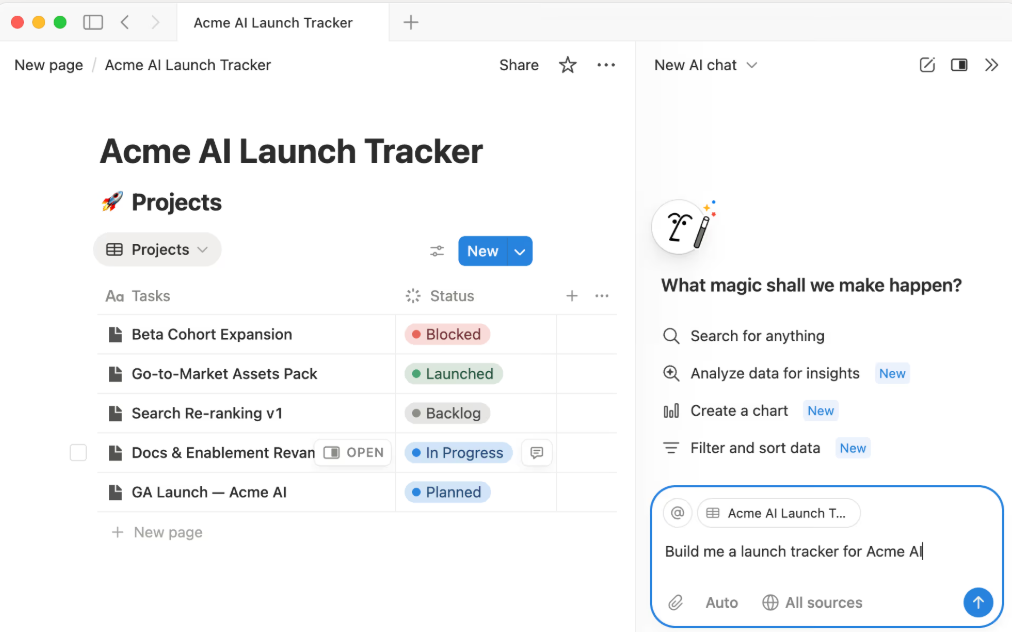 Notion is a project management platform that includes AI features such as text generation, formatting and a personal smart assistant. It has a dedicated email client, Notion Mail, that allows users to import messages directly into their workflow. Pricing: AI features are available for the Business plan, at $20/user/month
Whimsical: AI mind maps
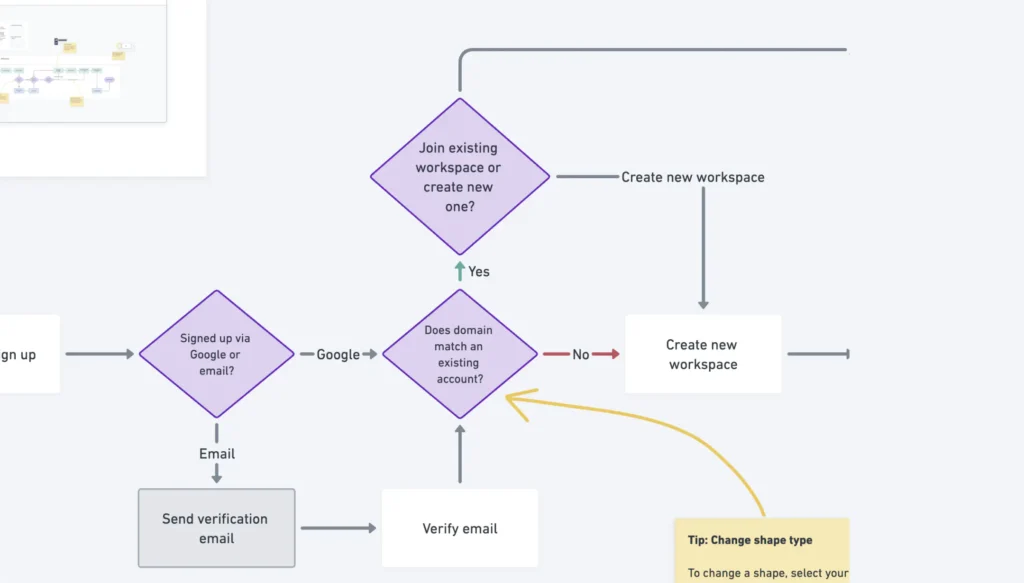 Whimsical uses AI to help users build custom flowcharts, graphs and documents to detail their brainstorming ideas, workflow guidelines and other crucial business visualizations. Pricing: Free limited option, paid plans for teams start at $10/editor/month
What are AI note-taking and documentation tools used for?
AI note-taking and documentation tools capture meetings and conversations, then convert them into structured documents for further decision making. This reduces the need for manual notes, builds a knowledge base for teams and makes important information easier to search and reuse later.
Otter.AI: meeting follow-ups
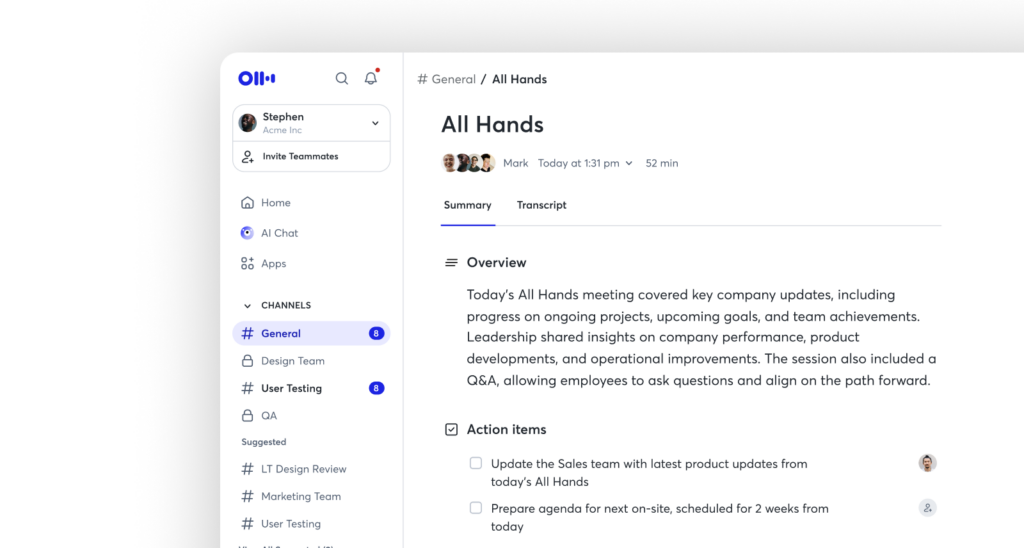 Otter joins your meetings, transcribes conversations and uses AI to generate smart reports with actionable items and share them across team channels. Pricing: Team plans begin at $8.33/user/month
Scribe: process documentation
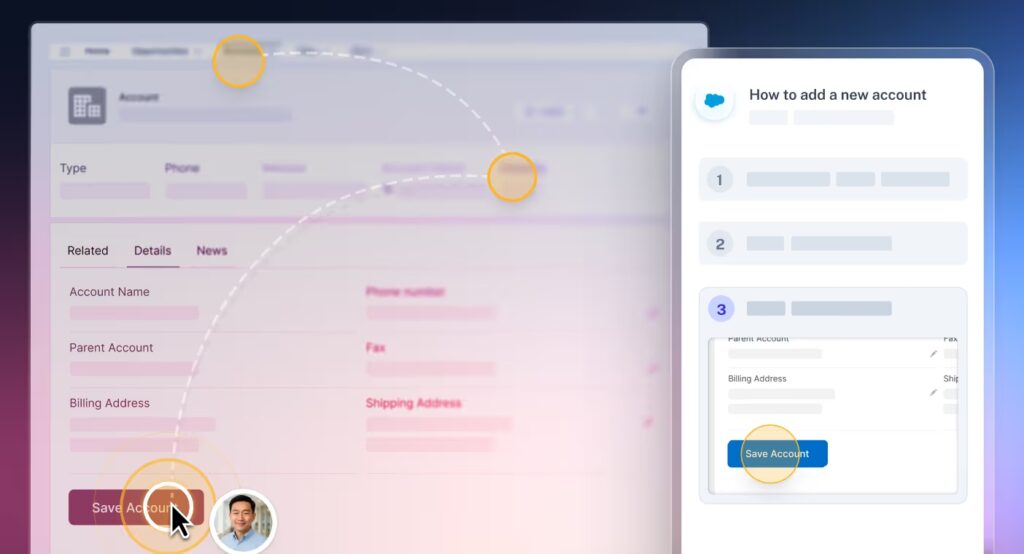 Scribe is an AI add-on that allows team members to track multi-step workflows. Then, it uses machine learning to create guides and documents with annotations, screenshots and other visuals. These can be shared internally for onboarding, troubleshooting and reference or with customers through a self-service helpdesk system. Pricing: Collaborative AI tools available with the Team Pro plan, at $12/seat/month
How do AI tools summarize data and generate reports?
AI tools for data summarization and reporting analyze documents, dashboards, or project data and turn them into key insights. Instead of manually reviewing information, users can quickly understand the most relevant takeaways and share updates with their collaborators.
Sisense: cross-platform data analysis
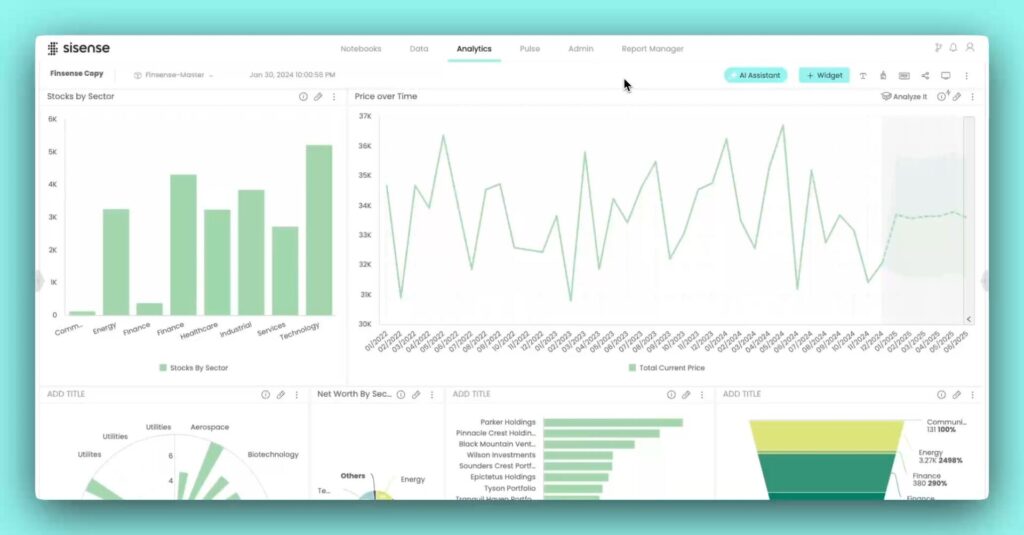 Sisense is a data visualization tool that connects to multiple areas of your workflow to sync relevant data. Then, it uses AI systems to build graphs and dashboards with actionable insights from your workflow. Users can try different AI prompts with the built-in assistant to get optimization tips and streamline their current activities. Pricing: available by request
Domo: custom AI data agents
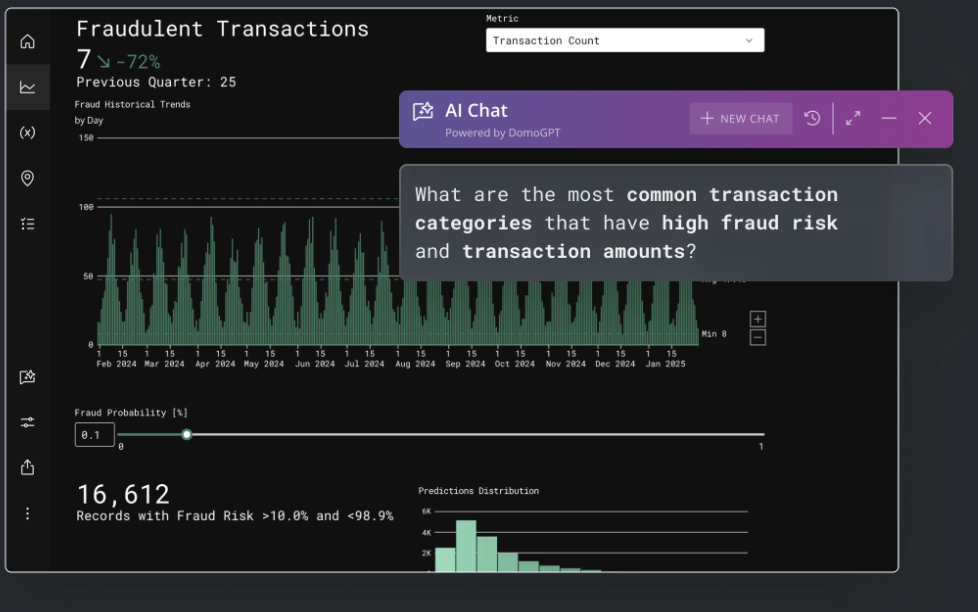 Domo tracks and monitors actions from your business platforms and condenses them into easy reports, so that the whole team can benefit from data analysis. With the customizable AI agents, users are able to ask questions and get different insights into what's happening across their channels and prevent bottlenecks. Pricing: available upon request
Where AI time management tools create the biggest time savings at work
| Area of work | AI tool category | How AI helps | Best for | Example tools |
|---|---|---|---|---|
| Inbox management | Shared inboxes with AI resources | AI assigns conversations, summarizes threads, signals urgency, and prevents duplicate replies so teams spend less time sorting email | Teams managing shared inboxes for support, sales, and operations | DragApp |
| Internal communication | AI meeting and calendar scheduling tools | AI optimizes meeting times, protects focus, reduces unnecessary meetings, and supports follow-ups to keep collaboration effective | Asynchronous teams with frequent meetings and complex schedules | Motion AI, Clockwise |
| Prioritization and task management | AI email management tools | AI highlights urgent messages, drafts context-based replies, and recommends next steps to reduce decision time | Professionals with email-driven workflows that need automatically decluttered inboxes | HeyHelp |
| Knowledge centralizing | AI tools for note-taking, documentation, and reporting | AI captures meetings, documents workflows, and summarizes data so teams can quickly access relevant insights and files | Teams that rely on meetings, documentation, and shared knowledge | Otter.ai, Scribe, Sisense, Domo |
| Work visualization | AI-powered tools for visualizing projects and ongoing tasks | AI turns tasks, ideas, and communication into visual boards, graphs and flowcharts | Teams planning projects, brainstorming, or tracking work progress | Notion, Whimsical |
How to choose the right AI time management tools for your team
Choosing the right AI time management tools starts with understanding your team’s specific pain points and workflows. Not every tool fits every team or individual, so it’s important to match features with real needs.
Key factors to consider:
- What part of the work is still inefficient? Are you struggling with email overload, meeting coordination, task assignments, or project visualization? Choose tools that address your top concerns first
- Who will use the software? Some tools are designed for shared inboxes and team workflows, while others are best for personal productivity
- Is it easily adaptble to your current systems? Make sure the tool works seamlessly with your calendars, communication channels (such as integrating WhatsApp and Gmail for customer support), project management apps, and document platforms
- Can teams easily start using it? Opt for tools that are simple to implement, require fewer prompts and reduce friction
- What's the actual impact of using an AI time management tool? Look for platforms that include analytics reports to track time, task completion and workflow efficiency so you can evaluate progress and take further action when needed
By considering these factors, team leaders can choose AI time management tools that deliver the biggest productivity changes and fit well into existing workflows.
Making AI time management tools work for your team
AI time management tools are no longer optional. In fact, they’re key for teams that want to reduce manual work, prioritize effectively, and stay focused on high-impact tasks. By understanding the challenges of your specific workflows and choosing tools that fit your team’s needs, you can reclaim time and improve productivity across the organization.
Frequently asked questions
What are AI time management tools and how do they work?
AI time management tools use artificial intelligence to automate tasks like scheduling meetings, summarizing emails, prioritizing tasks, and visualizing projects. They help teams and save time, reduce repetitive work, and focus on high-impact projects.
How can AI tools improve team collaboration?
AI tools improve collaboration by managing shared inboxes, assigning tasks, summarizing threads, and keeping everyone aligned. Teams spend less time coordinating and more time executing on priorities.
Can AI time management tools help with prioritizing tasks?
Yes. AI tools analyze deadlines, workload, and impact to recommend what to focus on next. This helps reduce decision fatigue and ensures that important tasks get attention first.
Which teams benefit most from AI time management tools?
Sales, marketing and support teams can use AI to improve their email management. Any team that relies on a collaborative email address can use AI shared inboxes like DragApp to improve collaboration, allocate tasks, centralize files, reduce missed messages, and streamline workflows.

