








Groove spent a decade as the simple, honestly priced shared inbox that small teams loved. In 2026 it rebranded to Helply and moved to AI-first, per-ticket pricing: $1 a ticket with a 250-ticket monthly minimum, a floor of roughly $3,000 a year whatever your team size. It is a legitimate bet on AI-led support, and it is aimed at a different customer than the bootstrapped teams Groove grew up with. Drag is priced for those teams: email, live chat, and WhatsApp in one queue, Varley, Drag’s AI, included from $18 a seat flat, no ticket meter, built on Gmail as the system of record. Here is the honest comparison.

Table of contents
The verdict
The best Groove alternative, now that Groove has become Helply and moved to $1-per-ticket pricing with a roughly $3,000-a-year floor, is Drag for the small teams that model priced out: email, live chat, and WhatsApp in one queue, Varley, Drag’s AI, included from $18 a seat flat, no ticket meter and no minimum, built on Gmail as the system of record. Drag costs $12 to $24 a seat, and $24 is the ceiling. Helply's AI-first, per-outcome bet is legitimate and well-built; it is simply aimed at a different customer than the bootstrapped teams Groove grew up with. Helply remains the better choice for teams with steady ticket volume comfortably above the 250-ticket minimum who want an AI-led desk and outcome-shaped billing.
Choose Drag if you…
- You came to Groove as a small team wanting a simple, honestly priced shared inbox, and you want that product to still exist.
- You want email, live chat, and WhatsApp in one queue, with Varley, Drag’s AI, included from $18 a seat flat.
- You do not want a ticket meter or a minimum.
- You want a platform built on Gmail as the system of record.
Choose Helply if you…
- You have steady ticket volume comfortably above the 250-ticket minimum.
- You prefer outcome pricing over seats.
- You want to run support through an AI-led desk.
Drag vs Groove (Helply) at a glance
| Feature | Drag | Groove (Helply) |
|---|---|---|
| What it is | ||
| What it is | A full support platform on Gmail | An SMB shared inbox rebranded into an AI-first desk (Helply) |
| AI | Varley included in the seat, with monthly AI credits | The product IS the AI: resolution-led, priced per ticket |
| Where you work | Inside Gmail + web, desktop, and mobile apps | Helply's own platform |
| Channels | Email + live chat + WhatsApp in one queue | Email-led desk with widget |
| Pricing | ||
| Pricing model | Flat seats: $12 entry, AI included from $18 | $1 per ticket, 250-ticket monthly minimum, billed as an annual minimum |
| The floor | $12/month, one seat | Roughly $3,000/year regardless of team size |
| The legacy plans | n/a: one model, unchanged | $12/$20/$35 tiers continue as Groove Classic for existing customers; new signups go to Helply |
| Free to start | 7-day trial, no card | No free trial; entry is the ~$3,000/year minimum |
| Workflow & platform | ||
| Kanban workflow | check_circle | cancel |
| MCP server | Yes, 47 tools | cancel |
Pricing and features verified July 2026; confirm current details on each vendor’s site.
Why teams pick Drag
Heritage
The product Groove used to be.
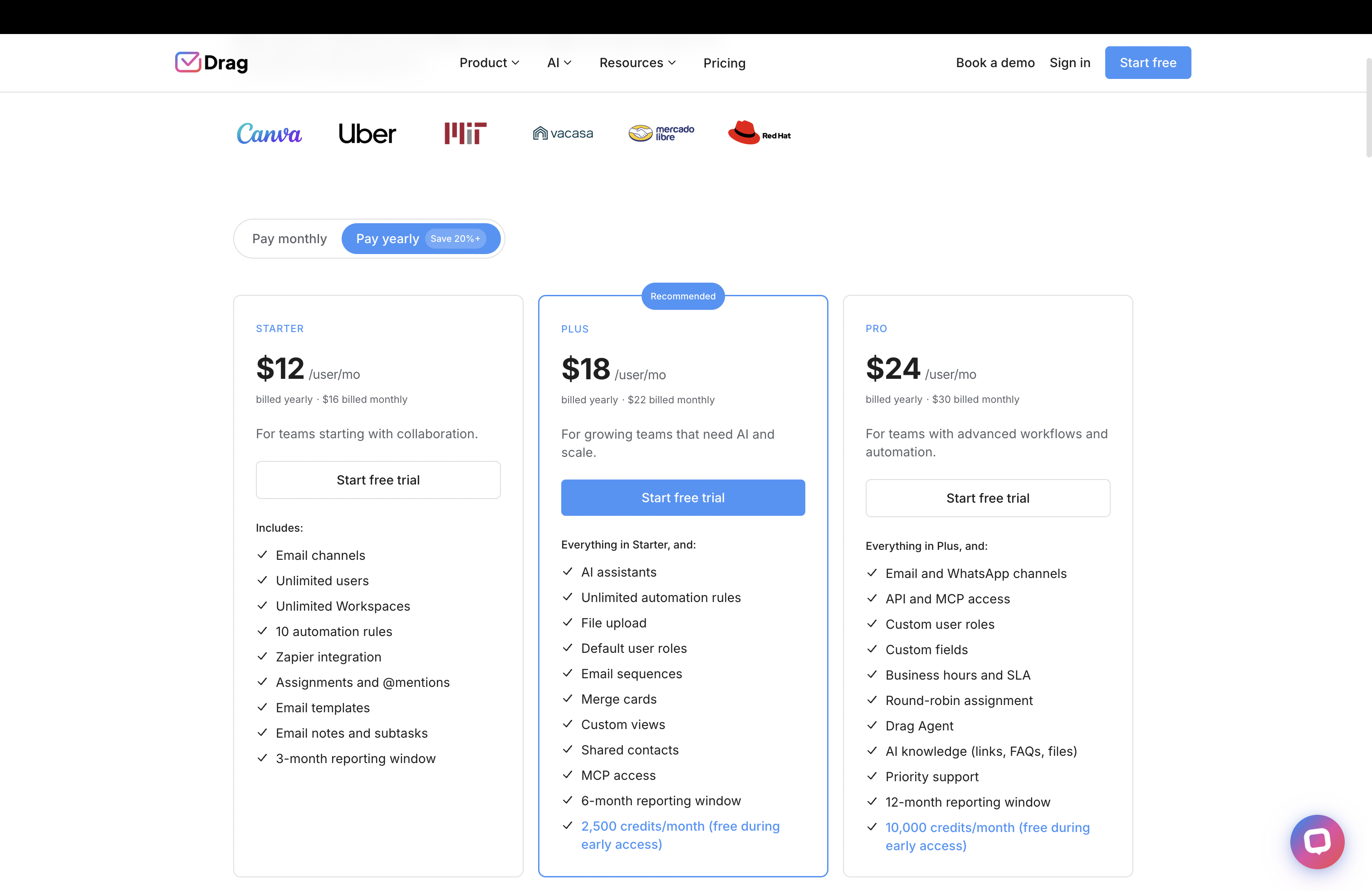
Groove earned a decade of small-team loyalty as the simple, fairly priced shared inbox, and its founder’s blog taught a generation of bootstrappers (ours included) that honesty compounds. The rebrand to Helply is a legitimate bet on AI-first support; it is also, at $1 a ticket with a 250-ticket monthly minimum, a product whose floor is roughly $3,000 a year, which is a different product for a different customer. Drag is priced for the customer Groove grew up with: flat seats from $12, a two-person team pays like a two-person team.
Pricing
A bill you never think about.
Helply’s per-ticket model aligns its revenue with volume: honest, and volume-shaped: busy months cost more, and the minimum bills even in quiet ones. Varley, Drag’s AI, is included from $18 a seat, with monthly AI credits that cover most teams: $90 for five people, busy month or quiet.
One queue
The whole operation, not just the desk.
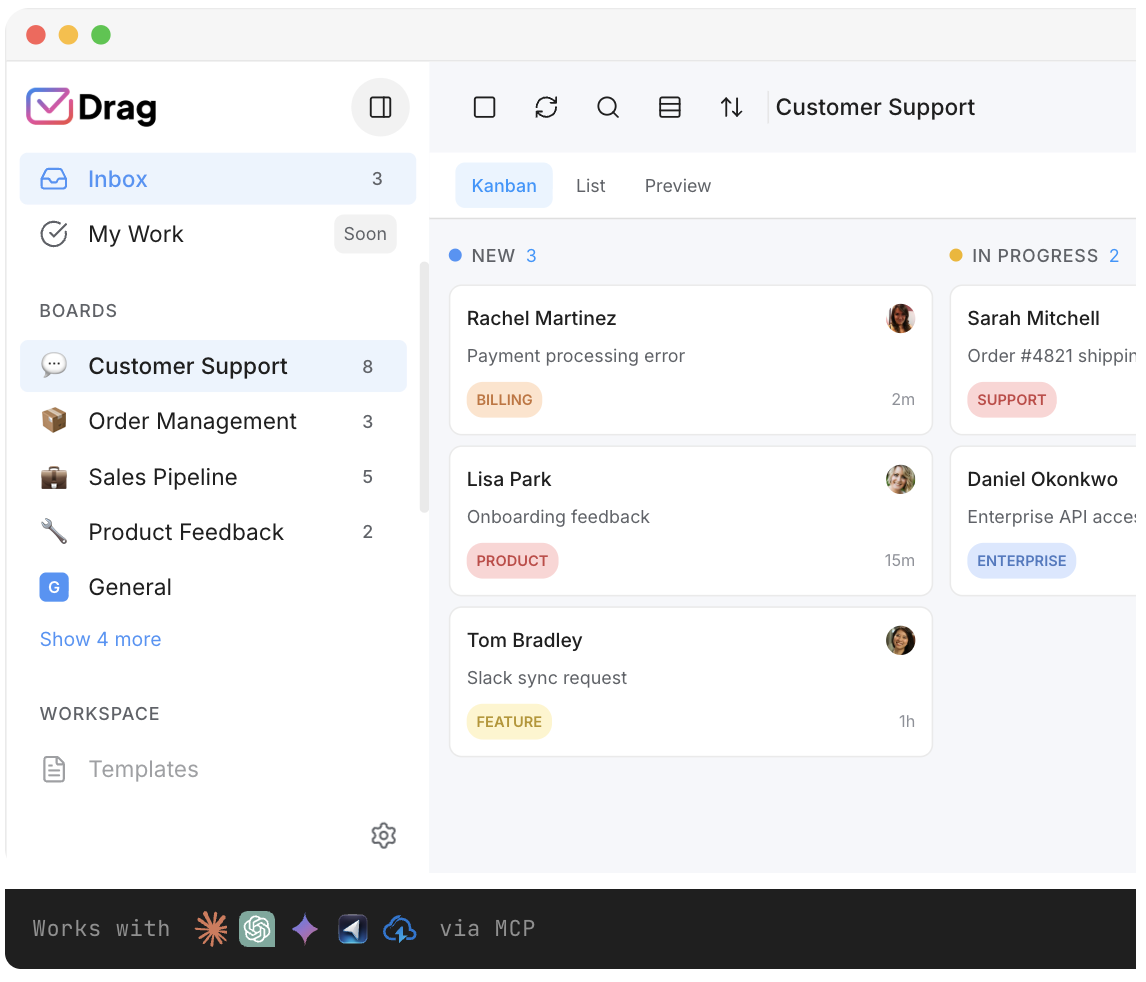
Email, live chat, and WhatsApp land in one queue with boards, assignment, collision detection, and reporting, inside Gmail or in Drag’s own web, desktop, and mobile apps, with nothing migrating in because Gmail stays the system of record.
AI
AI on your terms.
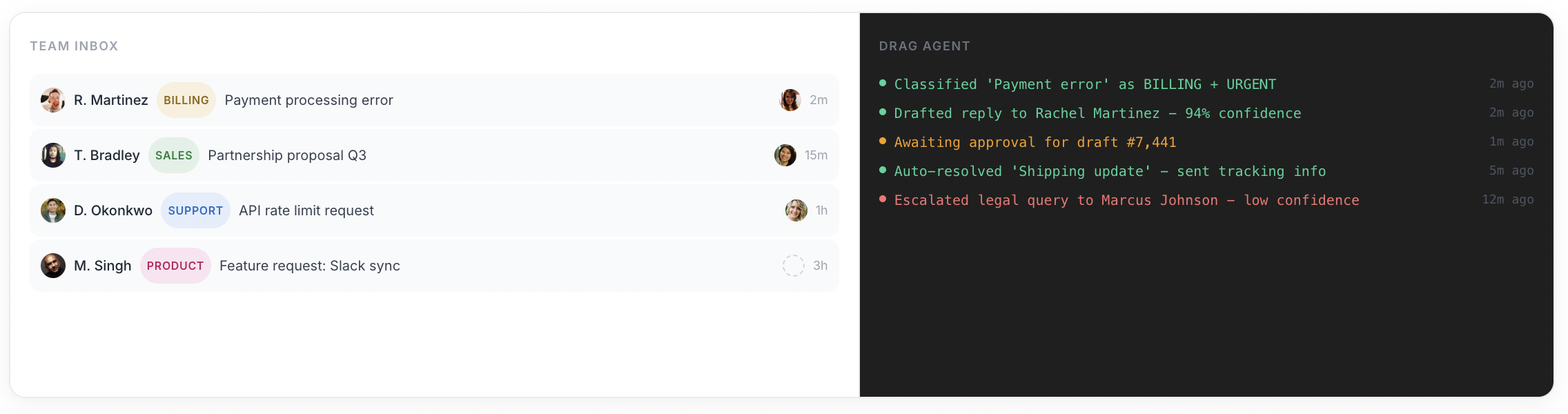
Varley drafts and tags across every channel, answers from everything your team knows and acts in your tools; Varley’s Agent for autonomous resolution; and the MCP server so Claude, ChatGPT, or Cursor can run the queue.
Varley · Drag’s AI
One AI, four ways it works.
Varley, Drag’s AI, knows your help center, docs and past conversations. It drafts and tags every email, answers your team in Copilot, acts in Stripe, Slack and HubSpot when you approve, and on Pro resolves conversations on its own. Monthly AI credits come with every Plus and Pro seat, with no per-seat AI add-on.
Helply’s AI is the product, priced at $1 per ticket above a 250-ticket monthly minimum.
- CopilotAsk Varley, then let it act
- AgentsVarley resolves conversations on its own
- IntelligenceWhat Varley knows, and the tools it acts in
- AssistsVarley in every email: drafts, tags, summaries
Included in Plus. Pro gets 2x the usage. Power users top up any time.
Varley resolves the routine ones on its own.
On Pro, Varley’s Agent reads the email, checks your policy, acts in tools like Stripe, replies in your team’s voice and closes the conversation. Anything it isn’t sure of goes to your team, with everything it found. Included in Pro.
Helply is built around AI resolution at $1 a ticket; Varley’s Agent does the same job inside Drag, with the shared inbox underneath included.

I was charged twice this month
Daniel Okonkwo · Customer
- 9:38:13
Read Daniel’s email
Billing · Urgent
- 9:38:15
Checked your refund policy
Duplicate charges: refund in full
- 9:38:18
Found both charges in Stripe
$49 on 12 April, twice
- 9:38:22
Refunded the duplicate
$49 back to Daniel’s card
- 9:38:30
Replied to Daniel
Policy cited, in your team’s voice
- 9:38:35
Closed the conversation
Logged, with its sources
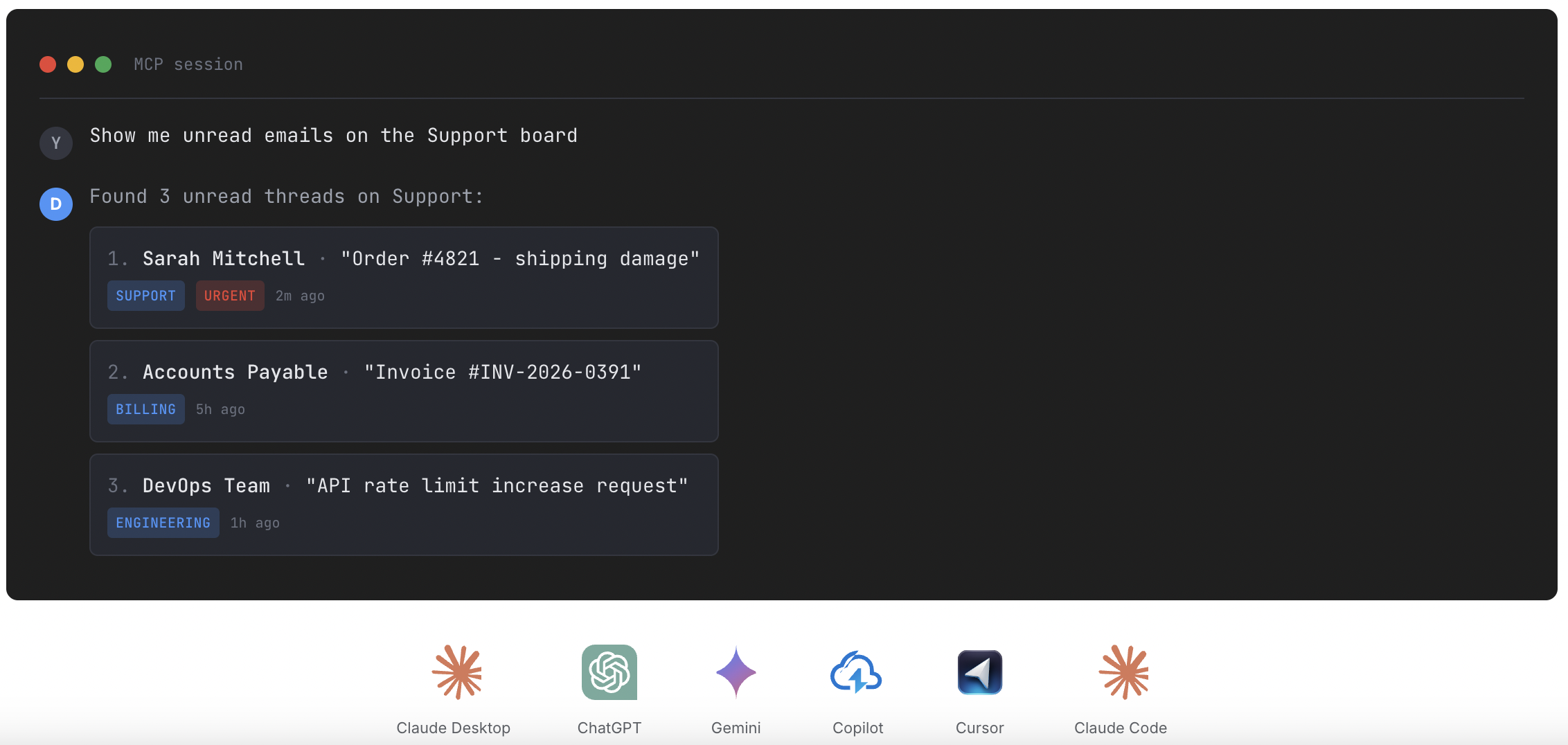
Connect Claude to your queue in about two minutes.
Paste one URL into Claude’s settings, enter your API key once, and your inbox becomes 47 tools with full read and write, WhatsApp included, on the Pro plan. ChatGPT, Gemini, Copilot and Cursor connect the same way. Then just ask:

Summarise unread Support threads and assign billing to Sarah.

Label everything mentioning refunds and move it to In Progress.

What was our first-reply time this week vs last?
Groove has a public API but no official MCP server; only a community-built server exists.
Explore the MCP serverMCP server
@dragapp/mcp-server
47
tools · 12 categories · read + write
https://app.dragapp.com/mcp
paste into Claude › Settings › Connectors

 + any MCP client
Pricing: Drag vs Helply
Helply prices per outcome: $1 per ticket with a 250-ticket monthly minimum, so the entry cost is roughly $250 a month (about $3,000 a year) whatever your team size, and the bill grows with volume from there. The original per-seat plans ($12/$20/$35) continue as Groove Classic for existing customers, but the public pricing and signup path now lead to Helply’s per-ticket model. Drag for five seats with Varley included, unlimited conversations, and the channels built in is $90 a month: less than half Helply’s floor, for the whole team. A two-person team pays $36. Model your own shape in the pricing report’s comparator or the cost calculator.
Drag, five seats with Varley
$90 / month, flat
One bill. Unlimited conversations, Varley (Drag’s AI), email + live chat + WhatsApp, boards, and a help centre. A two-person team pays $36.
See full pricingHelply, at the floor
~$250 / month
$1 per ticket, 250-ticket monthly minimum (~$3,000/year, billed as an annual minimum), regardless of team size, then up with volume.
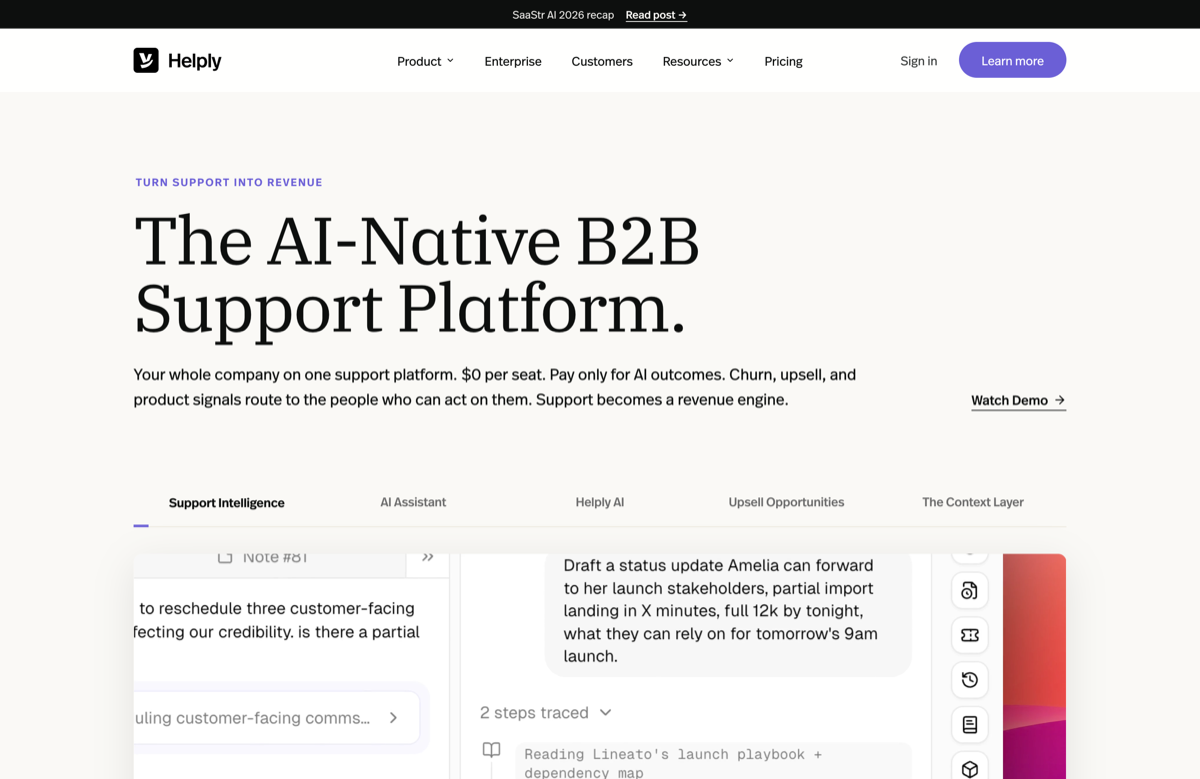
Source: helply.com pricing and the Groove-to-Helply announcement, July 2026.
Drag vs Groove (Helply), feature by feature
The detail layer for evaluators. Where Helply is stronger, we say so and mark it plainly.
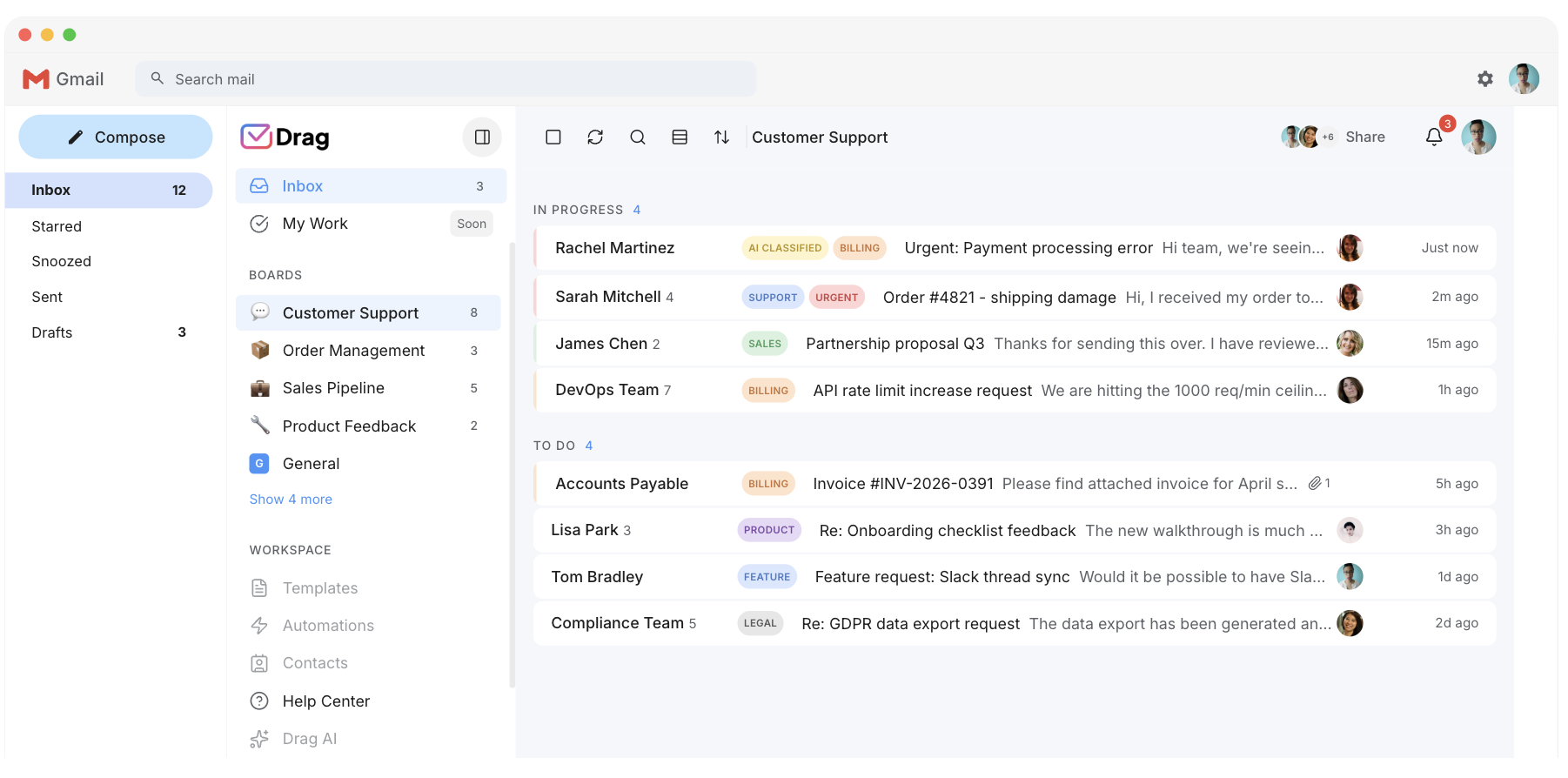
The shared inbox
Both know this job; it was Groove’s original craft. Drag adds boards, and lives on Gmail so nothing migrates.
- Drag: the shared inbox with boards, on Gmail, nothing migrates.
- Groove: the original craft, a decade of shared-inbox history. Respect to the incumbent.
AI resolution
Helply’s whole product: AI-led answers priced per ticket, and the bet is genuine. Varley drafts for your team to approve, included in the seat, and on Pro resolves conversations on its own.
- Helply: autonomous-first AI resolution, priced per ticket. A genuine bet.
- Drag: Varley drafts for your team to approve, included in the seat, plus Varley’s Agent for autonomous resolution on Pro.
Channels
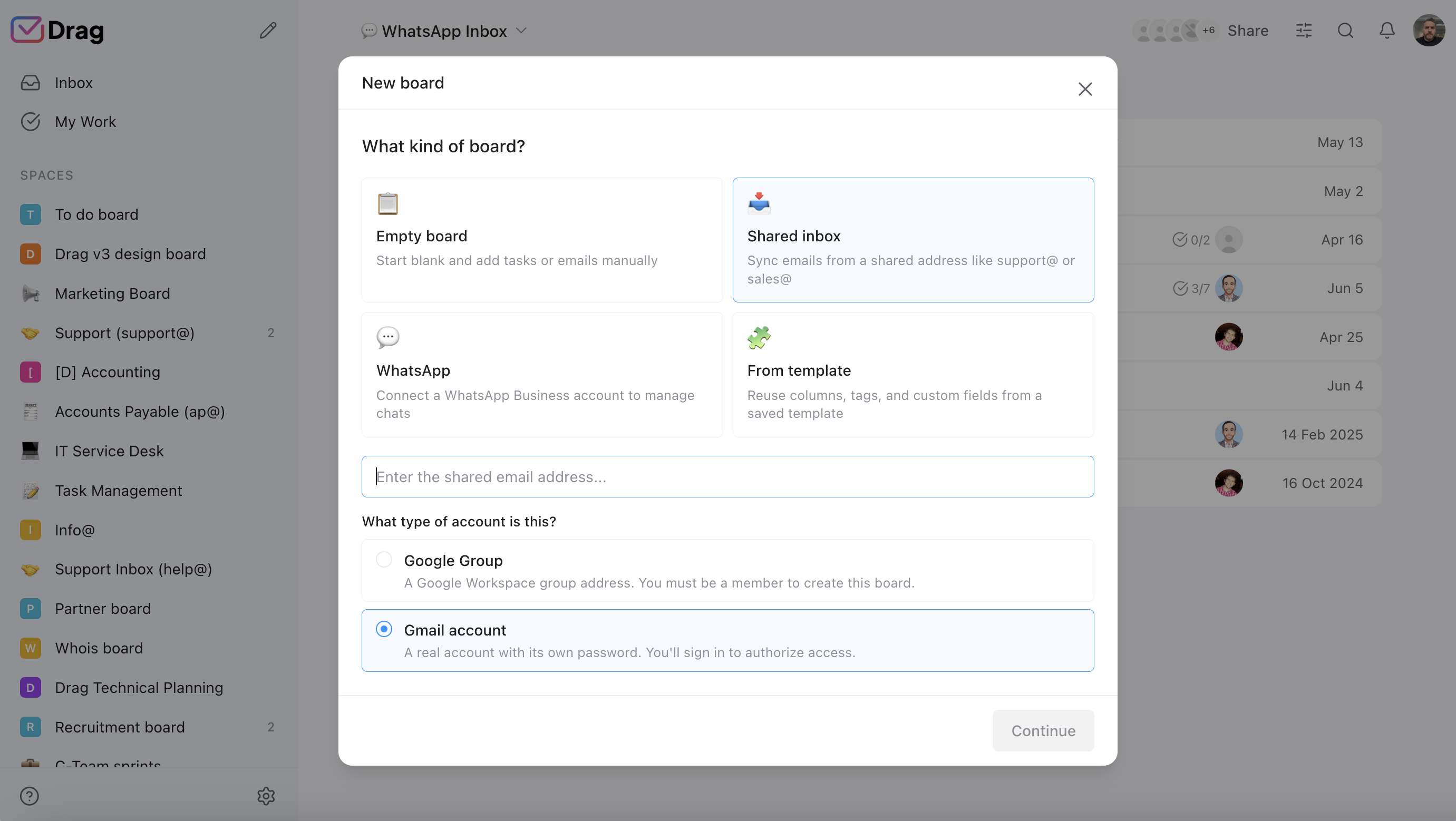
Drag runs email, live chat, and WhatsApp in one queue. Helply is email-led with a widget.
- Drag: email, live chat, and WhatsApp in one queue.
- Helply: email-led desk with a widget.
Knowledge base
Both real: Helply’s grounds its AI; Drag’s AI help centre grounds the assists and serves customers.
- Drag: a customer-facing AI help centre that also grounds the assists.
- Helply: a knowledge base that grounds its per-ticket AI.
Workflow
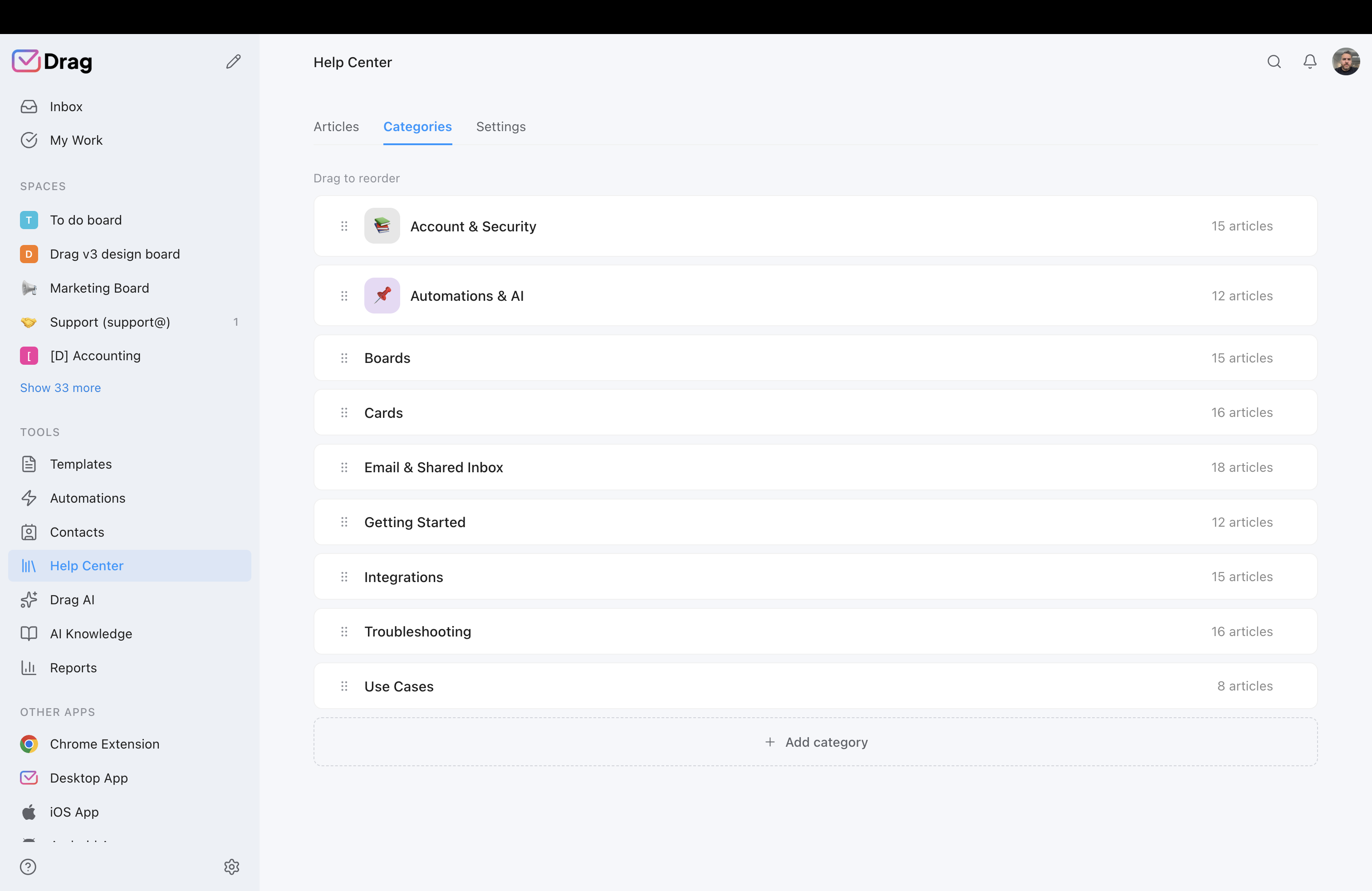
Drag’s boards, assignment, collision detection, and automation rules; Groove’s classic workflow was lighter and Helply’s is AI-led.
- Drag: boards, assignment, collision detection, and automation rules for team workflow.
- Groove: a lighter classic workflow; Helply’s is AI-led.
Where you work
Drag: Gmail, or its own apps, Chrome extension included; Helply: its platform.
- Drag: Gmail, or its own web, desktop, and mobile apps, with a Chrome extension included.
- Helply: its own platform.
Reporting
Both report; Drag’s covers the multi-channel operation.
- Drag: reporting across the multi-channel operation, chat and email together.
- Helply: reporting on its desk and AI resolution.
If you switch: what you keep, what changes
What you keep
Your email (it never left Gmail), your help content (re-homed into Drag’s help centre, where it grounds the AI), your team’s habits (a shared inbox is a shared inbox; the learning curve is hours).
What changes
The bill’s shape (from a per-ticket meter with a floor, or a legacy plan with a question mark over it, to flat seats), and the product’s centre of gravity (from AI-first desk to team-first platform with AI included).
The honest note
Ticket history exports from Groove/Helply as records; it does not migrate as live threads. Your email history needs no migration at all.
Where Helply fits better
To be straight, and with respect, Helply is the better choice if:
- Steady volume above the floor: at 1,000+ tickets a month, $1 per ticket with humans free is a coherent model, the same bet Kayako made, and it can beat seat pricing for tiny teams with huge volume.
- The AI-first conviction: if you want the AI leading and humans exception-handling, Helply is built around that shape; Drag is built team-first.
- The relationship: a decade with Groove is worth something, and if the new model fits your volume, loyalty is a fine reason to stay.
This page is for the teams the floor priced out.
No migration project to switch to Drag
Drag installs into the Google Workspace your support address already flows through. Connect inboxes, chat, and WhatsApp; set boards; load templates and help content (they ground the AI from day one); invite the team. Most teams are working the queue the same afternoon; the 7-day trial answers fit directly.
What customers say
“What we like the most about Drag is the ability to see at a glance where a client is during their Onboarding process, through the use of columns, tasks, and tags. It has been crucial for us because Waste Logics is a growing business and this transparency allows us to work faster and smarter.”
“There really is no comparison when it comes to Drag. We have a great relationship with their team, it's incredibly easy to use, addresses all of our needs, and the price is right!”
“Drag provided a lot of transparency and unified our team. It allowed us to bring the entire team together to manage emails and tasks collaboratively, as opposed to working in silos, across different tools.”
Frequently asked questions
What happened to Groove?
Groove rebranded to Helply and moved from per-seat plans to AI-first, per-ticket pricing: $1 per ticket with a 250-ticket monthly minimum (about $3,000 a year as a floor, billed as an annual minimum). groovehq.com now redirects to helply.com. The original per-seat product continues as Groove Classic for existing customers, with no forced migration; new signups are directed to Helply.
Is Drag a good Groove alternative?
For the small teams Groove originally served, yes, deliberately: flat seats from $12, AI included from $18, email + chat + WhatsApp in one queue on Gmail, no ticket meter, no minimum, no migration in.
What is the best Helply alternative?
Same answer for the priced-out: Drag (flat, included AI). For teams that want Helply's per-ticket model with a different vendor: Kayako runs the purest version ($1 per resolution, no seat fees). Our pricing report compares every model.
How much does Helply cost?
$1 per ticket with a 250-ticket monthly minimum: roughly $250 a month at the floor (about $3,000 a year, billed as an annual minimum), scaling with volume, with better per-case rates above 500 cases a month. Verified against helply.com at publication.
Is Drag cheaper than Helply?
For most small teams, structurally: two seats is $36, five with Varley is $90, versus a ~$250 monthly floor before volume. At very high ticket volume with a tiny team, per-ticket can win; we show that math honestly in the report.
Can I keep my legacy Groove plan?
If you already have one, yes: Helply says Groove Classic “is an active product” and that “any prepaid annual plan you have ... runs through its full term exactly as agreed,” with “no migration coming.” Whether new customers can still buy the old per-seat plans is not stated on its pricing page, which now shows only the $1-per-ticket Helply model. Verified July 2026 against helply.com; confirm with Helply for your own account.
What does Drag's AI include?
Varley, Drag’s AI, is in the seat from $18: it drafts and tags every email and chat, answers from everything your team knows and acts in your tools, with monthly AI credits included. On Pro, Varley’s Agent also resolves conversations on its own.
Can my AI tools manage the queue?
Drag's MCP server exposes 47 tools, read and write: Claude, ChatGPT, Gemini, Copilot, or Cursor can triage, draft, assign, and report. Helply has no MCP server.
Does Drag have a free plan?
A 7-day trial, no card; plans $12/$18/$24 per user annually.
Why did Groove change its pricing?
We can only report the visible bet, not motives: AI-first support priced per outcome is 2026's dominant repricing move (our report tracks a dozen vendors making it). It is a legitimate strategy; it also raises the floor above where much of Groove's original audience lives.
Who is Helply best for?
Teams with steady ticket volume comfortably above the 250 minimum who want an AI-led desk and outcome-shaped billing.
Does Drag work outside Gmail?
Drag is built on Google Workspace and runs inside Gmail or in its own web, desktop, and mobile apps. Outlook-based teams should look at Helply itself or the per-ticket field instead; we say that plainly.
How does setup compare?
Drag installs into the Workspace you already run, working the same afternoon. Groove's classic setup was similarly light; Helply's AI-first onboarding centres on knowledge grounding. Both are afternoons, not projects.
Can I bring my Groove ticket history?
As exported records for reference, yes; not as live threads. Your email history itself needs no migration, because Drag reads it in Gmail.
What about Groove's blog and resources?
The founder blog that made Groove famous taught a generation of bootstrappers to build in public, and it deserves its legacy. Our own build-log and guides run the same playbook: honest numbers, verified claims, dated corrections.
How do I try the comparison?
Run Drag's 7-day trial against a real week: connect the inboxes, load your content, watch the assists work, and put the month's bill next to Helply's floor.


