













Email communication tools are hard to choose. Here are some options for each need, according to Reddit users.
Table of contents
Looking for the best email communication tools for your business? It's hard to weight the pros and cons of each option, especially if you manage a complex email-based workflow. Which is why team leaders often default to Reddit forums to decide which software is the right one for their collaborators. Reddit, of course, is a social forum aggregator in which users can interact based on their specific interests. Which means people interested in software news and discussions can access specific forums, known as subreddits, and chats with others. In this article, we'll look into some of these subreddits and the recommendations they have for the best email communication tools your business could implement.
How to use Reddit to find the best email communication tools
The basic functionality of Reddit is that users are able to create text/image/video posts in a variety of subreddits. These posts (and the answers) are upvoted or downvoted by other forum users, sparking relevant discussions. Usually, people in search of the best email communication tools can look into subreddits dedicated to email usage, such as r/Gmail or r/email. However, current trends led to other types of conversation, including r/Emailmarketing, which has over 80 thousand users. If you're looking into specific professional email tools, however, it might be useful to look into forums for your specific needs. r/SaaS can give you pointers on platforms for multichannel companies, while r/CRM helps you discover useful apps for CRM. Of course, another potential space for discussion is a subreddit dedicated to your business size. Forums such as r/smallbusiness guide entrepreneurs, while r/Bookkeeping can help leaders stay on track with their finances.
What to look for in the best email communication tools
Before you even look into subreddits, you should keep in mind what resources you need, your budget and the type of team that will use the platform. Here are some questions to ask:
1) What features does the tool need to include?
The best email communication tools are developed to solve a specific problem. For instance, if you need email software for marketing companies, the platform should include data reports and a template library your team can build on. On the other hand, working with a helpdesk requires your email to have a reliable ticketing system, so that agents can concentrate on individual tasks and offer fast support instead of browsing through a cluttered inbox. It's important to know which features are a need, which ones are a want, and what your email communication tools can do to help your productivity. On the other hand, it's important to avoid feature bloat. Some platforms include multiple add-ons, which can be useful, but they also lead to a bigger learning curve. That's why, if you're browsing subreddits for the best email communication tools, read a variety of reviews to see if users mention any hardships before you invest.
2) How many people will have access to the email?
The size of your team can make a big difference. Solo entrepreneurs can benefit from free email management apps, but teams often require paid plans. Pay attention to your budget needs and check if there are different tiers. Beyond that, if you're working with multiple people, you should look into shared inboxes, since they include task management, user roles, and assignments, which are useful for team collaboration. Some reddit forums, such as r/productivity and r/projectmanagement, can give you good tips on features to look into if you're working with remote teams.
3) What other tools are used?
The threads above keep returning to a short list beyond the featured tools: Gmail's own filters and labels pushed further than most people push them, Streak for pipeline-in-Gmail use cases, and spreadsheet-plus-inbox workflows that teams outgrow the moment volume rises. The pattern across subreddits is consistent: individuals optimize their own inbox, and the recommendations change entirely the moment the question mentions a team, which is where the shared inbox category enters.
Best email communication tools for each need
Depending on what your main concern with professional email is, redditors have come up with a variety of alternatives to try. Here are some of the best recommendations:
Follow-up emails
Small business owners are always in search of reliable, cost-effective tools that can help their team fulfill daily needs. Which is why the forum r/smallbusiness gets frequent posts about the best email communication tools.
Mixmax
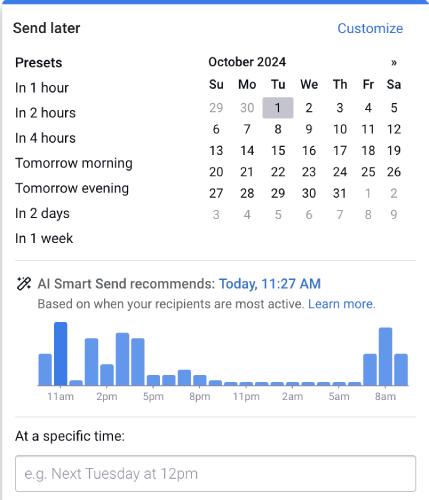 This email tool includes a variety of helpful resources, including a smart follow-up system. It's AI-powered, meaning it will reach your recipient's inbox at the ideal time for better engagement, based on your previous data and machine learning. User Herald_of_heaven recommends it for smaller teams that need to track their open rates and assign tasks. Their review adds: "It’s budget-friendly for small teams and helps streamline sales communication without adding complexity." Mixmax has a free plan, with paid tiers from $29 per user per month and the $49 tier still in place for teams that want its AI features, as of July 2026.
Canary Mail
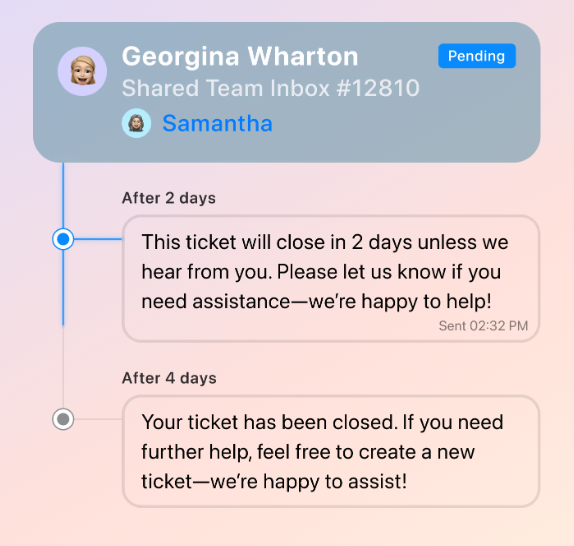 Canary is an inbox tool made for customer support teams. It allows users to access and manage multiple inboxes in the same workspace. Besides, the ticket automation tools make sure your tickets move across the workflow as efficiently as possible, and you enhance your customer service metrics with constant communication. "Switched to Canary Mail a few months ago and it's honestly made life way easier. Shared inbox works great, and the built-in templates + AI make follow-ups feel a lot less painful", reviews user prazeros on r/smallbusiness. Canary is free, with paid plans at $3 and $10 per user per month, as of July 2026.
B2B emails
Some redditors are looking for the best email communication tools for their B2B sales. In this scenario, it's useful to have resources such as inbox rotation, protection against spam filters and database builders. Some recommendations are:
SmartReach.io
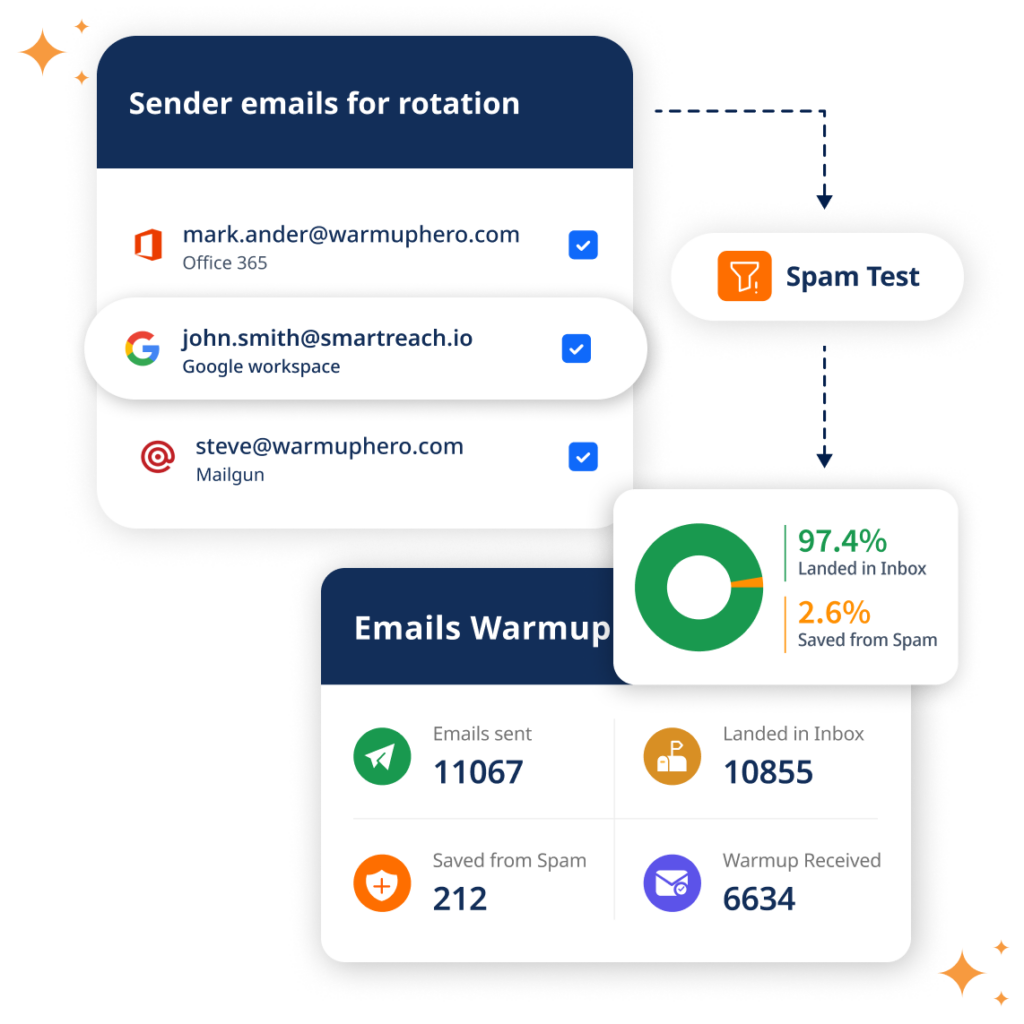 SmartReach.io was developed specifically for cold emails and marketed for B2B companies. Marketing and sales teams can use this platform to create a higher deliverability rate, based on inbox rotations, spam testing and AI-powered client base building. A review from user SchniederDanes on r/SaaS says: "it's beginner-friendly but powerful enough for scaling. you get strong deliverability tools (auto domain warm-up, inbox rotation, custom tracking domains) and you can even buy and manage secondary domains directly inside the platform." Plans start at $39 a month for up to 1,000 active prospects, as of July 2026.
SMTP2GO
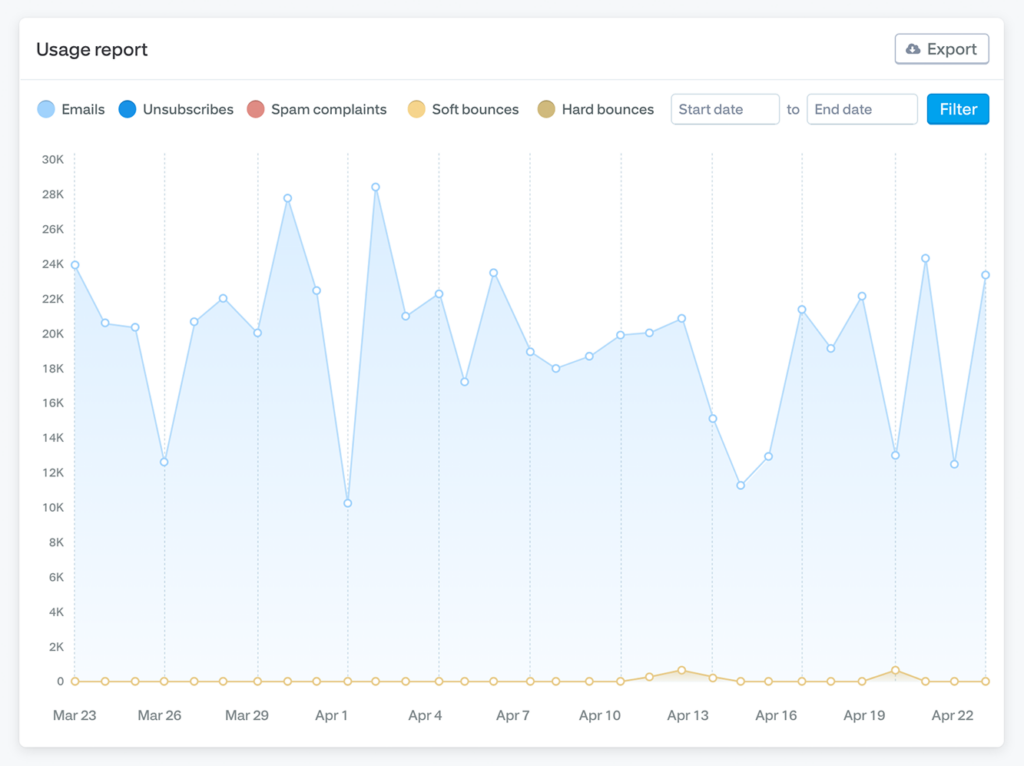 SMTP2GO comes up in deliverability threads for a narrower job than the tools above: it is the sending infrastructure under your email, not an inbox you work in, and B2B teams use it when rotation and deliverability are the bottleneck. Plans start at $15 for 10,000 emails a month as of July 2026, and the honest note is that if you are not sure you need an SMTP relay, you do not yet.
Task management
If you're looking for the best email communication tool for your entire workflow, you need a shared inbox. Unlike standard email clients, a shared inbox transforms your email account into a productive workspace and allows your team to manage and collaborate on email-based tasks.






Our solution, Drag, was created to help teams get the best out of their email. It includes helpful automation tools and project management resources, such as task assignments, internal chats and email notes to guide your work across the team. Instead of the basic inbox interface, users can see their emails as task cards, which they can move across Kanban boards, add deadlines, personalized tags and upload files to. That means your work is far more organized and easy to monitor. Here's a look into a task:
Drag has been listed in subreddits such as r/gsuite, r/CRM and r/privacy due to its ease of use and security, since it's a Gmail shared inbox that allows team leaders to add and remove users, set up roles and avoid the issues with sharing credentials. Here are some of Drag's use cases:
Sales
Drag can be used for sales teams as a sales CRM built directly on Gmail. Instead of switching to a secondary platform, team members can view relevant data about their contacts directly on the email itself.
Beyond that, you can use Drag's email sequence to set up automated follow-up outreach campaigns, so that you don't lose any potential leads and build a better relationship with customers.
Customer service
Customer service teams can also benefit from Drag. Our shared inboxes include manual and automatic task assignments, which means leaders can quickly determine who's in charge of each email. Beyond that, users can use Drag's internal chat to collaborate on current tasks and @mention each other if they need help with a customer query. On the other hand, if two team members are working on a task simultaneously, Drag's collision detector will alert them to avoid confusion.
HR and recruiting
One of the challenges for email-based work is keeping track of a high volume of files and detailed information. Recruitment teams, especially, need a way to organize and sort context about potential candidates. That's when a shared contact management system on your email is useful.

With Drag, you can create cards for each person and add their information via file uploads and custom fields. That way, your team can categorize them through custom tags and move the cards across the HR workflow.
Cost x benefit
Since it's a shared inbox, Drag allows teams to adapt it to each workflow. Meaning, you can view, manage, and assign email and WhatsApp-based tasks according to each department's needs. Considering most companies require multiple workflows, Drag is an investment that can help across the board. Plans start from $12 per user per month, with AI included from the $18 plan.
Drag · with Varley
The inbox your team and Varley work in together
Shared inbox and live chat for Gmail teams, with Varley, Drag’s AI, included from $18. Plus an MCP server your own AI tools can drive.
Conclusion
There's a huge variety of email communication tools available online. Reddit is a great way to check other users' experiences and honest reviews with them. Subreddits dedicated to specific industries and areas of expertise can guide you towards interesting options. Keep in mind your budget, your specific needs, and your current tech stack. With that, you can use Reddit's reviews and find the best email communication tools for your team's growth.
Quick guide: finding the email communication tools for you
Here's a step-by-step guide to finding the ideal email communication tools, with Reddit's help:
- Required features: Define the resources you need, such as email assignments, automation and data reports.
- Format: Pick the right type of tool for your team. Some companies require ticketing systems, while others benefit from a full shared inbox tool for task management.
- Budget: There are free and paid email communication tools, based on resources, email volume, and team size. Make sure you pay attention to the cost per user, considering company growth and the effect on tech budgets.
- Reviews: Reddit is a great place to look for user reviews on some of the best email communication tools. You can check specialized subreddits for honest, peer-voted comments on available software.

