








Zoho Desk is the cheapest full help desk of the major vendors, and the sticker is real: $7 to $40 a seat, no ticket meter. The catches are the ladder and the architecture. The full Zia assistant sits at $23, live chat at $40 via a second product, monthly billing runs up to 56% over annual, and your support becomes tickets in a separate app your team logs into. Drag does the support job inside Gmail: owners, statuses, boards, and Varley, Drag’s AI, included from $18, with nothing forwarded into a second system. Here is the honest, side-by-side comparison.

Table of contents
The verdict
The best Zoho Desk alternative for Google Workspace teams is Drag: it covers the jobs most teams actually buy a help desk for (assignment, statuses, boards, reporting, AI drafts) inside the Gmail they already run, with Varley, Drag’s AI, included from $18 a seat, plus live chat, WhatsApp, and a dedicated MCP server on Pro, and customers never see a ticket number. Zoho Desk remains the better fit where a true ticket desk is the need: multi-department routing, Blueprints-grade process, IVR and skill-based routing, or the strongest free tier of the majors (3 agents, permanent). We draw those lines plainly below, with every price receipted in our Zoho Desk pricing breakdown.
Choose Drag if you…
- You run on Google Workspace and want support answered where the mail already lives: no second system, no ticket numbers in front of customers.
- You want the AI in the seat: Varley included from $18, instead of a ladder that puts full Zia at $23.
- You want boards, live chat, and WhatsApp in one queue without climbing to a $40 plan for chat.
Choose Zoho Desk if you…
- You need true multi-department ticketing: Blueprints, IVR, skill-based routing, a customer portal.
- The free plan (3 agents) or the $7 Express door fits your size, and its caps fit your shape.
- Your company already runs on Zoho's suite, or your mailboxes are not on Google.
Drag vs Zoho Desk at a glance
| Feature | Drag | Zoho Desk |
|---|---|---|
| What it is & architecture | ||
| What it is | A full support platform built on Gmail | A full ticket desk in the Zoho suite |
| Where the work lives | In the Gmail mailbox: owners, statuses, and boards on the mail itself | In Desk: mail is forwarded in and the ticket becomes the working record |
| What customers see | Normal email replies from your address | A ticket ID, auto-replies, and an optional portal |
| Pricing & plans | ||
| Pricing (per seat) | $12 entry, Varley included at $18, $24 ceiling | Free (3 agents); $7 / $14 / $23 / $40 annual |
| The ladder | Unlimited rules and boards on all plans | Express caps 5 users; Zia at $23; live chat at $40; light agents paid below Enterprise |
| Billing catch | Annual $12 to $24; $24 is the most a seat costs | Monthly runs 29% to 56% above annual, steepest on Professional |
| AI & automation | ||
| AI | Varley: grounded drafts, tagging, summaries, answers from your docs, Copilot: included from $18 | Bundled with a token allowance (up to 30M/month); Answer bot at Standard, full Zia at Professional |
| MCP server | 47 tools, read + write | Yes, Zoho's own connector (41 tools) |
| Channels & features | ||
| Channels | Email + live chat + WhatsApp in one queue | Email-centred; live chat only at Enterprise, via Zoho SalesIQ |
| Kanban workflow | check_circle | cancel |
| Enterprise ticketing (Blueprints, IVR, skill routing) | No: boards and rules, deliberately lighter | Yes: Blueprints at $23, IVR and skill routing at $40 |
Pricing and features verified September 2026 against Zoho Desk’s pricing page and plan comparison table; confirm current details on each vendor’s site.
Why Gmail teams pick Drag
Architecture
No ticket desk between you and the customer.
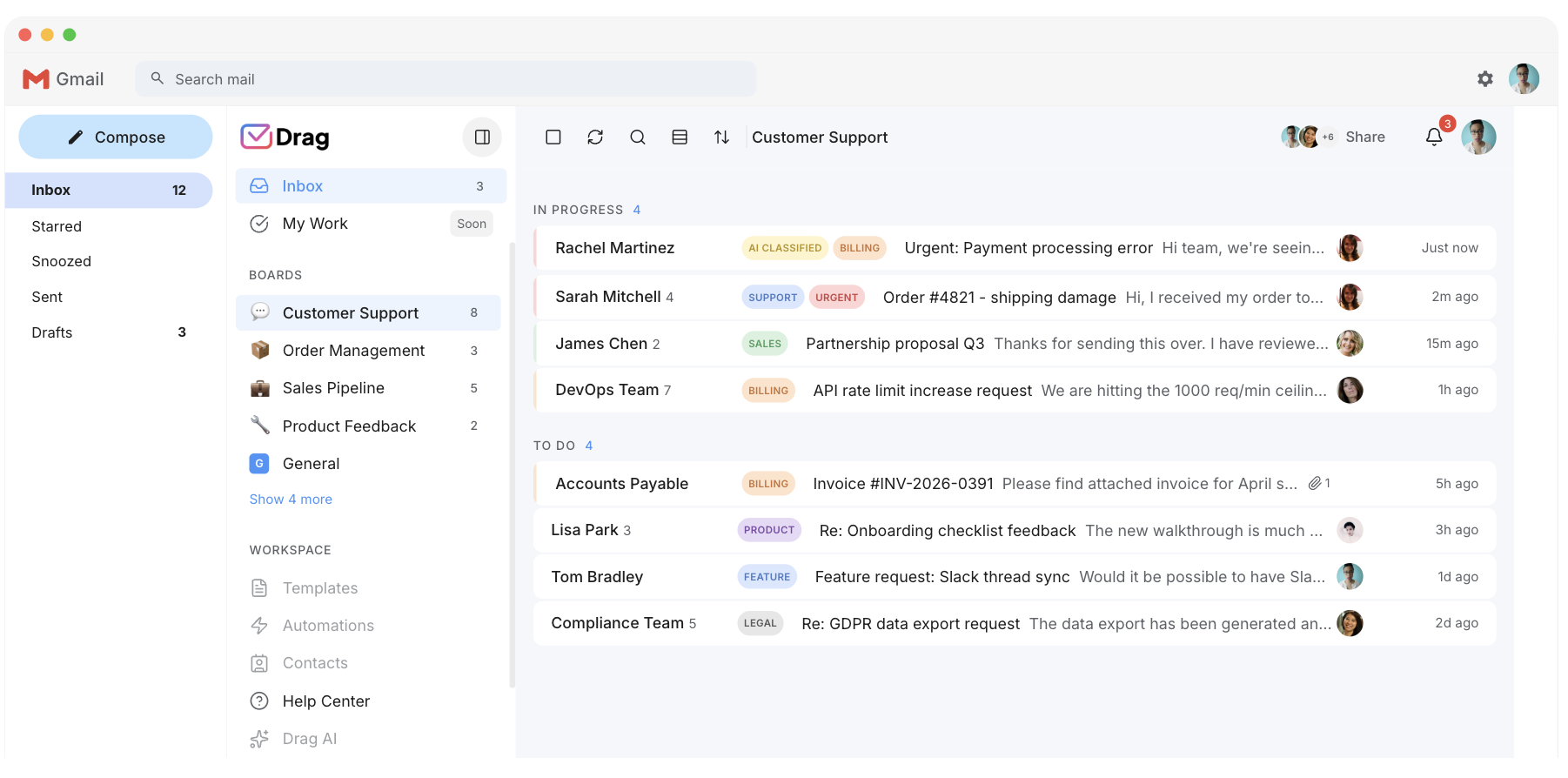
Zoho Desk is a second system by design: support@ forwards into it, the ticket becomes the working record, your team logs into Desk, and the customer gets an ID and an auto-reply. Drag inverts the architecture: Gmail stays the system of record, the mechanics (owners, statuses, boards, reporting) layer onto the mailbox itself, in Gmail or in Drag’s own web, desktop, and mobile apps, and the customer gets a normal reply from a normal address. The day you leave, your mail is exactly where it always was.
Pricing
What $18 buys on a ladder that climbs to $40.
The honest ledger, since their door is cheaper: Zoho Desk’s stickers are low and real, with no ticket or resolution meter anywhere. But the version of Desk that matches a modern help desk feature list is the $23 to $40 slice of it: full Zia at Professional, live chat at Enterprise via SalesIQ, light agents paid below Enterprise, and monthly billing up to 56% over the annual stickers. Drag’s $18 carries Varley, unlimited rules and boards, and live chat in the queue; Pro adds WhatsApp and the MCP server, and $24 a seat is the most it costs on yearly billing ($30 monthly).
- Drag $18: Varley, unlimited rules and boards, live chat; Pro at $24 adds WhatsApp and the MCP server.
- Zoho Desk: the $7 door caps at 5 users; full Zia sits at $23, live chat at $40, and monthly billing runs 29% to 56% over annual.
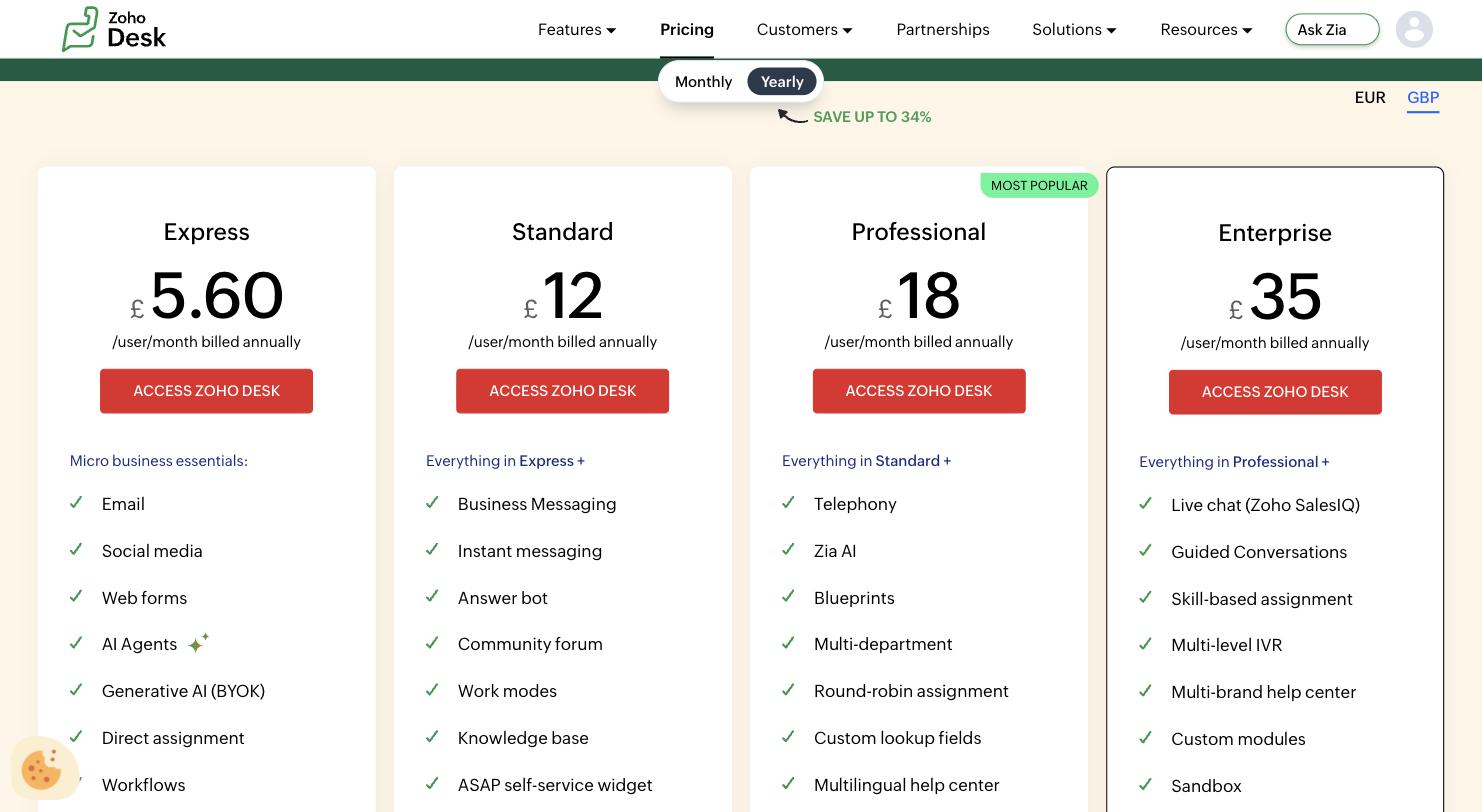
Source: Drag and Zoho Desk pricing pages, September 2026.
Varley · Drag’s AI
One AI, four ways it works.
Varley, Drag’s AI, knows your help center, docs and past conversations. It drafts and tags every email, answers your team in Copilot, acts in Stripe, Slack and HubSpot when you approve, and on Pro resolves conversations on its own. Monthly AI credits come with every Plus and Pro seat, with no per-seat AI add-on.
Zoho Desk bundles AI on a token allowance (up to 30M free tokens a month, in Zoho’s words) and a ladder: the Answer bot at Standard, the full Zia assistant only at Professional.
- CopilotAsk Varley, then let it act
- AgentsVarley resolves conversations on its own
- IntelligenceWhat Varley knows, and the tools it acts in
- AssistsVarley in every email: drafts, tags, summaries
Included in Plus. Pro gets 2x the usage. Power users top up any time.
Varley resolves the routine ones on its own.
On Pro, Varley’s Agent reads the email, checks your policy, acts in tools like Stripe, replies in your team’s voice and closes the conversation. Anything it isn’t sure of goes to your team, with everything it found. Included in Pro.
Zoho Desk’s Zia and its AI agents live inside the Desk platform; Varley works in the Gmail your team already answers.

I was charged twice this month
Daniel Okonkwo · Customer
- 9:38:13
Read Daniel’s email
Billing · Urgent
- 9:38:15
Checked your refund policy
Duplicate charges: refund in full
- 9:38:18
Found both charges in Stripe
$49 on 12 April, twice
- 9:38:22
Refunded the duplicate
$49 back to Daniel’s card
- 9:38:30
Replied to Daniel
Policy cited, in your team’s voice
- 9:38:35
Closed the conversation
Logged, with its sources
Connect Claude to your inbox in about two minutes.
Paste one URL into Claude’s settings, enter your API key once, and your inbox becomes 47 tools with full read and write, WhatsApp included, on the Pro plan. ChatGPT, Gemini, Copilot and Cursor connect the same way. Then just ask:

Summarise unread Support threads and assign billing to Sarah.

Label everything mentioning refunds and move it to In Progress.

What was our first-reply time this week vs last?
Zoho Desk now has its own MCP connector, built by Zoho, with 41 tools including replies; Drag’s covers a team working in Gmail, WhatsApp included.
Explore the MCP serverMCP server
@dragapp/mcp-server
47
tools · 12 categories · read + write
https://app.dragapp.com/mcp
paste into Claude › Settings › Connectors

 + any MCP client
Workflow
Boards, not just a shared list.
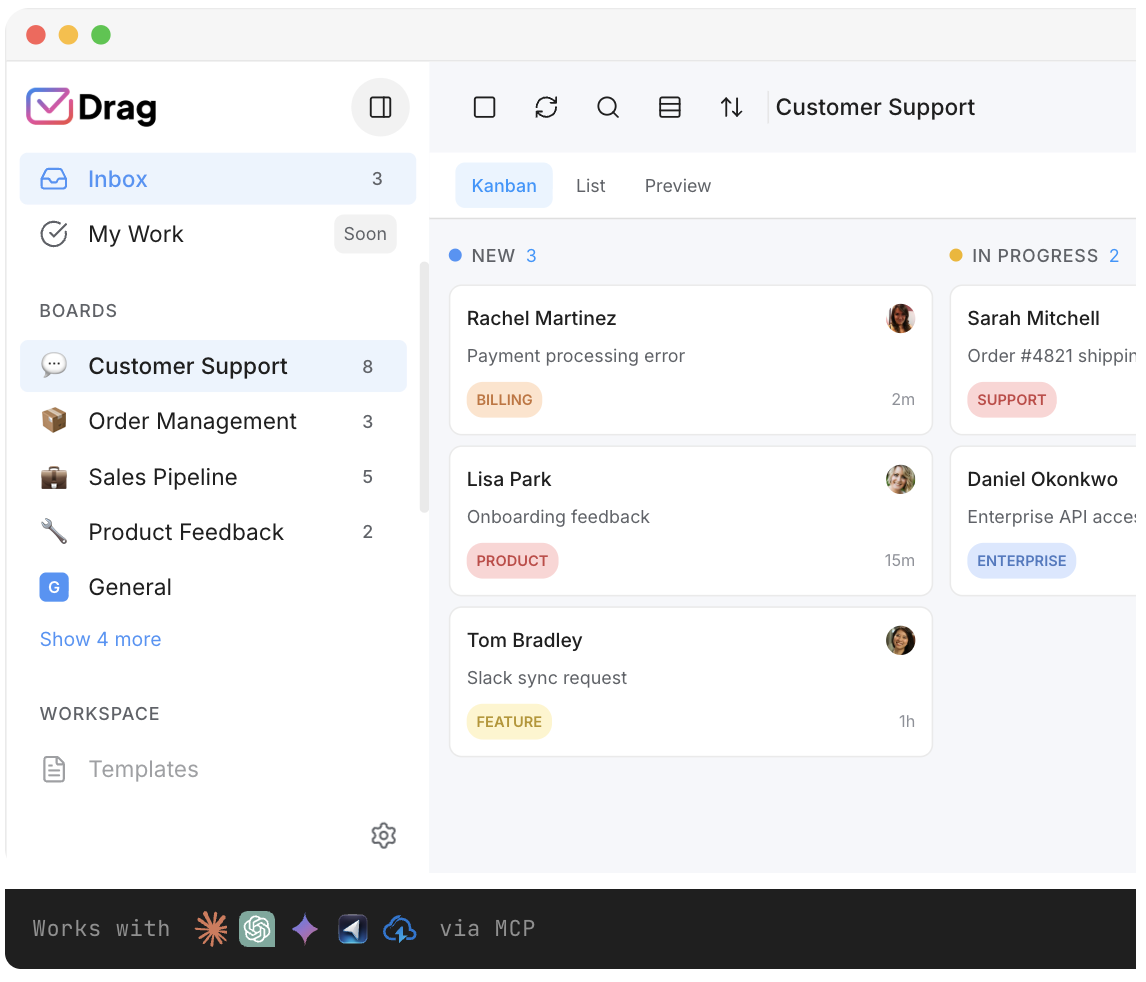
The kanban layer: columns for your actual stages, drag-and-drop triage, collision detection, and the reporting that runs the Friday meeting, included on every plan rather than tier-gated.
MCP
The queue your AI tools can drive.
Drag’s MCP server exposes 47 tools, read and write, for Claude, ChatGPT, Gemini, Copilot, or Cursor: one URL, working in minutes. Zoho Desk now has its own connector, built by Zoho, with 41 tools including replies.
Pricing: Drag vs Zoho Desk
Zoho Desk’s door is cheaper; the honest question is what plan you would really be on. Put your team size in to compare its Professional tier, where the full Zia assistant lives, against Drag’s AI plan. Drag has no seat minimum.
AI features
 Drag Plus (AI included)
$2,160/yr
$18/user/mo × 10 seats · AI included
 Zoho Desk Professional
from $2,760/yr+
$23/user/mo × 10 seats · Zoho Desk bundles AI with a token allowance (up to 30M free tokens a month, in Zoho's words); the full Zia assistant needs Professional ($23) and live chat needs Enterprise ($40, via Zoho SalesIQ). The free plan is real: 3 agents, email only.
Your team saves at least $600/yr with Drag.
Estimate based on annual per-seat USD list pricing, September 2026. Zoho Desk shown at Standard $14 and Professional $23; monthly billing runs 29% to 56% higher by plan. Confirm current pricing on each vendor's site.
The honest comparison prices Zoho Desk’s Professional tier ($23, where full Zia, telephony, and Blueprints live) against Drag’s AI plan ($18): Drag is $5 a seat cheaper at the feature-for-feature rung, with Varley included in the seat. And Desk’s $7 Express door is real if the 5-user cap and the thin feature set fit you: we say that plainly. Every number above is receipted, with the annual-versus-monthly math shown line by line, in our Zoho Desk pricing breakdown.
Drag vs Zoho Desk, feature by feature
The detail layer for evaluators: honest on both sides, with the architectural split named plainly.
Shared inbox
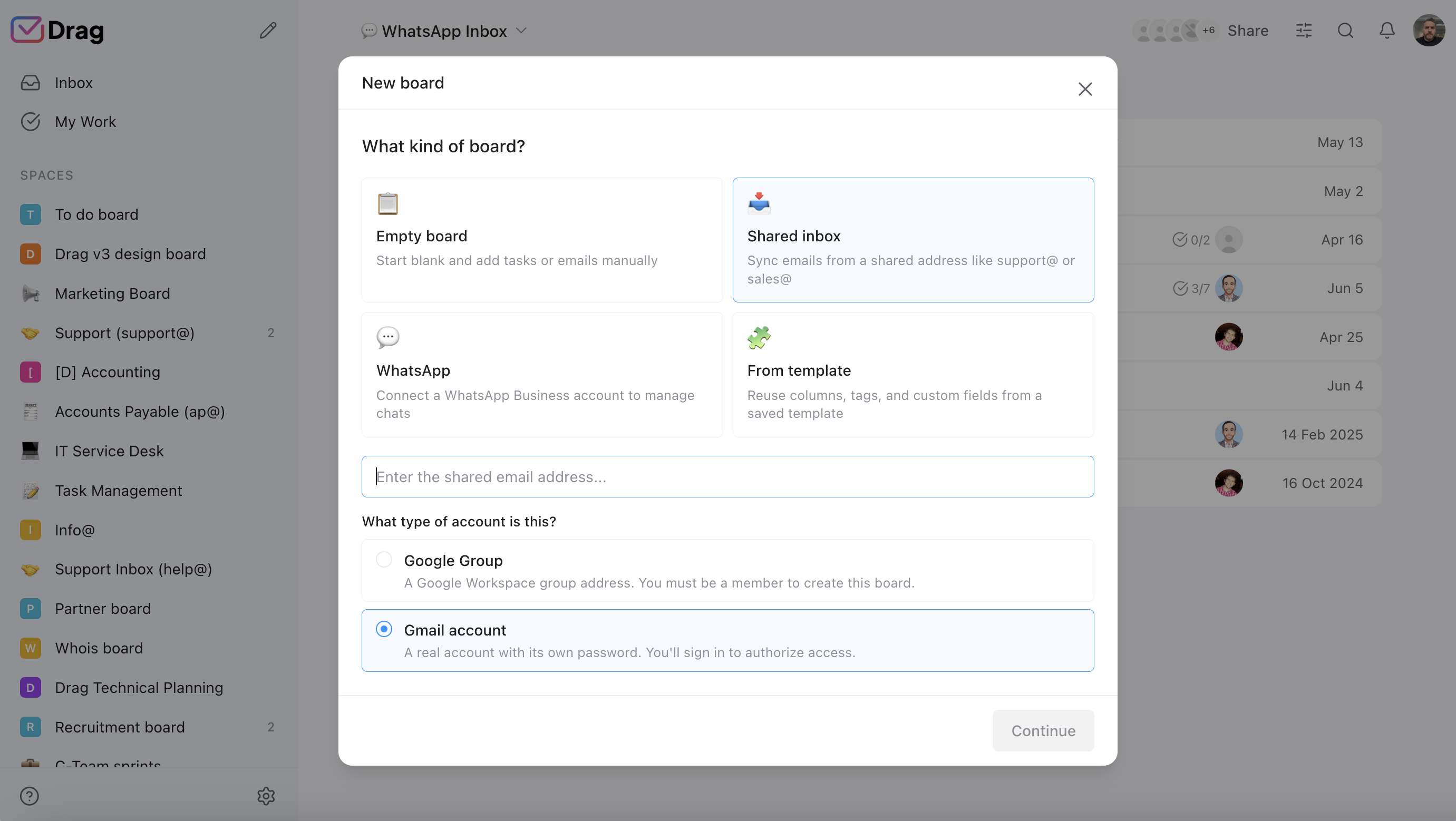
Both cover the mechanics: assignment, statuses, internal notes, templates, reporting. Desk does it in a ticket schema inside a separate app; Drag does it on the mailbox itself, so the team never leaves Gmail and the customer never meets a ticket number. Check both on mechanics; check Drag on where they live.
AI
Drag: Varley included at $18, with monthly AI credits, across email and chat alike. Zoho Desk: AI bundled on every paid plan but token-allowanced and laddered, with the Answer bot at Standard and full Zia at Professional. Check Drag on inclusion; credit Desk for bundling at all.
Automation
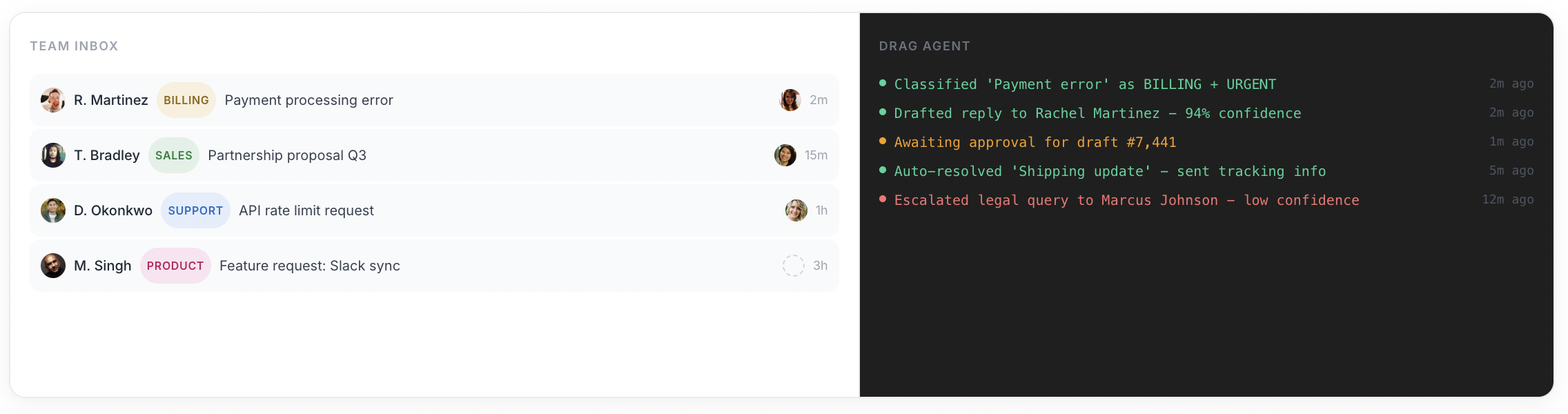
Zoho Desk’s process layer is genuinely deeper: Blueprints, round-robin assignment, and telephony from Professional, IVR and skill-based routing at Enterprise. Drag’s rules are unlimited on every plan and its boards are the workflow. Split check: Desk for process-heavy departments, Drag for teams who want the workflow without the platform.
Channels
Drag: email + live chat + WhatsApp in one queue, on the standard plans. Zoho Desk: email-centred until the upper ladder, with live chat arriving only at Enterprise ($40) via Zoho SalesIQ. Check Drag below $40.
Providers
Zoho Desk: any provider via forwarding, its genuine edge for mixed-mailbox companies, stated plainly. Drag: Google Workspace, deliberately. Honest check Zoho Desk for non-Gmail teams.
The customer experience
Drag: normal email replies from your normal address, with the tracking internal. Zoho Desk: a ticket ID, auto-replies, and an optional portal, which suits process-heavy support and feels like a ticket wall everywhere else. Check by what your customers expect; ours pick the email.
Ecosystem
Zoho’s suite (CRM, Books, SalesIQ) is a real gravity well: if your company runs on it, Desk slots in natively. Drag’s ecosystem is Google’s plus the MCP client universe. Split check, honestly by which world you live in.
If you switch: what you keep, what changes
The honest question a Zoho Desk team asks is not about the seat price, it is “what happens to our process, and to our history?” Here is the straight answer.
You keep
Your email in full and in place: if your support address runs on Google Workspace, the mail Desk was ingesting is already in the mailbox, so connecting Drag is an install, not a migration. Your templates and help content carry over and ground the AI. And the concepts map cleanly: tickets become cards, queues become boards, statuses stay statuses.
What changes
The second system disappears: your team works the mailbox, and customers stop meeting ticket numbers. The AI stops being token-allowanced. The honest notes: Desk ticket data exports as records for reference, and Blueprints-grade process has no direct Drag equivalent. If your support genuinely runs on multi-department Blueprints, IVR, and skill routing, stay on a ticket desk; that is what it is for.
Where Zoho Desk fits better
Three real cases, in plain text.
- Multi-department ticketing: if requests genuinely traverse teams with Blueprints, IVR, skill-based routing, and a customer portal, a real ticket desk is the machinery built for it, and Desk does that job for less than Zendesk.
- The $0 and $7 doors: the free plan (3 agents, permanent) is the strongest free tier of the major help desks, and Express at $7 is honest value if the 5-user cap and thin feature set fit your shape.
- The Zoho house, or non-Google mail: if CRM, Books, and SalesIQ already run your company, the suite coherence is worth real money; and Desk ingests any mail provider, where Drag is deliberately built on Google Workspace.
For most Google Workspace teams whose priority is the shared inbox built on the Gmail they already run, with AI included and nothing to migrate, Drag is the closer fit.
Switching from Zoho Desk to Drag is quick
No migration project: if your support address runs on Google Workspace, the mail Desk was ingesting is already in the mailbox. Install Drag into that Workspace, set boards, load templates and help content, invite the team. Working the same afternoon; the 7-day trial, no card, answers fit directly.
What customers say
“What we like the most about Drag is the ability to see at a glance where a client is during their Onboarding process, through the use of columns, tasks, and tags. It has been crucial for us because Waste Logics is a growing business and this transparency allows us to work faster and smarter.”
“There really is no comparison when it comes to Drag. We have a great relationship with their team, it’s incredibly easy to use, addresses all of our needs, and the price is right!”
“Drag provided a lot of transparency and unified our team. It allowed us to bring the entire team together to manage emails and tasks collaboratively, as opposed to working in silos, across different tools.”
Frequently asked questions
Is Drag a good Zoho Desk alternative?
For teams on Google Workspace, yes, deliberately: the jobs most teams buy a help desk for (assignment, statuses, boards, reporting, AI drafts) done inside the Gmail they already run, with Varley, Drag’s AI, included from $18 and no separate app to log into.
What is the main difference between Drag and Zoho Desk?
Where the work happens. Zoho Desk is a separate ticket desk: mail is forwarded in, becomes ticket #4821, and your team works in Desk while the customer sees an ID and often a portal. Drag adds owners, statuses, and boards to the Gmail mailbox itself, and replies stay normal emails.
How much does Zoho Desk cost?
Five plans: a free edition capped at 3 agents, then Express $7, Standard $14, Professional $23, and Enterprise $40 per agent per month on annual billing, with no ticket or resolution meter. Monthly billing runs 29% to 56% higher by plan. Verified against Zoho Desk's pricing page in September 2026; Zoho geo-serves prices, so European visitors see EUR or GBP.
Is Drag more expensive than Zoho Desk?
Door against door, yes: $12 against $7, and we say it first. But Express caps at 5 users and the features that define a modern desk sit up the ladder: full Zia at $23, live chat at $40. At the feature-for-feature rung, Drag's $18 AI plan against Desk's $23 Professional, Drag is $5 a seat cheaper, with Varley included.
Does Zoho Desk have a free plan?
Yes, and it is the strongest free tier of the major help desks: 3 agents, email ticketing, no card, permanent. The caps are the product decision; a fourth agent or any of the ladder features means a paid plan.
Does Zoho Desk have AI?
Yes, bundled rather than sold as an add-on, with a token meter behind it: every paid plan ships AI agents with, in Zoho's words, 'up to 30M free tokens/month', plus bring-your-own-key GenAI. The ladder applies to the AI too: the Answer bot needs Standard and the full Zia assistant needs Professional ($23). Drag includes Varley, its AI, from $18, with monthly AI credits in the seat.
What is the catch with Zoho Desk's annual pricing?
Monthly billing costs much more than the annual stickers: on the UK list we verified live, 29% more on Express, 33% on Standard, 56% on Professional (the plan Zoho badges as most popular), and 14% on Enterprise. The plan most teams want carries the steepest monthly penalty.
Can my AI tools manage the queue?
With Drag, yes: its MCP server exposes 47 tools, read and write, for Claude, ChatGPT, Gemini, Copilot, or Cursor, one URL to connect. Zoho Desk also has its own connector now, built by Zoho, with 41 tools including replies.
Does Drag have a free plan?
A 7-day trial, no card; plans $12, $18 (AI included from here), $24 per user annually.
What are Zoho Desk's caps and ladder steps?
Express ($7) allows at most 5 users. Light agents are a paid add-on below Enterprise. Zia AI, telephony, Blueprints, and round-robin assignment arrive at Professional ($23). Live chat, IVR, and skill-based routing arrive at Enterprise ($40), with chat delivered through Zoho SalesIQ. Real caps, disclosed in their plan comparison table.
What about Zoho TeamInbox?
A different Zoho product: TeamInbox is Zoho's shared inbox at $6 to $9 a seat, while Desk is the full ticket desk this page is about. If a shared inbox is the actual need, that comparison is on our Zoho TeamInbox alternative page.
Does Drag work with Outlook or mixed mailboxes?
No: Drag is built on Google Workspace. Zoho Desk ingests any provider via forwarding, so mixed or non-Google teams should genuinely consider it, and we say that plainly.
Can I bring my Zoho Desk history?
Ticket data exports from Zoho Desk as records. And if your support address runs on Google Workspace, the original emails Desk was ingesting are already sitting in the mailbox, so the threads themselves need no migration at all.
How does setup compare?
Zoho Desk: create departments, wire forwarding per address, configure workflows and the portal. Drag: install into the Workspace you already run; working the same afternoon. Desk's setup buys process depth; Drag's buys speed.
Do customers see ticket numbers with Drag?
No. Replies are normal Gmail emails from your normal address; the tracking (owners, statuses, boards, reporting) is internal to your team. Zoho Desk fronts a ticket ID and, optionally, a customer portal.


